
Diese Seite ist keine offizielle Seite der App oder ihres Entwicklers, sondern eine unabhängige redaktionelle Veröffentlichung, die zu Informations- und Kommentarzwecken erstellt wurde. Sofern nicht ausdrücklich anders angegeben, sind weder die App noch ihr Entwickler mit MWM, Apple, Google Play, dem App-Herausgeber oder dem Entwickler der App verbunden, von ihnen unterstützt, gesponsert, autorisiert oder anderweitig offiziell verbunden, und nichts auf dieser Seite impliziert, dass die App unter Verwendung der Dienste von MWM entwickelt wurde. Alle Marken, Logos, Screenshots und andere Inhalte bleiben Eigentum ihrer jeweiligen Inhaber.

Python Coding Editor 3 IDE App
Verwandeln Sie Ihr Mobilgerät in eine Hochleistungs-Workstation. Führen Sie Skripte aus, lösen Sie Coding-Challenges und debuggen Sie mit sofortiger KI-Unterstützung – überall und jederzeit.
Downloads
79K+Bewertung
Bewertungen gesamt
600Herausgeber
Kategorie
Developer ToolsSprachen
1Neueste Version
1.5.0Größe
47.9 MBErstveröffentlichung
19. Juni 2024Intelligenter codieren, nicht härter
Schließen Sie die Lücke zwischen Lernen und Erstellen mit einer Mobile-First-IDE, die fortschrittliche KI-Unterstützung und reale Coding-Challenges für den modernen Entwickler integriert.
KI-Copilot zum Debuggen
Verschwenden Sie keine Zeit mehr mit der Fehlersuche. Erhalten Sie sofortige, intelligente Erklärungen und Korrekturen, damit Sie sich ohne Frustration auf das Erstellen konzentrieren können.
Mobile IDE auf Desktop-Niveau
Ein Hochleistungsinterpreter mit Syntaxhervorhebung und Cloud-Synchronisation, der Ihren Arbeitsweg in eine produktive Entwicklungsumgebung verwandelt.
Häufig gestellte Fragen
Alles, was Sie über wissen müssen Python Coding Editor 3 IDE App
Was ist die Python Coding Editor 3 IDE App?
Die Python Coding Editor 3 IDE App ist eine mobile Anwendung, mit der Benutzer Python-Code direkt auf ihrem Mobilgerät schreiben, ausführen und debuggen können. Sie bietet einen optimierten mobilen Interpreter und verschiedene Coding-Funktionen.
Bietet die Python Coding Editor 3 IDE App KI-Unterstützung?
Ja, die Python Coding Editor 3 IDE App bietet KI-Unterstützung. Sie bietet sofortige KI-gestützte Hilfe beim Debuggen von Code, zur Fehlerbehebung und zur Verbesserung von Python-Kenntnissen.
Kann ich mit der Python Coding Editor 3 IDE App Python lernen?
Ja, mit der Python Coding Editor 3 IDE App können Sie Python lernen. Die App bietet Lernmodule wie "Learn Python Any Where In 30 Days" und "Hundred Of Python Example" Programme.
Erfordert die Python Coding Editor 3 IDE App die Installation von Bibliotheken?
Nein, die Python Coding Editor 3 IDE App erfordert keine Installation von Bibliotheken. Die App verwaltet die Bibliotheken und ermöglicht die nahtlose Ausführung von Python-Skripten mit gängigen Bibliotheken wie NumPy und Matplotlib.
Bietet die Python Coding Editor 3 IDE App Coding-Herausforderungen?
Ja, die Python Coding Editor 3 IDE App bietet Coding-Herausforderungen. Benutzer können ihre Python-Fähigkeiten mit einer Sammlung praktischer Coding-Herausforderungen schärfen, die von Anfänger bis zu Fortgeschritten reichen.
Welche Abonnementoptionen gibt es für die Python Coding Editor 3 IDE App?
Die Python Coding Editor 3 IDE App bietet automatisch erneuerbare Abonnements mit wöchentlicher, monatlicher und jährlicher Laufzeit. Die Zahlung wird bei Bestätigung des Kaufs dem iTunes-Konto belastet.
Welche Funktionen bietet der Code-Editor in der Python Coding Editor 3 IDE App?
Der fortschrittliche Code-Editor der Python Coding Editor 3 IDE App umfasst Syntaxhervorhebung, Code-Vervollständigung und Fehlererkennung. Außerdem können Themes, Schriftarten und Layouts angepasst werden.
Unterstützt die Python Coding Editor 3 IDE App Cloud-Synchronisation?
Ja, die Python Coding Editor 3 IDE App unterstützt Cloud-Synchronisation. Sie verfügt über integrierte Cloud-Speicherlösungen, die es Benutzern ermöglichen, Python-Skripte geräteübergreifend zu speichern und darauf zuzugreifen.
Ist die Python Coding Editor 3 IDE App benutzerfreundlich?
Ja, die Python Coding Editor 3 IDE App verfügt über eine benutzerfreundliche Oberfläche. Sie zeichnet sich durch ein intuitives und klares Design aus, das für effizientes mobiles Codieren optimiert ist, mit anpassbaren Optionen.
Wie kann ich mein Abonnement für die Python Coding Editor 3 IDE App kündigen?
Sie können die automatische Verlängerung Ihres Abonnements für die Python Coding Editor 3 IDE App über Ihre iTunes-Kontoeinstellungen nach dem Kauf verwalten und deaktivieren. Eine Kündigung des aktuellen aktiven Zeitraums ist nicht möglich.
Die folgenden Screenshots und die Beschreibung stammen direkt aus dem offiziellen Store-Eintrag der App und sind Eigentum des Entwicklers.
App Store
Screenshots
Python Coding Editor IDE App-Banner mit Python-Logo und Text Code Compile Run
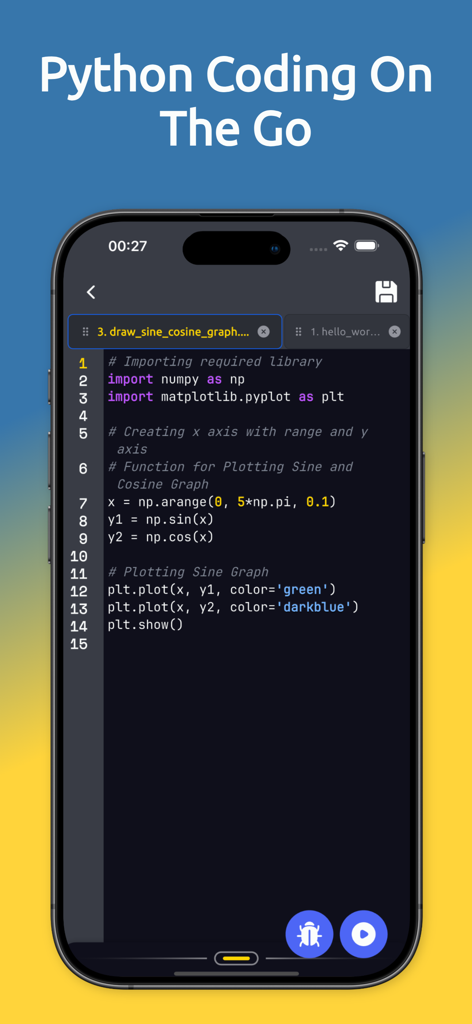
Python-Code-Editor-Oberfläche auf einem Smartphone-Bildschirm, die ein Skript zur grafischen Darstellung von Sinus- und Kosinuskurven zeigt
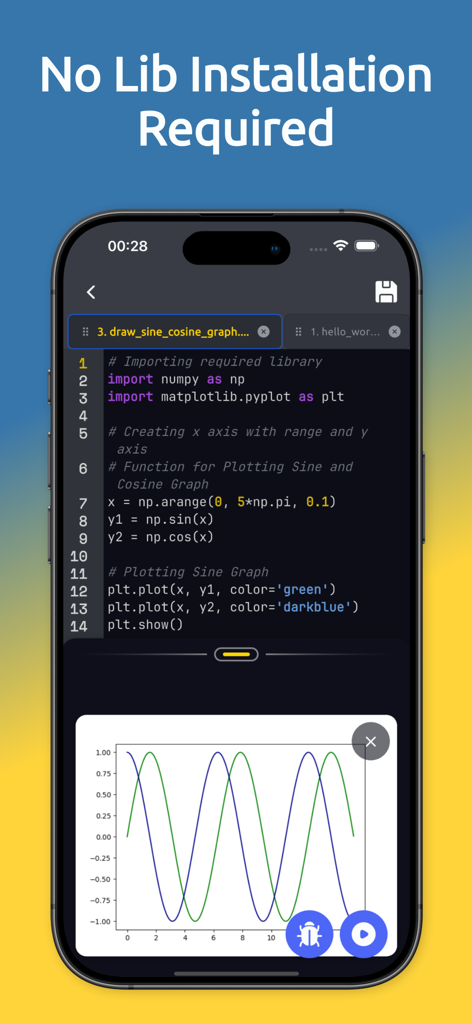
Ein Smartphone, das eine Python-Mobile-IDE-Oberfläche mit Code und einem generierten Sinuswellengraphen zeigt, der vorinstallierte Bibliotheken veranschaulicht
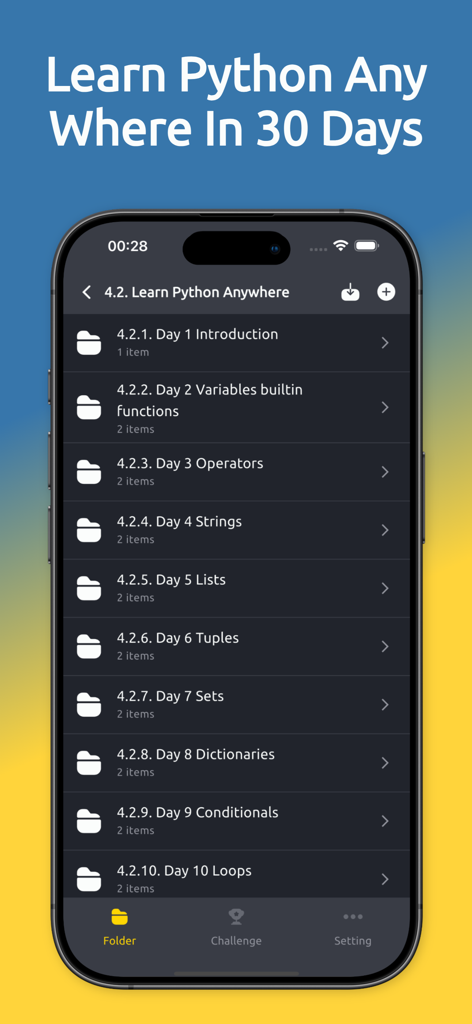
Die Python Coding Editor App-Oberfläche zeigt einen 30-tägigen Lernplan mit täglichen Lektionen wie Variablen und Operatoren
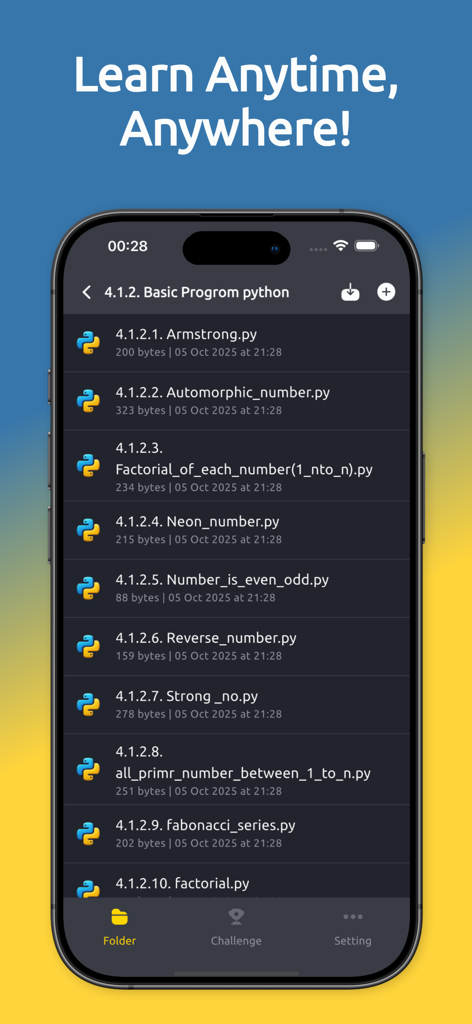
Eine Liste von Python-Skriptdateien in der Python Coding Editor Mobile App
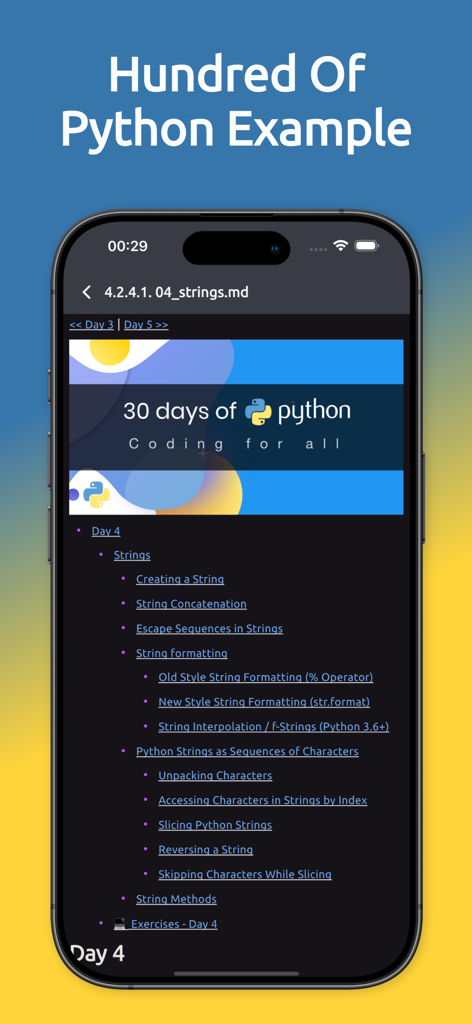
Ein mobiler App-Bildschirm, der eine strukturierte Liste von Python-String-Beispielen und Tutorials im Rahmen einer 30-tägigen Coding-Challenge anzeigt.
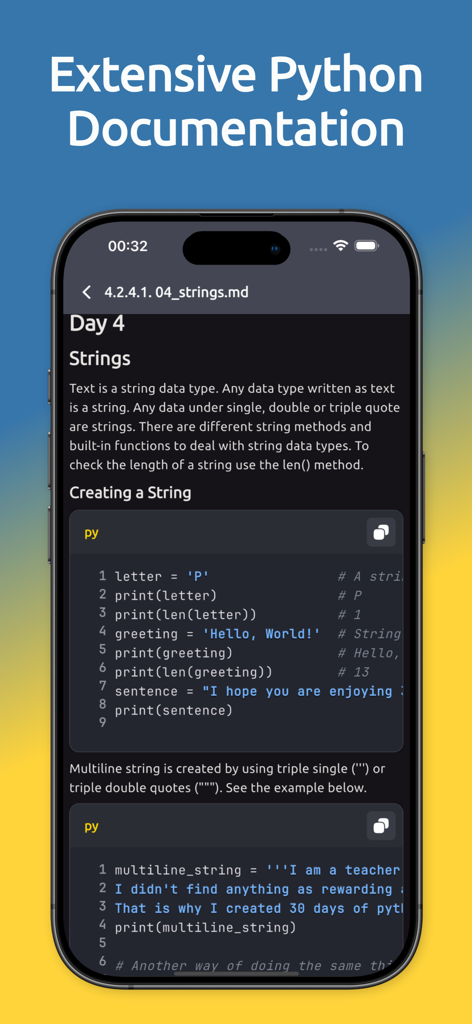
Die Benutzeroberfläche der Python Coding Editor 3 IDE App zeigt umfangreiche Dokumentation und Coding-Lektionen für Strings
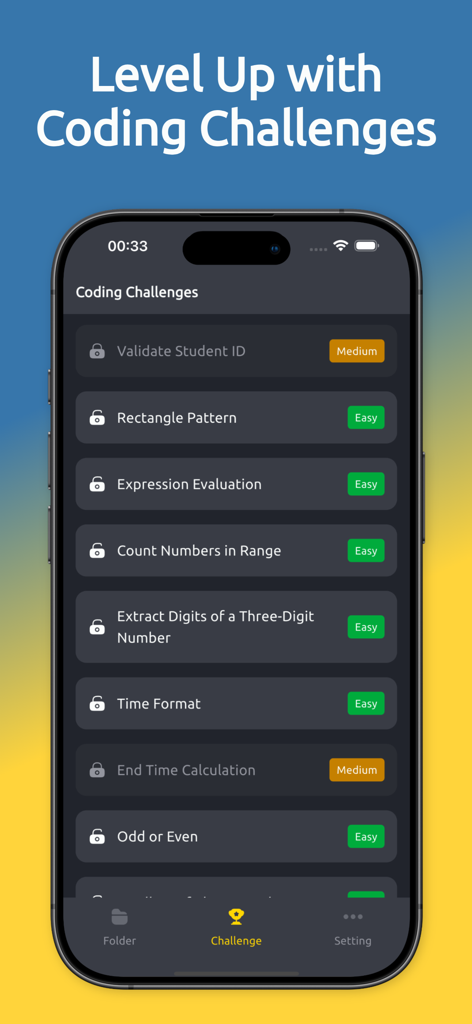
Liste der Python-Coding-Challenges mit Schwierigkeitsgraden
Beschreibung
Download
Ähnliche Apps
Apps mit ähnlichen Funktionen und Nutzererfahrung

Python Coding
婉媚 邵

Scriptable
Simon Stovring

Koder Code Editor
Reny Mustika

Textastic Code Editor
Alexander Blach

Carnets - Jupyter
Nicolas Holzschuch

Juno – Python and Jupyter
Rational Matter Ltd

C/C++-programming language
小文 黄

Love2D Studio
淑敏 孙

C Compiler IDE
Changsha Chunjue Information Technology Co., Ltd.
Diese Seite ist keine offizielle Seite der App oder ihres Entwicklers, sondern eine unabhängige redaktionelle Veröffentlichung, die zu Informations- und Kommentarzwecken erstellt wurde. Sofern nicht ausdrücklich anders angegeben, sind weder die App noch ihr Entwickler mit MWM, Apple, Google Play, dem App-Herausgeber oder dem Entwickler der App verbunden, von ihnen unterstützt, gesponsert, autorisiert oder anderweitig offiziell verbunden, und nichts auf dieser Seite impliziert, dass die App unter Verwendung der Dienste von MWM entwickelt wurde. Alle Marken, Logos, Screenshots und andere Inhalte bleiben Eigentum ihrer jeweiligen Inhaber.