
Diese Seite ist keine offizielle Seite der App oder ihres Entwicklers, sondern eine unabhängige redaktionelle Veröffentlichung, die zu Informations- und Kommentarzwecken erstellt wurde. Sofern nicht ausdrücklich anders angegeben, sind weder die App noch ihr Entwickler mit MWM, Apple, Google Play, dem App-Herausgeber oder dem Entwickler der App verbunden, von ihnen unterstützt, gesponsert, autorisiert oder anderweitig offiziell verbunden, und nichts auf dieser Seite impliziert, dass die App unter Verwendung der Dienste von MWM entwickelt wurde. Alle Marken, Logos, Screenshots und andere Inhalte bleiben Eigentum ihrer jeweiligen Inhaber.

TranscriptPad - Review Depos
Halbieren Sie Ihre Zeit für die Analyse nach der Zeugenbefragung. Lesen, markieren und codieren Sie Zeugenaussagen sicher auf Ihrem iPhone, iPad und Mac – keine Cloud-Verbindung erforderlich.
Downloads
100Bewertung
Bewertungen gesamt
100Herausgeber
Kategorie
BusinessSprachen
1Neueste Version
26.1.1Größe
49.6 MBErstveröffentlichung
30. Jan. 2021Leistungsstarke Zeugenbefragungsprüfung für moderne Prozessanwälte
Verändern Sie die Art und Weise, wie Sie Aussagen analysieren. Vom Markieren wichtiger Beweismittel bis zur Erstellung von Impeachment-Folien erhalten Sie professionelle Werkzeuge, die geräteintern funktionieren, wo immer Sie sind.
Überall sicher prüfen
Tragen Sie Ihren gesamten Fall in Ihrer Tasche. Überprüfen Sie Transkripte im Zug oder vor Gericht mit vollständigem Offline-Zugriff – keine Cloud-Verbindung oder öffentliches WLAN erforderlich.
Präzise Issue-Codierung
Organisieren Sie Zeugenaussagen sofort nach Zeugen, Datum oder Thema. Durchsuchen Sie Hunderte von Transkripten in Sekundenschnelle und erstellen Sie detaillierte Berichte für Ihr Rechtsteam.
Die folgenden Screenshots und die Beschreibung stammen direkt aus dem offiziellen Store-Eintrag der App und sind Eigentum des Entwicklers.
App Store
Screenshots
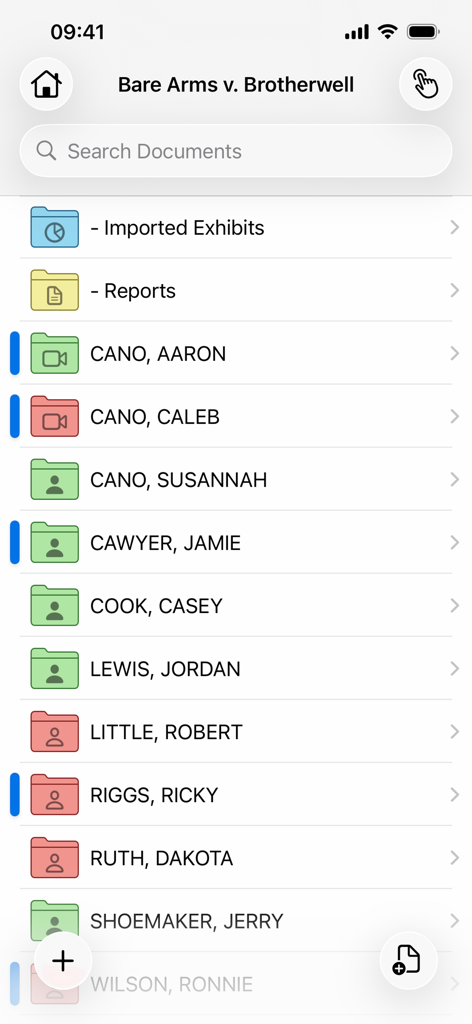
Screenshot der TranscriptPad-App, die organisierte Ordner für juristische Fallakten und Zeugen anzeigt
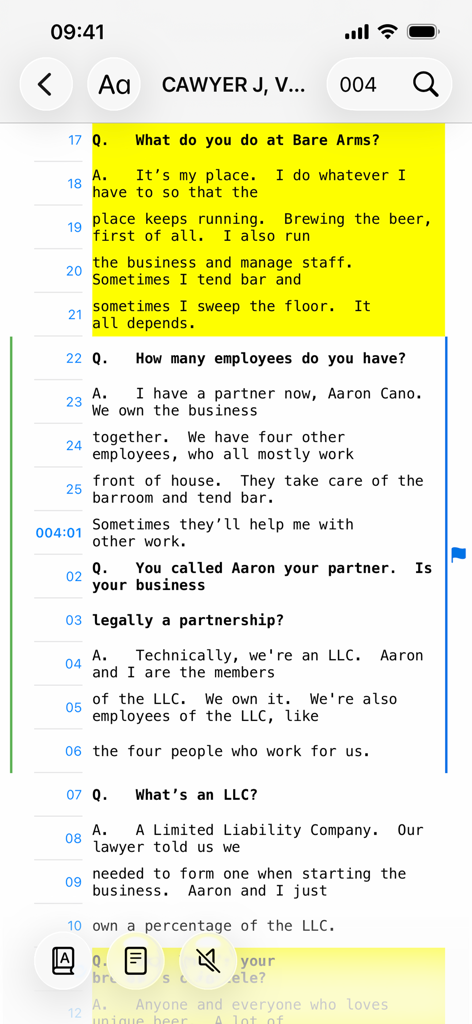
Juristisches Zeugenbefragungstranskript mit gelber Markierung in der Benutzeroberfläche der mobilen TranscriptPad-App.
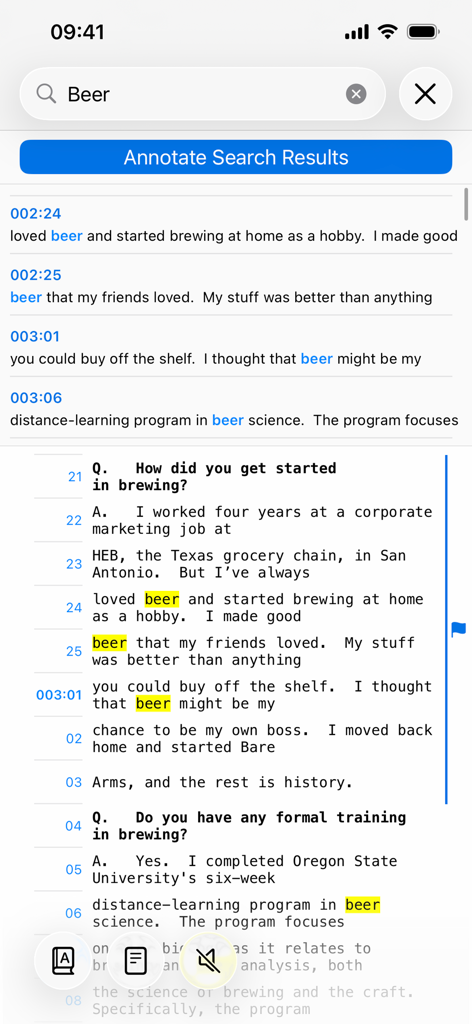
Oberfläche für Stichwortsuche und markierte Ergebnisse in der mobilen TranscriptPad-App
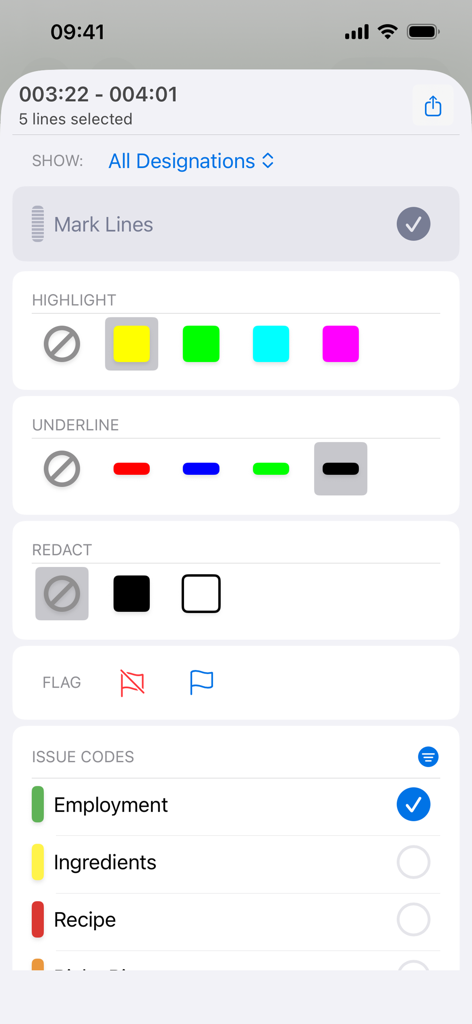
Schnittstelle für Anmerkungen und Issue-Codierung in der mobilen TranscriptPad-App zum Markieren und Schwärzen von juristischen Zeugenbefragungen
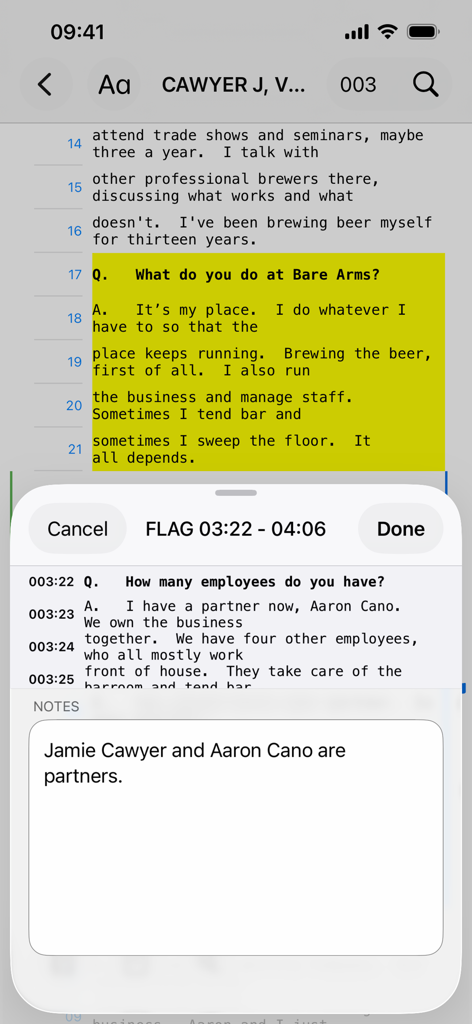
Screenshot der TranscriptPad-App auf dem iPhone, der markierten Text von Zeugenbefragungen und einen Notizbereich zeigt
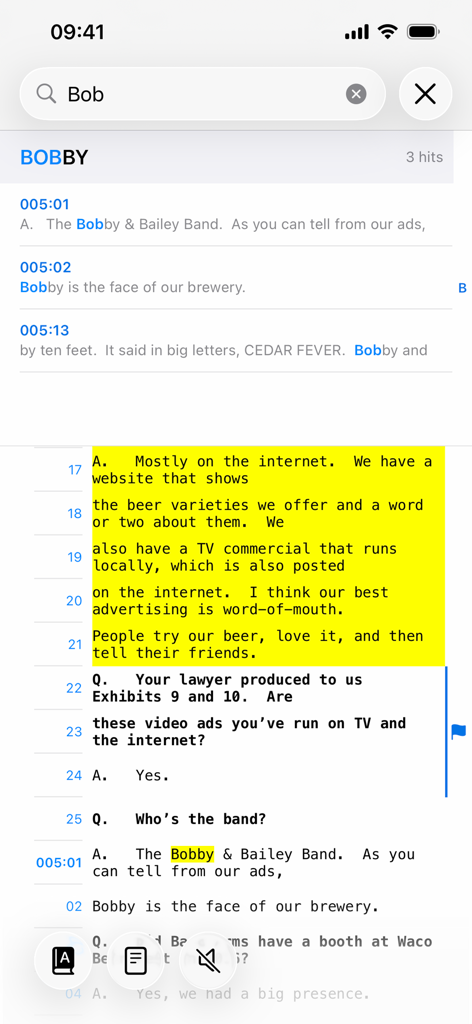
Stichwortsuche und Textmarkierung in der TranscriptPad-App auf dem iPhone
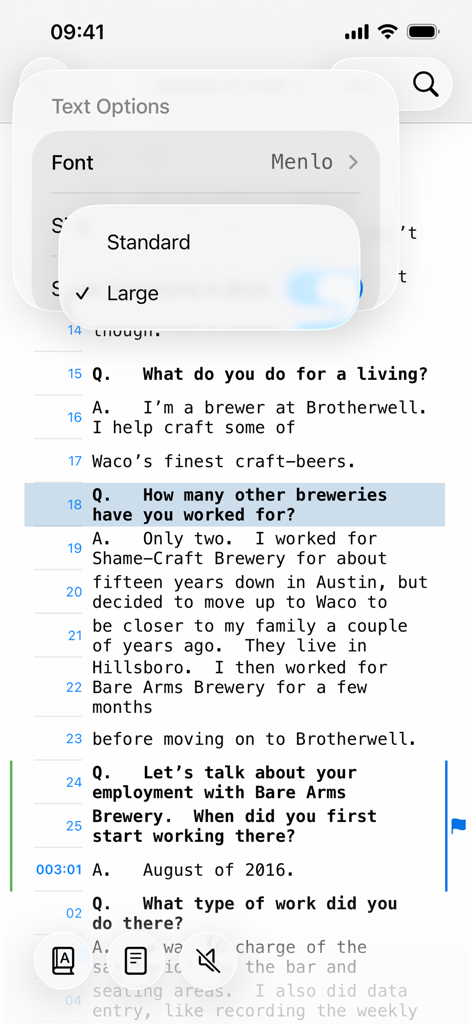
TranscriptPad-App auf dem iPhone, die Textoptionen zur Änderung von Schriftart und -größe eines Zeugenbefragungstranskripts anzeigt
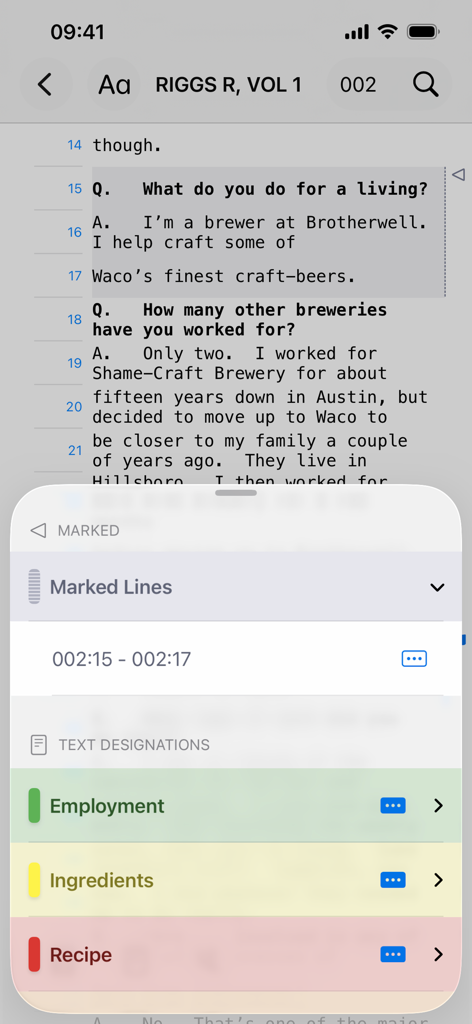
TranscriptPad iPhone-Oberfläche, die die Überprüfung juristischer Transkripte mit Textbezeichnungen und Issue-Codierung für Beschäftigung und Rezepte zeigt.
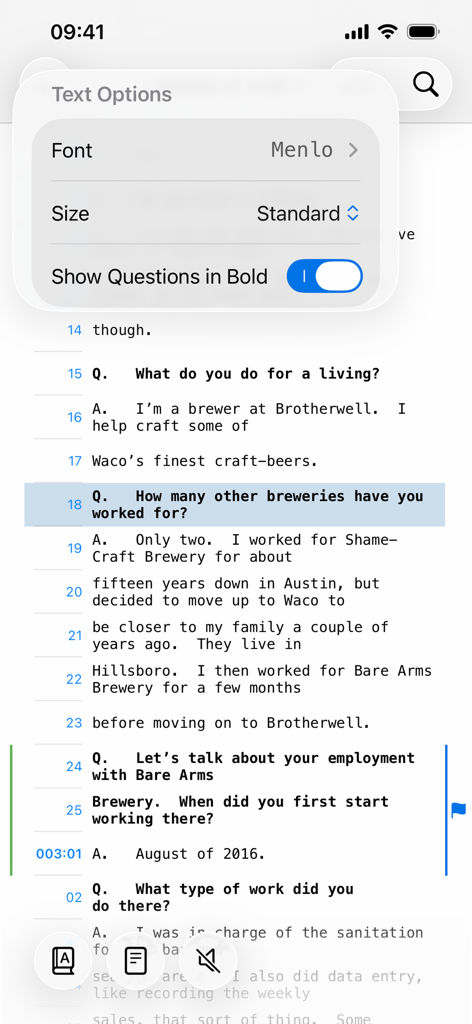
Screenshot der TranscriptPad-App, die das Menü für Textoptionen für Zeugenbefragungstranskripte auf einem iPhone anzeigt
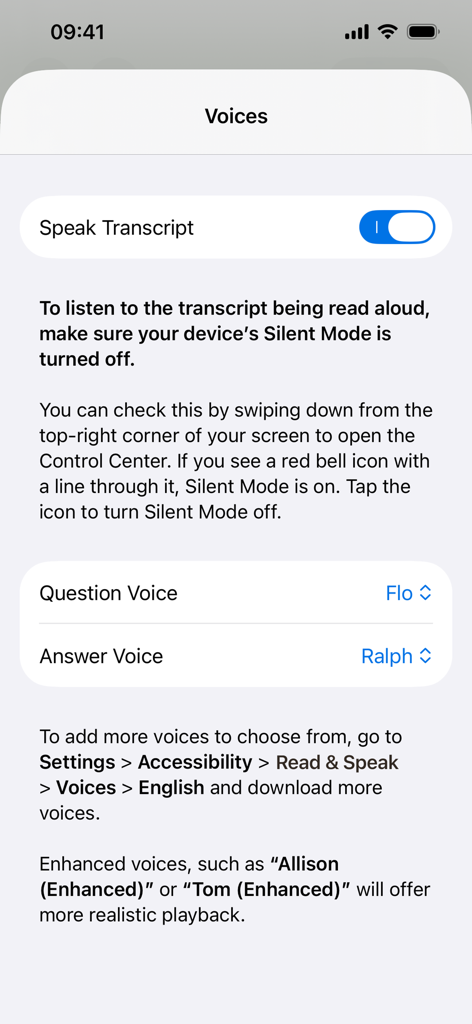
Screenshot der Benutzeroberfläche der TranscriptPad-App, die die Spracheinstellungen für die Funktion „Transkript vorlesen“ mit Optionen zur Anpassung der Stimmen für Fragen und Antworten zeigt.
Beschreibung
Download
Ähnliche Apps
Apps mit ähnlichen Funktionen und Nutzererfahrung

Diese Seite ist keine offizielle Seite der App oder ihres Entwicklers, sondern eine unabhängige redaktionelle Veröffentlichung, die zu Informations- und Kommentarzwecken erstellt wurde. Sofern nicht ausdrücklich anders angegeben, sind weder die App noch ihr Entwickler mit MWM, Apple, Google Play, dem App-Herausgeber oder dem Entwickler der App verbunden, von ihnen unterstützt, gesponsert, autorisiert oder anderweitig offiziell verbunden, und nichts auf dieser Seite impliziert, dass die App unter Verwendung der Dienste von MWM entwickelt wurde. Alle Marken, Logos, Screenshots und andere Inhalte bleiben Eigentum ihrer jeweiligen Inhaber.