TrialPad - Trial Presentation

TrialPad - Trial Presentation

Herunterladen auf App Store
Logo von TrialPad - Trial Presentation

TrialPad: Das branchenführende Gerichtspräsentations-Tool für moderne Prozessanwälte

Gewinnen Sie Ihren Fall mit dem Goldstandard der Prozesstechnologie. Organisieren Sie Beweismittel, erstellen Sie sofortige Ausschnitte und präsentieren Sie drahtlos von Ihrem iPad oder Mac – alles mit der Sicherheit und Kontrolle, die ein wichtiger Prozess erfordert.

Herunterladen auf App Store

Herausgeber

LIT SOFTWARE, LLC

Kategorie

Business

Downloads

3K+

Bewertung

4.5/5

Bewertungen gesamt

300

Sprachen

1

Beherrschen Sie den Gerichtssaal

Entdecken Sie die Oberfläche, die von 3K+ Nutzern verwendet wird.

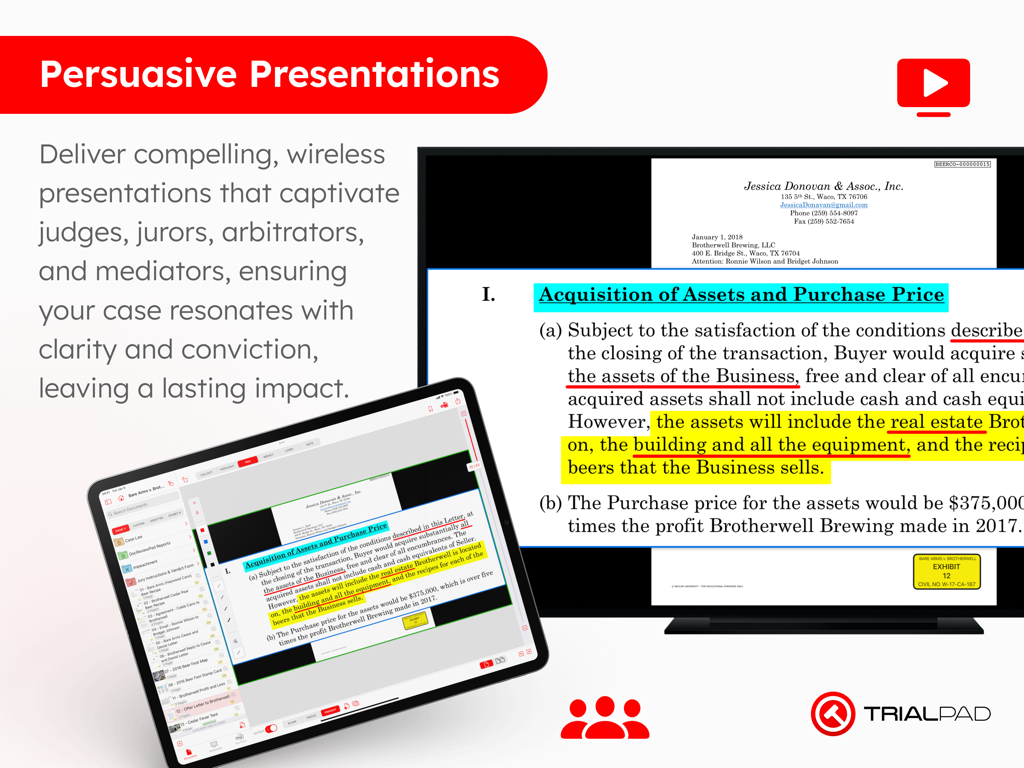
TrialPad-App auf einem iPad, die ein hervorgehobenes juristisches Dokument auf einem großen Bildschirm präsentiert.
TrialPad-App auf einem iPad, die ein hervorgehobenes juristisches Dokument auf einem großen Bildschirm präsentiert.

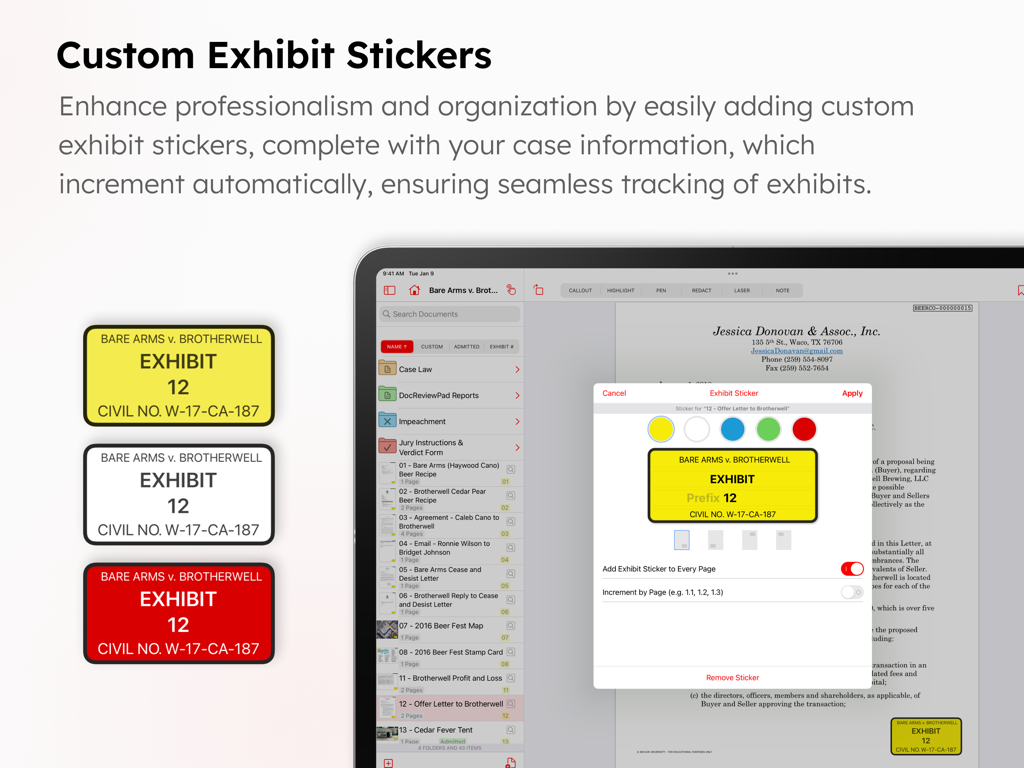
Benutzeroberfläche der TrialPad-App, die benutzerdefinierte Ausstellungsaufkleber für juristische Dokumente zeigt.
Benutzeroberfläche der TrialPad-App, die benutzerdefinierte Ausstellungsaufkleber für juristische Dokumente zeigt.

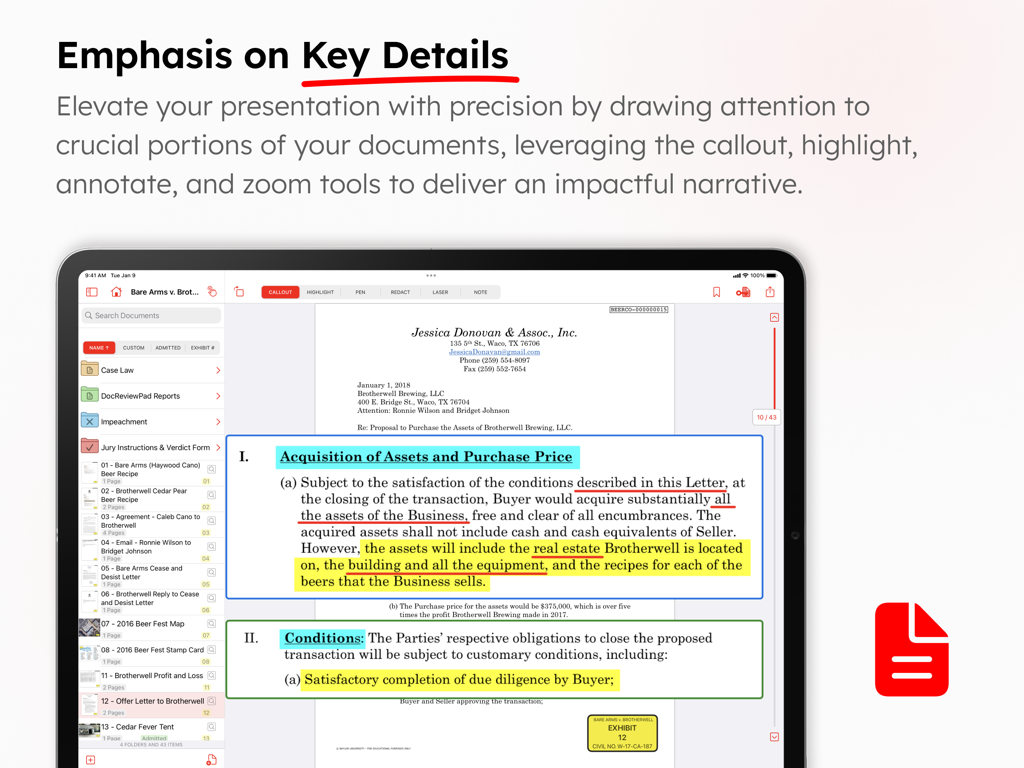
TrialPad-App-Screenshot, der Dokumentenhervorhebungs- und Ausschnittsfunktionen für Gerichtsverfahren zeigt
TrialPad-App-Screenshot, der Dokumentenhervorhebungs- und Ausschnittsfunktionen für Gerichtsverfahren zeigt

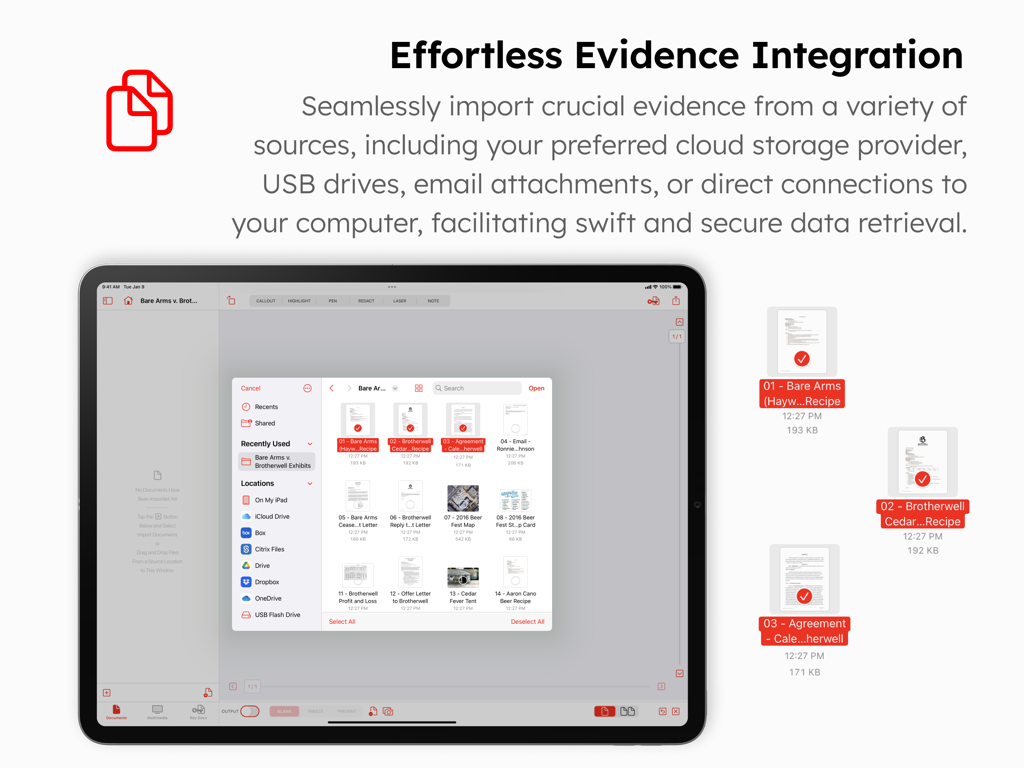
TrialPad-App-Oberfläche auf einem iPad, die Optionen zum Importieren von Beweismitteln aus Cloud-Speicher und USB-Laufwerken zeigt
TrialPad-App-Oberfläche auf einem iPad, die Optionen zum Importieren von Beweismitteln aus Cloud-Speicher und USB-Laufwerken zeigt

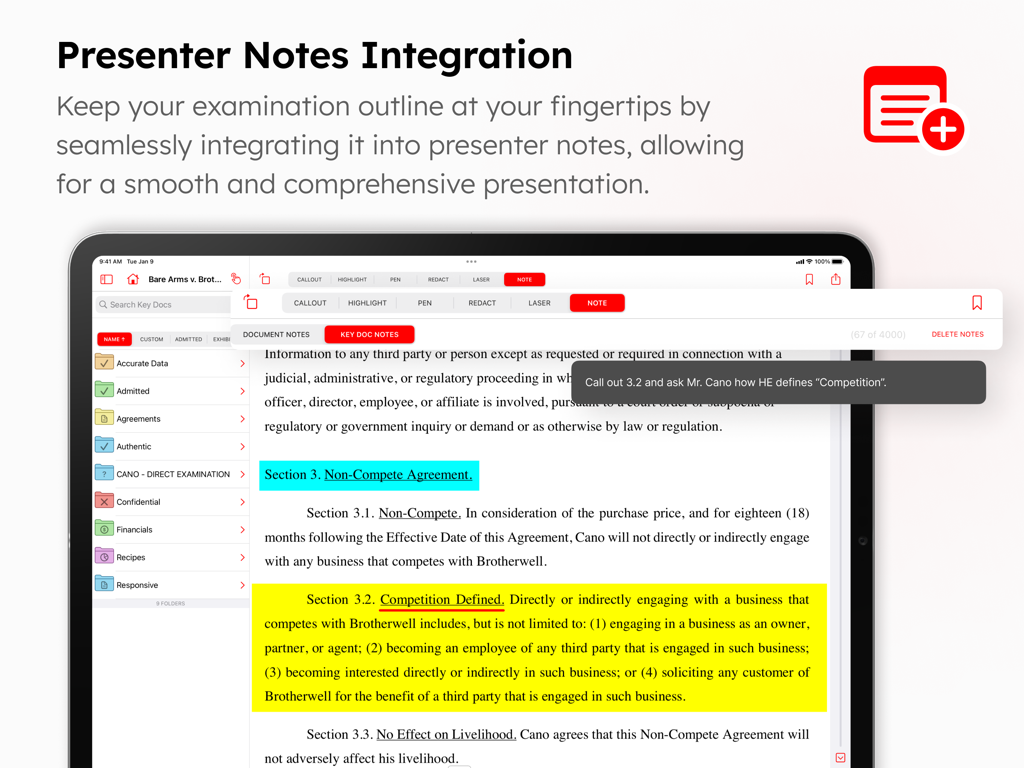
TrialPad-Oberfläche, die ein juristisches Dokument mit Hervorhebungen und einer Präsentationsnotiz für die Verhandlung im Gerichtssaal anzeigt.
TrialPad-Oberfläche, die ein juristisches Dokument mit Hervorhebungen und einer Präsentationsnotiz für die Verhandlung im Gerichtssaal anzeigt.

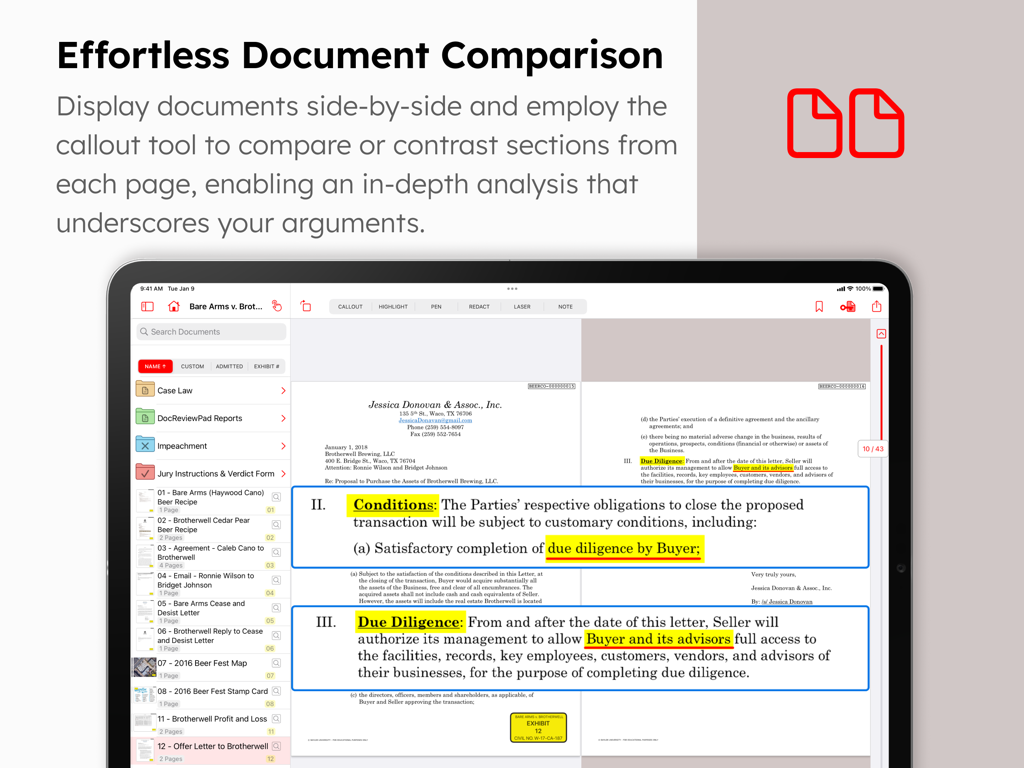
TrialPad-App-Oberfläche, die einen nebeneinander liegenden Dokumentenvergleich und hervorgehobene Ausschnitte auf einem iPad zeigt.
TrialPad-App-Oberfläche, die einen nebeneinander liegenden Dokumentenvergleich und hervorgehobene Ausschnitte auf einem iPad zeigt.

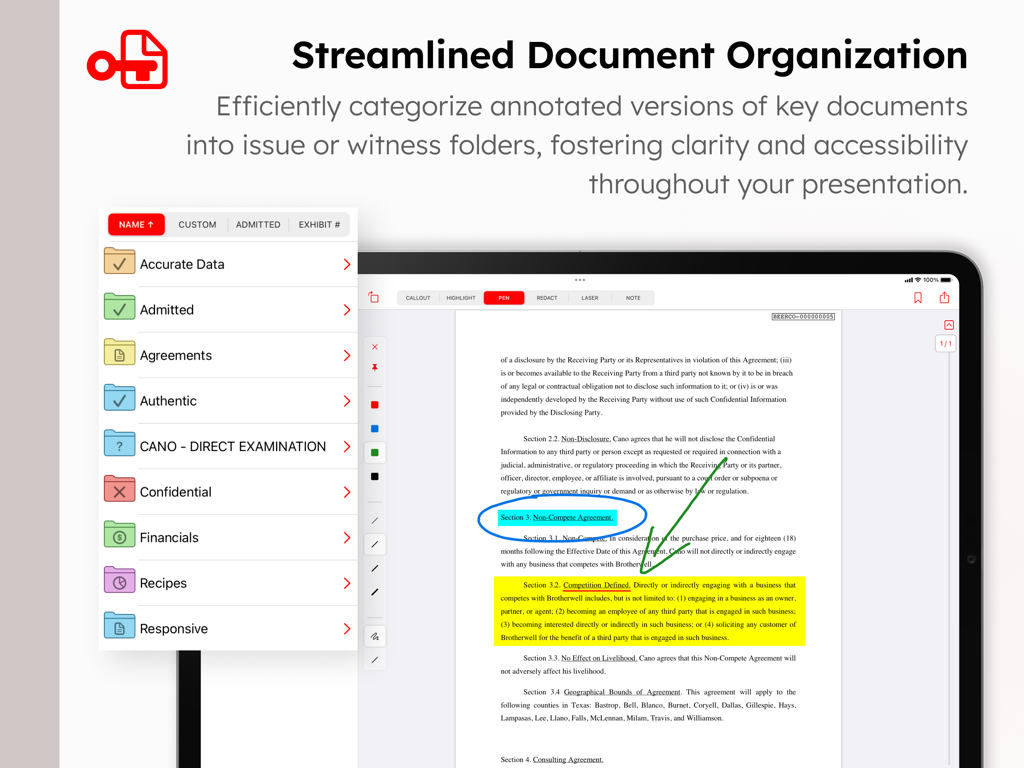
TrialPad-App auf dem iPad, die die Dokumentenorganisation in Ordnern und einen annotierten Rechtsvertrag mit Hervorhebungen und Ausschnitten zeigt.
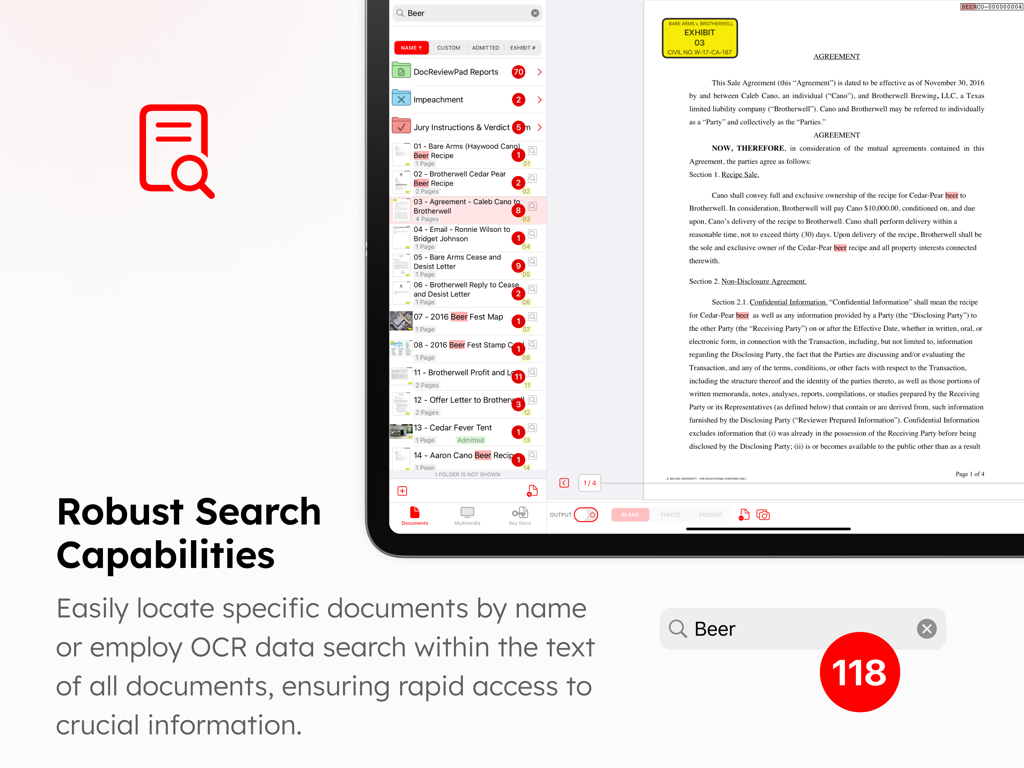
TrialPad-App auf dem iPad, die die Dokumentenorganisation in Ordnern und einen annotierten Rechtsvertrag mit Hervorhebungen und Ausschnitten zeigt.

Benutzeroberfläche, die die robusten Such- und OCR-Funktionen von TrialPad zeigt, um bestimmte Begriffe in juristischen Dokumenten und Fallordnern zu finden.
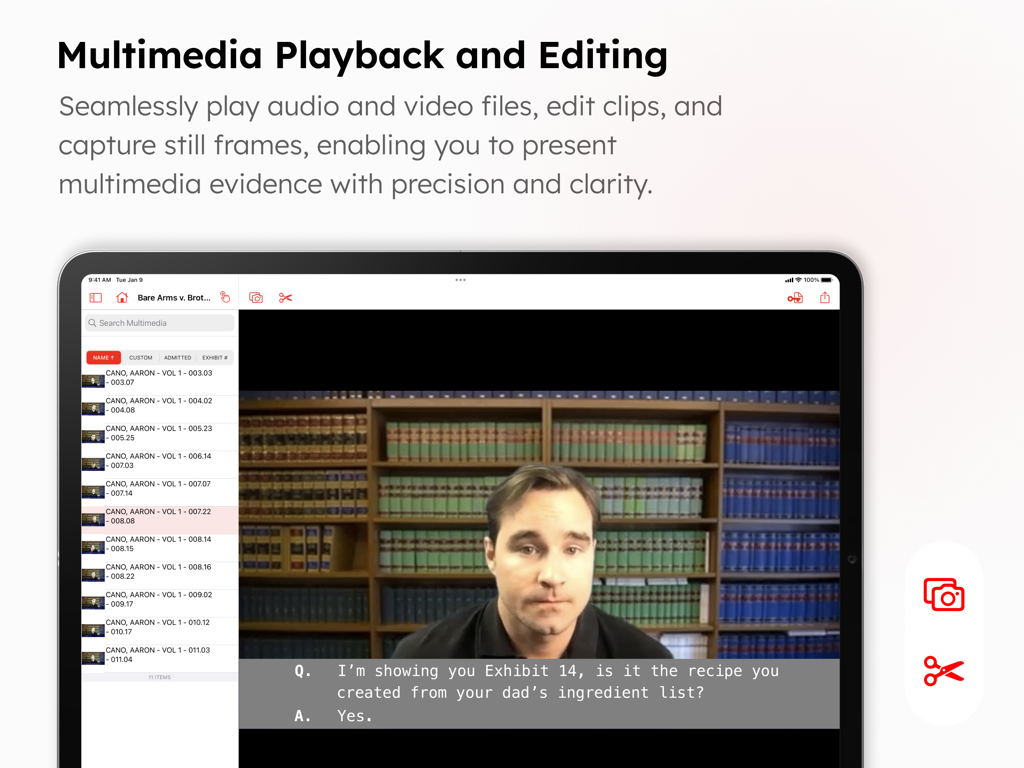
Benutzeroberfläche, die die robusten Such- und OCR-Funktionen von TrialPad zeigt, um bestimmte Begriffe in juristischen Dokumenten und Fallordnern zu finden.

TrialPad-App-Oberfläche für die Multimedia-Wiedergabe und Bearbeitung von Videobeweismitteln mit Untertiteln und Erfassungstools.
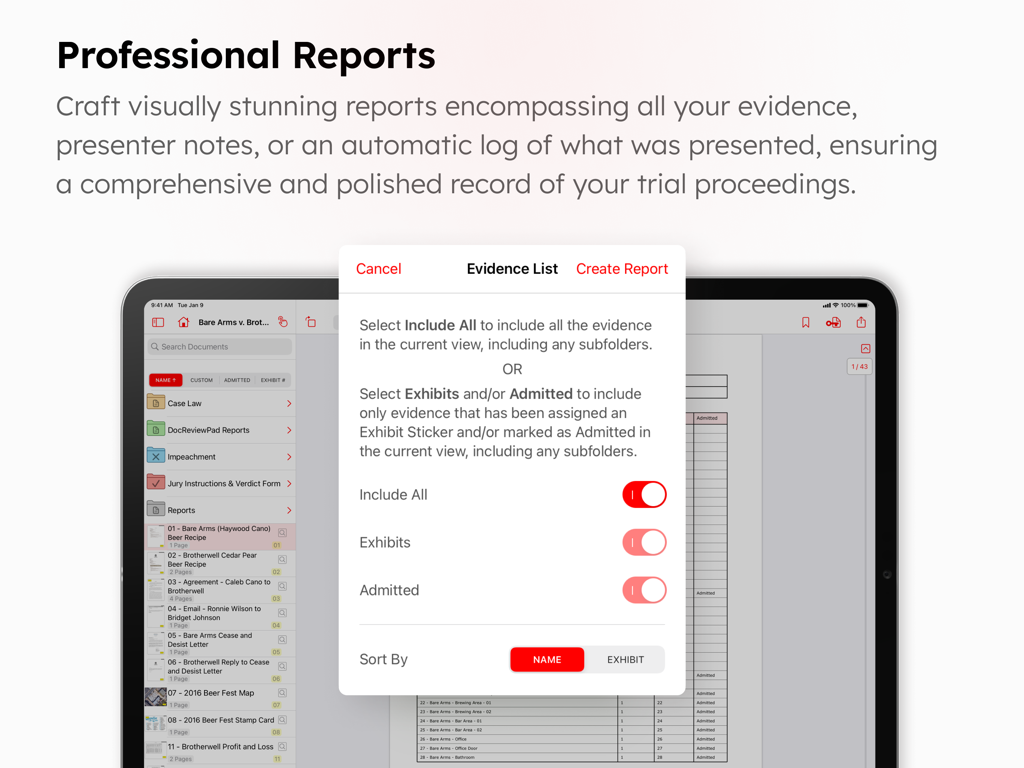
TrialPad-App-Oberfläche für die Multimedia-Wiedergabe und Bearbeitung von Videobeweismitteln mit Untertiteln und Erfassungstools.

TrialPad-App-Bildschirm, der die professionelle Berichterstellung und die Einstellungen der Beweismittelliste auf einem iPad zeigt.

TrialPad-App-Bildschirm, der die professionelle Berichterstellung und die Einstellungen der Beweismittelliste auf einem iPad zeigt.

Steigern Sie Ihre Präsenz im Gerichtssaal

Die Tools, die diese App auszeichnen, gewählt von 3K+ Nutzern.

🏛️

Dynamische Beweismittelpräsentation

Fesseln Sie Geschworene mit sofortigen Ausschnitten, direkten Vergleichen und Echtzeit-Hervorhebungen. Präsentieren Sie drahtlos über Apple TV oder HDMI, um die volle Kontrolle über den Raum zu behalten.

📂

Optimierte Fallorganisation

Verzichten Sie auf papierlastige Archivboxen. Organisieren Sie Tausende von Dokumenten in Zeugenordnern und wenden Sie in Sekundenschnelle automatisierte Ausstellungsaufkleber an, um einen perfekt indizierten Fall zu erhalten.

🔒

Sichere Offline-Zuverlässigkeit

Eliminieren Sie das Risiko unzuverlässigen WLANs im Gerichtssaal. Greifen Sie sicher und privat auf Ihre gesamte Fallakte zu und präsentieren Sie diese, ohne jemals eine aktive Internetverbindung zu benötigen.

Über die App

Alles, was Sie über wissen müssen TrialPad - Trial Presentation.

Beschreibung

TrialPad is a full-featured courtroom presentation tool that allows lawyers and support staff to organize and present documents, photographs, video and audio files, and demonstrative evidence wirelessly in a courtroom or remote setting. Callout and highlight sections of documents, compare documents side by side, edit and show video clips, add exhibit stickers to documents, search document text, and much more. TrialPad can integrate with your Windows workflow, is powerful, easy to use, and a fraction of the cost of traditional or cloud based programs, all while being secure, private, mobile, and efficient. LIT SOFTWARE has set the bar for developing the best in litigation apps, garnering awards for innovation and ease of use. Our apps have been featured by Apple, and are loved by lawyers. —— LIT SUITE REVIEWS —— “The short review. Wow.” “TrialPad offers a full trial presentation system in a simple-to-use package at a fraction of the cost.” “These are incredibly sophisticated and useful apps that are in many ways more powerful than PC software costing hundreds of dollars more.” “For anybody doing any amount of trial work...TrialPad is a must have application.” “TrialPad is the perfect case organizer and presenter.” “TrialPad is one of the most complete and high tech presentation systems designed for lawyers and it is available right on your iPad [and Mac].” “TrialPad...is the industry leader.” —— QUICK FEATURE SUMMARY —— • Full electronic courtroom presentation capability, no cloud connection needed • Create callouts from documents, photographs, or transcripts • Highlight, annotate, redact, and zoom in on your evidence • Import documents directly from an email, USB drive, or cloud storage providers like Box, Citrix Files, Dropbox, Google Drive, Microsoft OneDrive, and many more • Present via HDMI to a TV or projector, or present wirelessly using an Apple TV • Add bookmarks in long documents to jump to specific pages • Create presenter notes to help with your direct examination • Make key docs of pages from important documents with saved annotations • Search for a file name, or text within one document, a folder of documents, or the whole case • Add exhibit stickers to documents, with the ability to automatically increment numbers or letters • Mark documents as admitted so you know what can be presented without question • Create reports of all your evidence, presenter notes, or a presentation log with a date and time stamp • Edit video clips, or take snapshots of frames of video • Take snapshots of annotated documents with callouts to incorporate into motions • Organize your evidence into witness or issue folders • Add map images directly from Apple Maps • Import PDF files with bookmarks and retain those bookmarks in TrialPad • Import organized production sets from DocReviewPad • Import synced video depositions, reports, and impeachment slides from TranscriptPad • Share entire case files with other users using cloud storage or a USB drive • File formats supported: PDF, JPG, PNG, TIF, TXT, video and audio • Available for iPad and Mac —— EASILY ORGANIZE AND PRESENT EVIDENCE —— Easily import files from many cloud storage providers, from a USB drive, drag-and-drop, even AirDrop. Then plug-and-play via HDMI to present to a projector or TV, or present wirelessly using an Apple TV. Pre-annotate and organize evidence into witness or issue folders. Add exhibit stickers, and mark documents as admitted. Create highlights and annotations on-the-fly, zoom in on important areas, create multiple callouts on-the-fly, or compare two documents side-by-side. LIT SUITE SUBSCRIPTION One subscription gives you access to all LIT SUITE apps on iPhone, iPad, and Mac. After your 7-day free trial, your App Store account will be charged and your subscription will renew automatically unless canceled in advance. Manage your subscription in your App Store account settings.

Neueste Version

26.1.1

Größe

50.0 MB

Erstveröffentlichung

30. Jan. 2021

Führen Sie den Gerichtssaal mit TrialPad

Schließen Sie sich Tausenden von Spitzenprozessanwälten an, die dem führenden Präsentationstool der Branche vertrauen. Starten Sie noch heute Ihre 7-tägige kostenlose Testversion und erleben Sie die volle Leistung der LIT SUITE auf iPad und Mac.

Herunterladen auf App Store

App information, icons, screenshots, and descriptions displayed on this page are sourced from the Apple App Store and are the property of their respective developers. Download estimates and rankings are based on MWM's proprietary models and may not reflect actual figures. This page is provided for informational and analytical purposes only.

Believe this page infringes your intellectual property? File a dispute