
Diese Seite ist keine offizielle Seite der App oder ihres Entwicklers, sondern eine unabhängige redaktionelle Veröffentlichung, die zu Informations- und Kommentarzwecken erstellt wurde. Sofern nicht ausdrücklich anders angegeben, sind weder die App noch ihr Entwickler mit MWM, Apple, Google Play, dem App-Herausgeber oder dem Entwickler der App verbunden, von ihnen unterstützt, gesponsert, autorisiert oder anderweitig offiziell verbunden, und nichts auf dieser Seite impliziert, dass die App unter Verwendung der Dienste von MWM entwickelt wurde. Alle Marken, Logos, Screenshots und andere Inhalte bleiben Eigentum ihrer jeweiligen Inhaber.


TV Cast for LG webOS
Dein iPhone ist nur ein Telefon? MWMs Kreation verwandelt es in die Kommandozentrale deines Wohnzimmers.
Downloads
5M+Bewertung
Bewertungen gesamt
28.6KHerausgeber
Kategorie
Photo & VideoSprachen
1Neueste Version
3.7Größe
33.0 MBErstveröffentlichung
2. Juni 2016Eine Bewertung der Kernfunktionen und Premium-Angebote für LG Smart TV Nutzer.
Analyse der App 'TV Cast for LG webOS'
Web-Video- und Livestream-Casting
Es ermöglicht Nutzern, eine breite Palette von Web-Videos, Online-Filmen, Livestreams und Live-TV-Shows direkt von ihrem iOS-Gerät auf ihren LG Smart TV zu streamen, inklusive gängiger Formate wie mp4 und m3u8.
Einfache Bedienung ohne Mediaserver
Die App zeichnet sich durch ihre unkomplizierte Einrichtung und Nutzung aus, da sie ohne die Notwendigkeit komplexer Mediaserver wie Plex oder anderer Drittanbieter-Software funktioniert.
Unbegrenzte Wiedergabezeit
Es gewährleistet eine uneingeschränkte Wiedergabedauer, sodass Nutzer Videos jeder Länge, von kurzen Clips bis zu stundenlangen Filmen, ohne Unterbrechung genießen können.
Streaming lokaler Videos (In-App Kauf)
Dieses Feature ermöglicht es Nutzern, ihre auf dem iPhone oder iPad gespeicherten Kamera-Roll-Videos (mp4, m4v, mov) direkt auf ihren LG Smart TV zu übertragen.
Erweiterte Videosteuerung (In-App Kauf)
Die Remote Playbar bietet erweiterte Steuerungsfunktionen für die Videowiedergabe, wie Vorspulen, Zurückspulen, Anhalten und Pausieren, direkt über das iOS-Gerät.
Integrierter Ad-Blocker (In-App Kauf)
Dieses Feature blockiert Anzeigen und Pop-ups auf den meisten Websites und entfernt gesponserte Werbung aus der App, was ein ununterbrochenes Seherlebnis fördert.
Lesezeichenverwaltung (In-App Kauf)
Die App bietet die Möglichkeit, unbegrenzt Website-Lesezeichen zu speichern und diese über iCloud zwischen iOS-Geräten zu synchronisieren und zu übertragen.
Desktop-Modus (In-App Kauf)
Der Desktop-Modus ermöglicht es Nutzern, den Browser-User-Agent zu ändern, um die Desktop-Version einer Website statt der mobilen zu laden und somit auf die vollständigen Inhalte zuzugreifen.
Häufig gestellte Fragen
Alles, was Sie über wissen müssen TV Cast for LG webOS
What is TV Cast for LG webOS?
TV Cast for LG webOS is an app that allows users to browse the web and stream web videos, online movies, livestreams, and live TV shows to their LG Smart TV (webOS and NetCast).
Does TV Cast for LG webOS support DRM-protected content like Netflix?
No, TV Cast for LG webOS does not support DRM-protected videos such as Amazon Prime, Netflix, Hulu, Vudu, DirecTV, Xfinity, and HBO now. It also does not support iTunes movies or Flash video.
How do I control video playback on my LG TV with TV Cast for LG webOS?
You control the TV app and video playback using the hardware remote of your LG TV. An in-app purchase for a Remote Playbar offers advanced controls like scrubbing, forward, rewind, play, pause, and stop.
Is a subscription required for TV Cast for LG webOS?
No, TV Cast for LG webOS does not require subscriptions. It offers in-app purchases for premium features like an Ad-Blocker, Remote Playbar, and Local Videos.
Can I cast local videos from my iPhone to my LG TV using TV Cast for LG webOS?
Yes, the "Local Videos" upgrade feature allows casting camera roll videos (mp4, m4v, mov) from your iPhone or iPad to your LG Smart TV.
What types of video formats does TV Cast for LG webOS support?
TV Cast for LG webOS supports Mp4, m3u8, hls livestreams, and video-over-https for web videos. For local videos, it supports mp4, m4v, and mov formats.
Does TV Cast for LG webOS mirror my iPhone or iPad screen?
No, TV Cast for LG webOS does not mirror your entire iPhone or iPad screen. It only streams the video part of a website to your LG Smart TV, not the whole website content.
How do I install the companion app for TV Cast for LG webOS on my TV?
To enable video casting, open the LG App Store (LG Smart World / LG Content Store) on your TV, search for 'TV Cast', and then install the companion app.
Does TV Cast for LG webOS have an ad-blocker?
Yes, an "Ad-Blocker" is available as an in-app purchase. It blocks ads and popups on most websites and removes sponsoring ads from the app.
Can I cast photos and music with TV Cast for LG webOS?
Yes, TV Cast for LG webOS can cast photos, files, and music in addition to videos. The app interface includes a 'Personal Media' option for casting media files.
What is the "Premium Edition" upgrade in TV Cast for LG webOS?
The Premium Edition is an in-app purchase that unlocks all listed upgrade features. It also includes future features without additional cost upon release in updated app versions.
Is there a time limit for videos streamed with TV Cast for LG webOS?
No, there is no time limit for videos streamed with TV Cast for LG webOS. Users can watch videos of any duration, whether two minutes or several hours.
Die folgenden Screenshots und die Beschreibung stammen direkt aus dem offiziellen Store-Eintrag der App und sind Eigentum des Entwicklers.
App Store
Screenshots

Die Einführung präsentiert die Kernvorteile der App, indem sie die Auszeichnung als Original-App seit 2014 hervorhebt und den Verzicht auf Abonnements als kostensparende Lösung kommuniziert.
App-Vorteile auf einen Blick
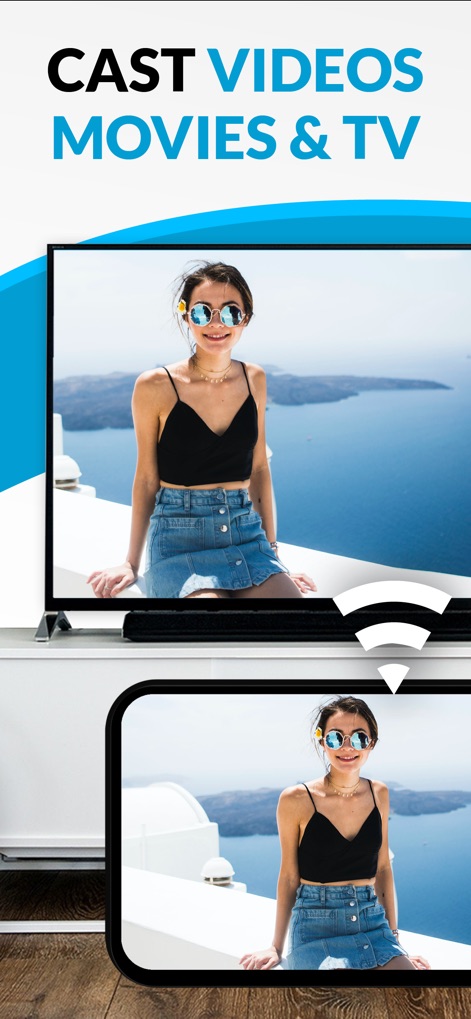
Dieses Bild demonstriert die nahtlose Übertragung von Videos, wobei der gleiche Inhalt gleichzeitig auf dem großen LG Smart TV und dem Quell-iPhone angezeigt wird, was die einfache Wiedergabe von Filmen und TV-Sendungen auf dem Fernsehgerät unterstreicht.
Videos kabellos streamen

Die Darstellung zeigt die App in Aktion, wie sie persönliche Fotos und Dateien auf den LG TV streamt, was durch das klare Bild der Landschaft auf beiden Geräten und das prominente Casting-Symbol symbolisiert wird, das die Übertragungsfunktion hervorhebt.
Medien synchron teilen
Beschreibung
Download
Ähnliche Apps
Apps mit ähnlichen Funktionen und Nutzererfahrung

Video Lite
Video Lite, Inc.

TV Cast Pro for Chromecast
Kraus und Karnath GbR 2Kit Consulting

TV Cast Pro for Google Cast
Kraus und Karnath GbR 2Kit Consulting

Chromecaster: Get Streaming TV
TV Cast Pte. Ltd.

Castify : Screen Mirroring App
PIRON APPS

TV Cast Pro for Samsung TV
Kraus und Karnath GbR 2Kit Consulting

TV Cast Pro for LG webOS
Kraus und Karnath GbR 2Kit Consulting

TV Cast Pro for Sony TV
Kraus und Karnath GbR 2Kit Consulting

Smart View - Cast Device to TV
EXTREME SOLUTIONS APPS SL
Diese Seite ist keine offizielle Seite der App oder ihres Entwicklers, sondern eine unabhängige redaktionelle Veröffentlichung, die zu Informations- und Kommentarzwecken erstellt wurde. Sofern nicht ausdrücklich anders angegeben, sind weder die App noch ihr Entwickler mit MWM, Apple, Google Play, dem App-Herausgeber oder dem Entwickler der App verbunden, von ihnen unterstützt, gesponsert, autorisiert oder anderweitig offiziell verbunden, und nichts auf dieser Seite impliziert, dass die App unter Verwendung der Dienste von MWM entwickelt wurde. Alle Marken, Logos, Screenshots und andere Inhalte bleiben Eigentum ihrer jeweiligen Inhaber.