
Diese Seite ist keine offizielle Seite der App oder ihres Entwicklers, sondern eine unabhängige redaktionelle Veröffentlichung, die zu Informations- und Kommentarzwecken erstellt wurde. Sofern nicht ausdrücklich anders angegeben, sind weder die App noch ihr Entwickler mit MWM, Apple, Google Play, dem App-Herausgeber oder dem Entwickler der App verbunden, von ihnen unterstützt, gesponsert, autorisiert oder anderweitig offiziell verbunden, und nichts auf dieser Seite impliziert, dass die App unter Verwendung der Dienste von MWM entwickelt wurde. Alle Marken, Logos, Screenshots und andere Inhalte bleiben Eigentum ihrer jeweiligen Inhaber.

TV Cast Pro for Samsung TV
Sehen Sie Online-Filme, Live-Sport und Ihre persönlichen Videos auf Ihrem Samsung Smart TV mit integrierter Werbungblockierung und erweiterter Wiedergabe – keine zusätzliche Hardware erforderlich.
Downloads
424K+Bewertung
Bewertungen gesamt
7K+Herausgeber
Kategorie
Photo & VideoSprachen
1Neueste Version
3.8Größe
32.5 MBErstveröffentlichung
5. Juni 2016Entfesseln Sie das volle Potenzial Ihres Samsung TV
Die ultimative Brücke zwischen Ihrem iPhone und Ihrem Samsung Smart TV. Streamen Sie jedes Web-Video, jeden Online-Film oder jede persönliche Erinnerung auf den Großbildschirm ohne zusätzliche Hardware.
Werbefreies Kinoerlebnis
Hören Sie auf, mit aufdringlichen Pop-ups und Videoanzeigen zu kämpfen. Unser Pro Ad-Blocker bereinigt das Web, damit Sie sich auf den Film konzentrieren können, nicht auf die Ablenkungen.
Universelles Web-Streaming
Wenn es in einem Browser abgespielt wird, wird es auch auf Ihrem TV abgespielt. Streamen Sie Nischensportarten, Live-Nachrichten und Independent-Filme, die keine eigene Smart-TV-App haben.
Häufig gestellte Fragen
Alles, was Sie über wissen müssen TV Cast Pro for Samsung TV
Was ist TV Cast Pro für Samsung TV?
TV Cast Pro für Samsung TV streamt Webinhalte, Online-Filme, Livestreams und lokale Mediendateien von Ihrem iPhone/iPad direkt auf Ihren Samsung Smart TV oder Blu-ray Player. Es funktioniert ohne Abonnements.
Benötigt TV Cast Pro für Samsung TV ein Abonnement?
Nein, TV Cast Pro für Samsung TV erfordert keine Abonnements. Es ist ein einmaliger Kauf und bietet Premium-Funktionen ohne wiederkehrende Gebühren.
Wie richte ich TV Cast Pro für Samsung TV ein?
Zur Einrichtung installieren Sie die Empfänger-App 'TV Cast' aus dem Samsung App Store auf Ihrem Fernseher. Geben Sie dann die IP-Adresse Ihres iPhone/iPad auf dem Fernseher über das Ziffernfeld der Samsung TV Remote ein.
Welche Arten von Videos kann TV Cast Pro für Samsung TV streamen?
TV Cast Pro streamt Webinhalte, Online-Filme, Livestreams und Live-TV-Sendungen und unterstützt Mp4-, M3U8- und HLS-Formate. Es überträgt auch Videos von der Kamera-Rolle, einschließlich MP4-, M4V- und MOV-Dateien.
Unterstützt TV Cast Pro für Samsung TV die Bildschirmspiegelung?
Nein, TV Cast Pro für Samsung TV unterstützt keine Bildschirm- oder Tab-Spiegelung. Die App streamt nur die Videokomponente einer Website, nicht den gesamten Inhalt der Webseite.
Kann ich DRM-geschützte Videos mit TV Cast Pro für Samsung TV streamen?
Nein, TV Cast Pro für Samsung TV unterstützt keine DRM-geschützten Inhalte. Diese Einschränkung gilt für iTunes-Filme, Flash-Videos und andere DRM-verschlüsselte Videos wie HBO Now.
Verfügt TV Cast Pro für Samsung TV über einen Ad-Blocker?
Ja, die Pro-Version von TV Cast Pro für Samsung TV enthält einen Ad-Blocker. Er blockiert Anzeigen und Pop-ups auf den meisten Websites und zeigt keine Sponsorenanzeigen innerhalb der App an.
Kann ich die Videowiedergabe mit TV Cast Pro für Samsung TV steuern?
Ja, Sie können die Videowiedergabe steuern. Die Pro-Version bietet eine Remote-Playbar für erweiterte Steuerungen, einschließlich Scrubbing, Vorwärts-, Rückwärts-, Wiedergabe-, Pause- und Stopp-Funktionen. Grundlegende Steuerelemente sind über die TV-Fernbedienung verfügbar.
Die folgenden Screenshots und die Beschreibung stammen direkt aus dem offiziellen Store-Eintrag der App und sind Eigentum des Entwicklers.
App Store
Screenshots
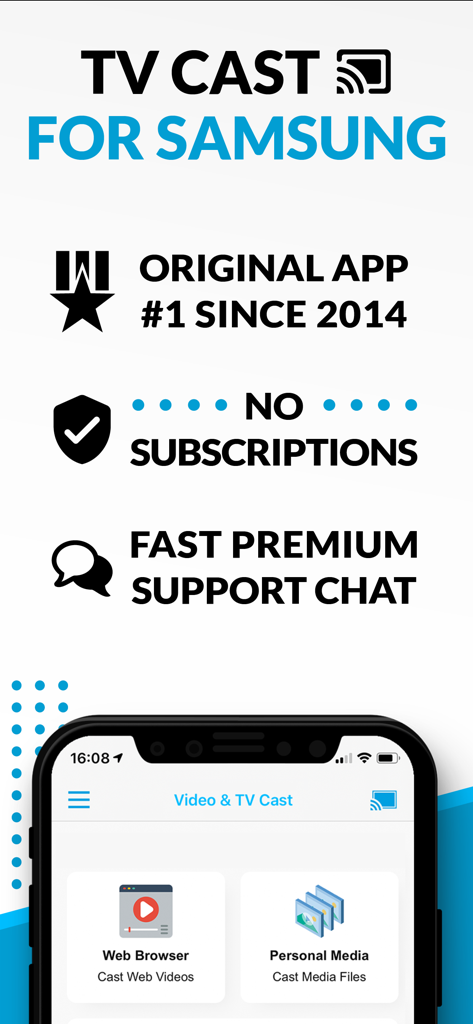
Werbebildschirm für TV Cast für Samsung, der keine Abonnements und Web-Video-Streaming-Funktionen hervorhebt

Web-Videos und Filme von einem mobilen Gerät auf einen Samsung Smart TV streamen
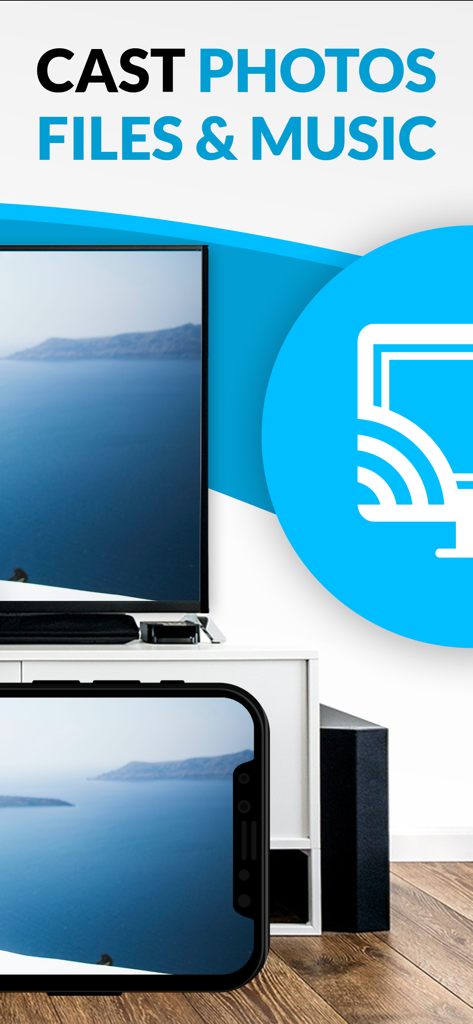
Fotos und Medien von einem iPhone auf einen Samsung Smart TV streamen
Beschreibung
Download
Ähnliche Apps
Apps mit ähnlichen Funktionen und Nutzererfahrung

Video Lite
Video Lite, Inc.

TV Cast Pro for Chromecast
Kraus und Karnath GbR 2Kit Consulting

TV Cast Pro for Google Cast
Kraus und Karnath GbR 2Kit Consulting

Chromecaster: Get Streaming TV
TV Cast Pte. Ltd.

Castify : Screen Mirroring App
PIRON APPS

TV Cast for LG webOS
Kraus und Karnath GbR 2Kit Consulting

TV Cast Pro for LG webOS
Kraus und Karnath GbR 2Kit Consulting

TV Cast Pro for Sony TV
Kraus und Karnath GbR 2Kit Consulting

Smart View - Cast Device to TV
EXTREME SOLUTIONS APPS SL
Diese Seite ist keine offizielle Seite der App oder ihres Entwicklers, sondern eine unabhängige redaktionelle Veröffentlichung, die zu Informations- und Kommentarzwecken erstellt wurde. Sofern nicht ausdrücklich anders angegeben, sind weder die App noch ihr Entwickler mit MWM, Apple, Google Play, dem App-Herausgeber oder dem Entwickler der App verbunden, von ihnen unterstützt, gesponsert, autorisiert oder anderweitig offiziell verbunden, und nichts auf dieser Seite impliziert, dass die App unter Verwendung der Dienste von MWM entwickelt wurde. Alle Marken, Logos, Screenshots und andere Inhalte bleiben Eigentum ihrer jeweiligen Inhaber.