
このページはアプリまたはその開発者の公式ページではなく、情報提供および論評を目的として作成された独立した編集出版物です。明示的に別段の記載がない限り、アプリおよびその開発者は、MWM、Apple、Google Play、アプリのパブリッシャー、またはアプリの開発者と提携、承認、後援、認可、またはその他の公式的な関係はなく、このページのいかなる内容も、アプリがMWMのサービスを使用して開発されたことを意味するものではありません。すべての商標、ロゴ、スクリーンショット、その他のコンテンツはそれぞれの所有者の財産です。


1Password: Password Manager
デジタル生活の要塞を築き上げ、あらゆる機密情報を瞬時に呼び出せる。これは単なるパスワード管理ではない。ユーザーは、自身のデジタル資産に対する絶対的な主権を手に入れたと実感する。
ダウンロード
5M+ユーザー評価
評価数
47.0K開発元
カテゴリ
Productivity対応言語
12最新バージョン
8.12.10サイズ
381.2 MBリリース日
2022年8月9日セキュリティと利便性を両立するデジタル生活の守護者
1Password: パスワードマネージャーの分析
パスキーのサポート
より便利で安全なパスワードの代替手段であるパスキーを生成・保存し、1Passwordのロック解除にも使用できます。これにより、ウェブサイトでのパスワード入力が不要になります。
組み込みの二要素認証
別途認証アプリなしで、二要素認証(2FA)コードを生成および自動入力します。これにより、セキュリティを強化しつつ、コピー&ペーストの手間を省くことができます。
比類のないプライバシーとセキュリティ
1Passwordはユーザーのデータにアクセスできないため、ユーザーの情報を利用、共有、販売することはなく、独自のセキュリティモデルにより最大限のプライバシーを保証します。
デジタルライフの安全な整理
パスワードやパスキーに加えて、クレジットカード、セキュアノート、銀行情報、医療記録など、保護したいあらゆる個人情報を安全に保管し、どのデバイスからでも利用できるようにします。
高度なセキュリティ機能
生体認証によるロック解除(Touch IDやFace ID)、Watchtowerによるリアルタイムのセキュリティアラートとレポートなど、包括的なセキュリティ機能を提供し、データ侵害の際にも迅速な対応を可能にします。
自動サインイン
ウェブサイトやアプリにサインインする際、ユーザー名と保存されたパスワードを自動入力します。Safariやアプリと連携し、オンラインアカウントへのサインインを簡素化します。
強力なパスワードの生成
内蔵のパスワードジェネレーターを使用して、強力で推測不可能なパスワードを簡単に作成し、あらゆるデバイスでアクセスできます。
安全な情報共有
Wi-Fi情報や財務情報など、機密性の高い情報を、たとえ相手が1Passwordを使用していなくても、友人、家族、同僚と安全に共有できます。これにより、安全でないチャネルの使用を避けられます。
よくある質問
について知っておくべきこと 1Password: Password Manager
What is 1Password?
1Password is a password manager that helps users generate strong passwords, autofill login details, and securely store sensitive digital information. It manages various data types including passkeys, credit cards, and secure notes.
Can 1Password generate strong passwords?
Yes, 1Password includes a built-in password generator. It creates strong, unguessable passwords with a single tap, which are then accessible across all user devices and operating systems.
Does 1Password autofill passwords and usernames?
Yes, 1Password automatically autofills usernames and saved passwords when signing into websites or apps. It works with Safari and other apps on iPhone and iPad, offering seamless integration.
Does 1Password support two-factor authentication?
Yes, 1Password features built-in two-factor authentication. It generates and autofills one-time 2FA codes for supported services, eliminating the need for a separate authenticator app.
Can I use passkeys with 1Password?
Yes, 1Password offers industry-leading passkey support. Users can generate, save, and use passkeys within the app, even employing them to unlock 1Password itself for sites that support passkeys.
What types of information can I store in 1Password besides passwords?
In addition to passwords and passkeys, 1Password securely stores credit cards, secure notes, banking information, and medical records. This keeps your valuable personal data available on any device.
How can I share information securely using 1Password?
1Password allows secure sharing of passwords and other stored items via temporary links. Users can share Wi-Fi details or financial information with others, even non-users, avoiding insecure communication channels.
What security features does 1Password offer?
1Password provides biometric authentication (Touch ID/Face ID) for unlocking and real-time security alerts through Watchtower. It notifies users of compromised accounts in data breaches, enabling timely action.
Does 1Password have a Travel Mode?
Yes, 1Password includes a Travel Mode. This feature temporarily hides vaults containing sensitive information, protecting user data from unauthorized access while traveling, and restores them upon return.
Does 1Password access user data?
No, 1Password confirms it cannot see user data. This ensures maximum privacy, meaning the company cannot use, share, or sell any information stored by its users.
Is there a free trial for 1Password?
Yes, users can try 1Password free for 14 days. After the trial period, individuals or businesses can select a suitable plan that meets their specific needs.
以下のスクリーンショットと説明は、アプリの公式ストアリスティングから直接取得されたものであり、アプリ開発者の所有物です。
アプリストア
スクリーンショット
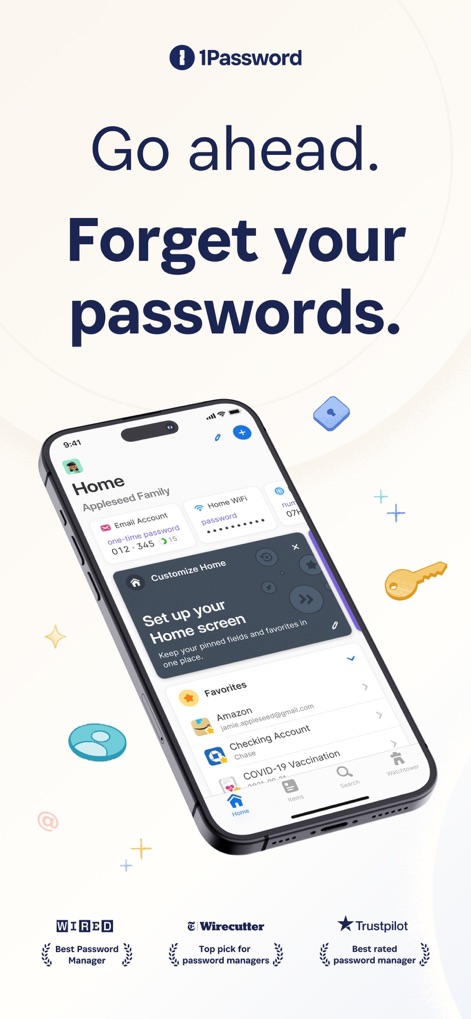
このスクリーンショットは、ユーザーがホーム画面をカスタマイズできることを示しており、「Appleseed Family」のボールトと「Favorites」セクションから主要な情報に素早くアクセスできます。
パスワードを忘れても安心

この画面では、Amazonアカウントの詳細が表示され、ユーザー名とパスワードの自動入力、および二段階認証コードの管理がいかに簡単であるかを示しています。
詳細まで記憶

このスクリーンショットは、予測不可能なパスワードの自動生成機能を紹介しており、文字数や数字・記号の有無といった詳細な設定が可能です。
強固なパスワード生成
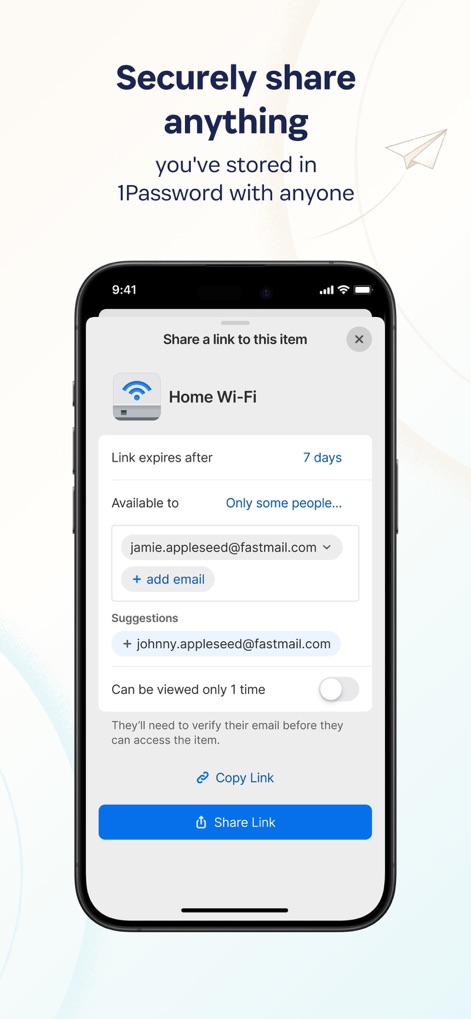
この画面は、Wi-Fi情報などのアイテムを安全に共有する機能を示しており、共有リンクの有効期限設定や特定のユーザーへの制限が可能です。
安全な情報共有

このスクリーンショットは、セキュリティ監視機能「Watchtower」を示しており、全体的なパスワードの強度スコアと侵害されたウェブサイトの警告を通じて、ユーザーのデジタルセキュリティを強化します。
堅牢なセキュリティ
説明
Download
類似アプリ
似た機能とユーザー体験を持つアプリ

Proton Pass - Password Manager
Proton AG

Dashlane Password Manager
Dashlane

Password Manager - mSecure
mSeven Software, LLC

Kepttor Password Manager
MACREL SRL SEMPLIFICATA

DataVault Manager - Encrypted
MIKHAIL SHERSHNEV

Authenticator ·
SMM service, s.r.o.

Bitwarden Password Manager
Bitwarden Inc

Authenticator App ⁸
AGILE CODE LIMITED

Authenticator App ℗
RHO DEVELOPERS LLC
このページはアプリまたはその開発者の公式ページではなく、情報提供および論評を目的として作成された独立した編集出版物です。明示的に別段の記載がない限り、アプリおよびその開発者は、MWM、Apple、Google Play、アプリのパブリッシャー、またはアプリの開発者と提携、承認、後援、認可、またはその他の公式的な関係はなく、このページのいかなる内容も、アプリがMWMのサービスを使用して開発されたことを意味するものではありません。すべての商標、ロゴ、スクリーンショット、その他のコンテンツはそれぞれの所有者の財産です。