3D Scanner Lite
3D Scanner Lite
ダウンロード: App Store

このページはアプリまたはその開発者の公式ページではなく、情報提供および論評を目的として作成された独立した編集出版物です。明示的に別段の記載がない限り、アプリおよびその開発者は、MWM、Apple、Google Play、アプリのパブリッシャー、またはアプリの開発者と提携、承認、後援、認可、またはその他の公式的な関係はなく、このページのいかなる内容も、アプリがMWMのサービスを使用して開発されたことを意味するものではありません。すべての商標、ロゴ、スクリーンショット、その他のコンテンツはそれぞれの所有者の財産です。

ロゴ: 3D Scanner Lite
ダウンロード: App Store

3D Scanner Lite

部屋やオブジェクトを瞬時に高精細な3Dモデルに変換。正確な測定値をキャプチャし、プロフェッショナルなワークフローのために.objまたは.gltfにエクスポート。すべて安全なオンデバイス処理で。

主要数値

ダウンロード

200

ユーザー評価

1.0/5

評価数

0

開発元

秀银 林

カテゴリ

Graphics & Design

対応言語

2

最新バージョン

1.1.1

サイズ

3.9 MB

リリース日

2025年10月14日
機能

プロレベルのスキャンをシンプルに

iPhone ProのLiDARセンサーを活用して、前例のない精度、速度、プライバシーで物理世界をデジタル化します。

瞬時の空間キャプチャ

物理的な部屋を数秒で正確なデジタルツインに変換。迅速で信頼性の高い現場調査が必要な建築家やデザイナーに最適です。

シームレスなエクスポートパイプライン

.objおよび.gltfファイルを即座に生成。Blender、Unity、または3Dプリントソフトウェアに、摩擦なく直接アセットを移動できます。

以下のスクリーンショットと説明は、アプリの公式ストアリスティングから直接取得されたものであり、アプリ開発者の所有物です。

アプリストア

スクリーンショット
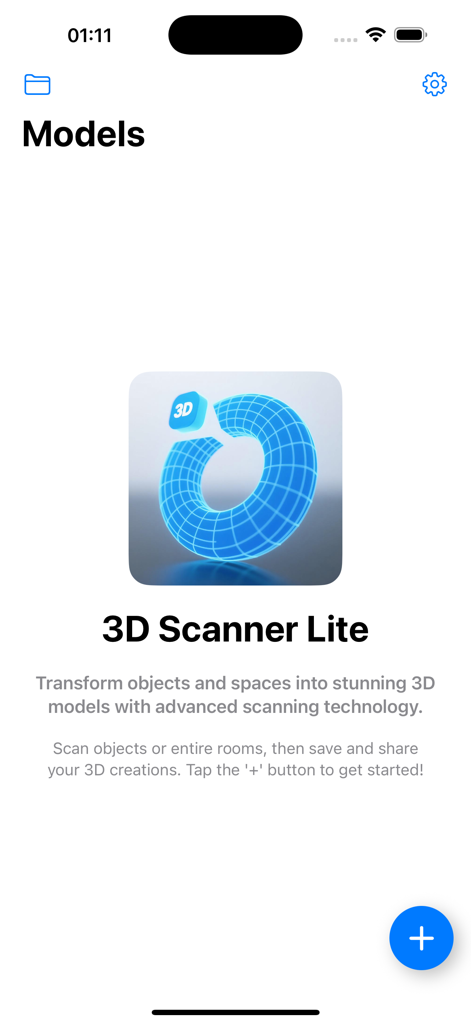
3D Scanner Lite - 3DスキャナーLiteアプリのウェルカムスクリーン。ロゴと新しい3Dスキャンの開始を促す指示が表示されています。
3DスキャナーLiteアプリのウェルカムスクリーン。ロゴと新しい3Dスキャンの開始を促す指示が表示されています。

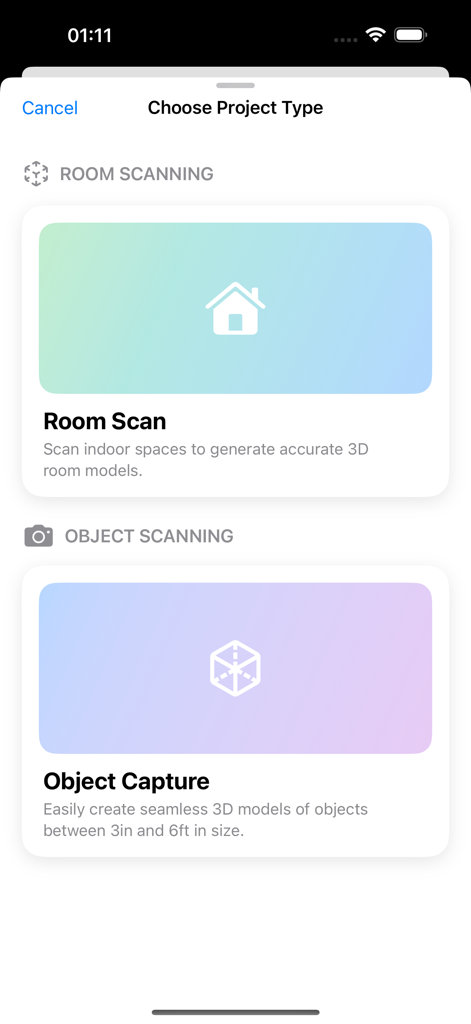
3D Scanner Lite - 3DスキャナーLiteアプリのインターフェース。部屋のスキャンとオブジェクトキャプチャのオプションが表示されています。
3DスキャナーLiteアプリのインターフェース。部屋のスキャンとオブジェクトキャプチャのオプションが表示されています。

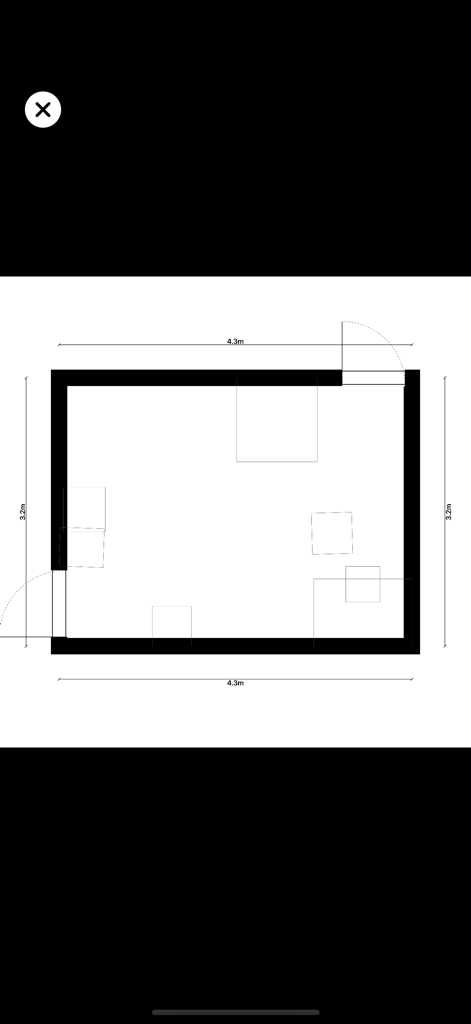
3D Scanner Lite - 3Dスキャナーアプリでキャプチャされた部屋の寸法とレイアウトを示す2Dのフロアプラン。

3Dスキャナーアプリでキャプチャされた部屋の寸法とレイアウトを示す2Dのフロアプラン。

説明

Important: This app is only compatible with iPhone Pro devices equipped with a LiDAR Scanner. Please confirm your device model before downloading. Overview Turn your iPhone into a professional 3D scanner! This app leverages the powerful LiDAR technology on your Apple device to easily capture real-world objects, scenes, and even entire indoor spaces, transforming them into high-fidelity 3D models. Whether for architectural design, AR applications, or 3D printing, this app provides an unprecedentedly convenient experience. Key Features One-Touch 3D Scanning: No expertise needed. Just open the app, point your camera at an object or a room, and create a realistic 3D model in real time. High-Fidelity Capture: Utilizing LiDAR depth-sensing technology, the app precisely measures object dimensions and shapes, especially suitable for rooms and indoor layouts, ensuring rich detail and accurate proportions. Multi-Format Export: Supports exporting 3D models in various industry-standard formats (e.g., .obj, .gltf), making them compatible with professional software like Blender, Maya, and Unity. On-Device Processing: All scanning and model processing is done on your device, ensuring your privacy and data security without relying on an internet connection. Intuitive User Interface: Designed for everyone, the clean and fluid interface allows you to focus on your creations. How It Works Open the app and select "Start Scan." Point your device at the object, scene, or entire room you wish to scan. The app will automatically capture depth data and textures, building a 3D model on your screen in real time. After the scan, you can preview the model and save it to your device. Choose your export options to share your creations with other platforms or software. Designed For Architects & Interior Designers: Easily scan room layouts to quickly create accurate digital twins for design or presentation. 3D Artists & Designers: Quickly acquire real-world assets for concept design or environment modeling. 3D Printing Enthusiasts: Instantly transform everyday objects and spaces into printable models. AR/VR Content Creators: Add real-world objects and interior environments to your augmented reality apps and virtual worlds. Download now and start your 3D creative journey!

Download

ダウンロード: App Store

このページはアプリまたはその開発者の公式ページではなく、情報提供および論評を目的として作成された独立した編集出版物です。明示的に別段の記載がない限り、アプリおよびその開発者は、MWM、Apple、Google Play、アプリのパブリッシャー、またはアプリの開発者と提携、承認、後援、認可、またはその他の公式的な関係はなく、このページのいかなる内容も、アプリがMWMのサービスを使用して開発されたことを意味するものではありません。すべての商標、ロゴ、スクリーンショット、その他のコンテンツはそれぞれの所有者の財産です。







