
このページはアプリまたはその開発者の公式ページではなく、情報提供および論評を目的として作成された独立した編集出版物です。明示的に別段の記載がない限り、アプリおよびその開発者は、MWM、Apple、Google Play、アプリのパブリッシャー、またはアプリの開発者と提携、承認、後援、認可、またはその他の公式的な関係はなく、このページのいかなる内容も、アプリがMWMのサービスを使用して開発されたことを意味するものではありません。すべての商標、ロゴ、スクリーンショット、その他のコンテンツはそれぞれの所有者の財産です。


Ableton Note
インスピレーションが湧いたその瞬間に捉えましょう。厳選されたサウンドでアイデアを形成し、周囲の環境からサンプルを録音し、プロジェクトをAbleton Liveにシームレスに同期してトラックを完成させましょう。
ダウンロード
391K+ユーザー評価
評価数
600開発元
カテゴリ
Music対応言語
5最新バージョン
1.7.3サイズ
907.5 MBリリース日
2022年10月18日クリエイティブなひらめきを捉えよう
Ableton Noteは、あなたの突発的な音楽のアイデアを次のヒット曲の基礎に変えるために設計されたプロフェッショナルなモバイルスケッチパッドです。
周囲の環境をサンプリング
あなたの周りのあらゆる音をユニークな楽器に変えましょう。携帯電話の内蔵マイクを使用してテクスチャを録音、カット、シェイプし、カスタムサウンドパレットを作成しましょう。
あらゆる雰囲気を捉えよう
メロディーを二度と失わないようにしましょう。私たちの「キャプチャ」テクノロジーは、演奏した後でも最高の即興演奏を復元し、クリエイティブな流れを維持します。
よくある質問
について知っておくべきこと Ableton Note
Ableton Noteとは何ですか?
Ableton Noteは、外出先で新しい音楽のアイデアを生成するためのアプリです。ビートやメロディーを作成したり、サウンドをサンプリングしたり、Ableton Liveでさらにトラックを開発したりできます。
Ableton NoteのプロジェクトをAbleton Liveに転送できますか?
はい、Ableton Cloudを使用してAbleton NoteプロジェクトをAbleton Liveに転送できます。これにより、デバイス間でシームレスにアイデアの作業を続けることができます。
Ableton NoteにはAbleton Live Liteの無料ライセンスが含まれていますか?
はい、Ableton NoteユーザーはAbleton Live Liteの無料ライセンスを受け取ります。このソフトウェアは、ミュージシャン、プロデューサー、DJが音楽の作曲、録音、パフォーマンスに使用します。
Ableton Noteでビートを作成するにはどうすればよいですか?
Ableton Noteは、76のドラムサンプラーキットを使用してビート作成を容易にします。16パッドのグリッドでビートをタップしたり、MIDIエディターでシーケンスしたり、その後クオンタイズしたりノートを調整したりできます。
Ableton Noteでメロディーを作成するにはどうすればよいですか?
Ableton Noteは、メロディー作成のために317のシンセサウンドと60のメロディックサンプラーインストゥルメントを提供します。ユーザーは、25パッドのグリッド、ピアノロール、またはMIDIエディターでメロディーとコード進行をプログラムできます。
Ableton Noteで自分のサンプルを録音できますか?
はい、Ableton Noteでは、スマートフォンの内蔵マイクを使用してパーカッシブまたはトナルなサウンドを録音し、カスタムキットまたはインストゥルメントを作成できます。既存のサンプルをインポートすることもできます。
Ableton Noteは外部MIDIハードウェアをサポートしていますか?
はい、Ableton Noteは外部MIDIハードウェア接続をサポートしています。これにより、ユーザーはキーを演奏したり、インストゥルメントのサウンドを変更したりして、アプリ内での即興演奏と作成プロセスを強化できます。
Ableton Noteから音楽をエクスポートするにはどうすればよいですか?
Ableton Noteから作成したものをオーディオファイルとしてエクスポートできます。これにより、音楽のアイデアや作品を聴いたり、他の人と共有したりできます。
Ableton NoteはAbleton Moveと連携しますか?
はい、Ableton Noteを使用すると、スマートフォンのセットを直接操作し続けることができます。この機能は、Ableton Moveとの統合のために特別に設計されています。
Ableton Noteのセッションビューとは何ですか?
Ableton Noteは、グリッドベースのセッションビューレイアウトを備えています。これにより、ユーザーはループをダブルにしたり、クリップを複製したり、最大8トラックに8クリップを8シーンに配置して、バリエーションや曲の構造を作成したりできます。
以下のスクリーンショットと説明は、アプリの公式ストアリスティングから直接取得されたものであり、アプリ開発者の所有物です。
アプリストア
スクリーンショット
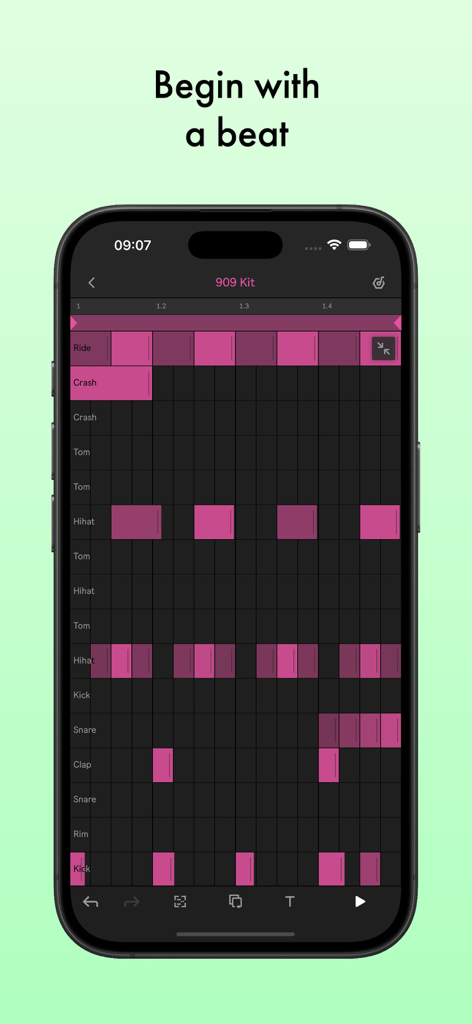
Ableton Noteアプリが表示されたスマートフォン。ピンクのドラムシーケンサーグリッドと「ビートから始める」というテキストが表示されています。
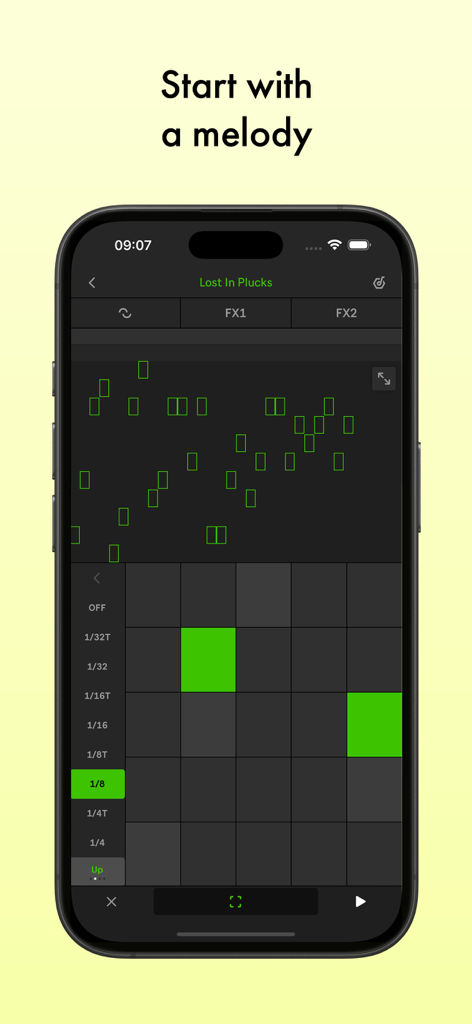
Ableton Noteモバイルアプリのインターフェース。緑色のMIDIグリッドを備えたメロディーエディターがスマートフォンの画面に表示されています。
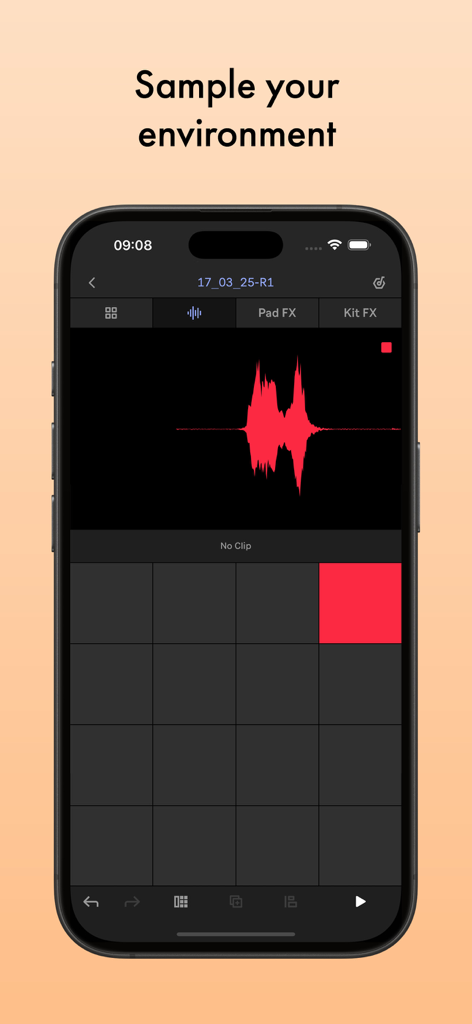
Ableton Noteアプリのインターフェース。オーディオ波形とサンプリングサウンド用のドラムパッドが表示されています。
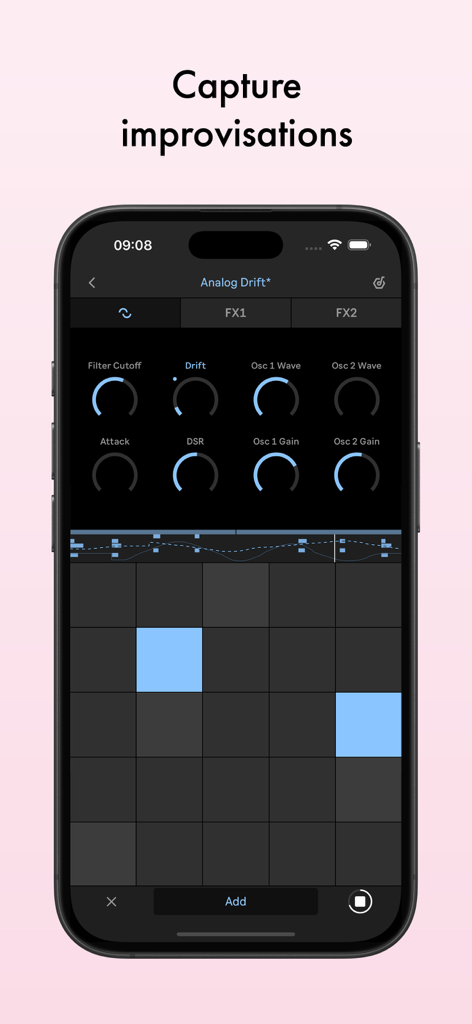
Ableton Noteアプリのインターフェース。シンセパラメータと、スマートフォンで音楽の即興演奏をキャプチャするためのMIDIグリッドが表示されています。
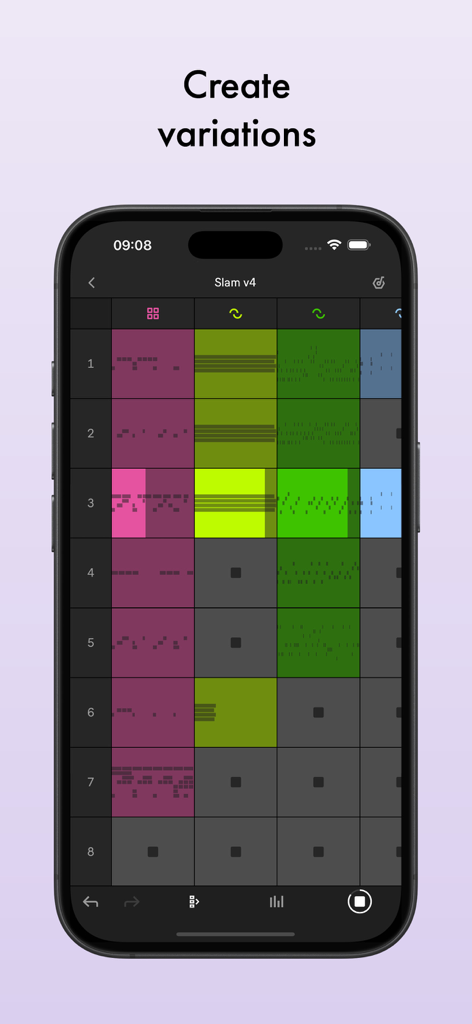
iPhone上のAbleton Noteセッションビュー。曲のバリエーションを作成するためのカラフルなミュージッククリップのグリッドが表示されています。
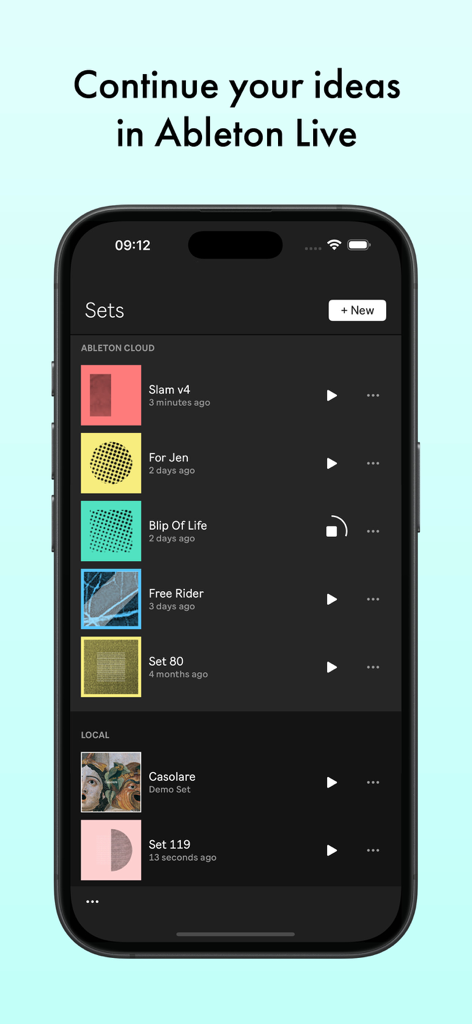
スマートフォンの画面に、Ableton Noteアプリと、音楽セットのリストおよびクラウド同期オプションが表示されています。
説明
Download



このページはアプリまたはその開発者の公式ページではなく、情報提供および論評を目的として作成された独立した編集出版物です。明示的に別段の記載がない限り、アプリおよびその開発者は、MWM、Apple、Google Play、アプリのパブリッシャー、またはアプリの開発者と提携、承認、後援、認可、またはその他の公式的な関係はなく、このページのいかなる内容も、アプリがMWMのサービスを使用して開発されたことを意味するものではありません。すべての商標、ロゴ、スクリーンショット、その他のコンテンツはそれぞれの所有者の財産です。