
このページはアプリまたはその開発者の公式ページではなく、情報提供および論評を目的として作成された独立した編集出版物です。明示的に別段の記載がない限り、アプリおよびその開発者は、MWM、Apple、Google Play、アプリのパブリッシャー、またはアプリの開発者と提携、承認、後援、認可、またはその他の公式的な関係はなく、このページのいかなる内容も、アプリがMWMのサービスを使用して開発されたことを意味するものではありません。すべての商標、ロゴ、スクリーンショット、その他のコンテンツはそれぞれの所有者の財産です。

Acapella from PicPlayPost
500万人以上のクリエイターに加わり、プロフェッショナルなマルチフレームビデオを制作しましょう。ソロのハーモニーからグローバルなコラボまで、スタジオ品質のツールで最大10分間のロスレスオーディオを録音できます。
ダウンロード
5M+ユーザー評価
評価数
27K+開発元
カテゴリ
Music対応言語
11最新バージョン
4.46サイズ
119.2 MBリリース日
2015年9月15日あなたの音楽を生き生きとさせよう
ミュージシャン向けのオールインワンスタジオで、マルチトラックビデオを録音し、世界中のアーティストとコラボし、スタジオ品質のパフォーマンスを直接ソーシャルメディアで共有しましょう。
あなた自身のバンドになろう
象徴的なマルチフレームレイアウトで、最大10分間のボーカルと楽器を重ねましょう。携帯電話だけで複雑なハーモニーとアレンジを作成できます。
スタジオ品質のオーディオツール
内蔵メトロノーム、EQ、ノイズゲートでミックスを完璧にしましょう。プロフェッショナルなCD品質のサウンドのために、Apple Lossless (ALAC)でトラックをエクスポートできます。
よくある質問
について知っておくべきこと Acapella from PicPlayPost
PicPlayPost の Acapella とは何ですか?
PicPlayPost の Acapella は、マルチフレームのミュージックビデオを作成し、世界中のミュージシャンとコラボレーションできる音楽作成アプリです。音楽の録音と編集のためのマルチトラックツールとして機能します。
Acapella を使用して他のミュージシャンとコラボレーションできますか?
はい、Acapella では世界中のミュージシャンとコラボレーションできます。ディスカバータブからアーティストを見つけたり、友達と直接音楽を作成したりできます。
Acapella での最大ビデオ録画時間はどのくらいですか?
Acapella では、最大 10 分間の曲を録音してビデオを作成できます。この機能は、アプリ内での長時間の音楽パフォーマンスと作曲をサポートします。
PicPlayPost の Acapella にはオーディオ編集ツールが含まれていますか?
はい、PicPlayPost の Acapella にはフル機能の音楽編集ツールが含まれています。これには、EQ(ミュージックイコライザー)、ノイズゲート、プロセッサが含まれており、音質を最適化します。
Acapella はどのオーディオエクスポート形式をサポートしていますか?
Acapella は、Apple Lossless (ALAC) および通常の .m4a 形式でのオーディオエクスポートをサポートしています。ユーザーはこれらのファイルをダウンロードしたり、CD 品質オーディオでビデオを共有したりできます。
Acapella ビデオにウォーターマークを追加できますか?
はい、Acapella では、独自のロゴをビデオのウォーターマークとして追加できます。このアプリは、ウォーターマーク用の PNG および JPEG 画像形式の両方をサポートしています。
Acapella のサブスクリプションを管理するにはどうすればよいですか?
ユーザーは、購入後に iTunes アカウント設定を通じて Acapella サブスクリプションを管理し、自動更新をオフにすることができます。サブスクリプションは、24 時間前までにキャンセルされない限り自動更新されます。
Acapella はサブスクリプションの返金を提供していますか?
いいえ、Acapella は、サブスクリプションが購入されると、期間の未使用部分に対して返金を提供しません。このポリシーは Apple のガイドラインに準拠しています。
Acapella アプリのプライバシーポリシーはどこで見ることができますか?
Acapella アプリのプライバシーポリシーは、Mixcord のウェブサイトで入手できます。直接のリンクは https://www.mixcord.co/privacy-policy.html です。
PicPlayPost の Acapella にはメトロノームが含まれていますか?
はい、PicPlayPost の Acapella には、組み込みのメトロノームが搭載されています。このツールは、録音セッション中の正確なタイミングとリズムを維持するのに役立ちます。
以下のスクリーンショットと説明は、アプリの公式ストアリスティングから直接取得されたものであり、アプリ開発者の所有物です。
アプリストア
スクリーンショット
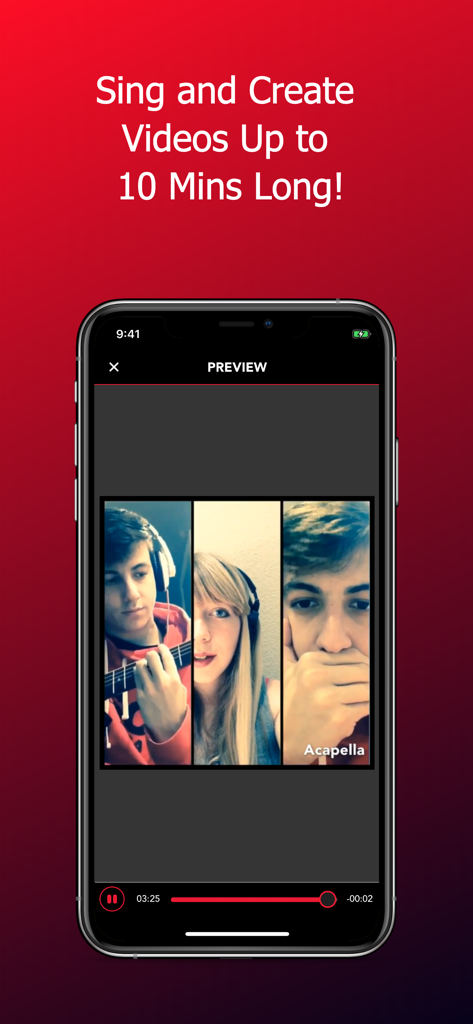
3人のミュージシャンが出演する3画面分割ミュージックビデオプレビューを表示するスマートフォンの画面
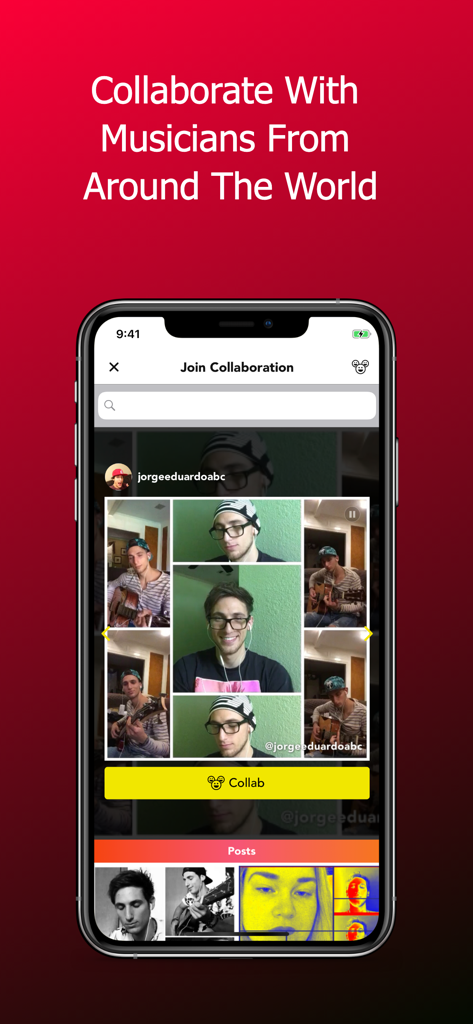
ミュージシャンが曲でコラボしているマルチフレームビデオが表示されているAcapellaアプリのインターフェースを表示するスマートフォン
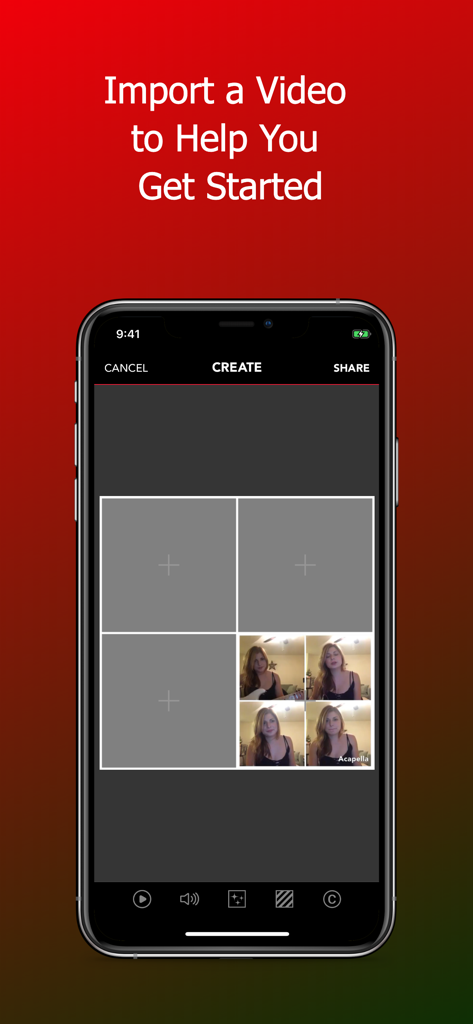
音楽制作のためのマルチフレームビデオグリッドが表示されているAcapellaアプリのインターフェース
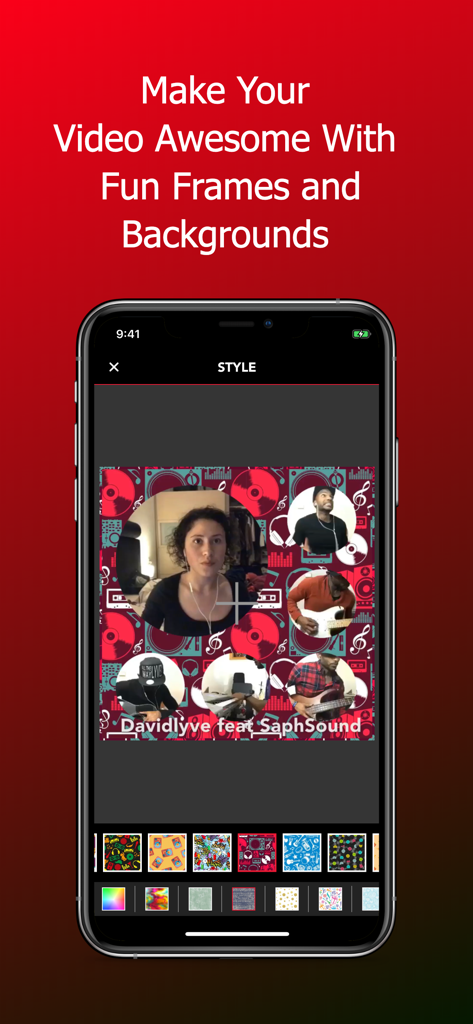
マルチトラックミュージックビデオ用のさまざまな背景とフレームが表示されたスタイルメニューを表示するモバイルインターフェース
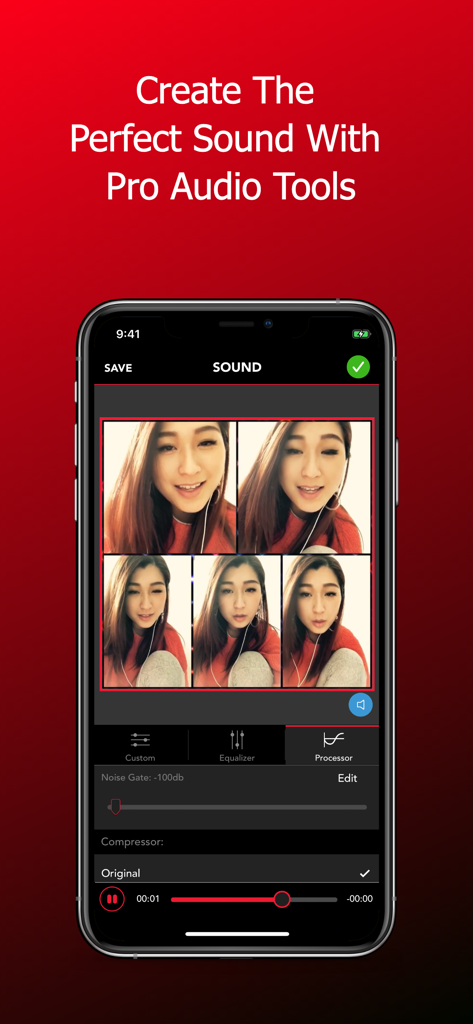
マルチトラックビデオ録画用のノイズゲートやイコライザーなどのプロオーディオ編集ツールを表示するAcapellaアプリインターフェース
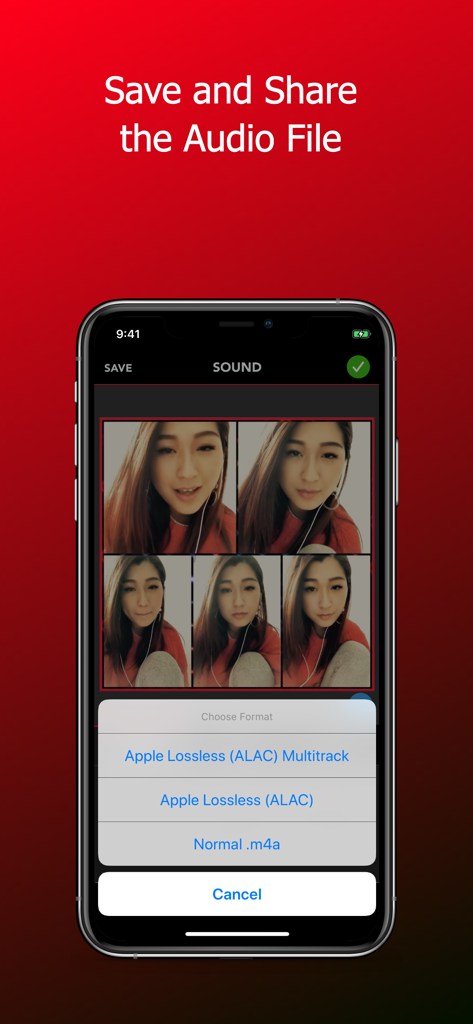
Apple Lossless ALACなどの形式でオーディオを保存および共有するためのオプションを表示するAcapellaアプリインターフェース
説明
Download
類似アプリ
似た機能とユーザー体験を持つアプリ

Rap Fame - Rap Music Studio
Rap Tech Studios Ltd

Spire: Music Recorder & Studio
iZotope, Inc.
Voloco: Vocal Recording Studio
Resonant Cavity, LLC

Rapchat - Music Maker & Beats
Rapchat, Inc.

Vocal Tune: Recording Studio
Axora IT Soft LLC

Volmix | Music Maker & Beats
ZED UK Limited

nana - Record your music, sing
nana music Inc.
Voice Tuner — AI Vocal Changer
Music Breath, OOO

AutoRap: Music Maker by Smule
Smule
このページはアプリまたはその開発者の公式ページではなく、情報提供および論評を目的として作成された独立した編集出版物です。明示的に別段の記載がない限り、アプリおよびその開発者は、MWM、Apple、Google Play、アプリのパブリッシャー、またはアプリの開発者と提携、承認、後援、認可、またはその他の公式的な関係はなく、このページのいかなる内容も、アプリがMWMのサービスを使用して開発されたことを意味するものではありません。すべての商標、ロゴ、スクリーンショット、その他のコンテンツはそれぞれの所有者の財産です。