AcuSketch
AcuSketch
ダウンロード: App Store

このページはアプリまたはその開発者の公式ページではなく、情報提供および論評を目的として作成された独立した編集出版物です。明示的に別段の記載がない限り、アプリおよびその開発者は、MWM、Apple、Google Play、アプリのパブリッシャー、またはアプリの開発者と提携、承認、後援、認可、またはその他の公式的な関係はなく、このページのいかなる内容も、アプリがMWMのサービスを使用して開発されたことを意味するものではありません。すべての商標、ロゴ、スクリーンショット、その他のコンテンツはそれぞれの所有者の財産です。

ロゴ: AcuSketch
ダウンロード: App Store

AcuSketch

手作りのステッチのユニークな魅力をキルティングプロジェクトにもたらします。iPadで簡単にデザインし、Wi-Fi経由でJanomeミシンに直接作成したものを送信できます。

主要数値

ダウンロード

7K+

ユーザー評価

2.9/5

評価数

0

開発元

JANOME Corporation

カテゴリ

Lifestyle

対応言語

2

最新バージョン

2.31

サイズ

27.4 MB

リリース日

2017年8月6日
機能

スケッチからステッチまで、わずか数秒で

複雑なコンピュータソフトウェアなしで、手描きのアイデアを美しい刺繍デザインに変換できます。創造性とシンプルさを重視するJanomeの職人のために特別に作成されました。

直感的なフリーハンド描画

指またはスタイラスでiPadに直接トレースまたはスケッチするだけです。描画は自動的にステッチに変換され、技術的な手間なく自由に作成できます。

インスタントワイヤレス転送

USBスティックやケーブルは不要です。タップ一つで完成したデザインをWi-Fi対応のJanomeミシンに直接送信し、すぐに縫い始められます。

以下のスクリーンショットと説明は、アプリの公式ストアリスティングから直接取得されたものであり、アプリ開発者の所有物です。

アプリストア

スクリーンショット
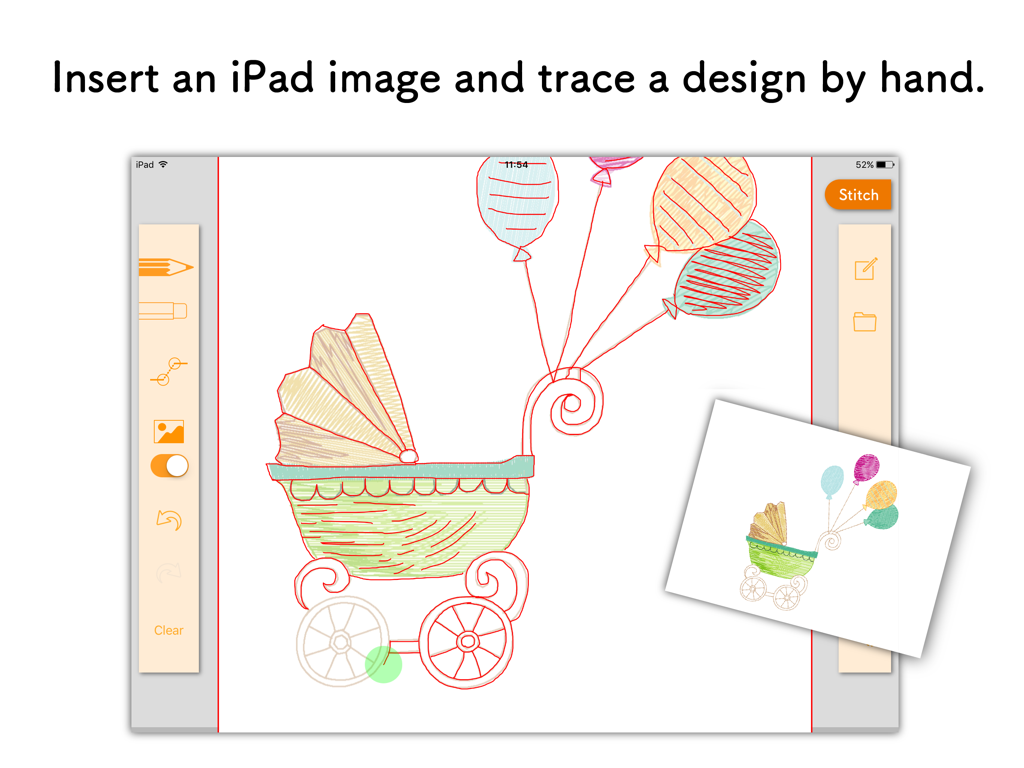
AcuSketch - iPad上のJanome AcuSketchアプリで手描きのベビーバギーをトレース
iPad上のJanome AcuSketchアプリで手描きのベビーバギーをトレース

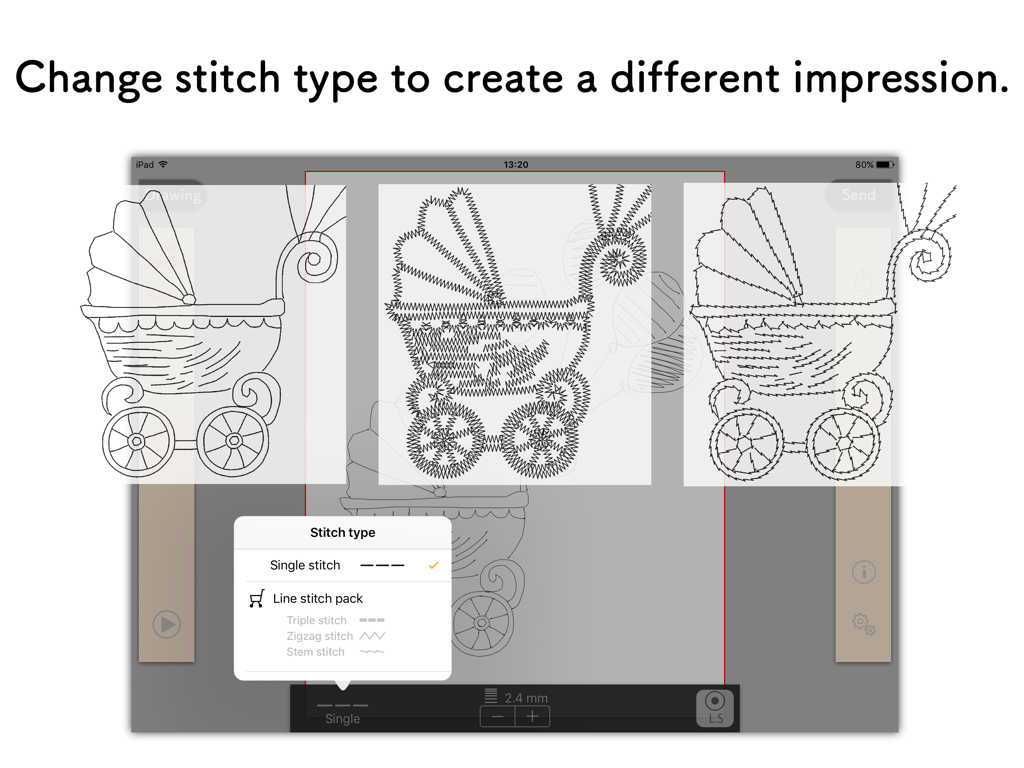
AcuSketch - AcuSketchインターフェースに描画のさまざまな刺繍ステッチオプションが表示されている
AcuSketchインターフェースに描画のさまざまな刺繍ステッチオプションが表示されている

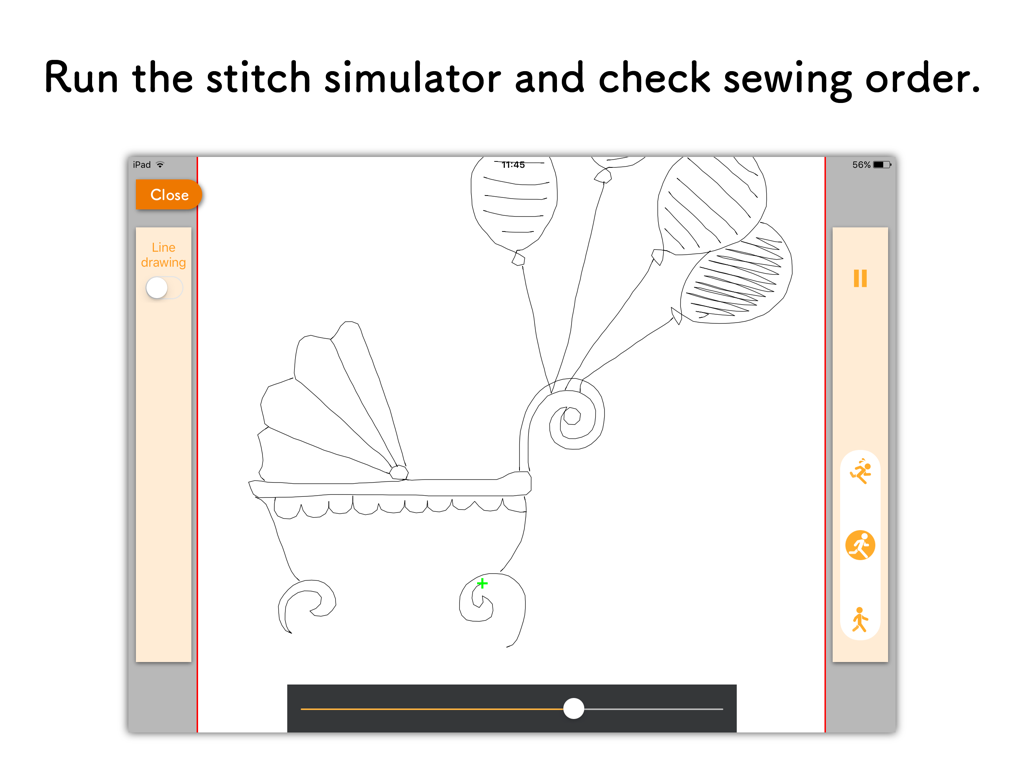
AcuSketch - AcuSketchステッチシミュレーターインターフェースに風船付きの描画されたベビーキャリッジが表示されている
AcuSketchステッチシミュレーターインターフェースに風船付きの描画されたベビーキャリッジが表示されている

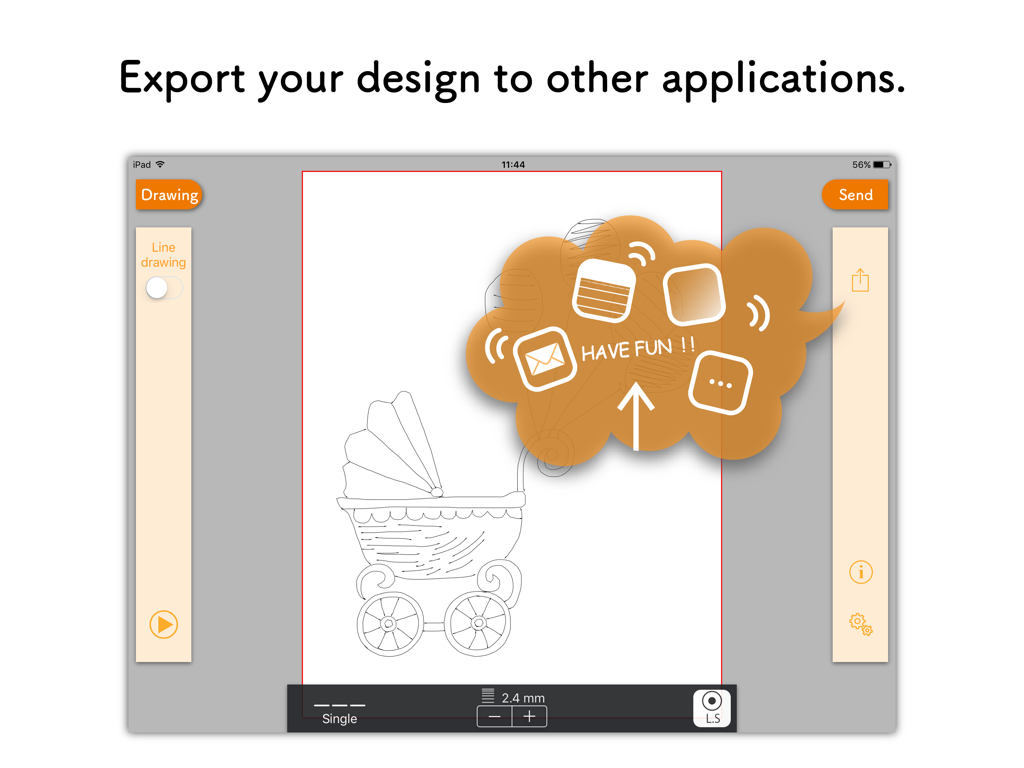
AcuSketch - iPad上のAcuSketchアプリインターフェースに、描画されたベビーキャリッジ刺繍デザインのエクスポート機能が表示されている
iPad上のAcuSketchアプリインターフェースに、描画されたベビーキャリッジ刺繍デザインのエクスポート機能が表示されている

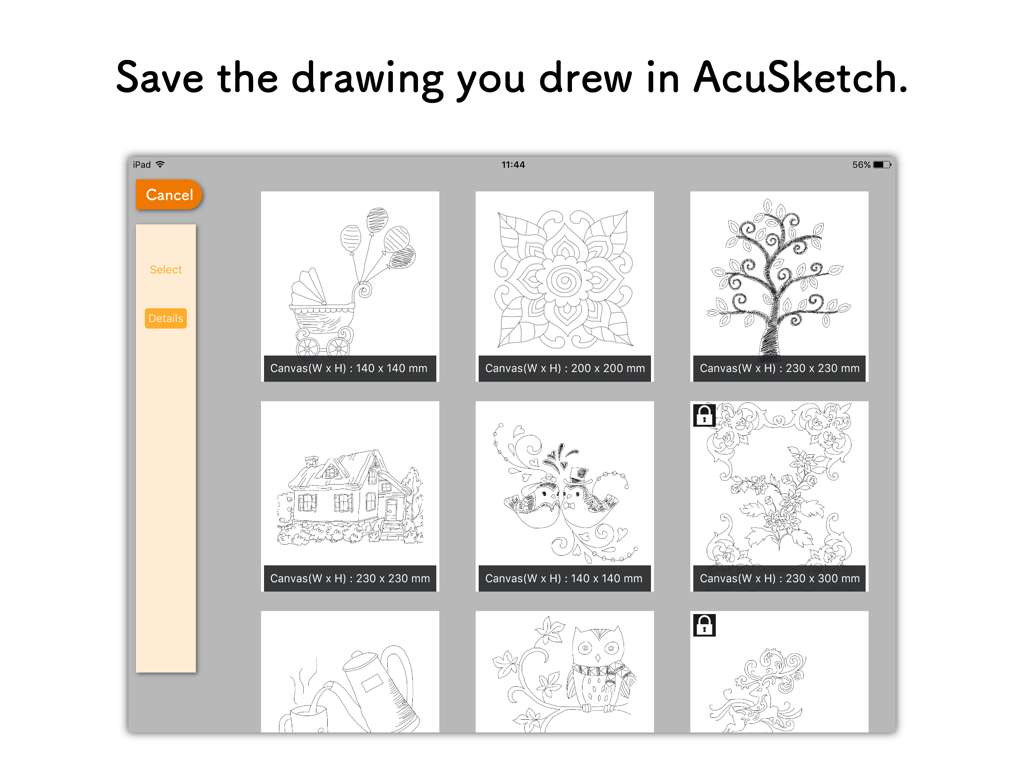
AcuSketch - AcuSketch iPadアプリに保存された手描きの刺繍スケッチのギャラリー

AcuSketch iPadアプリに保存された手描きの刺繍スケッチのギャラリー

説明

The AcuSketch app allows you to create an embroidery design by tracing on the canvas displayed on the iPad screen with your finger or a stylus. You can send the embroidery design that you have created to Wireless LAN capable JANOME sewing machines or export the design to other applications as a jef+ file. AcuSketch Features: * Make handmade-looking work using stitches created from lines drawn freehand. * Make free-motion-quilting-like patterns and enjoy machine quilting. * As the lines drawn with your finger or a stylus become stitches, even people who are not good with computers or digitizing software can create designs and make embroidery data. * Simple to use and fun. Stitches: * Various stitch types. Basic stitch Single run stitches Line stitch pack (In-App Purchase) Triple stitch Zigzag stitch Stem stitch * Choose whether to add Locking stitches. * Adjust the length of the stitches. * Set the width of the stitches (only stitches with adjustable width). * Flip the stitches over (only stitches with adjustable width). * The stitches are sewn in order of drawing. Other Features: * Additional functionality when drawing lines. By starting to draw from the end of an existing line, you can extend lines. When you finish drawing a line, you can connect the end of the line with another one. * A function to insert images for tracing. * Save function for drawings. * Export function for embroidery designs. * Stitch simulator. Send embroidery design: * AcuSketch is compatible with the following sewing machine models: Please check the following web page: https://www7.janome.co.jp/global/softupdate/acusketch/ * Conditions: The iPad is connected to Wi-Fi. The sewing machine is connected to the same Wireless LAN access point as the iPad. * For iOS 14 or above, please allow the app access to find and connect to devices on your local network.

Download

ダウンロード: App Store

このページはアプリまたはその開発者の公式ページではなく、情報提供および論評を目的として作成された独立した編集出版物です。明示的に別段の記載がない限り、アプリおよびその開発者は、MWM、Apple、Google Play、アプリのパブリッシャー、またはアプリの開発者と提携、承認、後援、認可、またはその他の公式的な関係はなく、このページのいかなる内容も、アプリがMWMのサービスを使用して開発されたことを意味するものではありません。すべての商標、ロゴ、スクリーンショット、その他のコンテンツはそれぞれの所有者の財産です。








