Address Labels & Envelopes
ダウンロード: App Store

このページはアプリまたはその開発者の公式ページではなく、情報提供および論評を目的として作成された独立した編集出版物です。明示的に別段の記載がない限り、アプリおよびその開発者は、MWM、Apple、Google Play、アプリのパブリッシャー、またはアプリの開発者と提携、承認、後援、認可、またはその他の公式的な関係はなく、このページのいかなる内容も、アプリがMWMのサービスを使用して開発されたことを意味するものではありません。すべての商標、ロゴ、スクリーンショット、その他のコンテンツはそれぞれの所有者の財産です。

ロゴ: Address Labels & Envelopes
ダウンロード: App Store

Address Labels & Envelopes

整理整頓された家庭向けのNo.1 iPadユーティリティで、郵送のストレスを解消しましょう。連絡先をAveryラベルに自動で合わせ、数分でプロフェッショナルな封筒を印刷し、リストを毎年簡単に管理できます。

主要数値

ダウンロード

50K+

ユーザー評価

4.6/5

評価数

3K+

開発元

N Hamilton

カテゴリ

Utilities

対応言語

2

最新バージョン

7.91

サイズ

19.0 MB

リリース日

2010年12月11日
機能

ストレスゼロで郵送リストをマスター

ずれやフォーマットの苦労はやめましょう。ホリデーカードからイベントの招待状まで、iPadやiPhoneから直接プロフェッショナルなラベルや封筒を簡単に印刷できます。

スマート自動フォーマット

「プリンターの怒り」は忘れてください。テキストと画像をあらゆるラベルサイズに自動で合わせ、Avery、Brother、カスタムシートに毎回完璧に配置します。

信頼性の高い年次追跡

決して忘れないデジタルRolodex。すべてのAppleデバイス間で連絡先を同期し、昨年誰にカードを送ったか、誰が返信したか、いくつの切手が必要かを追跡します。

以下のスクリーンショットと説明は、アプリの公式ストアリスティングから直接取得されたものであり、アプリ開発者の所有物です。

アプリストア

スクリーンショット
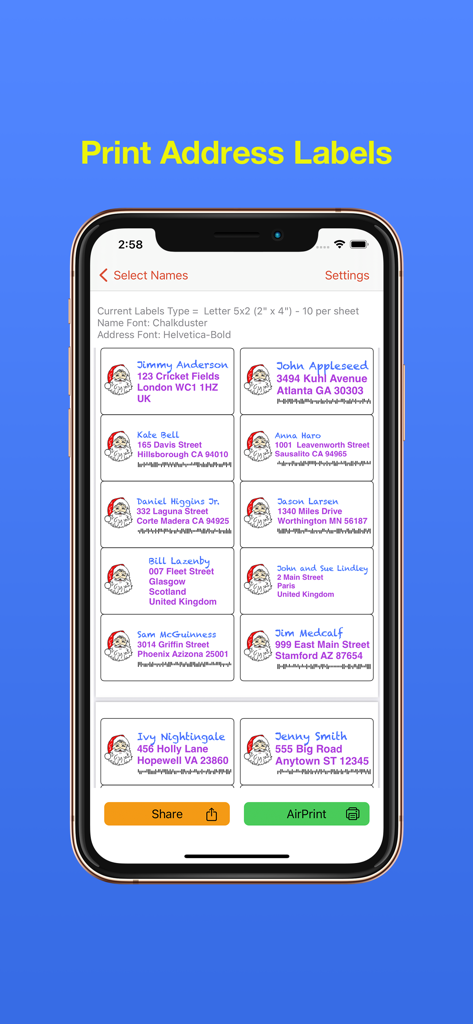
Address Labels & Envelopes - サンタのアイコンとバーコードが付いたカスタムクリスマスの住所ラベルのグリッドを表示するモバイルアプリのインターフェース。
サンタのアイコンとバーコードが付いたカスタムクリスマスの住所ラベルのグリッドを表示するモバイルアプリのインターフェース。

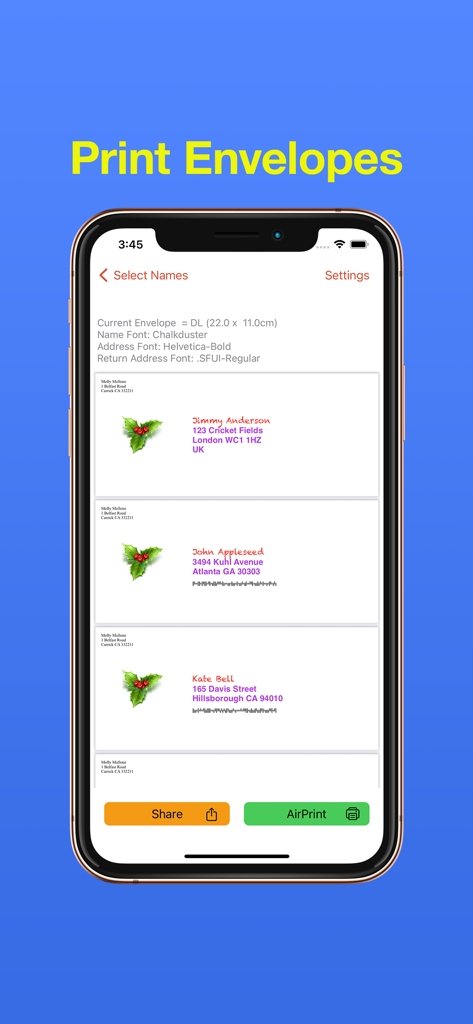
Address Labels & Envelopes - 受信者の住所とホリデーアイコンが付いたパーソナライズされた封筒のデザインを表示するiPhoneアプリ画面。
受信者の住所とホリデーアイコンが付いたパーソナライズされた封筒のデザインを表示するiPhoneアプリ画面。

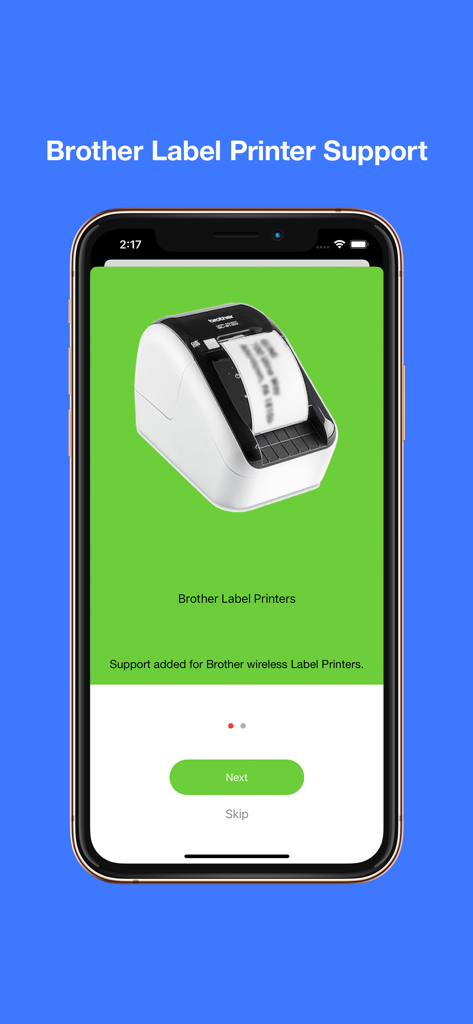
Address Labels & Envelopes - Brotherラベルプリンターのワイヤレスサポートを表示する住所ラベルアプリ画面。
Brotherラベルプリンターのワイヤレスサポートを表示する住所ラベルアプリ画面。

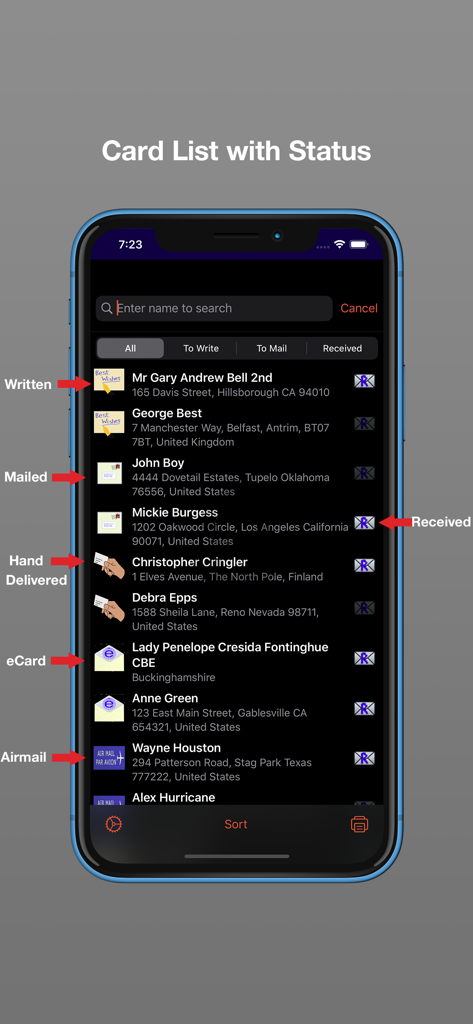
Address Labels & Envelopes - 書かれた、郵送された、手渡しされた、受信されたカードのステータスイコンが付いた郵送カードリストを示すiPhoneスクリーンショット。
書かれた、郵送された、手渡しされた、受信されたカードのステータスイコンが付いた郵送カードリストを示すiPhoneスクリーンショット。

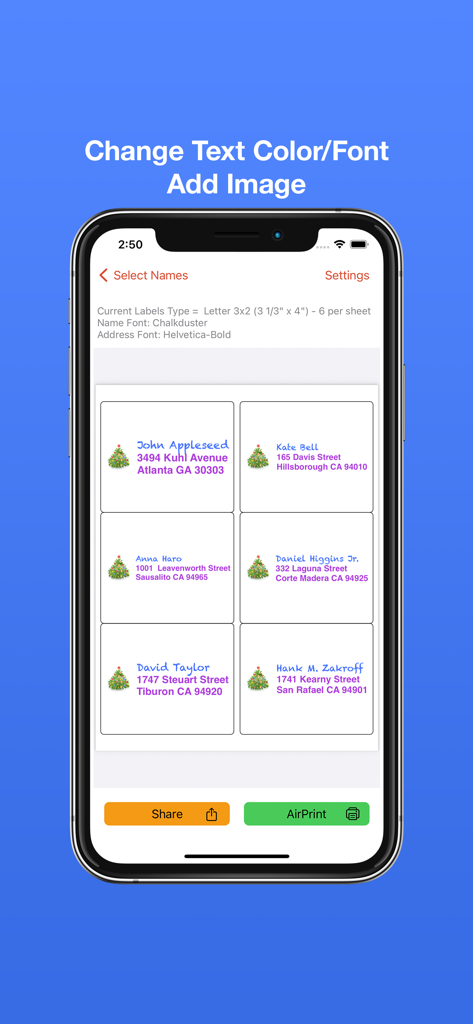
Address Labels & Envelopes - クリスマスツリーのアイコンとカラフルなフォントの選択肢が付いたカスタム住所ラベルを表示するモバイルアプリのインターフェース。
クリスマスツリーのアイコンとカラフルなフォントの選択肢が付いたカスタム住所ラベルを表示するモバイルアプリのインターフェース。

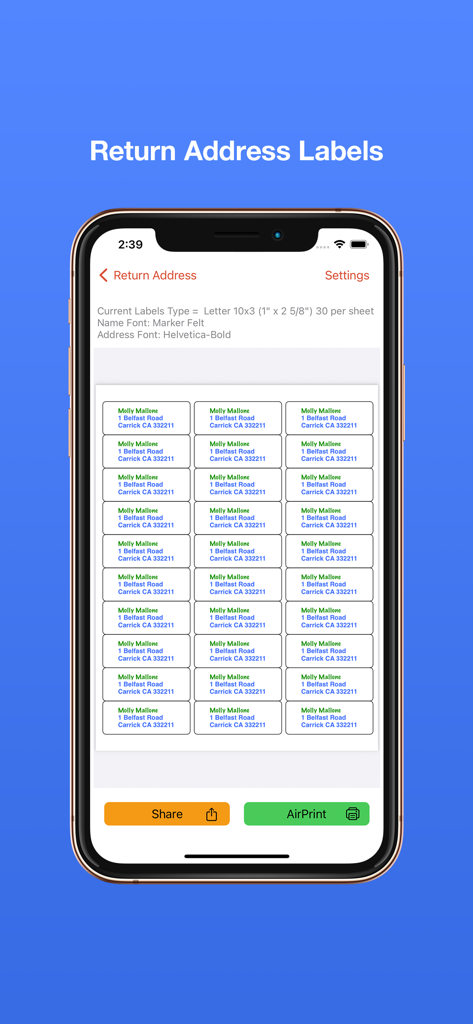
Address Labels & Envelopes - 住所ラベル&封筒アプリで印刷準備ができた差出人住所ラベルシートのプレビュー。
住所ラベル&封筒アプリで印刷準備ができた差出人住所ラベルシートのプレビュー。

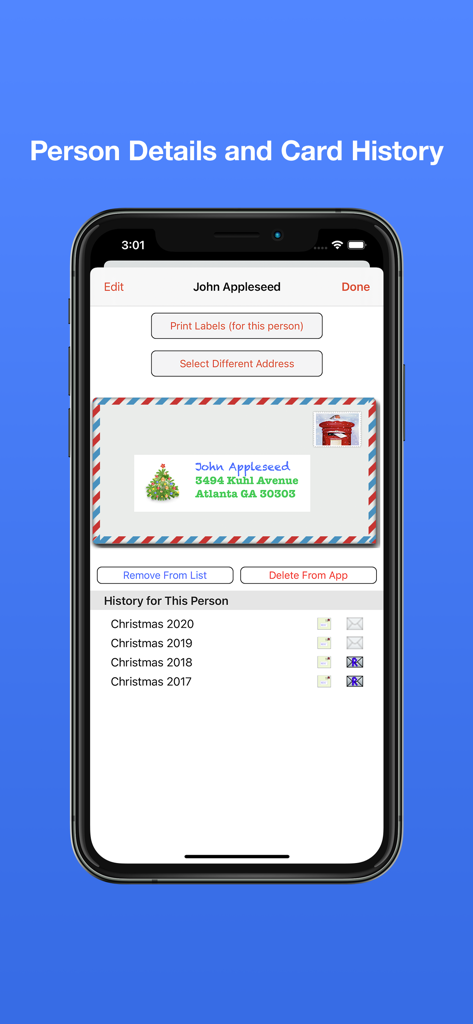
Address Labels & Envelopes - 連絡先の詳細とホリデーカードの履歴トラッカーを表示するiPhoneディスプレイ。
連絡先の詳細とホリデーカードの履歴トラッカーを表示するiPhoneディスプレイ。

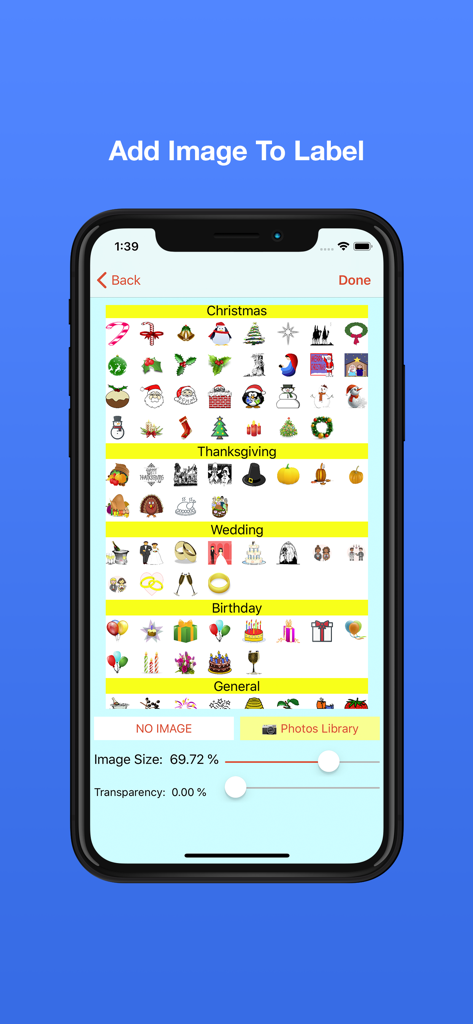
Address Labels & Envelopes - 住所ラベルアプリのインターフェースで、ラベルのパーソナライゼーションのためにクリスマス、感謝祭、結婚式、誕生日のアイコンの選択を表示。
住所ラベルアプリのインターフェースで、ラベルのパーソナライゼーションのためにクリスマス、感謝祭、結婚式、誕生日のアイコンの選択を表示。

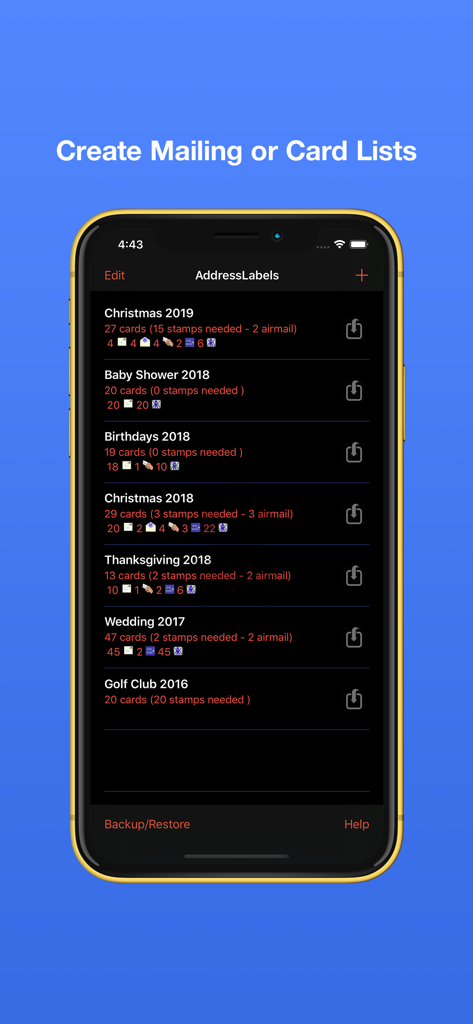
Address Labels & Envelopes - ホリデーやイベントのカードカテゴリと切手要件を示す住所ラベルアプリの郵送リスト管理画面。
ホリデーやイベントのカードカテゴリと切手要件を示す住所ラベルアプリの郵送リスト管理画面。

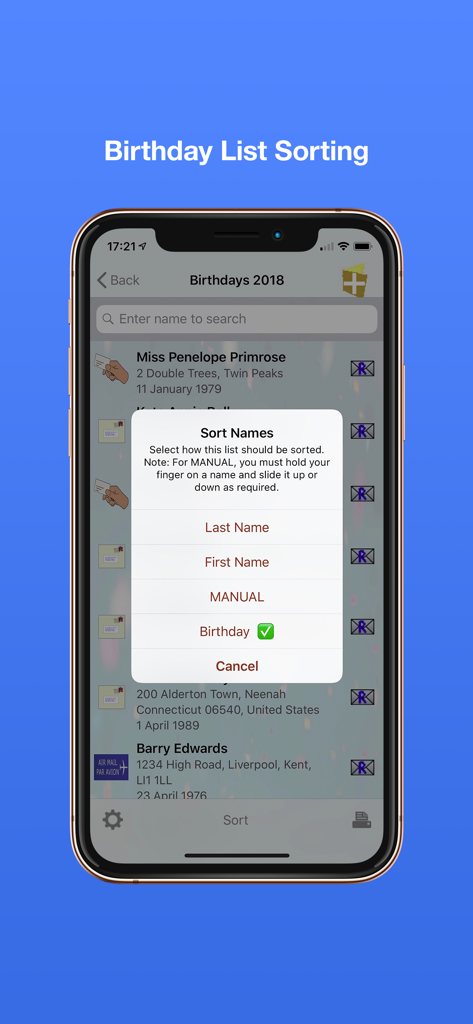
Address Labels & Envelopes - 住所ラベルアプリの誕生日リストの並べ替えメニューを示すiPhone画面。

住所ラベルアプリの誕生日リストの並べ替えメニューを示すiPhone画面。

説明

Print your mailing/cards address labels and envelopes in minutes. Address Labels takes care of fitting the text/image to the label size. You just supply the contents and select label type - AddressLabels does the rest. Compatible with the mac app via Cloud syncing. Excellent for organising Christmas card or other mailing lists. No more forgetting to send a card – use your list year after year. No. 1 iPad Utilities App last Christmas on USA and UK stores. Most Avery label sheet types supported. Supports Brother label printers (wifi). Supports some Dymo LabelWriters though also requires 3rd party software (see website). Prints to wide variety of envelopes - even custom sizes. Note: whilst working on most printers, it is not guaranteed to work on all printers. Print USPS IM barcodes for USA addresses. AddressLabels remembers the settings, making the next job even easier. Import names from Contacts, spreadsheet csv files or type manually. Personalize labels with image/photo e.g. Christmas icon Create Return address labels. Sort on First/Last Names, post/zip code, manually or Birthday (really handy for Birthday List) The zip sort lets you target your mailings to specific neighbourhoods and can be especially helpful in the USA allowing you to get the lowest possible postal rates for bulk mail. Create simple Custom labels e.g. for produce labels, storage boxes etc. Record when cards have been written, mailed, hand-delivered or sent as eCards, and number of replies. Number of stamps required displayed. Print directly from your device via Airprint-enabled printer. Share - e.g. email or airdrop list. Export to csv. Store extra info e.g. children names etc. Multiple uses - Christmas, Thanksgiving, Birthdays, Weddings, Baby Showers, storage jars, file labels etc. - use your imagination. Lists sync with other iOS devices and Mac (iOS 13 or later). Check person’s history e.g. to see when they last sent you a card. Use “alias” e.g. import “John Smith” from Contacts, but display and print “The Smiths” etc. Use person's nickname/company for label/envelope **************************************************************** Instructions on using the app at https://ios.addresslabels.app Great support available - support@ios.addresslabels.app *************************************************************** "This app, however, is nothing short of brilliant, easy to use and printing sensible labels." "This app certainly takes the pain out of producing your Christmas and other lists. A lot of thought has gone into this truly excellent product." "This is a superb program and does what it says simply and efficiently. The developer responds promptly to suggestions. Importing Contacts works well and changes are instantly carried through. My cards have never been sent out so early!" "I love how this app has streamlined addressing my Christmas cards!! Thank you!!" "AddressLabels delivers an extremely effective way to manage card lists which means the ability to easily compose lists from your Contacts, get the labels printed, and keep track of cards received and sent! Add the ability to manually enter list members, assign nicknames, select from multiple addresses, intelligent handling the country portion of the address, accommodate a large range of label types, AirPrint directly or produce a PDF of the labels, clone new lists from existing lists, all wrapped in a visually pleasing interface. Winner!" "I hate addressing my Christmas cards. This app made it very easy to make labels. I don't have a printer that works with my iPad yet, so I really appreciated having the capability to send them as a PDF to my email address. The app is awesome..." “Just what you need at this time of year - a reliable self updating list to speed up sending out cards. This is the 3rd or 4th year I've used it and it just gets better and better.” “After years of tearing my hair out trying to get labels out of my iphone/iPad/iMac combo, an app that actually does what it promised!”

Download

ダウンロード: App Store

このページはアプリまたはその開発者の公式ページではなく、情報提供および論評を目的として作成された独立した編集出版物です。明示的に別段の記載がない限り、アプリおよびその開発者は、MWM、Apple、Google Play、アプリのパブリッシャー、またはアプリの開発者と提携、承認、後援、認可、またはその他の公式的な関係はなく、このページのいかなる内容も、アプリがMWMのサービスを使用して開発されたことを意味するものではありません。すべての商標、ロゴ、スクリーンショット、その他のコンテンツはそれぞれの所有者の財産です。








