Adobe Premiere: Video Editor

Adobe Premiere: Video Editor


ダウンロード: App Store
ロゴ: Adobe Premiere: Video Editor

Adobe Premiere: 動画編集アプリ – AI搭載のプロフェッショナルコンテンツ作成

フレーム単位の正確な編集、スタジオ品質のサウンド、Firefly搭載のジェネレーティブツールで、ソーシャルメディアでの存在感を高めましょう。透かしなしで、TikTok、Reels、YouTube向けのスクロールが止まるような動画を、完全にクリエイティブなコントロールで作成できます。

開発元

Adobe Inc.

カテゴリ

Photo & Video

ダウンロード

2M+

ユーザー評価

4.7/5

評価数

25K+

対応言語

28

スタジオのパワーを、シンプルに

このインターフェースを利用する 2M+ 人のユーザー.

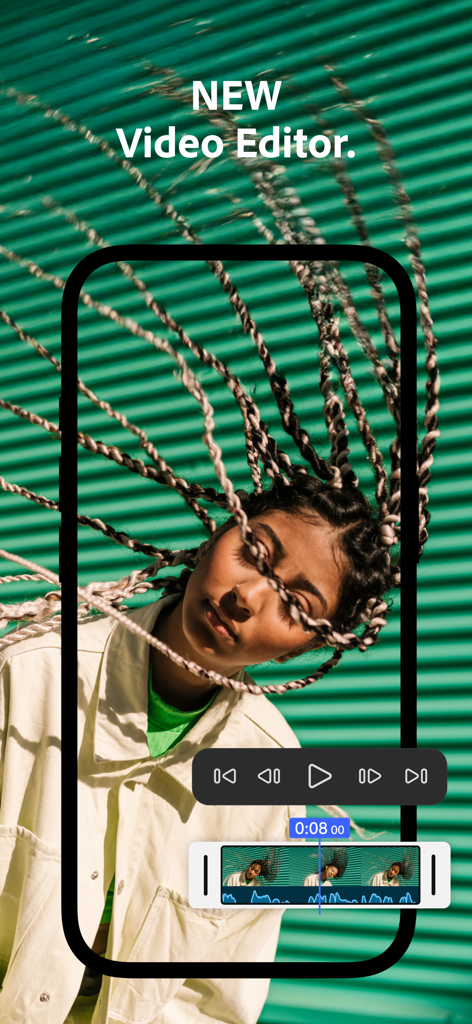
Adobe Premiereモバイル動画編集アプリのインターフェース。ポートレートクリップの上に、オーディオ波形と再生コントロールが表示された動画タイムラインが表示されています。

Adobe Premiereモバイル動画編集アプリのインターフェース。ポートレートクリップの上に、オーディオ波形と再生コントロールが表示された動画タイムラインが表示されています。

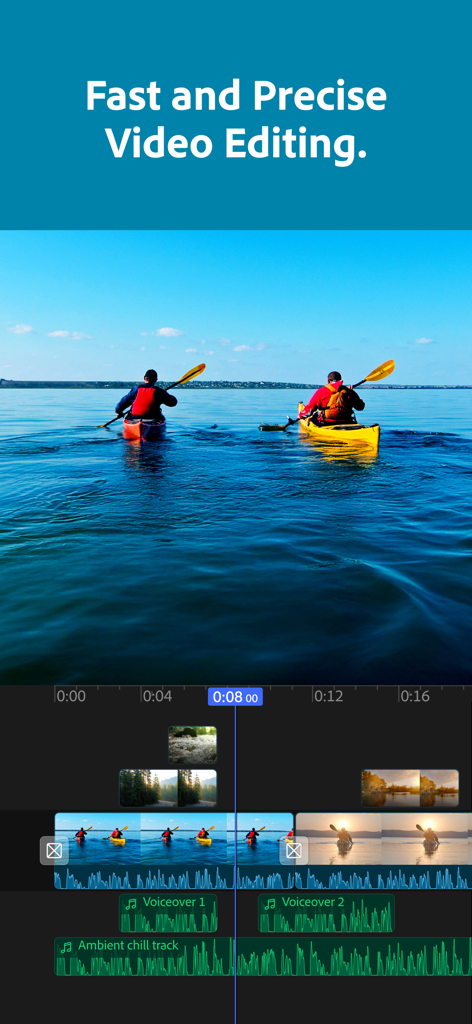
Adobe Premiereモバイルアプリの高精度マルチトラック動画編集タイムライン。

Adobe Premiereモバイルアプリの高精度マルチトラック動画編集タイムライン。

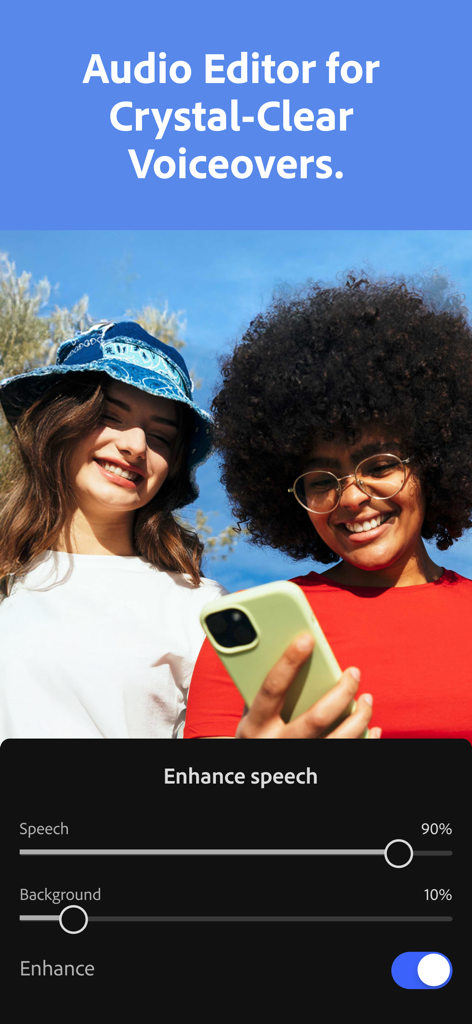
Adobe PremiereアプリのAI音声強化機能を示すインターフェース。

Adobe PremiereアプリのAI音声強化機能を示すインターフェース。

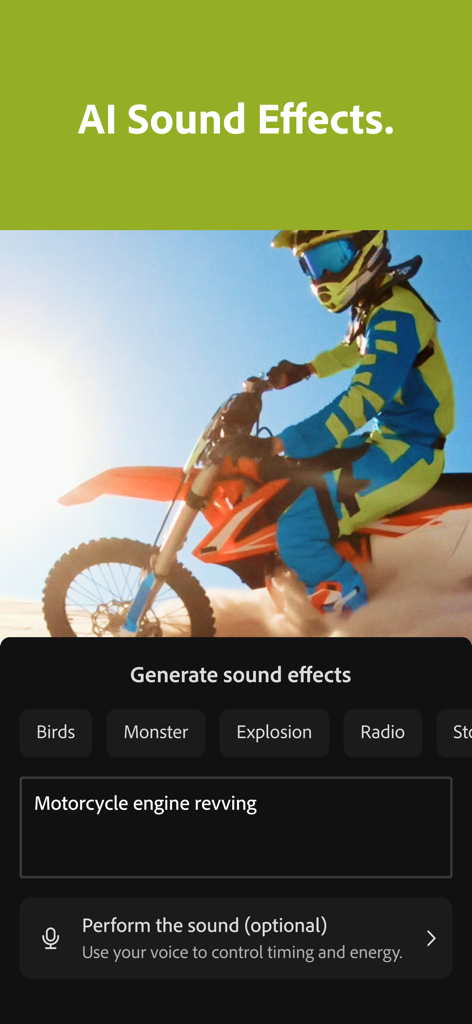
Adobe Premiere Video Editorアプリのインターフェース。バイクの動画クリップにAIサウンドエフェクトを生成する機能が表示されています。

Adobe Premiere Video Editorアプリのインターフェース。バイクの動画クリップにAIサウンドエフェクトを生成する機能が表示されています。

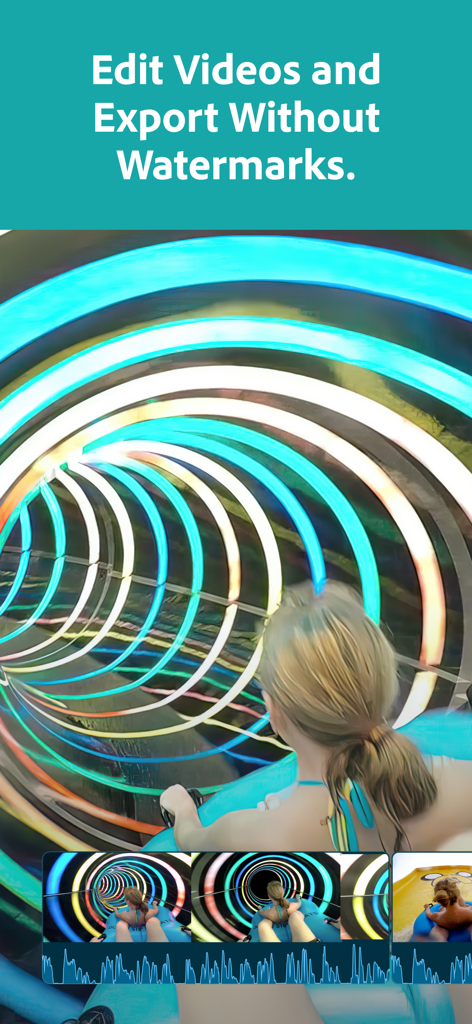
Adobe Premiereアプリのインターフェース。透かしなしで動画編集が行われています。

Adobe Premiereアプリのインターフェース。透かしなしで動画編集が行われています。

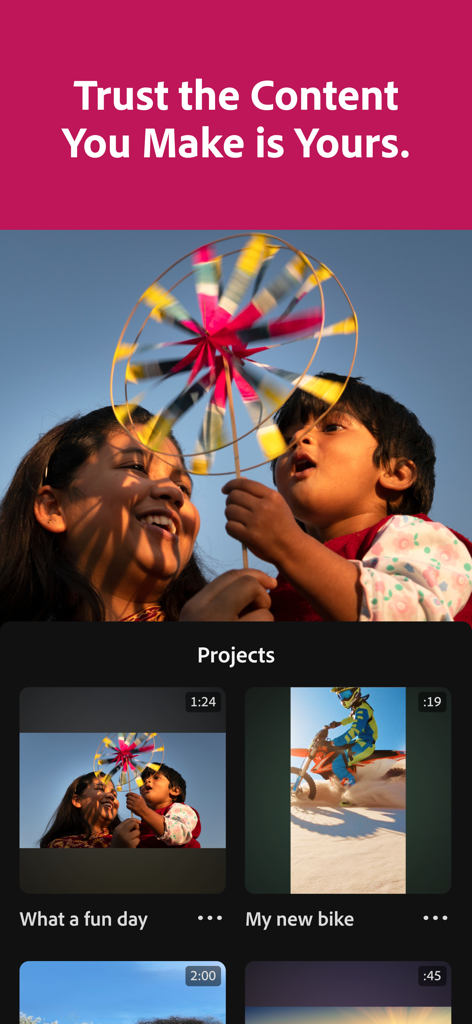
Adobe Premiereモバイルアプリのインターフェース。コンテンツの所有権に関する見出しの下に、動画プロジェクトのリストが表示されています。

Adobe Premiereモバイルアプリのインターフェース。コンテンツの所有権に関する見出しの下に、動画プロジェクトのリストが表示されています。

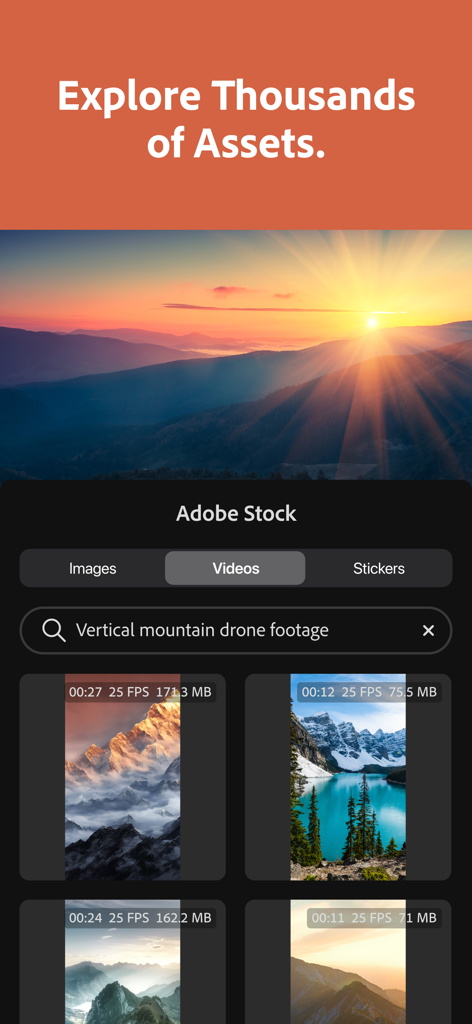
Adobe Premiereアプリのインターフェース。Adobe Stockアセットライブラリが表示されており、垂直マウンテンのドローン映像が検索されています。

Adobe Premiereアプリのインターフェース。Adobe Stockアセットライブラリが表示されており、垂直マウンテンのドローン映像が検索されています。

どこでもプロのように編集

このアプリを際立たせるツール、 2M+ 人のユーザーが選択.

すべてのカットにAIマジック

業界をリードするAIを使用して、ワンタップで自動キャプションを生成し、音声をスタジオ品質に向上させます。

🎬

高精度マルチトラック編集

フレーム単位で正確なタイムラインと、オーバーレイ、タイトル、エフェクトのための無制限のトラックで、完全なコントロールを得られます。

🎨

無限のクリエイティブアセット

ロイヤリティフリーの音楽、ステッカー、Lightroomプリセットの膨大なライブラリにアクセスして、あなた独自のスタイルを見つけましょう。

🎵

AIサウンドエフェクト

Firefly AIを使用して、動画に完璧なサウンドエフェクトを生成します。

AIによる画像編集

Firefly AIのパワーで、動画の背景を拡張・修正したり、素晴らしいAI生成画像を挿入したりできます。

アプリについて

について知っておくべきこと Adobe Premiere: Video Editor.

説明

Effortless editing. Total control. Meet the fast, free, and focused mobile video editing app that's powerful enough for any idea, yet simple enough for anyone to use. Edit videos from wherever you are, with no ads or watermarks. Premiere offers unmatched speed on a precise multi-track timeline and studio-quality audio featuring crystal clear voice recordings and perfectly timed AI sound effects -- plus Firefly-powered visuals to create stand out videos. Tell your story with unique, scroll-stopping videos. Level up your content with AI editing tools and create stand out edits to share on TikTok, YouTube, Instagram, Facebook, and more. Record voiceovers and achieve studio-quality audio with crystal clear voice recordings and perfectly timed AI sound effects. Get inspired and kickstart your project with Adobe’s massive library of free creative assets. Speed up your editing with Adobe Firefly AI-generated sound effects, images, videos, and stickers. Capture the moment and create trends with Adobe Premiere. FEATURES: LIGHTNING-FAST TIMELINE • Frame-Accurate Edits: Trim, split, or merge video clips with the industry’s most accurate video editor. • AI Auto Captions: generate captions and add attention grabbing animations in seconds. • Smooth Speed Effects: speed up, slow down, reverse or freeze key moments. • Unique Color Presets: Apply Adobe Lightroom presets and fine tune to fit your aesthetic. • Instant Background Removal: Cut out subjects with one tap. Create overlays, title effects, and more. PRECISION CONTROL • Unlimited Tracks: Overlay clips and organize your timeline with no limits to your creativity. • Resize and Post to Any Platform: Adjust videos to fit any aspect ratio and share anywhere easily. • Advanced Clip Controls: Flip, fit, fill, or extract audio to customize every cut. STUDIO QUALITY SOUND • AI Enhance Speech: Create studio quality voiceovers with the help of AI. • DIY Sound Effects: Use your voice to generate your own sounds. GENERATIVE AI ASSETS • AI Text to Image Generation: create unique, commercially safe images from a simple text prompt with Adobe Firefly. • Stickers That Pop: Generate your own AI stickers or select from the free in-app library. • AI Background Expansion: Extend, enhance, or replace backgrounds with a prompt. FREE LIBRARY OF CREATIVE ASSETS • Get going with quality images, sounds, music, and video from the Adobe library. • Add Music to Your Videos: Select from a library of free and royalty free tracks. • Respects Creator Content Ownership: Adobe never trains on user content. SPEED AND PERFORMANCE • Built natively on iOS for a fast, smooth, editing experience. • Import your assets directly from your device or favorite cloud storage provider. • Edit without distracting pop-up ads, clutter, or watermarks. FREE TO DOWNLOAD AND USE • Everything you need to create great videos is available for free. Only pay when you need Firefly generative AI credits. TERMS & CONDITIONS: Your use of this application is governed by the Adobe General Terms of Use http://www.adobe.com/go/terms_linkfree_en and the Adobe Privacy Policy http://www.adobe.com/go/privacy_policy_linkfree_en Do not sell or share my personal information: www.adobe.com/go/ca-rights-linkfree

最新バージョン

25.12.0

サイズ

97.2 MB

リリース日

2025年9月30日

制限なく作成。透かしなしで編集。

AdobeのAI搭載ツールを使用して、あらゆるアイデアをプロフェッショナルでスクロールが止まるような動画に変える何百万ものクリエイターに加わりましょう。高速、無料、そしてあなたのストーリーに集中できます。

ダウンロード: App Store
FAQ

よくある質問

について知っておくべきこと Adobe Premiere: Video Editor

Adobe Premiere: Video Editor は無料で使えますか?

はい、Adobe Premiere: Video Editor は無料でダウンロードして使用でき、基本的なビデオ編集機能は無料です。追加の Firefly 生成 AI クレジットが必要な場合のみ料金が発生します。

Adobe Premiere: Video Editor は書き出した動画にウォーターマークを追加しますか?

いいえ、Adobe Premiere: Video Editor は書き出した動画にウォーターマークを追加しません。ユーザーは、邪魔なウォーターマークなしで作品を編集および書き出すことができます。

Adobe Premiere: Video Editor は自動的にキャプションを生成できますか?

はい、Adobe Premiere: Video Editor は AI 自動キャプションを自動生成できます。この機能により、ユーザーは数秒で動画に目を引くアニメーションキャプションを追加できます。

Adobe Premiere: Video Editor には AI パワードのサウンドエフェクトが含まれていますか?

はい、Adobe Premiere: Video Editor には AI パワードのサウンドエフェクトが含まれています。ユーザーは自分の声を使用して独自のサウンドを生成したり、さまざまな AI 生成オプションから選択したりできます。

Adobe Premiere: Video Editor 内でストックアセットにアクセスできますか?

はい、Adobe Premiere: Video Editor は、Adobe の膨大な無料クリエイティブアセットライブラリへのアクセスを提供します。これには、プロジェクトの開始に役立つ高品質な画像、サウンド、音楽、ビデオが含まれます。

Adobe Premiere: Video Editor はユーザーコンテンツを AI トレーニングに使用しますか?

いいえ、Adobe Premiere: Video Editor は AI モデルをユーザーコンテンツでトレーニングしません。Adobe はクリエイターのコンテンツ所有権を尊重し、ユーザーのプロジェクトがプライベートであり、トレーニングに使用されないことを保証します。

Adobe Premiere: Video Editor は音声エンハンスメントをどのように処理しますか?

Adobe Premiere: Video Editor には AI 音声エンハンス機能があり、ユーザーはスタジオ品質のボイスオーバーを作成できます。音声と背景音のレベルを調整して明瞭度を高めるためのコントロールが含まれています。

Adobe Premiere: Video Editor で動画の背景を削除できますか?

はい、Adobe Premiere: Video Editor はインスタント背景削除機能を提供します。ユーザーはワンタップで被写体を切り抜き、オーバーレイやタイトルの作成を可能にします。

Adobe Premiere: Video Editor はマルチトラック編集をサポートしていますか?

はい、Adobe Premiere: Video Editor はマルチトラック編集のために無制限のトラックをサポートしています。ユーザーはクリップをオーバーレイし、クリエイティブな制限なしでタイムラインを整理できます。

App information, icons, screenshots, and descriptions displayed on this page are sourced from the Apple App Store and are the property of their respective developers. Download estimates and rankings are based on MWM's proprietary models and may not reflect actual figures. This page is provided for informational and analytical purposes only.

Believe this page infringes your intellectual property? File a dispute