
このページはアプリまたはその開発者の公式ページではなく、情報提供および論評を目的として作成された独立した編集出版物です。明示的に別段の記載がない限り、アプリおよびその開発者は、MWM、Apple、Google Play、アプリのパブリッシャー、またはアプリの開発者と提携、承認、後援、認可、またはその他の公式的な関係はなく、このページのいかなる内容も、アプリがMWMのサービスを使用して開発されたことを意味するものではありません。すべての商標、ロゴ、スクリーンショット、その他のコンテンツはそれぞれの所有者の財産です。


Videoshop - Video Editor
1200万人以上のクリエイターが利用する究極のモバイルスタジオで、カット、音楽追加、バイラルエフェクト適用。TikTokのトレンドからプロのVlogまで、あなたのストーリーを数秒で編集し、即座に共有しましょう。
ダウンロード
12M+ユーザー評価
評価数
420K+開発元
カテゴリ
Photo & Video対応言語
8最新バージョン
84.5.6サイズ
190.2 MBリリース日
2013年6月6日バイラルになるために必要なすべて
簡単なカットからグリーンシングの魔法まで、Videoshopは次世代のクリエイターのために設計されたプログレードの制作スタジオをあなたのポケットに入れます。
高速・流れるような編集
移動中に編集・投稿する必要があるクリエイターのために設計された直感的なジェスチャーで、カット、結合、速度調整を行います。
バイラル対応エフェクト
クロマキー(グリーンバック)、リップシンク、ストップモーション機能で、あらゆるトレンドをマスターし、コンテンツを際立たせましょう。
よくある質問
について知っておくべきこと Videoshop - Video Editor
Videoshop - Video Editor とは何ですか?
Videoshop - Video Editor は、無料かつ簡単なビデオ編集アプリケーションです。パーソナライズされたビデオのための、高速編集ツール、フィルター、およびさまざまなエフェクトを提供します。
Videoshop - Video Editor でビデオに音楽を追加できますか?
はい、Videoshop - Video Editor では、iPod ライブラリから音楽を追加したり、Videomall からクリップを購入したりして、ビデオに音楽を追加できます。
Videoshop - Video Editor はスローモーションエフェクトをサポートしていますか?
はい、Videoshop - Video Editor はスローモーションをサポートしています。ユーザーはビデオまたはオーディオの速度を調整して、スローモーションと早送りの両方のエフェクトを作成できます。
Videoshop - Video Editor で利用可能な共有オプションは何ですか?
Videoshop - Video Editor では、Snapchat、Instagram、Facebook、YouTube、Vimeo、Dropbox、WhatsApp、または E-mail を介した直接共有が可能です。GIF を作成することもできます。
Videoshop - Video Editor は無料で使用できますか?
はい、Videoshop - Video Editor は無料のアプリケーションです。追加機能やコンテンツのためのオプションの無制限アクセスサブスクリプションも提供しています。
Videoshop - Video Editor で複数のビデオクリップを結合できますか?
はい、Videoshop - Video Editor では、複数のビデオクリップを 1 つの結合されたビデオにマージできます。クリップのカットやコピーもサポートしています。
Videoshop - Video Editor はアニメーションタイトルとフィルターを提供していますか?
はい、Videoshop - Video Editor は、ビデオを紹介するためのアニメーションタイトルと、ビデオの外観を強化するためのフィルターの選択肢を提供しています。
Videoshop - Video Editor の無制限アクセスサブスクリプションはどのように機能しますか?
無制限アクセスサブスクリプションは、すべての機能とコンテンツへのアクセスを提供します。毎月または毎年請求され、1 回限りの支払いも利用できます。支払いは iTunes アカウントに請求されます。
Videoshop - Video Editor のサブスクリプションを管理するにはどうすればよいですか?
ユーザーは、購入後にアカウント設定を通じて Videoshop - Video Editor のサブスクリプションを管理し、自動更新をオフにすることができます。
Videoshop - Video Editor はすべてのビデオタイプと互換性がありますか?
いいえ、Videoshop - Video Editor は iPhone および iPad のビデオとのみ互換性があります。他のプラットフォームからのビデオを使用すると、不安定になったりクラッシュしたりする可能性があります。
Videoshop - Video Editor を使用してビデオにテキストを追加できますか?
はい、Videoshop - Video Editor では、ユーザーは独自のテキストを入力し、色を選択し、さまざまなフォントから選択してビデオに追加できます。
Videoshop - Video Editor はグリーンバック機能(クロマキー)をサポートしていますか?
はい、Videoshop - Video Editor にはクロマ機能が含まれており、グリーンバック機能とセルフィー用の楽しい背景を提供します。
以下のスクリーンショットと説明は、アプリの公式ストアリスティングから直接取得されたものであり、アプリ開発者の所有物です。
アプリストア
スクリーンショット
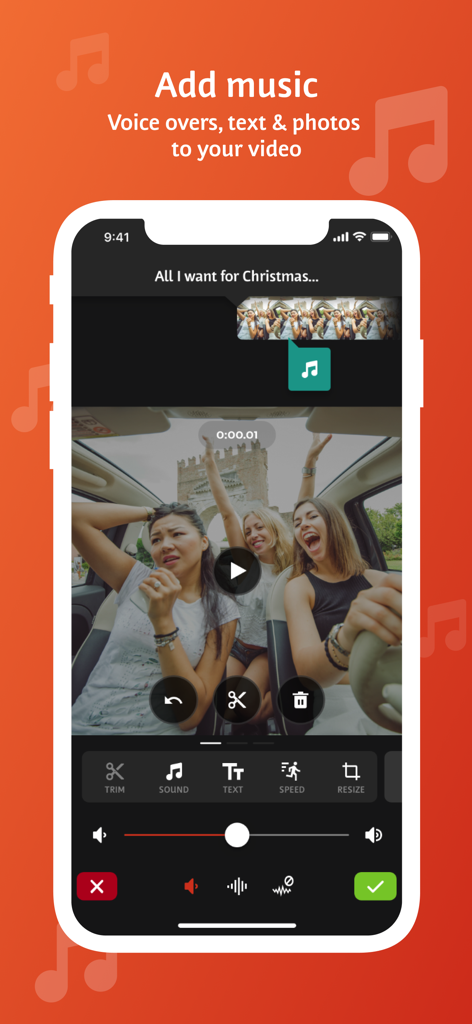
Videoshopアプリのインターフェース。動画クリップに音楽、ボイスオーバー、テキストを追加するツールが表示されています。
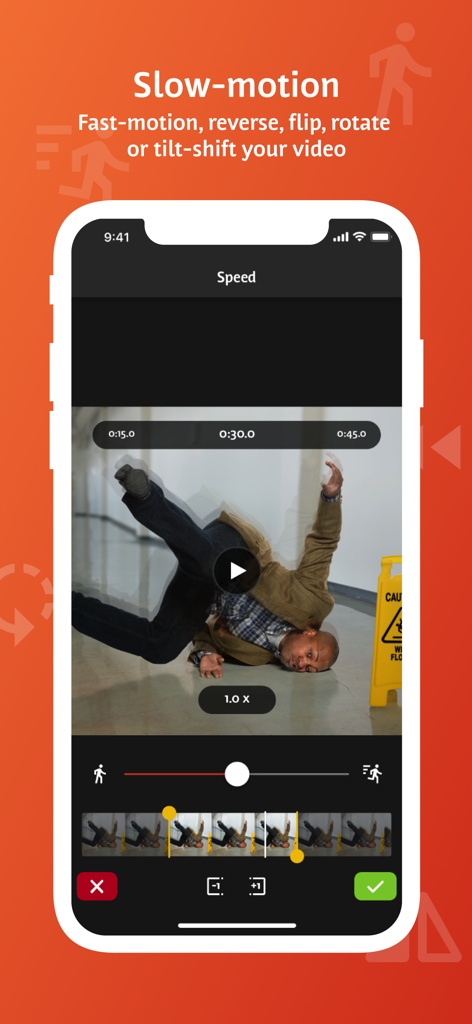
Videoshopモバイルアプリのインターフェース。スローモーションと動画速度調整機能が表示されています。
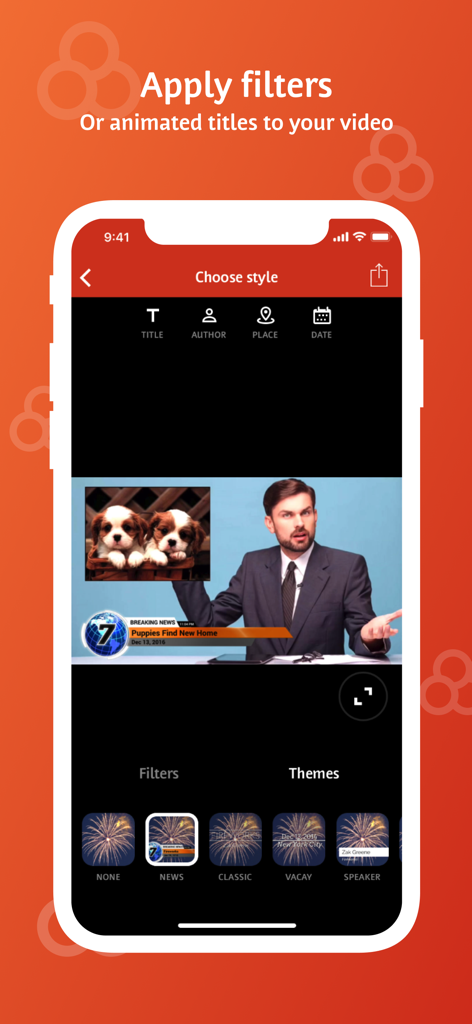
Videoshopアプリのインターフェース。モバイル動画編集用の、アニメーションタイトルとニューステーマのオプションが表示されています。
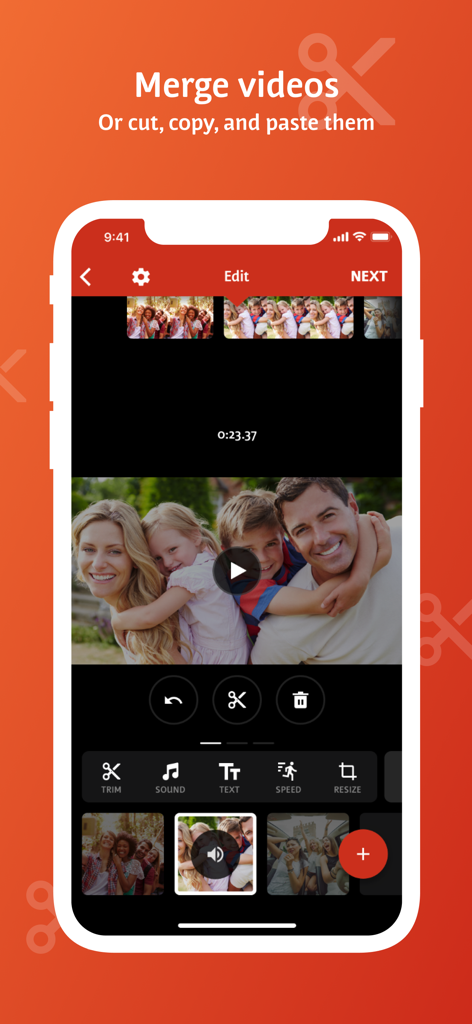
モバイル動画編集アプリのインターフェース。動画クリップを結合、カット、ペーストするオプションが表示されています。
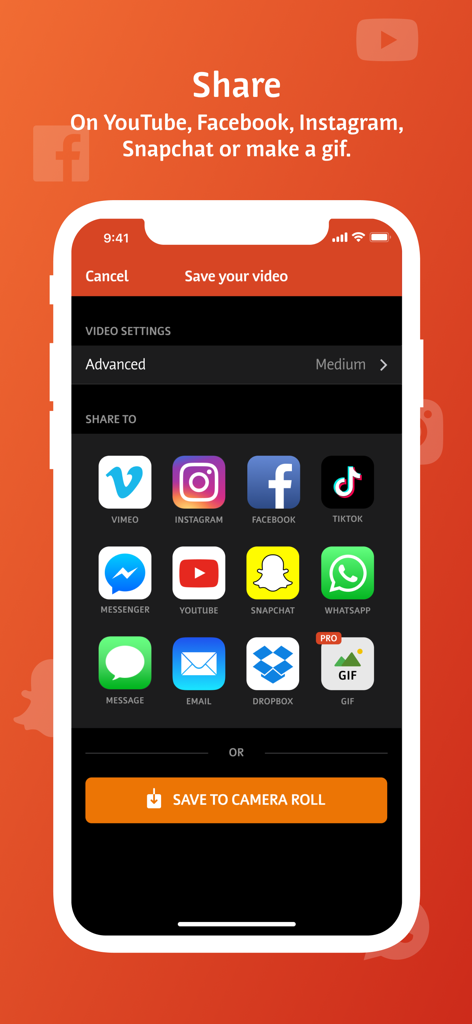
Videoshopアプリの共有画面。TikTok、Instagram、YouTubeなどのソーシャルメディアプラットフォームのアイコンが表示されています。
説明
Download
類似アプリ
似た機能とユーザー体験を持つアプリ

Edits: Video Editor
Instagram, Inc.

VLLO- Video Editor, Vlog Edits
vimosoft

YouCut - AI Video Editor
SHANTANU PTE. LTD.

必剪-B站官方出品
Shanghai Bilibili Animation Co.,Ltd

剪影 - 视频剪辑 & 卡点影集制作
Shanghai Jian Ji Software Technology Co., Ltd

VDIT - Video Maker & Editor
ImgBase, Inc.

Video Editor with Music・VidLab
Onelight Apps CY Ltd

Video Maker-movie maker&Editor
Changsha Fugui Bamboo Network Technology Co., Ltd.

一键水印-专业水印视频编辑大师
Chongqing tuanshui technology Co., Ltd.
このページはアプリまたはその開発者の公式ページではなく、情報提供および論評を目的として作成された独立した編集出版物です。明示的に別段の記載がない限り、アプリおよびその開発者は、MWM、Apple、Google Play、アプリのパブリッシャー、またはアプリの開発者と提携、承認、後援、認可、またはその他の公式的な関係はなく、このページのいかなる内容も、アプリがMWMのサービスを使用して開発されたことを意味するものではありません。すべての商標、ロゴ、スクリーンショット、その他のコンテンツはそれぞれの所有者の財産です。