
このページはアプリまたはその開発者の公式ページではなく、情報提供および論評を目的として作成された独立した編集出版物です。明示的に別段の記載がない限り、アプリおよびその開発者は、MWM、Apple、Google Play、アプリのパブリッシャー、またはアプリの開発者と提携、承認、後援、認可、またはその他の公式的な関係はなく、このページのいかなる内容も、アプリがMWMのサービスを使用して開発されたことを意味するものではありません。すべての商標、ロゴ、スクリーンショット、その他のコンテンツはそれぞれの所有者の財産です。


VLLO- Video Editor, Vlog Edits
このアプリは、モバイルデバイスをプロのスタジオへと変貌させる。VLLOが、映像編集に革命を起こす、その手軽さと深遠な力を示す。
ダウンロード
12.5M+ユーザー評価
評価数
815.4K開発元
カテゴリ
Photo & Video対応言語
13最新バージョン
13.30.0サイズ
352.0 MBリリース日
2015年2月19日VLLOアプリ:主要機能分析
モバイルクリエイターのための包括的な編集ツール
透かしなしエクスポート
アプリのブランド表示なしで、動画コンテンツを自由に共有できます。
AI自動キャプション生成
ワンタップで動画に完全に同期されたキャプションを自動生成し、多言語にも対応します。
AIオブジェクトトラッキングと背景削除
AIが動くオブジェクトを自動追跡し、ステッカー、テキスト、ぼかしを適用したり、動画の背景を瞬時に削除したりできます。
著作権フリー音源ライブラリ
1800以上の著作権フリーの音楽や効果音から選択でき、自身の音源をインポートすることも可能です。
4K高画質エクスポートと直接共有
魅力的な4K解像度で動画をエクスポートし、YouTube、Instagram、TikTokなどのプラットフォームに直接共有できます。
豊富なテンプレートとグラフィック
定期的に更新されるトレンディなテンプレート、ステッカー、フレーム、テキストラベルを使って動画を装飾できます。
多様なフィルター、エフェクト、トランジション
シネマティックなフィルター、グリッチやレトロなどのエフェクト、そしてスムーズなトランジションで動画を魅力的に演出します。
直感的な編集インターフェース
自動保存、無制限のやり直し/取り消し、スマートグリッドなどの機能により、ユーザーは便利かつ正確に動画を編集できます。
よくある質問
について知っておくべきこと VLLO- Video Editor, Vlog Edits
Does VLLO add a watermark to edited videos?
No, VLLO allows users to create unlimited videos without any watermarks, and no payment is required for this feature.
What AI tools does VLLO offer for video editing?
VLLO provides powerful AI tools including Auto Caption for synced captions, Auto Tracking for objects to follow, and AI Background Remove to instantly remove backgrounds.
Can VLLO export videos in high quality?
Yes, VLLO supports exporting videos in stunning 4K resolution.
Does VLLO provide royalty-free music for videos?
Yes, VLLO offers a massive audio library with over 1800 copyright-free music tracks and sound effects. Users can also import their own music.
Can I layer multiple videos and images in VLLO?
Yes, VLLO supports multi-track editing, allowing users to layer videos, images, and GIFs (Picture-in-Picture or PIP) and arrange them easily.
Does VLLO include a chroma-key feature for video editing?
Yes, VLLO features Chroma-key functionality, which allows users to easily remove specific colors from their video footage.
Does VLLO offer templates for video creation?
Yes, VLLO provides regularly updated trendy templates for decorating videos. Users can also create and share their own templates.
How can I customize text in VLLO?
VLLO offers extensive text styling options, allowing users to customize color, shadows, and outline for individual characters in their videos.
Does VLLO support keyframe animation?
Yes, VLLO includes a keyframe feature that enables users to create custom motion effects for all media elements in their video projects.
Can I adjust video speed in VLLO?
Yes, VLLO provides speed control functionality, allowing users to adjust video playback speed and apply reverse effects.
以下のスクリーンショットと説明は、アプリの公式ストアリスティングから直接取得されたものであり、アプリ開発者の所有物です。
アプリストア
スクリーンショット
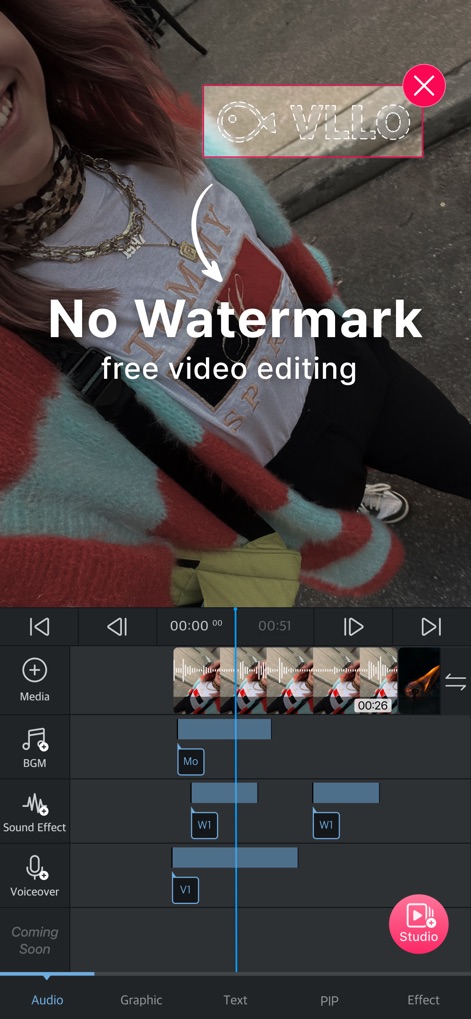
透かしなし、無料編集
本アプリは、ウォーターマークなしで動画をエクスポートできるため、ユーザーはブランド価値を損なうことなく、高品質な動画を無料で作成できます。

直感操作、プロの仕上がり
シンプルでありながらプロフェッショナルな編集画面で、ユーザーは画像やGIF、動画を重ねて配置できるPIP機能と直感的なUIで創造性を表現できます。
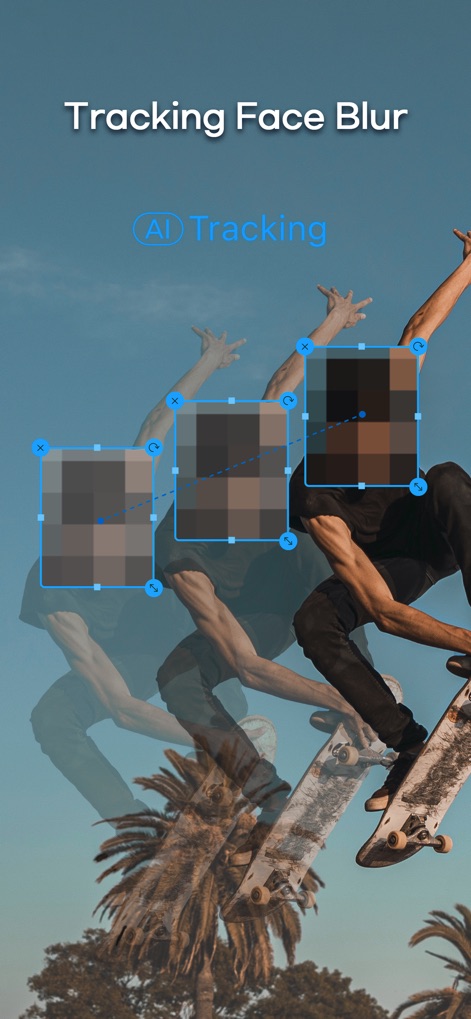
AIトラッキングで高精度
AIトラッキング機能により、動画内の動く被写体に顔認識に基づく自動ぼかしや、特定のオブジェクトを追従させる効果を簡単に適用できます。
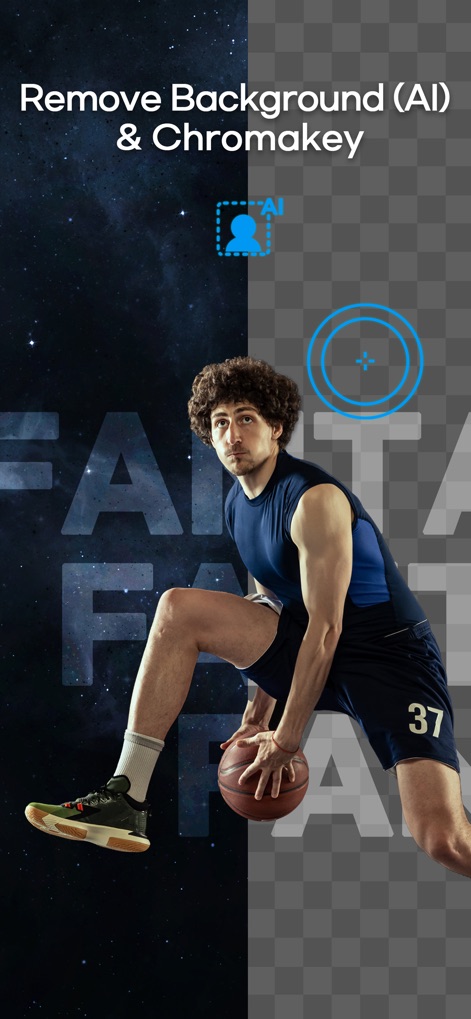
背景透過、自由自在
AI背景除去機能で複雑な背景を瞬時に削除したり、クロマキー機能を使って特定の色の背景を簡単に透過させ、プロのような合成動画を作成できます。

魅せるエフェクトと色調
シネマティックなフィルターと多彩な特殊エフェクトを活用し、ユーザーはRGBスプリットやグリッチ効果で動画に芸術的な表現を加えることができます。

高度なオーディオ調整
本ツールは、フェードイン・アウトやピッチ調整などの多様なオーディオエフェクトを提供し、ベースブースターやトレブルリデューサーで音質を細かく調整できます。

豊富な著作権フリー音源
1000曲以上の著作権フリーのBGMを自由に利用でき、多様なジャンルから動画に最適なサウンドトラックを簡単に見つけ出して追加できます。
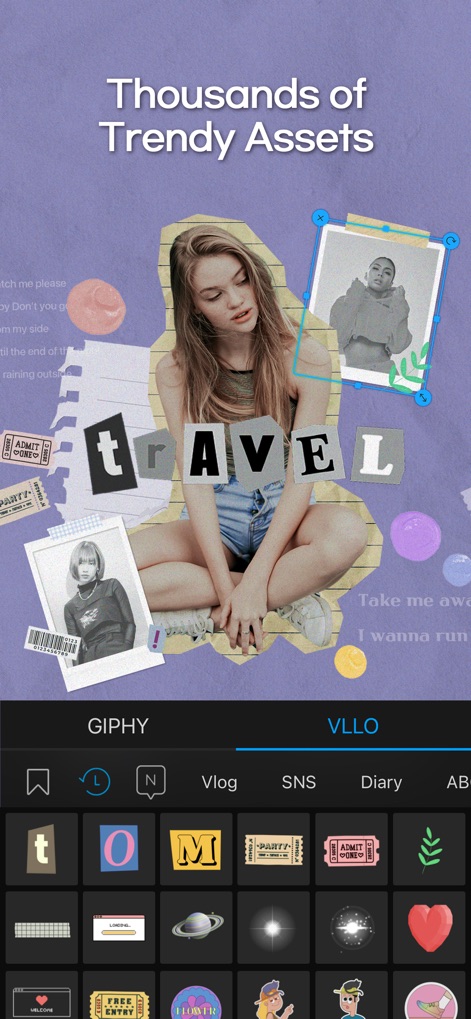
トレンド素材、無限の表現
定期的に更新される何千ものトレンディなテンプレートや、動画を魅力的に彩る豊富なステッカーとテキストラベルを自由に活用できます。
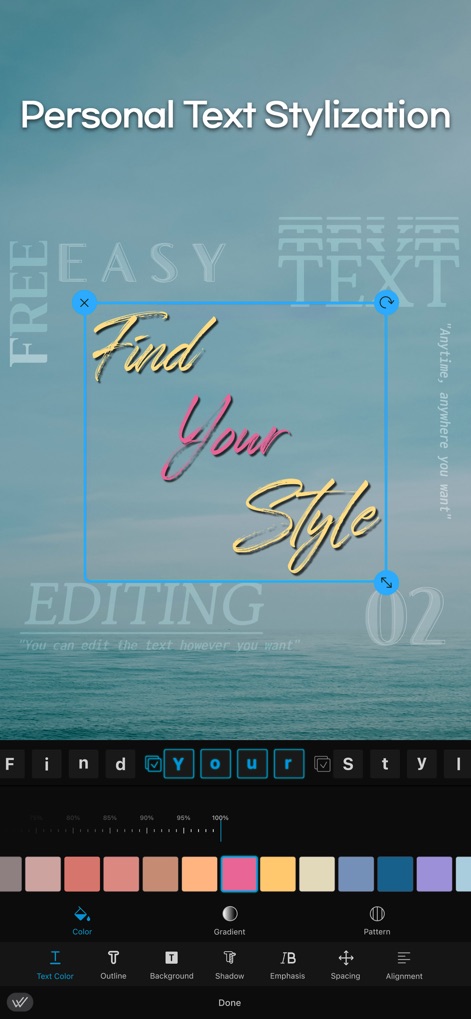
テキストを自在に装飾
ユーザーは、グラデーションカラーや影、アウトラインなどの詳細な設定でテキストをパーソナライズし、独自のスタイルを表現できます。

一括適用、時短編集
ユーザーは、選択したフィルターや特殊効果を複数のクリップに一括適用することで編集時間を短縮し、グリッチやレトロなどの視覚効果を素早く追加できます。
説明
Download
類似アプリ
似た機能とユーザー体験を持つアプリ

Edits: Video Editor
Instagram, Inc.

YouCut - AI Video Editor
SHANTANU PTE. LTD.

必剪-B站官方出品
Shanghai Bilibili Animation Co.,Ltd

剪影 - 视频剪辑 & 卡点影集制作
Shanghai Jian Ji Software Technology Co., Ltd

Videoshop - Video Editor
Jajijujejo Inc.

VDIT - Video Maker & Editor
ImgBase, Inc.

Video Editor with Music・VidLab
Onelight Apps CY Ltd

Video Maker-movie maker&Editor
Changsha Fugui Bamboo Network Technology Co., Ltd.

一键水印-专业水印视频编辑大师
Chongqing tuanshui technology Co., Ltd.
このページはアプリまたはその開発者の公式ページではなく、情報提供および論評を目的として作成された独立した編集出版物です。明示的に別段の記載がない限り、アプリおよびその開発者は、MWM、Apple、Google Play、アプリのパブリッシャー、またはアプリの開発者と提携、承認、後援、認可、またはその他の公式的な関係はなく、このページのいかなる内容も、アプリがMWMのサービスを使用して開発されたことを意味するものではありません。すべての商標、ロゴ、スクリーンショット、その他のコンテンツはそれぞれの所有者の財産です。