AI Background Eraser: CleanCut
ダウンロード: App Store

このページはアプリまたはその開発者の公式ページではなく、情報提供および論評を目的として作成された独立した編集出版物です。明示的に別段の記載がない限り、アプリおよびその開発者は、MWM、Apple、Google Play、アプリのパブリッシャー、またはアプリの開発者と提携、承認、後援、認可、またはその他の公式的な関係はなく、このページのいかなる内容も、アプリがMWMのサービスを使用して開発されたことを意味するものではありません。すべての商標、ロゴ、スクリーンショット、その他のコンテンツはそれぞれの所有者の財産です。


ロゴ: AI Background Eraser: CleanCut
ダウンロード: App Store

AI Background Eraser: CleanCut

スタジオ品質のビジュアルで、副業やソーシャルメディアを強化しましょう。AIの精度で、背景を簡単に消去し、製品写真を一括処理し、不要なオブジェクトを削除します。

主要数値

ダウンロード

10K+

ユーザー評価

4.8/5

評価数

0

開発元

Duc Lai

カテゴリ

Graphics & Design

対応言語

1

最新バージョン

1.4.5

サイズ

41.9 MB

リリース日

2024年7月22日
機能

数秒でプロの写真を作成

バックグラウンドリムーバー、バッチ編集、写真レタッチを自動化するために、ソロプレナーやクリエイター向けに設計された強力なAIツール。

ワンタップAI背景リムーバー

ピクセルパーフェクトな切り抜きを瞬時に実現。コンバージョン率の高いeコマースリスティングや、鮮明なソーシャルメディアの美学に最適です。

効率を向上させるバッチモード

数十枚の写真を同時に処理します。手作業での作業時間を節約し、ビジネスやブランドの拡大に集中しましょう。

以下のスクリーンショットと説明は、アプリの公式ストアリスティングから直接取得されたものであり、アプリ開発者の所有物です。

アプリストア

スクリーンショット
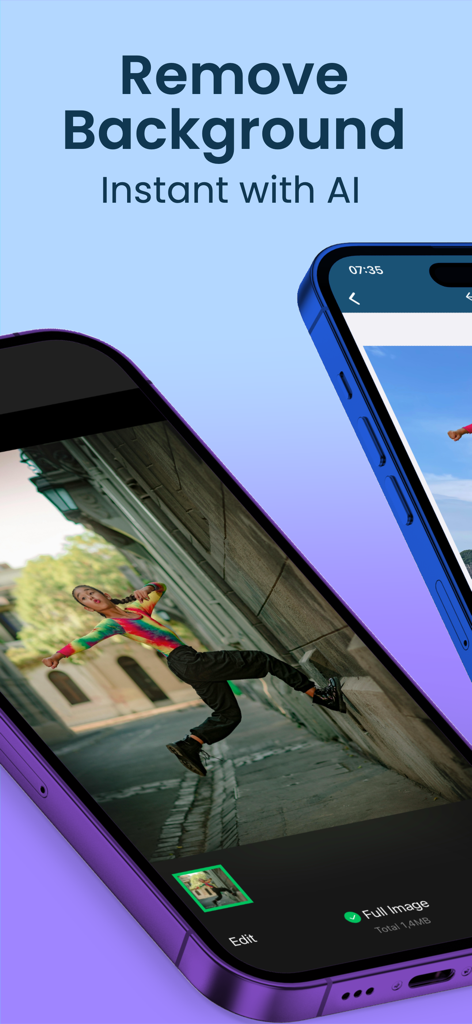
AI Background Eraser: CleanCut - AI背景リムーバーアプリが表示されている携帯電話の画面。路地で人物が写った写真。
AI背景リムーバーアプリが表示されている携帯電話の画面。路地で人物が写った写真。

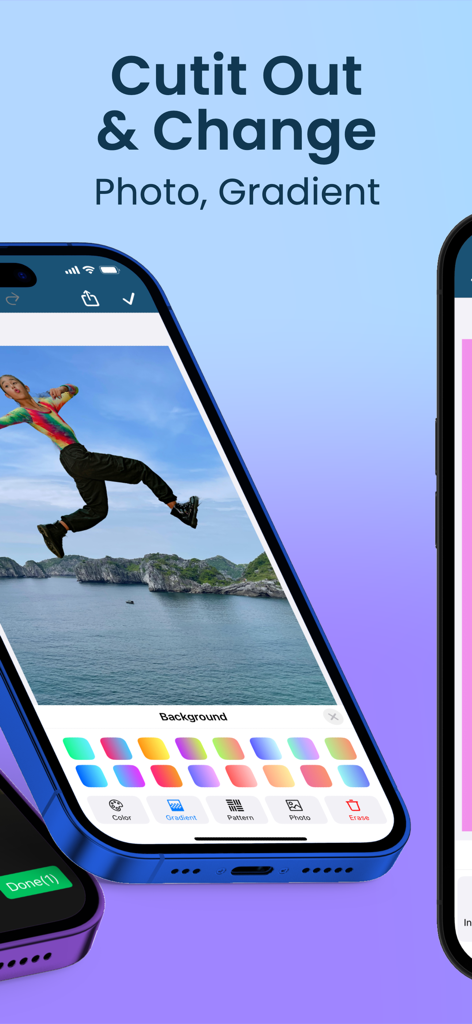
AI Background Eraser: CleanCut - 写真を切り抜いてグラデーションオプションで背景を置き換える機能を示すCleanCutアプリのインターフェイス。
写真を切り抜いてグラデーションオプションで背景を置き換える機能を示すCleanCutアプリのインターフェイス。

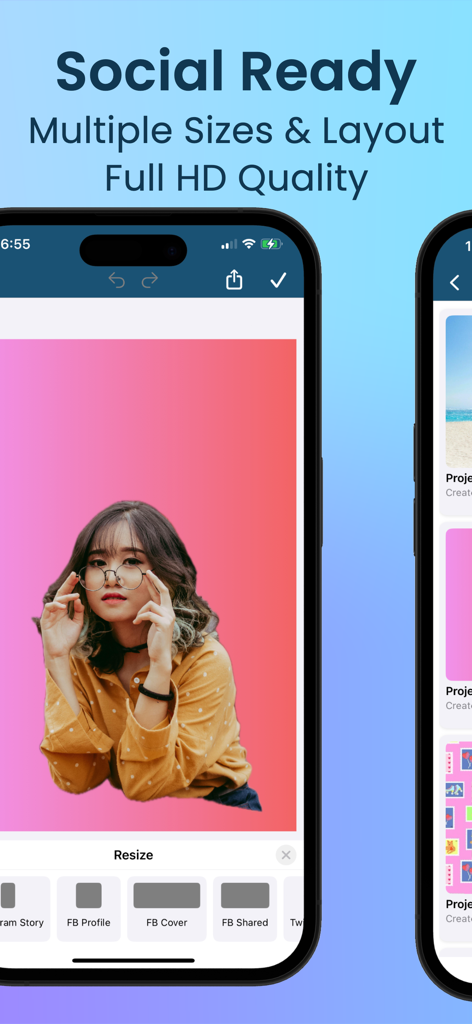
AI Background Eraser: CleanCut - FacebookおよびInstagramのプロファイルとカバー用のソーシャルメディアリサイズツールを示すCleanCutアプリのインターフェイス。

FacebookおよびInstagramのプロファイルとカバー用のソーシャルメディアリサイズツールを示すCleanCutアプリのインターフェイス。
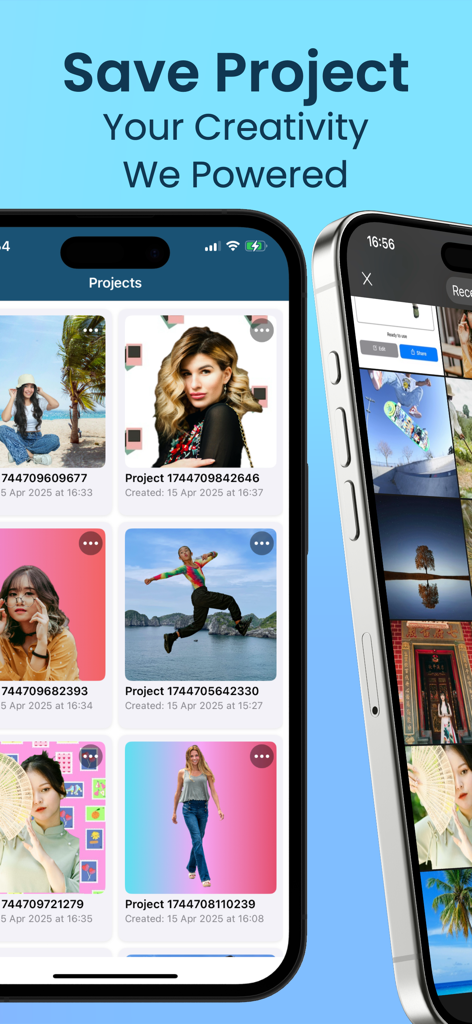
AI Background Eraser: CleanCut - さまざまな編集済み背景を持つ保存された写真プロジェクトのギャラリーを表示するモバイルアプリのインターフェイス。

さまざまな編集済み背景を持つ保存された写真プロジェクトのギャラリーを表示するモバイルアプリのインターフェイス。

説明

Transform Your Photos with AI Background Eraser: CleanCut CleanCut: AI Background Eraser is the ultimate tool for background removal and photo editing. Powered by advanced AI technology, our app ensures precise and fast removal of backgrounds, making your images look professional and clean. Perfect for social media, e-commerce, personal use, and more, AI Background Eraser Pro offers a suite of powerful tools to enhance, retouch, and improve your photos. Download now to elevate your photo editing experience! ◆ Key Features ◆ 1. Automatic Background Removal AI-Powered: Effortlessly erase backgrounds with a single tap. Smart Detection: Our AI technology accurately detects and removes backgrounds, providing precise and smooth editing. 2. Versatile Photo Editor Comprehensive Tools: Modify, replace, or erase backgrounds with ease. Flexible Options: Add new backgrounds, keep them transparent, or use pixel-perfect cutouts to suit your needs. Crop & Resize: Easily crop and resize your photos for the perfect composition. 3. High-Quality Cutouts Detailed Precision: Achieve accurate cutouts with our high-quality AI algorithms. Professional Results: Isolate subjects for stunning, professional-grade photos. Lasso Tool: Precisely select objects using the lasso tool for perfect isolation. Magic Selection: Utilize the magic tool for quick and effortless background removal. 4. Create Transparent Backgrounds Ideal for Various Uses: Perfect for profiles, presentations, e-commerce product images, and more. Enhance Visual Appeal: Make your subjects stand out with clean and transparent backgrounds. 5. User-Friendly Interface Intuitive Design: Easy navigation ensures a smooth editing workflow. Accessible to All: Whether you're a professional photographer or a casual user, you'll find AI Background Eraser Pro simple to use. 6. Batch Processing Save Time: Edit multiple photos simultaneously with our batch processing feature. Efficiency: Ideal for high-volume tasks, enhancing productivity. 7. Enhance Photos with Filters and Effects Creative Tools: Apply a variety of filters, blur, and sharpen effects to make your images pop. Vibrant Colors: Add stunning highlight and contrast adjustments to elevate your photos. 8. Adjust and Customize Advanced Editing: Fine-tune brightness, contrast, saturation, and more. Precision Control: Customize your photos to achieve the perfect look. 9. In-App Tutorials and Tips Learn with Ease: Our tutorials and tips guide you through the editing process. Get Pro Results: Ensure you achieve the best results every time with our precision tools. 10. Save and Share High-Resolution Saves: Save your edited photos in high quality, including JPG, PNG, and GIF formats. Direct Sharing: Share your photos directly to Instagram, Facebook, Twitter, and more. 11. Object and Pimple Removal Unwanted Objects: Remove unwanted objects seamlessly for a flawless image. Pimple Retouch: Smooth out blemishes and imperfections with our retouch tools. 12. Manage and Organize Organize Your Photos: Keep your edited photos organized with our management tools. Store Efficiently: Save and store your images securely within the app. ∞ Why Choose AI Background Eraser: CleanCut? ∞ ‣ Cutting-edge AI Technology: Experience seamless background removal and photo editing like never before. ‣ Comprehensive Toolset: Beyond background removal, enjoy a full suite of editing tools for resizing, cropping, retouching, and more. ‣ User-Centric Design: Designed for both professionals and casual users to deliver exceptional results effortlessly. ‣ Versatile Editing: Handle various photo editing tasks with ease, making the app suitable for any project. ► Download AI Background Eraser: CleanCut Now! ⁕ Don’t wait. Download AI Background Eraser: CleanCut today and transform your photo editing experience. With our advanced AI tools, create stunning photos that stand out. Get the best photo editor and background remover on the market!

Download

ダウンロード: App Store

このページはアプリまたはその開発者の公式ページではなく、情報提供および論評を目的として作成された独立した編集出版物です。明示的に別段の記載がない限り、アプリおよびその開発者は、MWM、Apple、Google Play、アプリのパブリッシャー、またはアプリの開発者と提携、承認、後援、認可、またはその他の公式的な関係はなく、このページのいかなる内容も、アプリがMWMのサービスを使用して開発されたことを意味するものではありません。すべての商標、ロゴ、スクリーンショット、その他のコンテンツはそれぞれの所有者の財産です。







