AI Background Remover & Eraser
ダウンロード: App Store

このページはアプリまたはその開発者の公式ページではなく、情報提供および論評を目的として作成された独立した編集出版物です。明示的に別段の記載がない限り、アプリおよびその開発者は、MWM、Apple、Google Play、アプリのパブリッシャー、またはアプリの開発者と提携、承認、後援、認可、またはその他の公式的な関係はなく、このページのいかなる内容も、アプリがMWMのサービスを使用して開発されたことを意味するものではありません。すべての商標、ロゴ、スクリーンショット、その他のコンテンツはそれぞれの所有者の財産です。


ロゴ: AI Background Remover & Eraser
ダウンロード: App Store

AI Background Remover & Eraser

AI駆動の背景除去であなたのブランドを強化しましょう。Eコマースの販売者、インフルエンサー、クリエイターが、散らかった写真をコンバージョン率の高いビジュアルコンテンツに即座に変えるのに最適です。

主要数値

ダウンロード

434K+

ユーザー評価

4.8/5

評価数

400

開発元

ALEKSEKHHIN OU

カテゴリ

Graphics & Design

対応言語

14

最新バージョン

2.0.4

サイズ

87.7 MB

リリース日

2022年10月31日
機能

数秒でプロフェッショナルな結果

モバイル起業家向けに設計された強力なAI駆動ツールで、あなたの写真をオンラインストアやソーシャルフィード向けのコンバージョン率の高いアセットに変換しましょう。

インスタントAI背景消しゴム

洗練された精度で、タップ一つで散らかった背景を削除し、製品やポートレートをプロが撮影したように見せるのに最適です。

スタジオ品質のテンプレート

散らかった部屋の背景を、あなたのブランドに高級感のあるハイエンドな美学を瞬時に与えるスタイリッシュな既製背景に置き換えましょう。

以下のスクリーンショットと説明は、アプリの公式ストアリスティングから直接取得されたものであり、アプリ開発者の所有物です。

アプリストア

スクリーンショット
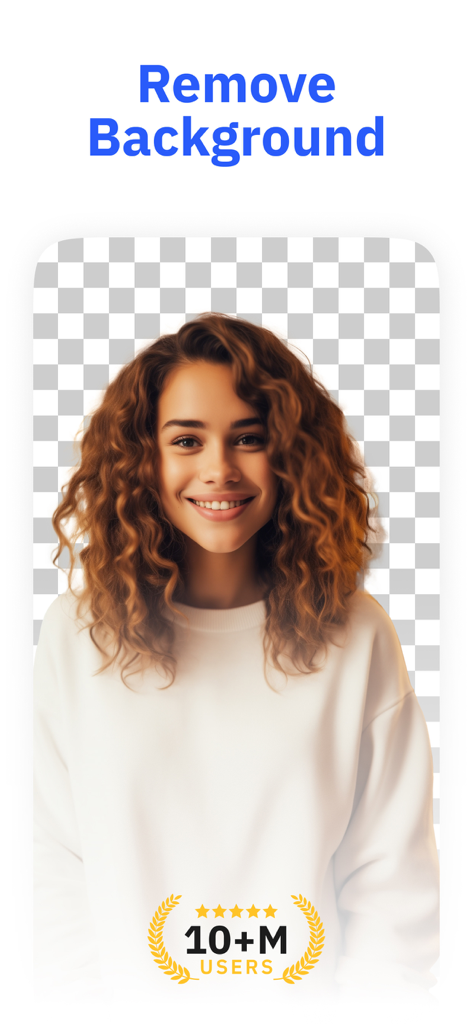
AI Background Remover & Eraser - 背景が削除され、透明なグリッドが表示されている笑顔の女性の写真

背景が削除され、透明なグリッドが表示されている笑顔の女性の写真

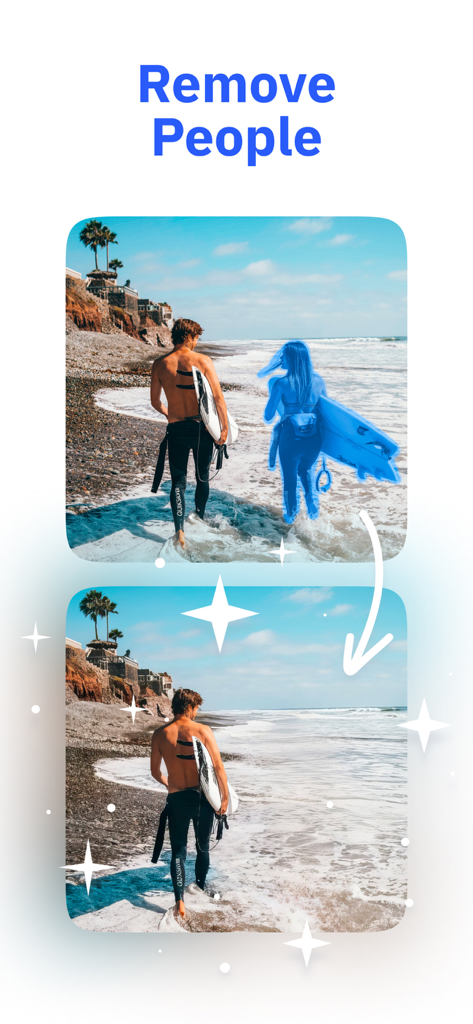
AI Background Remover & Eraser - AI背景リムーバーを使用してビーチ写真から人物を削除する前後の比較

AI背景リムーバーを使用してビーチ写真から人物を削除する前後の比較

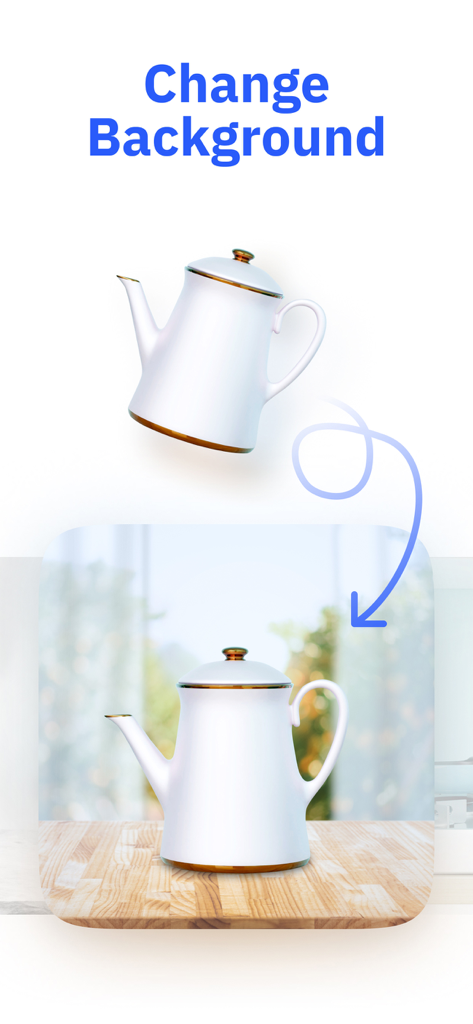
AI Background Remover & Eraser - 製品写真の背景がシンプルな白からリアルなキッチンの設定に変わるAIアプリのデモンストレーション。
製品写真の背景がシンプルな白からリアルなキッチンの設定に変わるAIアプリのデモンストレーション。

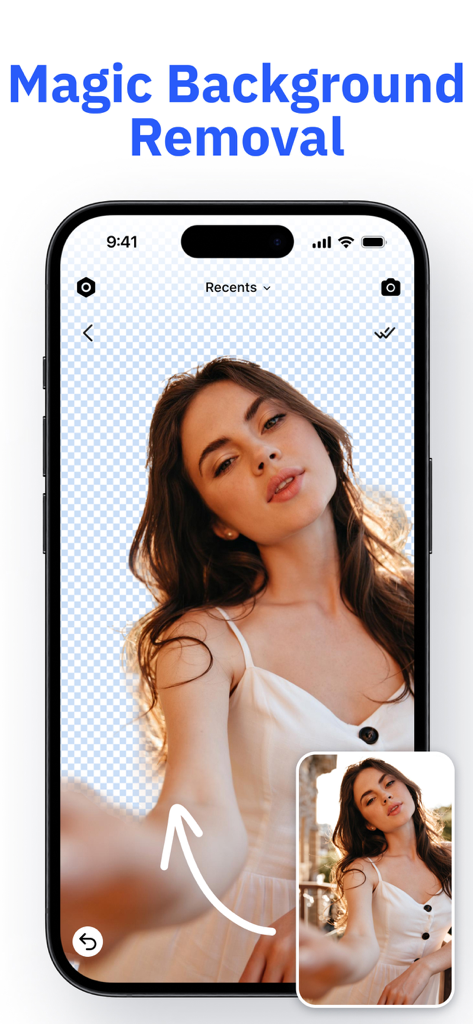
AI Background Remover & Eraser - AI背景リムーバーアプリを使用して、女性のポートレートの背景が瞬時に削除されたiPhone画面
AI背景リムーバーアプリを使用して、女性のポートレートの背景が瞬時に削除されたiPhone画面

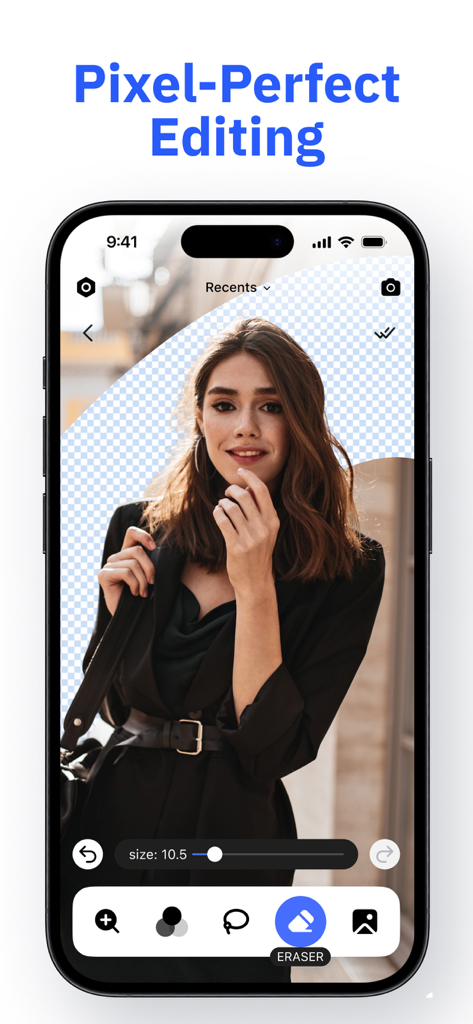
AI Background Remover & Eraser - ポートレート写真の背景を消去するために、ピクセルパーフェクト編集機能を示すスマートフォン画面
ポートレート写真の背景を消去するために、ピクセルパーフェクト編集機能を示すスマートフォン画面

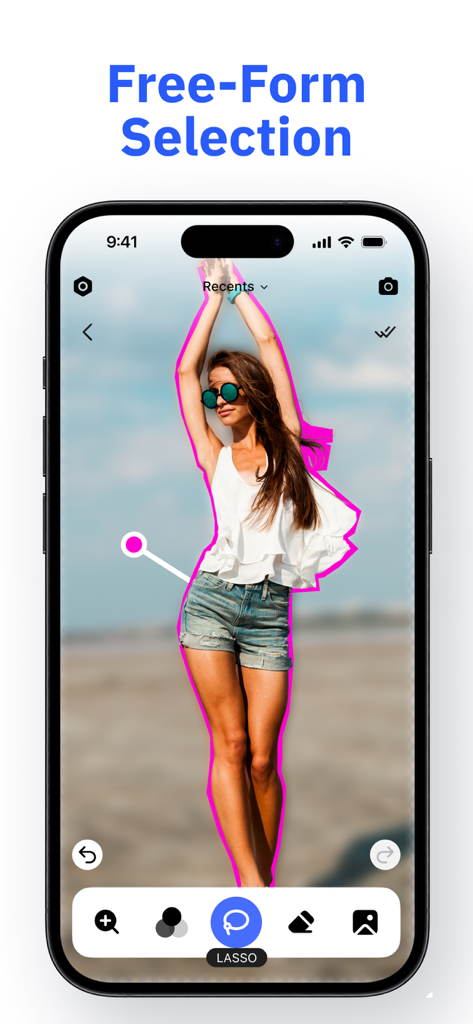
AI Background Remover & Eraser - 背景削除のために人物を囲むために投げ縄ツールを使用した自由形式選択機能を示すモバイルアプリインターフェース
背景削除のために人物を囲むために投げ縄ツールを使用した自由形式選択機能を示すモバイルアプリインターフェース

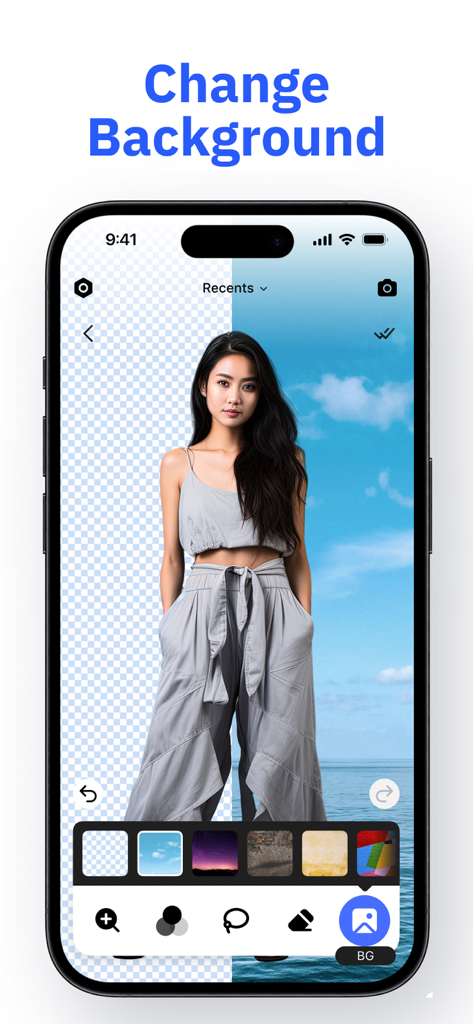
AI Background Remover & Eraser - ビーチの前に人物がいる背景変更機能を示すスマートフォンの画面

ビーチの前に人物がいる背景変更機能を示すスマートフォンの画面

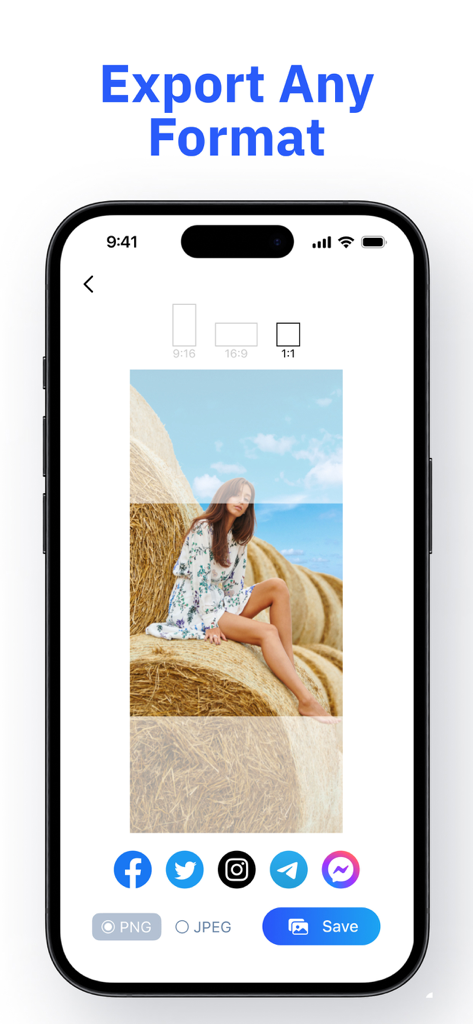
AI Background Remover & Eraser - ソーシャルメディア共有アイコンとアスペクト比選択を備えたPNGおよびJPEG形式の画像エクスポートオプションを示すインターフェース

ソーシャルメディア共有アイコンとアスペクト比選択を備えたPNGおよびJPEG形式の画像エクスポートオプションを示すインターフェース

説明

Back Eraser – The Perfect Tool for Editing Photo Backgrounds! With Back Eraser, you can easily and quickly remove or replace the background of your images. Remove unnecessary details, highlight the main object in the photo, or add a stylish background from a variety of options – all with just a few clicks! Key Features: - Instant Background Removal: Remove the background in just a few seconds without losing image quality. - Automatic and Manual Background Removal: Remove the background using the automatic tool or manually with the precision of the lasso tool. Simply outline the object or person, and the app will instantly remove the background around it. - Pre-made Backgrounds to Choose From: Choose a stylish background from a variety of pre-designed templates to personalize your image. - Save in Different Formats and Aspect Ratios: Save your result in popular formats such as PNG and JPEG. You can also select the desired aspect ratio for your photo. - Easy Social Media Export: Share your creation directly from the app to your social media without extra steps! - User-Friendly Interface: Edit your images effortlessly, even if you have no design experience. How It Works: - Select a photo or image. - Remove or replace the background with just a few clicks. - Save the photo in the desired format (PNG, JPEG) and aspect ratio. - Export your finished image to social media or save it to your device. Ready to Transform Your Photos? Don't miss the chance to make your images even more stylish and professional. Start editing your photos with ease using Back Eraser today! Subscriptions: Back Eraser offers flexible subscription plans for your convenience: - Weekly plan with a 3-day free trial. - Monthly plan. - Yearly plan. Subscription Details: - Payment will be charged to your Apple ID account upon confirmation of purchase. - Subscription automatically renews unless auto-renew is turned off at least 24 hours before the end of the current period. - A renewal charge will be applied within 24 hours before the end of the current period, indicating the cost of the renewal. - You can manage subscriptions and turn off auto-renewal after purchase by going to your App Store account settings. - Any unused portion of a free trial period will be forfeited upon purchasing a subscription. - The offer is limited to a 3-day trial for the weekly subscription plan. After the 3-day trial, the subscription will automatically renew at the regular rate unless canceled at least 24 hours before the trial period ends. Privacy Policy: https://darf-service.com/policy.html Terms of Use: https://darf-service.com/terms.html

Download

ダウンロード: App Store

このページはアプリまたはその開発者の公式ページではなく、情報提供および論評を目的として作成された独立した編集出版物です。明示的に別段の記載がない限り、アプリおよびその開発者は、MWM、Apple、Google Play、アプリのパブリッシャー、またはアプリの開発者と提携、承認、後援、認可、またはその他の公式的な関係はなく、このページのいかなる内容も、アプリがMWMのサービスを使用して開発されたことを意味するものではありません。すべての商標、ロゴ、スクリーンショット、その他のコンテンツはそれぞれの所有者の財産です。