
このページはアプリまたはその開発者の公式ページではなく、情報提供および論評を目的として作成された独立した編集出版物です。明示的に別段の記載がない限り、アプリおよびその開発者は、MWM、Apple、Google Play、アプリのパブリッシャー、またはアプリの開発者と提携、承認、後援、認可、またはその他の公式的な関係はなく、このページのいかなる内容も、アプリがMWMのサービスを使用して開発されたことを意味するものではありません。すべての商標、ロゴ、スクリーンショット、その他のコンテンツはそれぞれの所有者の財産です。


AI Voice Generator - Prankster
AI Voice Generator - Pranksterが何をするのか?このアプリは、あなたの声に手を加え、笑いを誘うコンテンツへと変貌させる。退屈な会話から、たちまち抱腹絶倒の瞬間に変えるツールだ。
ダウンロード
1M+ユーザー評価
評価数
4.6K開発元
カテゴリ
Entertainment対応言語
1最新バージョン
4.2サイズ
156.1 MBリリース日
2023年6月8日ユーモラスな音声コンテンツ作成とソーシャル共有のための主要機能
AI Voice Generator - Pranksterの機能分析
多彩なAI音声変換と効果
このアプリは、録音された音声やリアルタイムの声を、様々なユーモラスなボイスアバターやサウンドエフェクト(性別変換、動物の声、環境音、有名人の模倣など)に瞬時に変換し、ユーザーが面白く多様なコンテンツを作成することを可能にします。
ソーシャルメディア共有機能
作成された面白い音声やビデオは、アプリ内から直接ソーシャルメディアプラットフォームに共有できます。これにより、ユーザーは簡単に友人やフォロワーと楽しいコンテンツを共有し、ソーシャルインタラクションを促進できます。
既存メディアへの音声変更
このツールは、既存のオーディオファイルやビデオファイルから音声を抽出し、様々なエフェクトを適用することを可能にします。これにより、ユーザーは過去のメディアコンテンツをユーモラスに再編集し、さらに魅力的なものに変換できます。
テキストからの音声生成
ユーザーは入力したテキストを音声に変換し、それに様々なボイスエフェクトを適用できます。これにより、自分の声を録音することなく、特定のシナリオやジョークのためのカスタムオーディオコンテンツを簡単に作成できます。
詳細な音声パラメータ調整
ユーザーは、ピッチ、明瞭度、音量など、音声エフェクトのパラメータを手動で調整できます。これにより、よりユニークでパーソナライズされた、説得力のあるカスタムサウンドを作成し、いたずらの効果を高めることができます。
特定部分へのエフェクト適用と編集
このアプリは、オーディオファイルやビデオの特定のセクションにのみ音声エフェクトを適用する機能を提供します。これにより、ユーザーはより精密でプロフェッショナルなレベルの編集を行い、コンテンツのインパクトを最大化できます。
よくある質問
について知っておくべきこと AI Voice Generator - Prankster
Is AI Voice Changer - Prankster a free application?
Yes, AI Voice Changer - Prankster is a completely free application. It allows users to experiment with various sound effects and funny voice pranks without any cost.
What types of voice effects does AI Voice Changer - Prankster offer?
AI Voice Changer - Prankster offers a wide range of voice effects including Normal, Girl, Woman, Man, Baby, Robot, Alien, Hall, Speed Up, Slow Down, Devil, Dark, Zombie, and Echo.
Can users record their own voice in AI Voice Changer - Prankster?
Yes, users can record their own voice within AI Voice Changer - Prankster. The app allows applying various voice effects to these recordings to change the voice.
Does AI Voice Changer - Prankster support text-to-speech functionality?
Yes, AI Voice Changer - Prankster features text-to-speech. Users can type text, and the app converts it to audio, allowing them to apply and preview voice effects.
Can I change my voice in videos using AI Voice Changer - Prankster?
Yes, AI Voice Changer - Prankster allows users to change voices from recorded videos or video files. It can convert audio to video clips or create voice-over videos.
What prank sounds are available in the AI Voice Changer - Prankster app?
AI Voice Changer - Prankster provides various prank sounds including Gun, Air Horn, Door Bell, Hair Clipper, Fart, Animal Sound, Vomit, Scary, Break Glass, Prank Call, Police, Laugh, Burp, Spring, Scissors, Taser, Toilet, and Baby Sneeze.
Can users adjust voice parameters like pitch and volume in AI Voice Changer - Prankster?
Yes, AI Voice Changer - Prankster allows manual adjustment of voice parameters. Users can change the pitch, clarity, or volume of each voice effect to customize the sound.
Does AI Voice Changer - Prankster allow users to save and share their changed voices?
Yes, AI Voice Changer - Prankster provides options to save changed voices to the phone. Users can also share these recorded and modified voices with friends.
What is the legal stance of AI Voice Changer - Prankster on celebrity voices?
AI Voice Changer - Prankster explicitly states its AI voices are simulations for parody purposes only. It disclaims any affiliation or endorsement with celebrities and uses no celebrity names or likeness for endorsement.
以下のスクリーンショットと説明は、アプリの公式ストアリスティングから直接取得されたものであり、アプリ開発者の所有物です。
アプリストア
スクリーンショット

このアプリは直感的なインターフェースで音声を簡単に録音でき、大きな録音ボタンと視覚的な波形表示が特徴です。
簡単音声録音

ユーザーは豊富な種類のいたずら効果音にアクセスでき、「ガン」や「エアホーン」などのアイコンで視覚的に表現されています。
面白いたずら音

特定のいたずら音の詳細設定画面では、ユーザーは音量スライダーと「ループ」や「タイマー」の切り替えオプションで調整できます。
いたずら音調整
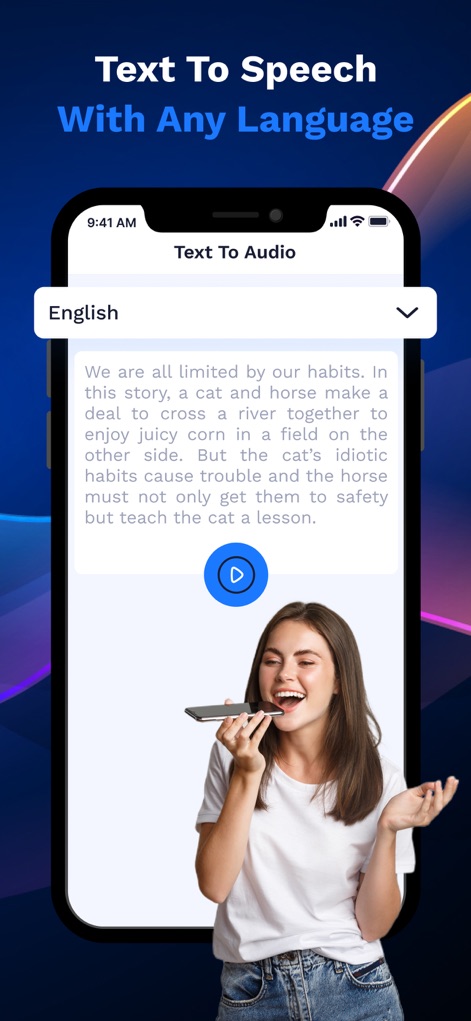
このツールは多言語対応のテキスト読み上げ機能を備えており、テキスト入力フィールドと再生ボタンで簡単に音声を生成できます。
テキスト読み上げ
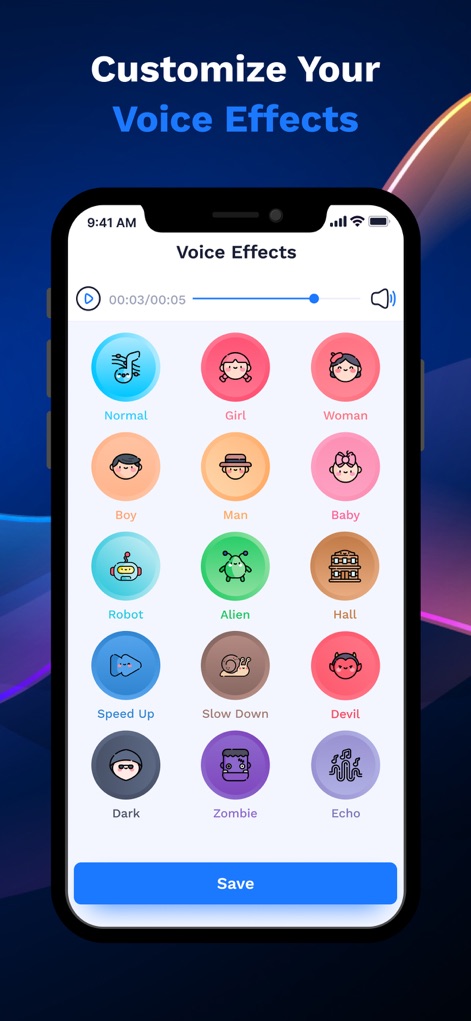
様々な音声効果を一覧で確認でき、「ガール」や「ロボット」などのアバターアイコンで視覚的に区別され、再生および保存が可能です。
音声効果カスタマイズ
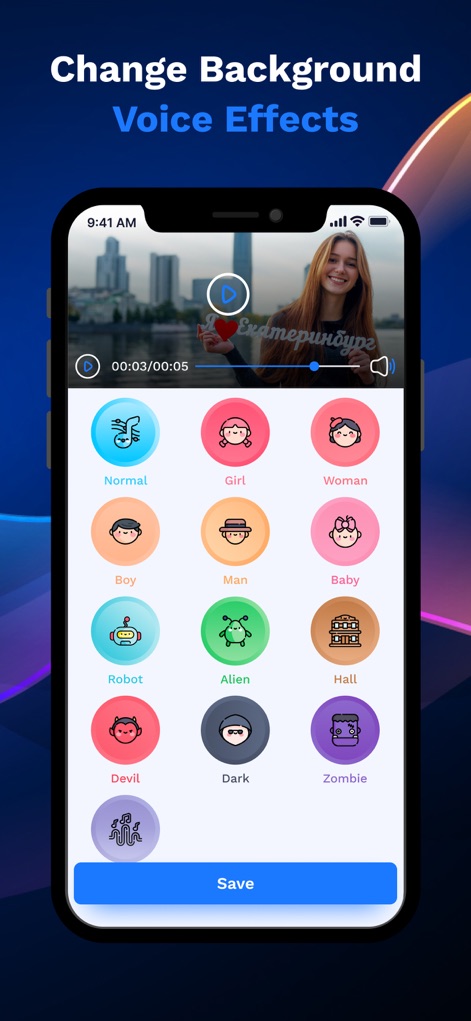
このアプリは動画に背景音声効果を適用する機能を持ち、動画プレビュー画面と「ガール」や「デビル」といったエフェクト選択肢を提供します。
動画音声効果
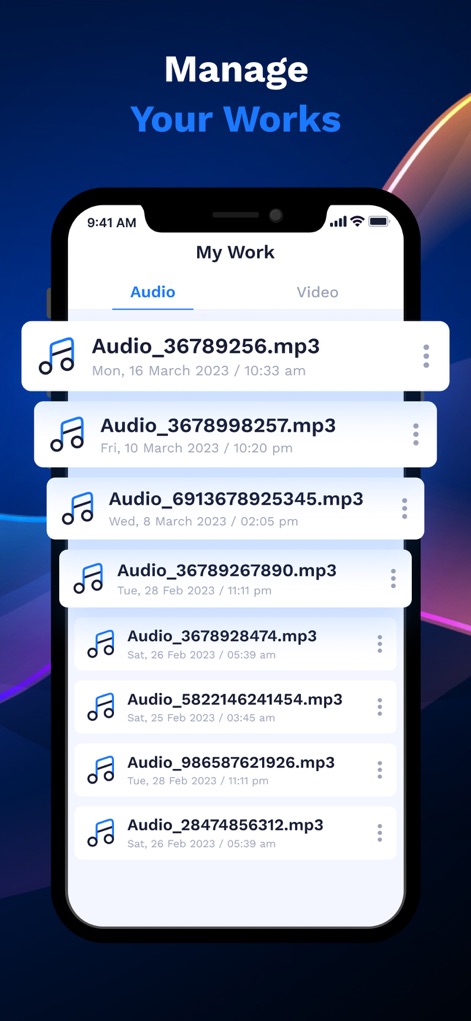
生成されたオーディオおよびビデオファイルを一覧で管理でき、「オーディオ」タブと各ファイルの詳細情報(日時)が表示されます。
作品管理
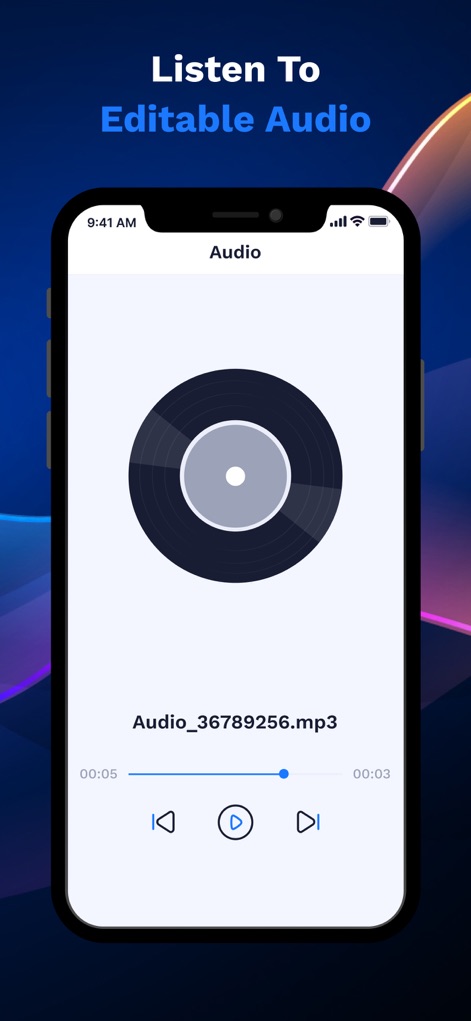
ユーザーは保存された音声を再生画面で確認し、大きな再生ボタンと進行状況バーを使って編集可能なオーディオを試聴できます。
編集オーディオ試聴

AI音声チェンジャー機能では、ユニークなAIアバターアイコンが表示され、おすすめの音声エフェクトが下に提案されます。
AI音声変換
説明
Download
類似アプリ
似た機能とユーザー体験を持つアプリ
万能变声器-游戏开黑聊天语音包变音器
文飞 黎
Voices AI: Change Your Voice
Fiedler Tech LLC

MixerBox AI
MixerBox Inc.
Voice changer with effects
Baviux Apps & Games SL.

Parrot: Voice Generator AI App
Lesto Labs LLC

Voice Changer - Audio Effects
One Pixel Studio s. r. o.
AI Voice Changer・Sound Effects
Vu Van Huy

千变语音变声器 - 万能游戏实时语音变声软件
静云 魏
变声器:实时游戏开黑聊天变声器&整蛊变声工具
俊毅 李
このページはアプリまたはその開発者の公式ページではなく、情報提供および論評を目的として作成された独立した編集出版物です。明示的に別段の記載がない限り、アプリおよびその開発者は、MWM、Apple、Google Play、アプリのパブリッシャー、またはアプリの開発者と提携、承認、後援、認可、またはその他の公式的な関係はなく、このページのいかなる内容も、アプリがMWMのサービスを使用して開発されたことを意味するものではありません。すべての商標、ロゴ、スクリーンショット、その他のコンテンツはそれぞれの所有者の財産です。