
このページはアプリまたはその開発者の公式ページではなく、情報提供および論評を目的として作成された独立した編集出版物です。明示的に別段の記載がない限り、アプリおよびその開発者は、MWM、Apple、Google Play、アプリのパブリッシャー、またはアプリの開発者と提携、承認、後援、認可、またはその他の公式的な関係はなく、このページのいかなる内容も、アプリがMWMのサービスを使用して開発されたことを意味するものではありません。すべての商標、ロゴ、スクリーンショット、その他のコンテンツはそれぞれの所有者の財産です。

Air Printer: Scan & Print PDF
ドキュメントを簡単にスキャンし、10,000以上のプリンターモデルにファイル、写真、プロフェッショナルなテンプレートを印刷。広告なし、手間なし—ホーム&オフィスにシームレスな生産性をもたらします。
ダウンロード
14K+ユーザー評価
評価数
100開発元
カテゴリ
Business対応言語
1最新バージョン
1.2サイズ
12.5 MBリリース日
2022年3月18日ポケットに収まる完全なオフィスパワー
シームレスなワイヤレス印刷、プロフェッショナルなスキャン、そしてあなたの忙しいライフスタイルに合わせた整理テンプレートの限定ライブラリで生産性を最大化しましょう。
インスタントワイヤレス接続
ケーブルや複雑なセットアップなしでドキュメントや写真を印刷。当アプリは10,000以上のAirPrintモデルをサポートし、プリンターが常に「そのまま動作する」ことを保証します。
移動中にスキャン&印刷
契約書、領収書、名刺を即座にデジタル化。iPhoneを高解像度スキャナーに変え、物理的な紙をプロフェッショナルなPDFに変換します。
よくある質問
について知っておくべきこと Air Printer: Scan & Print PDF
Air Printerアプリとは何ですか?
Air Printerは、iPhoneユーザー向けに設計されたオールインワンのオフィスツールで、ドキュメントや写真をワイヤレスでスキャン、印刷できます。
Air Printerはどのプリンターモデルをサポートしていますか?
はい、Air Printerはさまざまなブランドの10,000以上のAirPrint対応プリンターモデルをサポートしており、幅広い互換性を保証します。
Air Printerでドキュメントをスキャンできますか?
はい、Air Printerにはスキャナー機能が搭載されており、iPhoneのカメラを使用してドキュメント、名刺、その他のアイテムをスキャンし、印刷するオプションがあります。
Air Printerで写真を印刷できますか?
はい、Air Printerを使用すると、ユーザーはiPhoneから直接写真を印刷できます。このアプリは、ドキュメントと写真の両方をワイヤレスで印刷することをサポートしています。
Air Printerで利用できる「プリント可能アイテム」とは何ですか?
Air Printerには、カレンダーやホリデーなどの14のカテゴリにわたる300以上のユニークで印刷可能なアイテムを備えたプリント可能アイテムギャラリーがあり、定期的に更新されます。
Air Printerアプリには広告が含まれていますか?
いいえ、Air Printerアプリには広告は含まれていません。
Air Printer Premiumサブスクリプションの料金はいくらですか?
Air Printer Premiumは週2.99米ドルで、3日間の無料トライアル期間が含まれています。料金は地域によって異なる場合があります。
Air Printer Premiumにはどのような機能が含まれていますか?
Air Printer Premiumには、10,000以上のAirPrintプリンターのサポート、スキャン、写真、ドキュメントの無制限の印刷、すべてのプリント可能アイテムへのフルアクセスと定期的な更新が含まれています。
Air Printerには無料バージョンがありますか?
はい、Air Printerの無料バージョンがありますが、14のプリント可能アイテム、1回のスキャン印刷、1回のドキュメント印刷、1回の写真印刷に制限があります。
Air Printer Premiumの自動更新をオフにするにはどうすればよいですか?
Air Printer Premiumの自動更新をオフにするには、ユーザーはiTunesアカウント設定に移動し、そこでサブスクリプションを管理する必要があります。
Air Printerは機能するためにAirPrintテクノロジーを必要としますか?
はい、Air Printerで印刷する前に、プリンターがAirPrintテクノロジーをサポートしており、iPhoneと同じWi-Fiネットワークに接続されていることを確認してください。
Air PrinterはiPhoneでどのような権限を要求しますか?
Air Printerは、アプリを介してドキュメント、名刺、写真、その他のアイテムを直接スキャンできるように、カメラへのアクセスを要求します。
Air Printer内でスキャンや写真を編集できますか?
はい、Air Printerでは、スキャンしたドキュメントや写真に描画やマーキングを追加してから印刷に進むことができます。
Air Printerは印刷にどの用紙サイズをサポートしていますか?
Air Printerは、3½ x 5インチ、4 x 6インチ、5 x 7インチ、8 x 10インチ、A6、写真大、写真小、ポストカード、PRC 32Kなど、さまざまな用紙サイズをサポートしています。
以下のスクリーンショットと説明は、アプリの公式ストアリスティングから直接取得されたものであり、アプリ開発者の所有物です。
アプリストア
スクリーンショット
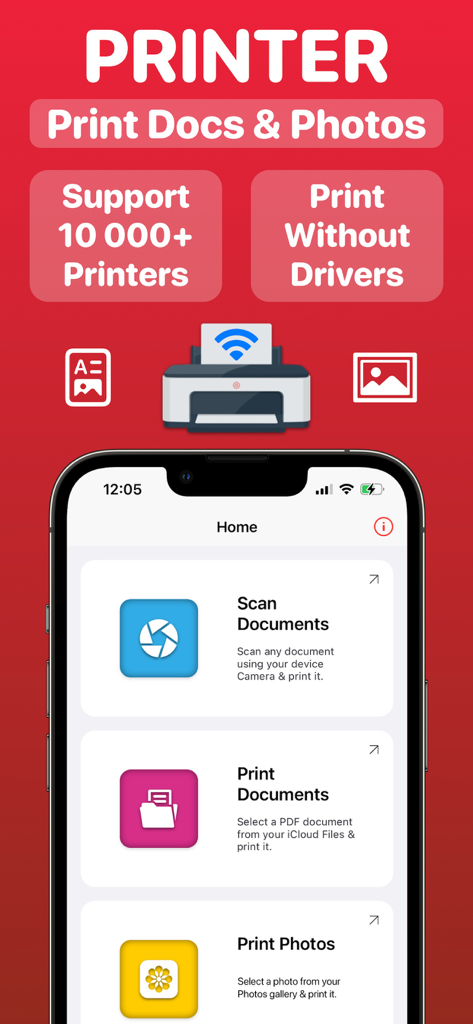
Air Printerモバイルアプリのインターフェース。ドキュメントや写真のスキャンと印刷のオプションが表示されています。
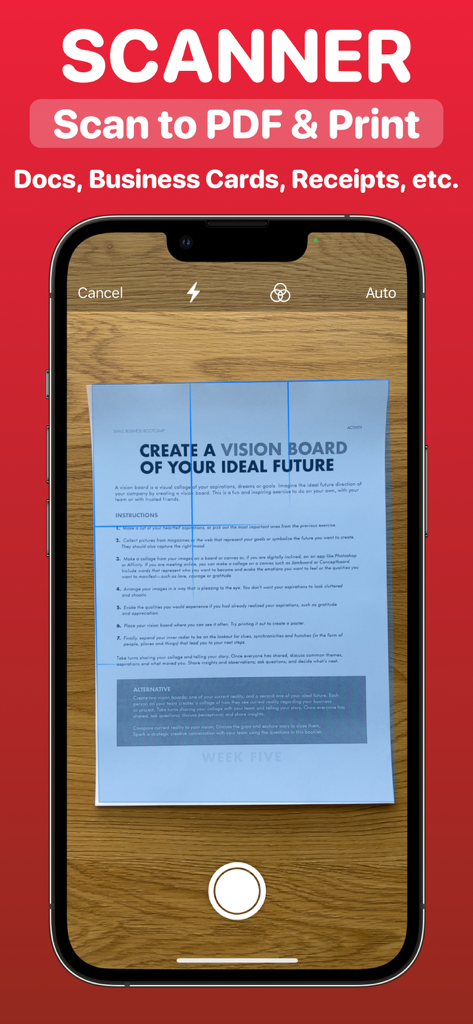
iPhone画面が紙のドキュメントをスキャンし、PDFに変換しています。
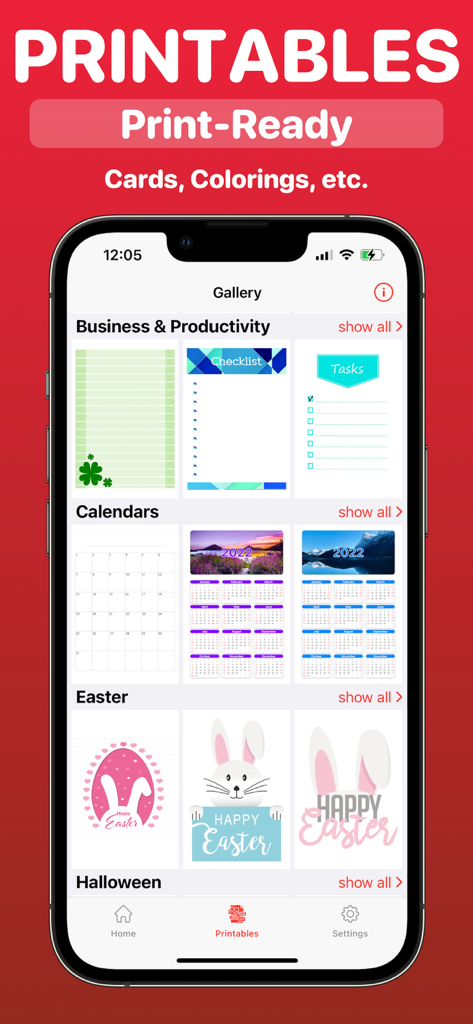
Air Printerアプリ内のビジネスカレンダーやホリデー用の印刷可能テンプレートのギャラリー。
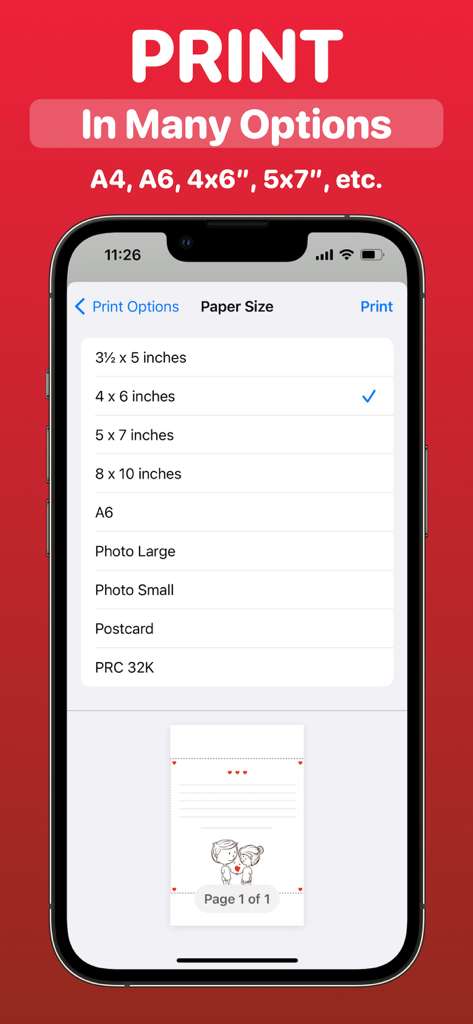
Air Printerアプリのインターフェース。iPhoneからの印刷で様々な用紙サイズオプションのメニューが表示されています。
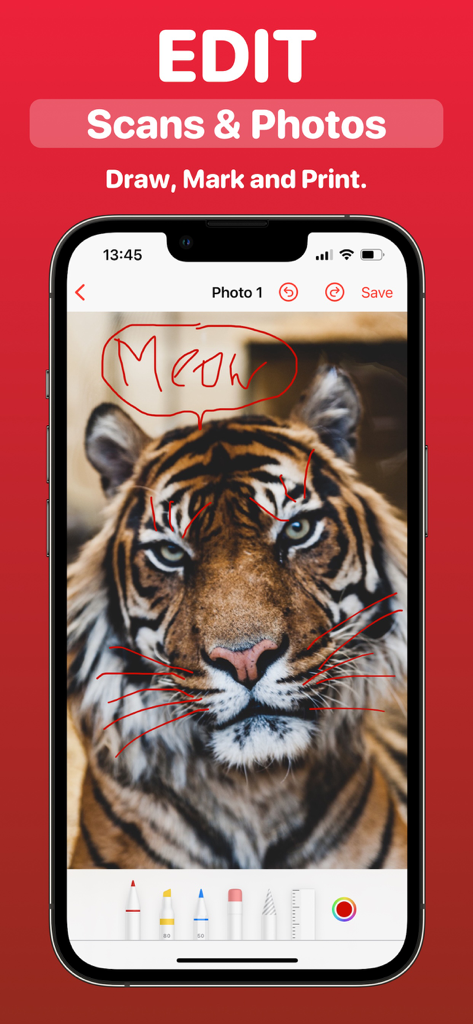
iPhoneインターフェース。Air Printerアプリ内で印刷前に写真やスキャンに描画やマークアップを行う方法を示しています。
説明
Download
類似アプリ
同じカテゴリのトップランクアプリ

Microsoft Teams
Microsoft Corporation

Zoom Workplace
Zoom Communications, Inc.

WhatsApp Business
WhatsApp Inc.

Indeed Job Search
Indeed Inc.

LinkedIn: Network & Job Finder
LinkedIn Corporation

Adobe Acrobat Reader: Sign PDF
Adobe Inc.

DingDing - Redefine Work in AI
DingTalk Technology Co., Ltd.

WeCom-Work Communication&Tools
Tencent Technology (Shenzhen) Company Limited

BOSS直聘-招聘求职找工作神器
Beijing China Product Bo Farce Network Technology Co., Ltd.
このページはアプリまたはその開発者の公式ページではなく、情報提供および論評を目的として作成された独立した編集出版物です。明示的に別段の記載がない限り、アプリおよびその開発者は、MWM、Apple、Google Play、アプリのパブリッシャー、またはアプリの開発者と提携、承認、後援、認可、またはその他の公式的な関係はなく、このページのいかなる内容も、アプリがMWMのサービスを使用して開発されたことを意味するものではありません。すべての商標、ロゴ、スクリーンショット、その他のコンテンツはそれぞれの所有者の財産です。