Air Transfer - File Transfer from/to PC thru WiFi
ダウンロード: App Store

このページはアプリまたはその開発者の公式ページではなく、情報提供および論評を目的として作成された独立した編集出版物です。明示的に別段の記載がない限り、アプリおよびその開発者は、MWM、Apple、Google Play、アプリのパブリッシャー、またはアプリの開発者と提携、承認、後援、認可、またはその他の公式的な関係はなく、このページのいかなる内容も、アプリがMWMのサービスを使用して開発されたことを意味するものではありません。すべての商標、ロゴ、スクリーンショット、その他のコンテンツはそれぞれの所有者の財産です。


ロゴ: Air Transfer - File Transfer from/to PC thru WiFi
ダウンロード: App Store

Air Transfer - File Transfer from/to PC thru WiFi

ケーブルとiTunesはもう不要です。WiFi経由で写真、音楽、ドキュメントをワイヤレスで即座にドラッグ&ドロップ。PCとモバイルの世界を繋ぐ架け橋です。

主要数値

ダウンロード

818K+

ユーザー評価

4.2/5

評価数

3K+

開発元

Junsik Choi

カテゴリ

Utilities

対応言語

12

最新バージョン

1.4.5

サイズ

18.6 MB

リリース日

2012年5月10日
機能

手間いらずのシームレスなファイル共有

ケーブルや面倒な同期から解放されましょう。Air Transferは、ローカルWiFiをコンピューターとiOSデバイス間の高速ブリッジに変え、ファイル管理をドラッグ&ドロップのようにシンプルにします。

Windowsユーザーに最適なブリッジ

AirDropがなくても問題ありません。iTunesやFinderを開くことなく、PCのブラウザから直接iPhoneにドキュメント、写真、メディアを転送できます。

ドラッグ&ドロップで自動整理

ファイルをWebブラウザにドロップするだけ。スマートシステムが、音楽、映画、ドキュメントなどの7つのカテゴリに自動的に分類し、即座にアクセスできます。

以下のスクリーンショットと説明は、アプリの公式ストアリスティングから直接取得されたものであり、アプリ開発者の所有物です。

アプリストア

スクリーンショット
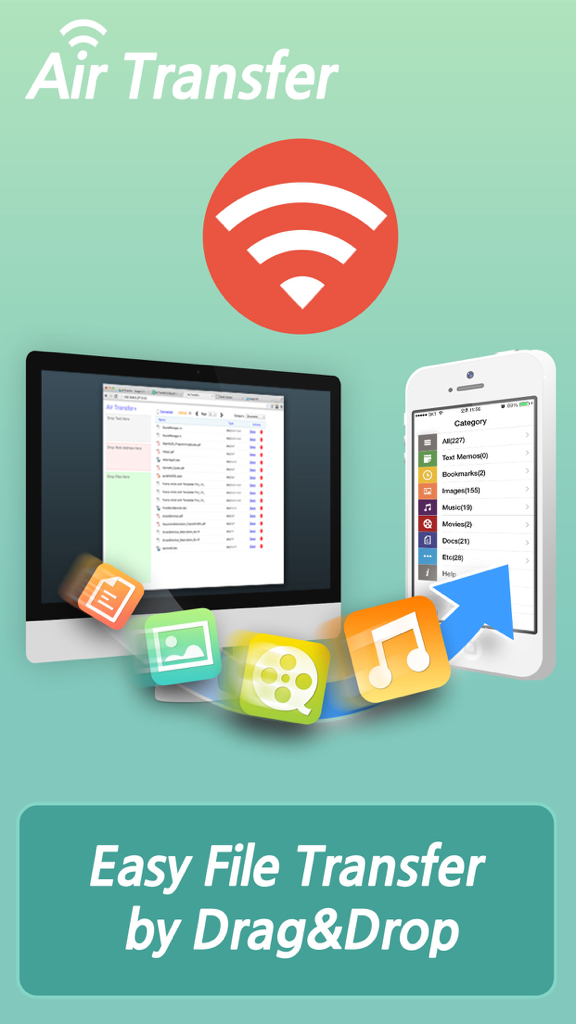
Air Transfer - File Transfer from/to PC thru WiFi - Air Transferアプリの画面。PCからiPhoneへのワイヤレスファイル転送が表示されています。
Air Transferアプリの画面。PCからiPhoneへのワイヤレスファイル転送が表示されています。

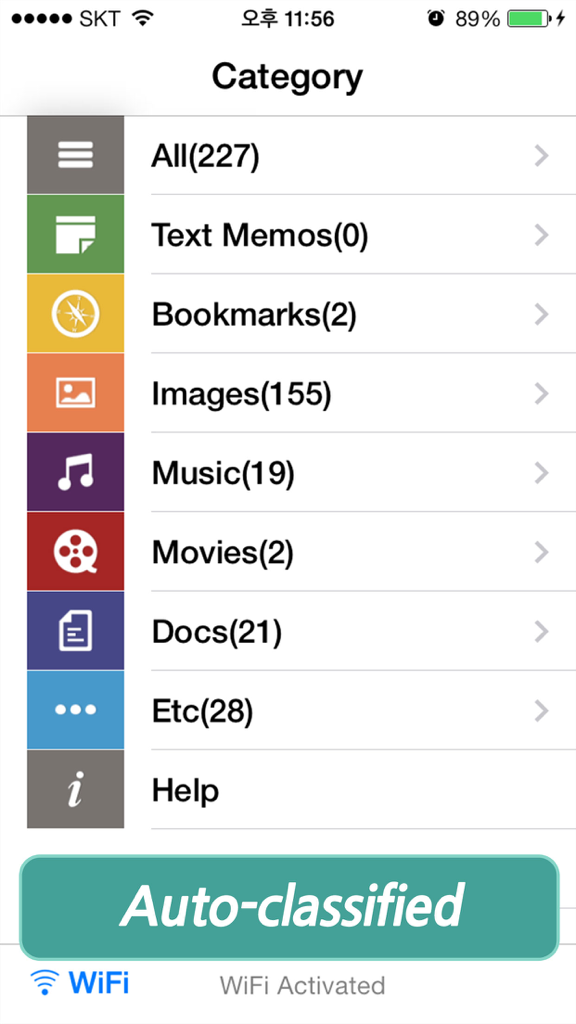
Air Transfer - File Transfer from/to PC thru WiFi - Air Transferアプリのインターフェース。画像、音楽、ドキュメントなどの自動分類されたファイルカテゴリが表示されています。
Air Transferアプリのインターフェース。画像、音楽、ドキュメントなどの自動分類されたファイルカテゴリが表示されています。

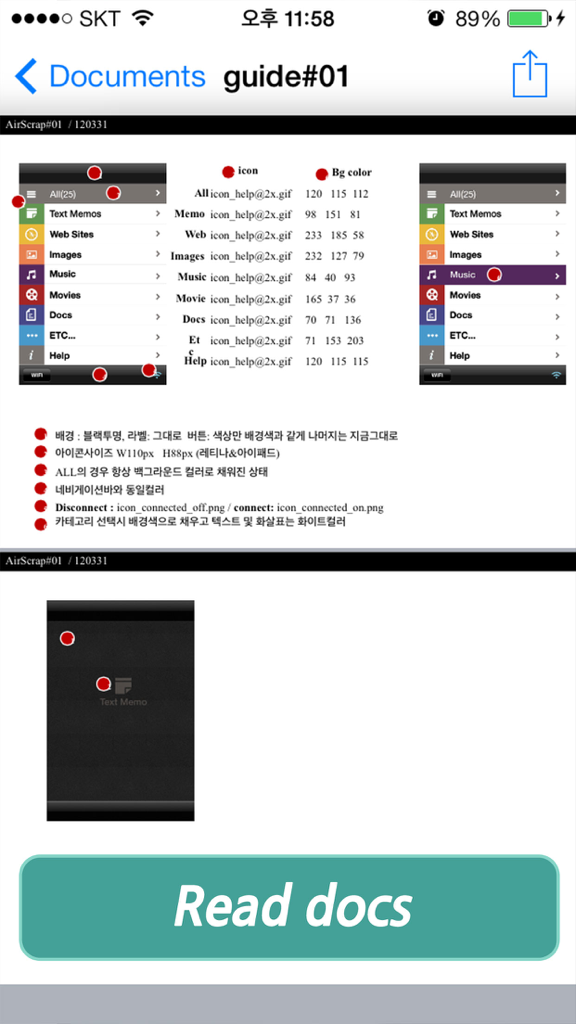
Air Transfer - File Transfer from/to PC thru WiFi - Air Transferアプリの画面。技術ガイドが表示されたドキュメントビューアと、下部にある大きな「Read docs」ボタンが表示されています。

Air Transferアプリの画面。技術ガイドが表示されたドキュメントビューアと、下部にある大きな「Read docs」ボタンが表示されています。

Air Transfer - File Transfer from/to PC thru WiFi - Air Transferアプリのムービープレーヤーインターフェース。再生ボタンが付いたビデオ再生画面が表示されています。

Air Transferアプリのムービープレーヤーインターフェース。再生ボタンが付いたビデオ再生画面が表示されています。

Air Transfer - File Transfer from/to PC thru WiFi - Air Transferアプリ内の統合Webブラウザ。ニュース記事が表示されています。

Air Transferアプリ内の統合Webブラウザ。ニュース記事が表示されています。

説明

* The easiest way to transfer files to PC and backup data from iPhone to PC. * Wirelessly Transfer Media from iPhone to Computer without using iTunes. * Just Drag & Drop your contents and Play: Text, Bookmark, Image and Photo, Music, Movie, Documents and more through wireless connection ! Air Transfer moves what you're seeing or playing on Mac/PC to your iPhone/iPad with just single drag&drop! It moves whatever you want; text memo, website address, photo, music, movie, document and so on. The transferred items are auto-classified into 7-categories according to their type. You can also see or play the items in Air Transfer right away! Air Transfer works even in background mode, you can switch to other apps without stopping current transfer. * Reviews "Witness This App Pull Off Its Automatic Magic Tricks" - AppAdvice.com * Supports both iPhone and iPad. * Built-in Music Player 1) Manage playlist. 2) Playback in background mode. 3) Remote control from control center. 4) Supports MP3, WAV, CAF and other music file formats. * Classification Categories 1) Text Memo, 2) Website, 3) Images, 4) Music, 5) Movies, 6) Documents, 7) Etc... * Show photos and share them directly to SNS. 1) JPEG, PNG, GIF, ...   2) Camera Roll, eMail, SMS, Instagram, Facebook, Twitter. * Play videos directly Air Transfer supports QuickTime Movie(.MOV, .MP4) formats. * Built-in Document Reader(viewer). 4) PDF Docs(.pdf), Text(.txt), RTF(.rtf), MS Word(.doc, .docx), MS Excel (.xls, .xlsx), MS PowerPoint(.ppt, .pptx), Pages(.pages), Numbers(.numbers), Keynote(.keynote), HTML(.html, .htm) and more. * Supported Web Browsers. 1) Safari 2) FireFox 3) Chrome 4) Internet Explorer (File upload is limited in IE). * How to use 1) Make sure that the Desktop and iDevice are connected to the same local area network or the same WiFi network when using Air Transfer. Otherwise, Air Transfer cannot connect to the Desktop. 2) Click WiFi button and input the Device URL in Web Browser on your Desktop. 3) Drop contents on drop areas on the left side in Web Browser. * Air Transfer is also an excellent choice to backup your photos or videos stored Camera Roll. 1) First import photos and videos from Camera Roll to Air Transfer. 2) Backup those imported files to your Desktop PC via Web Browser. * Contact If you have any questions or suggestions, please let us know ! email: master@darinsoft.com

Download

ダウンロード: App Store

このページはアプリまたはその開発者の公式ページではなく、情報提供および論評を目的として作成された独立した編集出版物です。明示的に別段の記載がない限り、アプリおよびその開発者は、MWM、Apple、Google Play、アプリのパブリッシャー、またはアプリの開発者と提携、承認、後援、認可、またはその他の公式的な関係はなく、このページのいかなる内容も、アプリがMWMのサービスを使用して開発されたことを意味するものではありません。すべての商標、ロゴ、スクリーンショット、その他のコンテンツはそれぞれの所有者の財産です。








