AirMirror - Remote Support
ダウンロード: App Store

このページはアプリまたはその開発者の公式ページではなく、情報提供および論評を目的として作成された独立した編集出版物です。明示的に別段の記載がない限り、アプリおよびその開発者は、MWM、Apple、Google Play、アプリのパブリッシャー、またはアプリの開発者と提携、承認、後援、認可、またはその他の公式的な関係はなく、このページのいかなる内容も、アプリがMWMのサービスを使用して開発されたことを意味するものではありません。すべての商標、ロゴ、スクリーンショット、その他のコンテンツはそれぞれの所有者の財産です。


ロゴ: AirMirror - Remote Support
ダウンロード: App Store

AirMirror - Remote Support

電話で設定を説明するのに苦労するのはやめましょう。9桁のコードで即座に接続し、リアルタイムで相手の画面を見て、数分で技術的な問題を解決できます。

主要数値

ダウンロード

63K+

ユーザー評価

2.4/5

評価数

200

開発元

SAND STUDIO CORPORATION LIMITED

カテゴリ

Utilities

対応言語

10

最新バージョン

1.1.4

サイズ

40.4 MB

リリース日

2019年9月15日
機能

ストレスなく大切な人をサポート

目隠しでのトラブルシューティングに苦労するのはやめましょう。AirMirrorは、距離に関係なく、数分で電話の問題を解決するために必要な視覚的なツールを提供します。

インスタント9桁接続

複雑なセットアップは不要です。家族が簡単なコードを共有するだけで、アカウント作成なしで即座に接続できます。

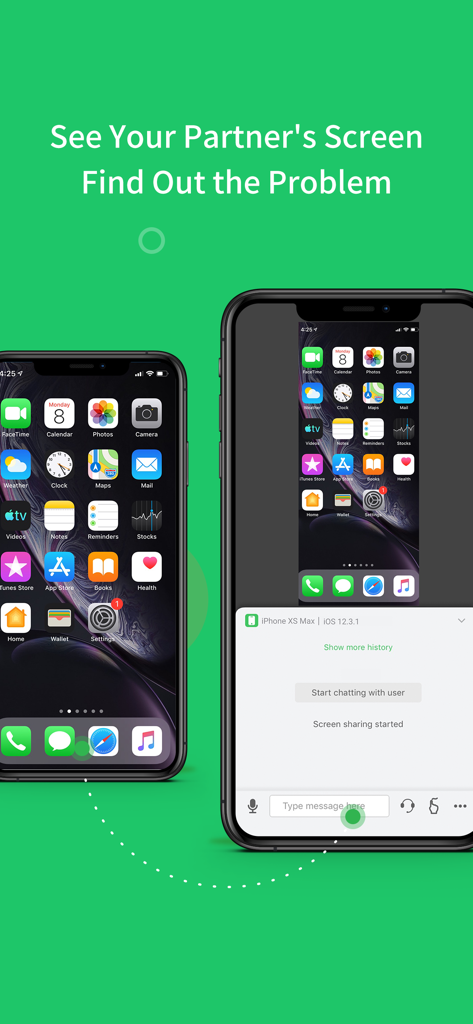
リアルタイム画面ミラーリング

何が間違っているのか推測するのはやめましょう。高解像度で相手のデバイスに表示されているものを正確に見て、問題を特定し、数秒で解決しましょう。

以下のスクリーンショットと説明は、アプリの公式ストアリスティングから直接取得されたものであり、アプリ開発者の所有物です。

アプリストア

スクリーンショット
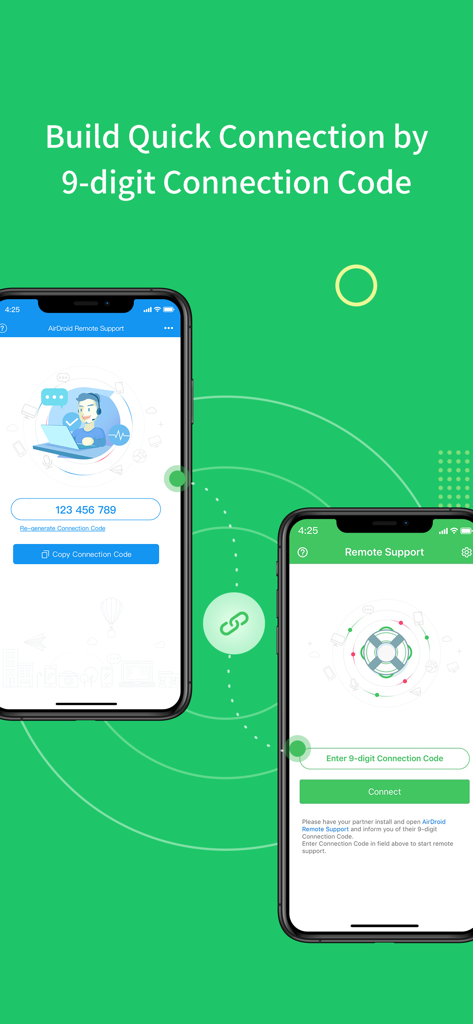
AirMirror - Remote Support - 9桁の接続コードを使用してリモートサポートのために接続している2つのスマートフォンを示すインターフェイス。
9桁の接続コードを使用してリモートサポートのために接続している2つのスマートフォンを示すインターフェイス。

AirMirror - Remote Support - テクニカルサポートのためにAirMirrorアプリを使用した、2つのiPhone間のリモート画面共有。
テクニカルサポートのためにAirMirrorアプリを使用した、2つのiPhone間のリモート画面共有。

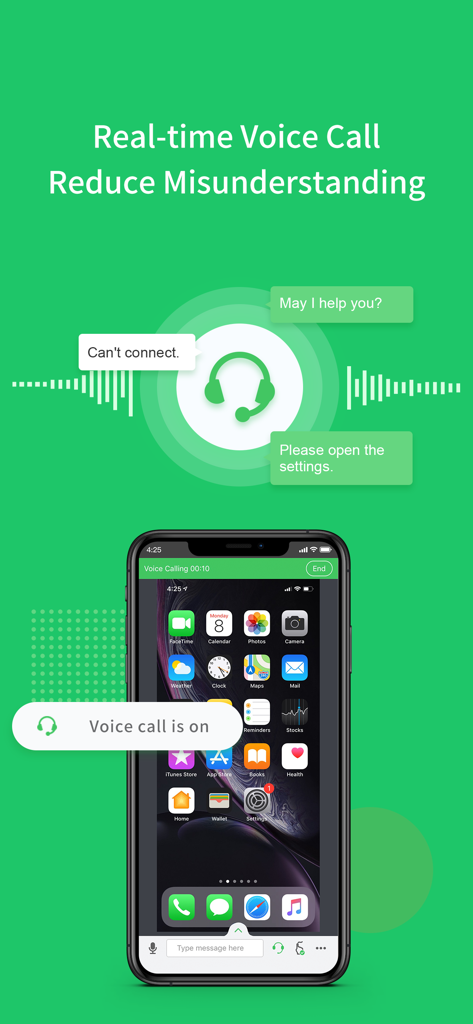
AirMirror - Remote Support - リモート画面共有セッション中のリアルタイム音声通話を実証するAirMirrorアプリインターフェイス

リモート画面共有セッション中のリアルタイム音声通話を実証するAirMirrorアプリインターフェイス

説明

Have you ever experienced wasting lots of time, trying to explain some simple settings through a phone call, but still failed to solve your parents or friend's phone issue? Frustrated, isn't it? From now on, you can have an easier remote support solution: AirMirror With AirMirror, you can directly see the other phone’s screen on your iOS device while talking to them in real-time, helping you find and solve problems free from the hassle. **Quick Guide** 1. If you are the helper, please install this app: AirMirror. 2. For the person who needs help, please download the controlled end app, AirDroid Remote Support. 3. On AirDroid Remote Support, you can see a 9-digit connection code; enter it on AirMirror and you are in connection. **Features** 1. Quick Connection by 9-digit Connection Code You can connect your friend or family simply by their 9-digit Connection Code. 2. Screen sharing in one tap Once the connection succeeded, tap the button to invite your friend or parents to share their screen, and you can directly view their phone's screen in real-time. 3. Multiple ways to communicate During the whole remote support process, you can text in the chatbox or send voice messages to your family or friend. In addition, you can make a voice call to them to have better communication. **Remote Support Auto-renew Subscriptions** 1. There’re two following types: $2.49/ Month $23.99/ Year 2. Remote Support subscription will be charged to your iTunes account. 3. Subscription will be charged and auto-renewed in 24 hours based on your purchased type. 4. Please cancel the subscription at least 24 hours before the current period ends. 5. Privacy Policy: https://rs.airdroid.info/#/Privacy 6. Payment Terms: https://rs.airdroid.info/#/Payment 7. EULA: https://rs.airdroid.info/#/Eula

Download

ダウンロード: App Store

このページはアプリまたはその開発者の公式ページではなく、情報提供および論評を目的として作成された独立した編集出版物です。明示的に別段の記載がない限り、アプリおよびその開発者は、MWM、Apple、Google Play、アプリのパブリッシャー、またはアプリの開発者と提携、承認、後援、認可、またはその他の公式的な関係はなく、このページのいかなる内容も、アプリがMWMのサービスを使用して開発されたことを意味するものではありません。すべての商標、ロゴ、スクリーンショット、その他のコンテンツはそれぞれの所有者の財産です。








