
このページはアプリまたはその開発者の公式ページではなく、情報提供および論評を目的として作成された独立した編集出版物です。明示的に別段の記載がない限り、アプリおよびその開発者は、MWM、Apple、Google Play、アプリのパブリッシャー、またはアプリの開発者と提携、承認、後援、認可、またはその他の公式的な関係はなく、このページのいかなる内容も、アプリがMWMのサービスを使用して開発されたことを意味するものではありません。すべての商標、ロゴ、スクリーンショット、その他のコンテンツはそれぞれの所有者の財産です。

Animal Typing - Lite
キーボードの練習をワイルドなレースに変えましょう!カタツムリからチーターまで、お子様はスピードと生涯にわたる正確さを築くための魅力的なレッスンを通して、正しい指の配置を学びます。
ダウンロード
455K+ユーザー評価
評価数
21K+開発元
カテゴリ
Education対応言語
17最新バージョン
3.32サイズ
58.3 MBリリース日
2014年10月15日タイピング練習をワイルドな冒険に変えよう
Animal Typingは、ゲーム化されたレースとプロフェッショナルな指配置ガイドを組み合わせて、お子様がスピードと精度でタッチタイピングをマスターできるよう支援します。
スピードと報酬が出会う
タイプが速く、正確であるほど、動物は速く進みます。チーターレベルに到達できますか?
視覚的な指ガイド
画面上アニメーションの手が正しい配置を教え、子供たちが早期に健康的な習慣と人間工学に基づいたテクニックを習得できるようにします。
よくある質問
について知っておくべきこと Animal Typing - Lite
What is Animal Typing - Lite?
Animal Typing - Lite is an application designed to teach touch typing to all ages through a simple and fun method. The animal received depends on typing speed and accuracy.
How does Animal Typing - Lite reward typing skills?
Animal Typing - Lite rewards typing skills by assigning an animal based on speed and accuracy. Faster, more accurate typing results in a faster animal, such as a cheetah.
Can I use a hardware keyboard with Animal Typing - Lite?
Yes, Animal Typing - Lite supports both virtual keyboards and hardware Bluetooth keyboards. A hardware Bluetooth keyboard is recommended for the best experience.
How many lessons are included in Animal Typing - Lite?
Animal Typing - Lite includes 28 lessons for learning keyboard keys. It also features two sets of 32 lessons specifically designed for kids under 12 years old.
Does Animal Typing - Lite offer lessons for children?
Yes, Animal Typing - Lite includes two dedicated sets of 32 lessons tailored for kids under 12 years old. These lessons are designed for Qwerty and Dvorak layouts.
Can users import custom lessons into Animal Typing - Lite?
Yes, users can import their own lessons into Animal Typing - Lite by adding them using iCloud Drive. This allows for personalized typing practice content.
Does Animal Typing - Lite show correct finger placement?
Yes, Animal Typing - Lite includes animated fingers that demonstrate the proper typing technique. This feature helps users learn correct hand and finger positioning.
What keyboard layouts does Animal Typing - Lite support?
Animal Typing - Lite supports multiple keyboard layouts, including Qwerty (US/UK), Dvorak, Colemak, Workman, Qwertz (German/Swiss), and Azerty (France).
Does Animal Typing - Lite support multiple users?
Yes, Animal Typing - Lite features a local user login system. This allows multiple users to switch between their individual profiles and track their progress separately.
Can I customize finger typing zones in Animal Typing - Lite?
Yes, Animal Typing - Lite offers the possibility to customize the finger typing zones. This allows users to adjust the areas designated for specific fingers during practice.
Does Animal Typing - Lite include a dictation mode?
Yes, Animal Typing - Lite includes a dictation mode. This feature spells out the words that need to be typed, providing an auditory aid for learning.
Are there advanced lessons for special characters in Animal Typing - Lite?
Yes, Animal Typing - Lite includes advanced lessons specifically for special characters, such as numbers (1234...) and symbols (#$%[]...).
以下のスクリーンショットと説明は、アプリの公式ストアリスティングから直接取得されたものであり、アプリ開発者の所有物です。
アプリストア
スクリーンショット
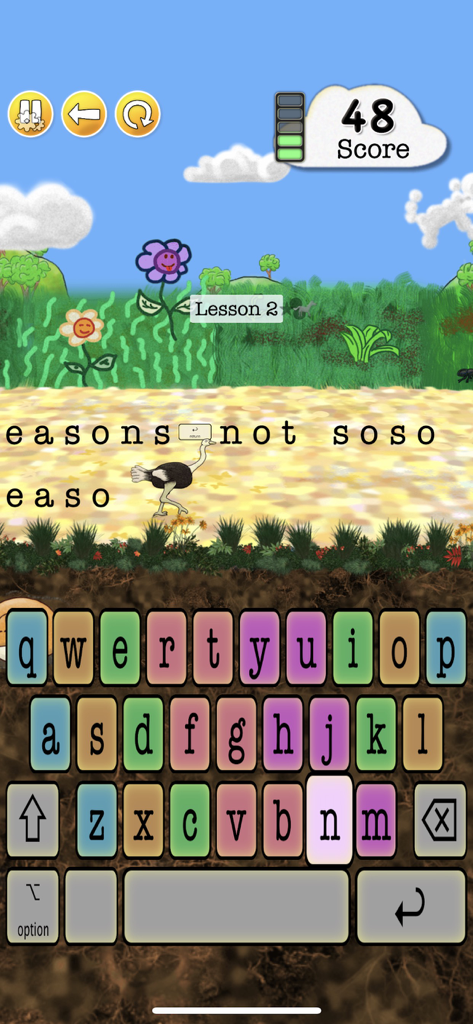
Animal Typingのゲームプレイインターフェース。ダチョウのキャラクターとタイピング練習用のカラフルなキーボードが表示されています
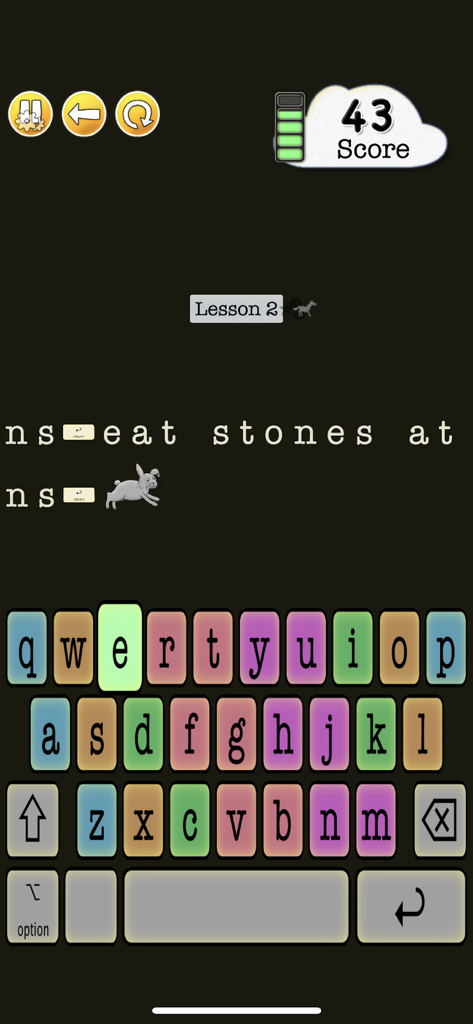
Animal Typing Liteのタッチタイピングレッスン。ウサギのキャラクターとカラフルなキーボードが表示されています
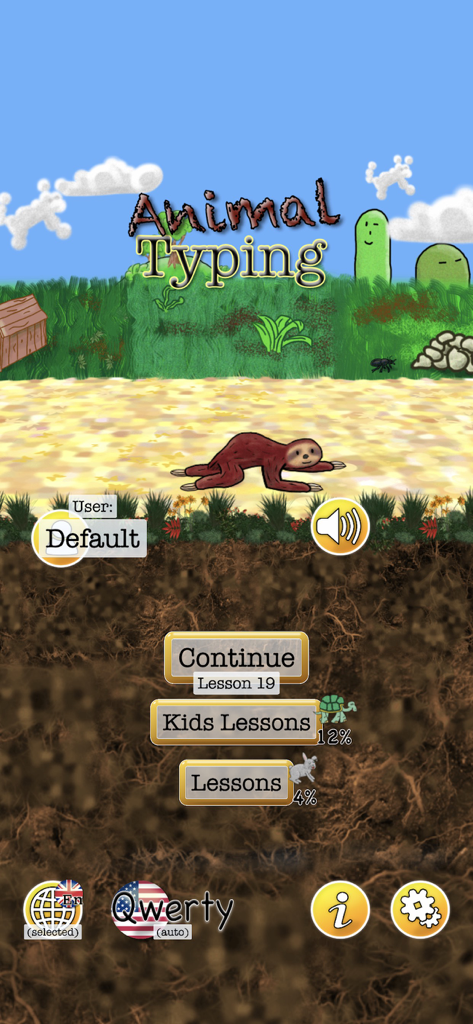
Animal Typing Liteアプリのメインメニュー。ナマケモノのキャラクターと子供向けレッスンのオプションが表示されています
説明
Download


このページはアプリまたはその開発者の公式ページではなく、情報提供および論評を目的として作成された独立した編集出版物です。明示的に別段の記載がない限り、アプリおよびその開発者は、MWM、Apple、Google Play、アプリのパブリッシャー、またはアプリの開発者と提携、承認、後援、認可、またはその他の公式的な関係はなく、このページのいかなる内容も、アプリがMWMのサービスを使用して開発されたことを意味するものではありません。すべての商標、ロゴ、スクリーンショット、その他のコンテンツはそれぞれの所有者の財産です。