Best Typing Lessons and Test

Best Typing Lessons and Test

ダウンロード: App Store
ロゴ: Best Typing Lessons and Test

Best Typing Lessons and Test: Master Touch Typing with a Teacher-Led Method

Stop hunting and pecking. Our unique pinky-first approach and color-coded lessons help students and adults build perfect muscle memory for faster, more accurate typing on any device.

ダウンロード: App Store

開発元

Tamber Schorey

カテゴリ

Education

ダウンロード

324K+

ユーザー評価

4.6/5

評価数

1K+

対応言語

1

A Glimpse of Mastery

このインターフェースを利用する 324K+ 人のユーザー.

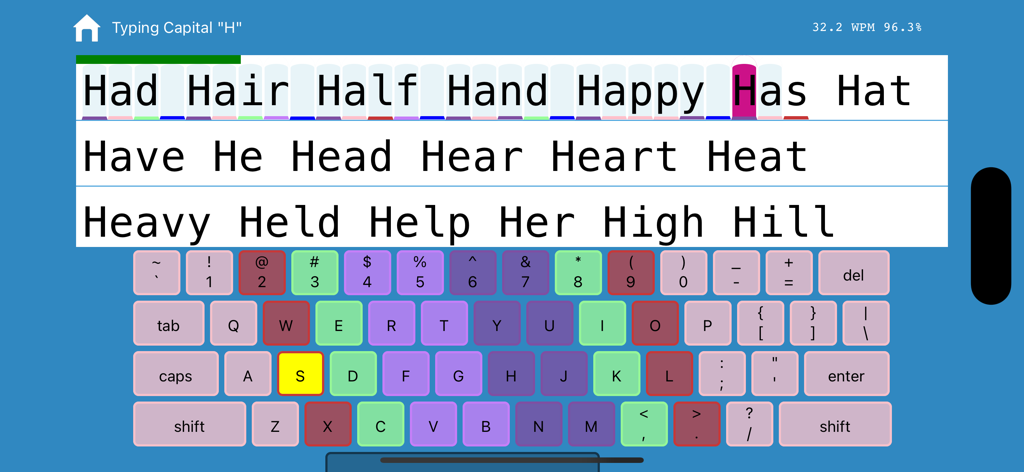
Typing app interface showing a color coded keyboard and word practice with real time statistics
Typing app interface showing a color coded keyboard and word practice with real time statistics

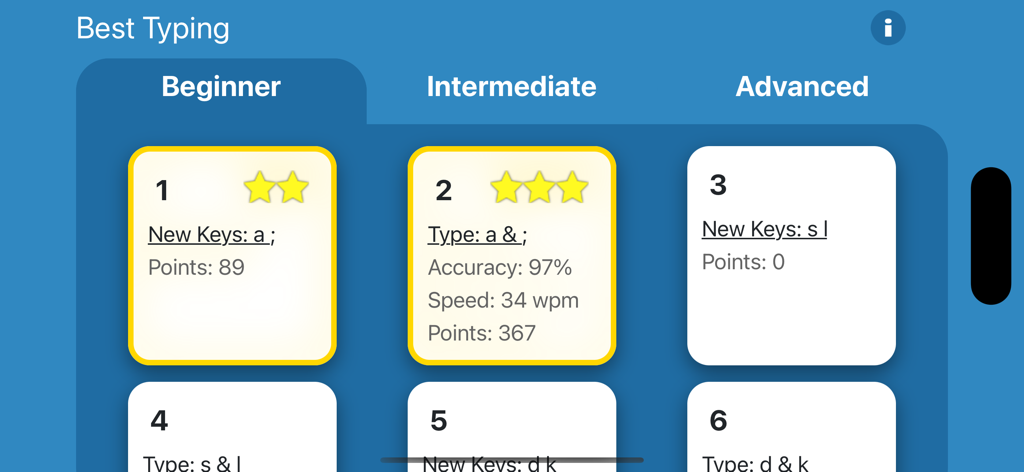
Beginner typing lesson selection screen showing progress stars and typing speed statistics
Beginner typing lesson selection screen showing progress stars and typing speed statistics

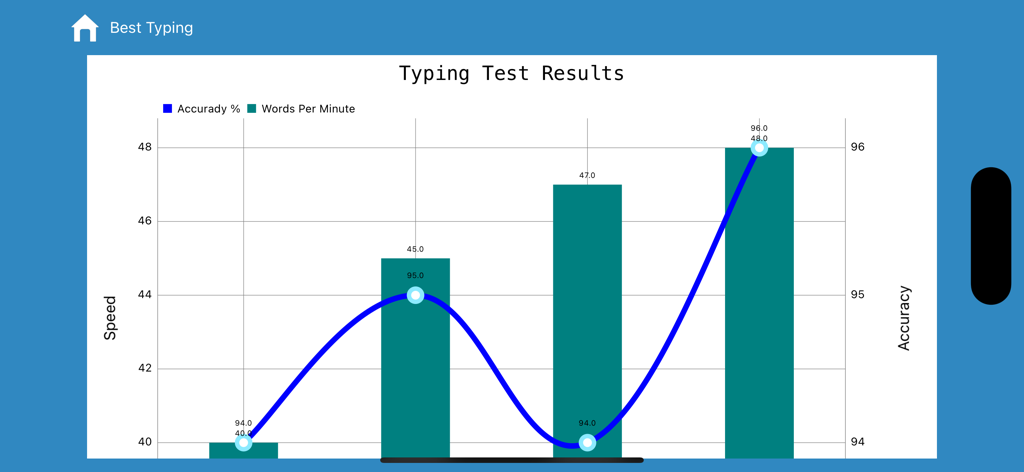
A graph showing typing test results with words per minute and accuracy percentage progress
A graph showing typing test results with words per minute and accuracy percentage progress

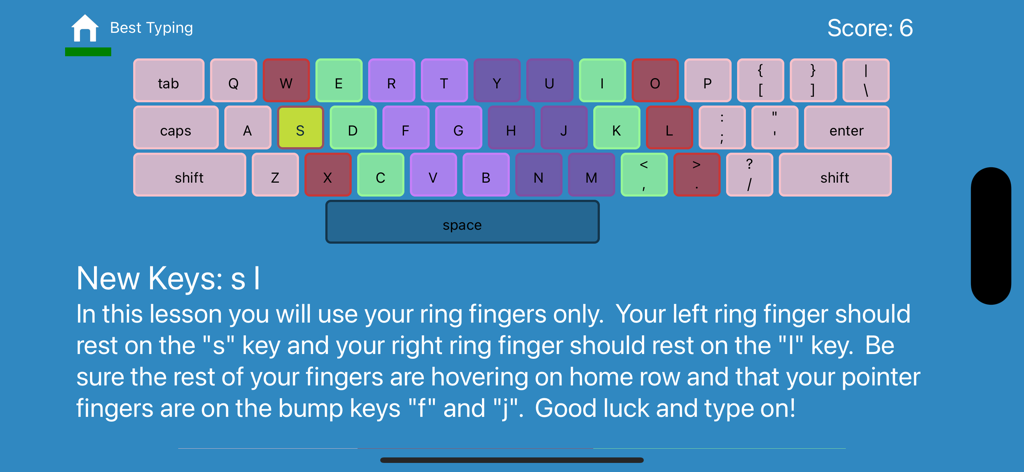
Interface of a typing lesson showing a color-coded keyboard and instructions for using ring fingers to type s and l
Interface of a typing lesson showing a color-coded keyboard and instructions for using ring fingers to type s and l

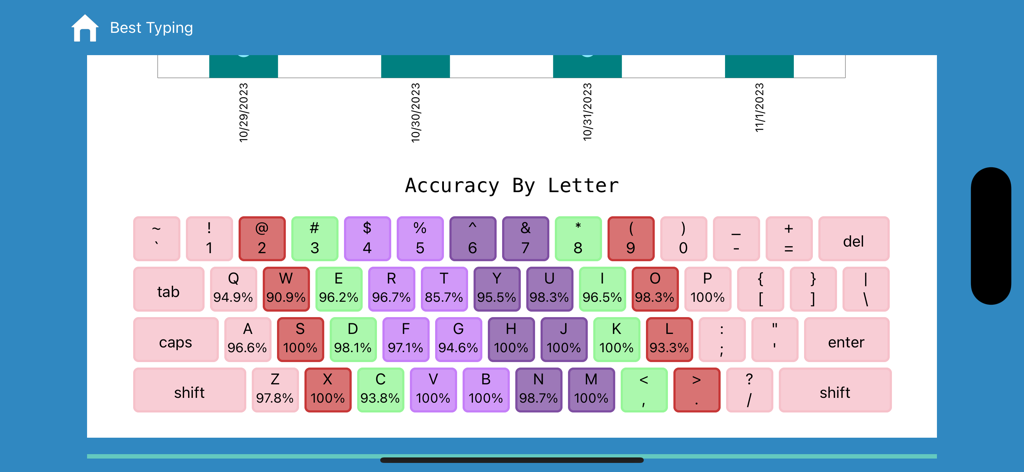
A color coded keyboard displaying typing accuracy percentages for each letter in the Best Typing app

A color coded keyboard displaying typing accuracy percentages for each letter in the Best Typing app

Master Professional Typing Speed

このアプリを際立たせるツール、 324K+ 人のユーザーが選択.

🖐️

The 'Pinky-First' Method

Break 'hunt-and-peck' habits permanently with our unique methodology that builds muscle memory in your weakest fingers first for total keyboard mastery.

📊

Precision Performance Tracking

Identify exactly where you need improvement with letter-by-letter accuracy reports and detailed statistics from your last 10 timed typing tests.

📱

Your Portable Typing Lab

Learn anywhere on your iPhone or iPad. Optimized for both touchscreen and Bluetooth keyboards to turn your mobile device into a high-performance workstation.

アプリについて

について知っておくべきこと Best Typing Lessons and Test.

説明

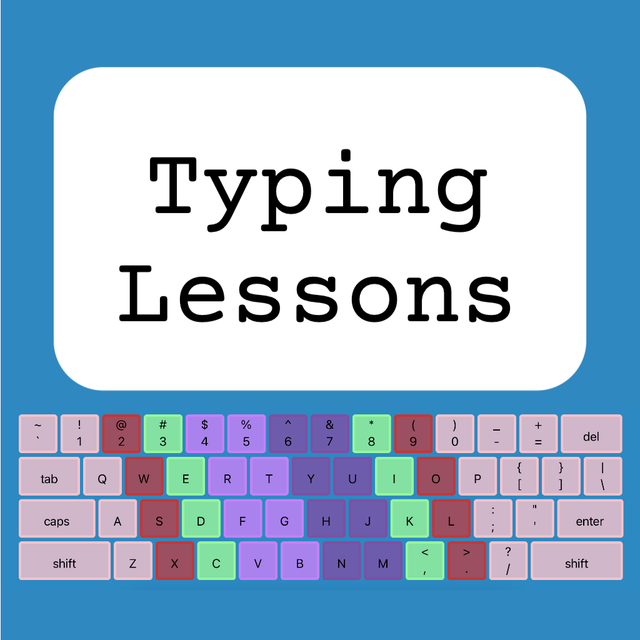
Best Typing Lessons and Test will teach you how to touch type quickly without looking at the keyboard. The program is designed to work for all students and skill levels, whether you are beginning as a kid or an adult. A benefit of this app is that it can work on your phone or a tablet and you don’t need to have a computer online (having a Bluetooth keyboard is ideal, but the program can work without one too). After teaching middle school Computer Applications and typing for the past several years I realized that many of the free online typing programs had several flaws. The biggest problem I found was that many of my students would never learn to use the correct fingers to type with when only using the most popular sites. The main problem that I discovered was that the online typing tutors almost always teach the pointer fingers first, and for students who are already used to hunting and pecking they don’t transition to the less used fingers redly. To the best of my knowledge this app and accompanying website www.freetypinglessons.club has the only method that begins teaching the pinkies first and then proceeds to the fingers that students are already used to using. I have found that this method breaks bad habits early and sets students up to successfully type while using the correct fingers. I have also made the learning process easier by color coding the keys creating an alliterating pneumonic device to assist with learning (Pink - pinkies, Red - ring fingers, Mint-Green - middle fingers, and Purple - pointers). The introductory lessons are designed for learners to develop correct muscle memory when typing the keys. The process systematically begins with home row weak fingers, and then adds top row and bottom row in a way that will teach correct finger position automatically and help break bad typing habits naturally. As the lessons progress to beginner and intermediate typing lessons students will type text that works on proper reaches. Some programs deviate from this method at this point and prefer to type words first, however this program focuses on teaching muscle memory and proper keying technique, so many letter combinations are systematically introduced so as to help students master the entire keyboard. Aside from the lessons, students may take a timed typing test. Test options include beginner (lowercase only), intermediate (capitals and lowercase), and advanced (includes numbers and symbols). The typing test duration can be setup for between one and five minutes long, and your results are displayed instantly. Other benefits of this typing program are that it tracks how long is spent on each individual lesson, and it tracks the total amount of time typed overall. Data from each key is recorded, and you can identify your percentage accuracy for each letter of the alphabet. Students earn points for each letter correctly typed, and stars are earned for finishing lessons with a high degree of accuracy. In addition to these features you can view your typing test statistics which will show up to the last 10 tests that you have taken. It’s my pleasure to be a middle school typing teacher and to provide this app developed from my years of experience. I know you will find learning to type beneficial in your life and if this app helps I hope you give it a positive rating. Please don't hesitate to contact me if you have questions, suggestions, or need support via email: squadtiming@gmail.com

最新バージョン

2.1.0

サイズ

24.7 MB

リリース日

2019年6月6日

Ready to Master the Keyboard Like a Pro?

Join over 324,000 students and professionals using our proven, teacher-developed method to break bad habits and boost your typing speed today.

ダウンロード: App Store

App information, icons, screenshots, and descriptions displayed on this page are sourced from the Apple App Store and are the property of their respective developers. Download estimates and rankings are based on MWM's proprietary models and may not reflect actual figures. This page is provided for informational and analytical purposes only.

Believe this page infringes your intellectual property? File a dispute