AnyREC: Screen Recorder, Share

AnyREC: Screen Recorder, Share

ダウンロード: App Store
ロゴ: AnyREC: Screen Recorder, Share

AnyREC: スクリーンレコーダー、共有 — プロフェッショナルHDキャプチャ&インスタントTVキャスト

スムーズなゲームプレイを録画し、高品質なチュートリアルを作成し、調整可能なFPSとワンタップスクリーンショットで驚異的なHDで画面を共有しましょう。

ダウンロード: App Store

開発元

GENERATIONZTECH LIMITED

カテゴリ

Developer Tools

ダウンロード

100

ユーザー評価

1.0/5

評価数

0

対応言語

1

内部を見てみましょう

このインターフェースを利用する 100 人のユーザー.

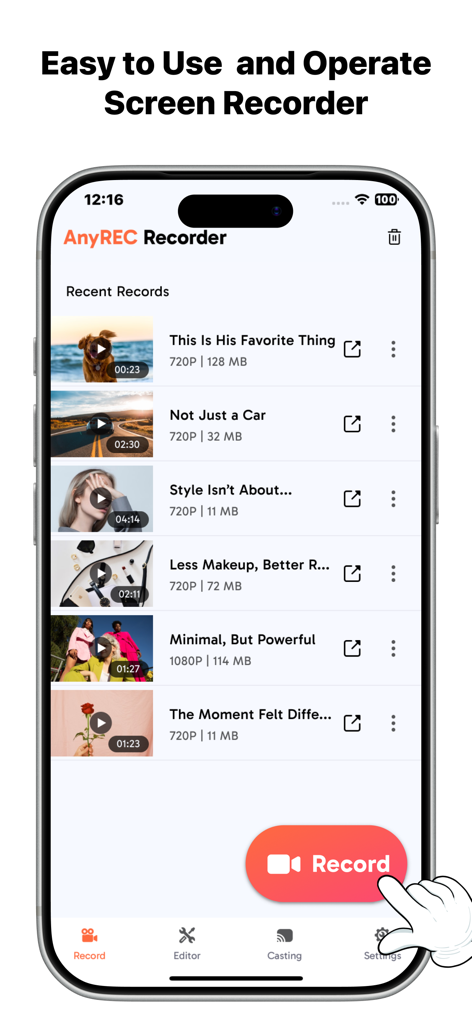
AnyRECアプリのインターフェースに、大きな赤い録画ボタンとナビゲーションメニューを備えた最近のビデオ録画のリストが表示されています。
AnyRECアプリのインターフェースに、大きな赤い録画ボタンとナビゲーションメニューを備えた最近のビデオ録画のリストが表示されています。

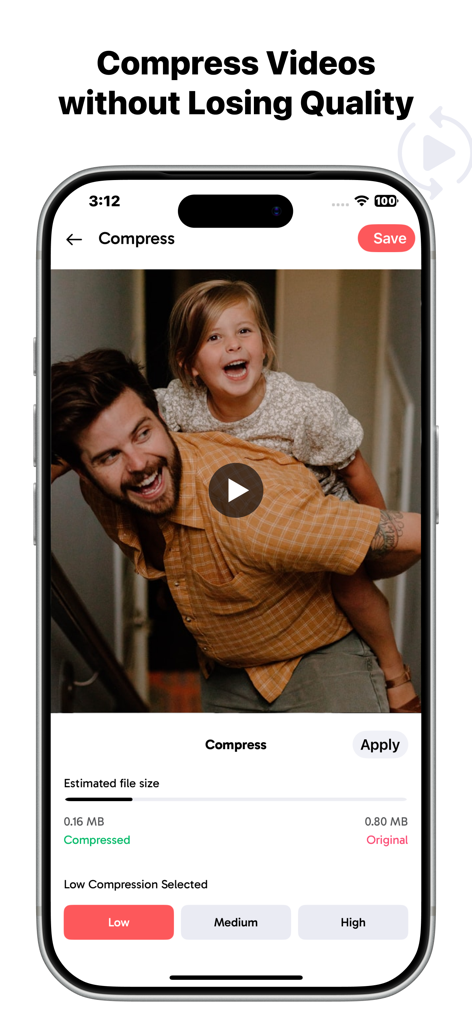
AnyRECアプリのインターフェースに、低、中、高品質のオプションを備えたビデオ圧縮設定が表示されています。
AnyRECアプリのインターフェースに、低、中、高品質のオプションを備えたビデオ圧縮設定が表示されています。

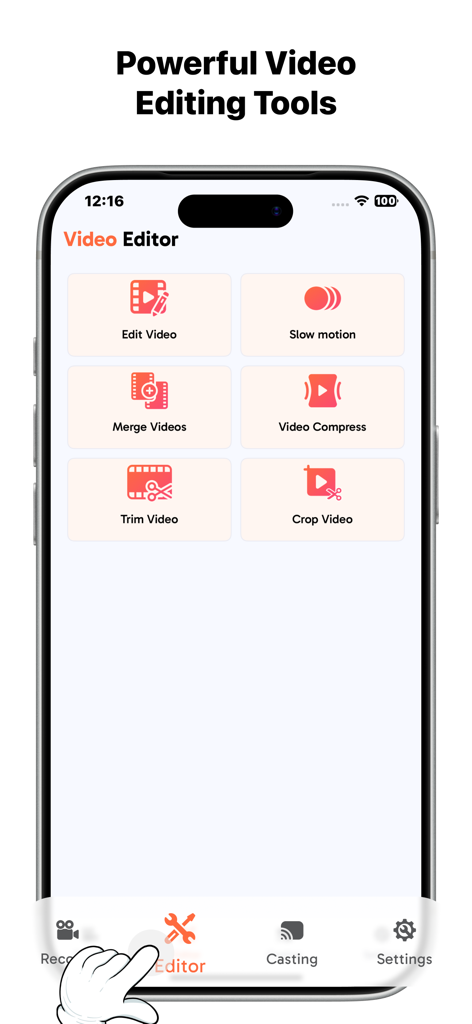
AnyRECアプリのインターフェースに、トリム、クロップ、マージなどのビデオ編集ツールが表示されています。
AnyRECアプリのインターフェースに、トリム、クロップ、マージなどのビデオ編集ツールが表示されています。

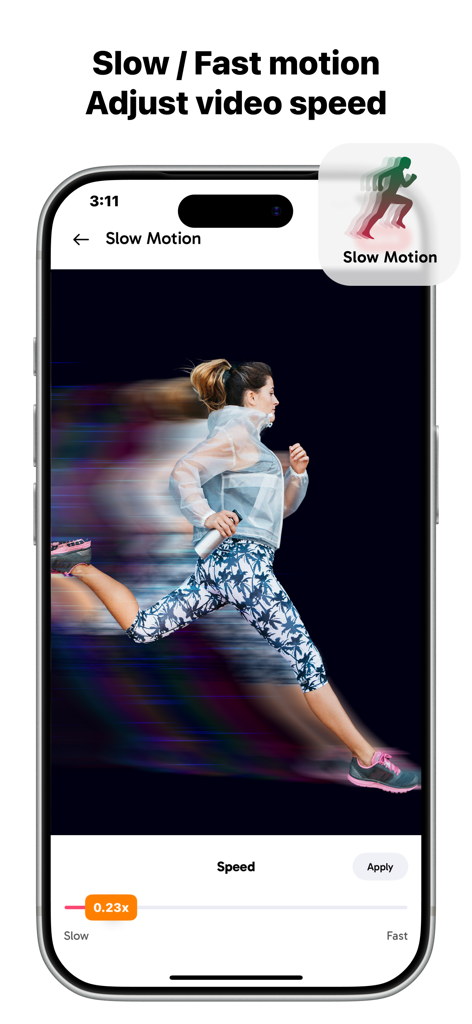
AnyRECアプリのインターフェースに、0.23倍に設定されたスライダーを備えたスローモーションビデオ速度調整機能が表示されています。
AnyRECアプリのインターフェースに、0.23倍に設定されたスライダーを備えたスローモーションビデオ速度調整機能が表示されています。

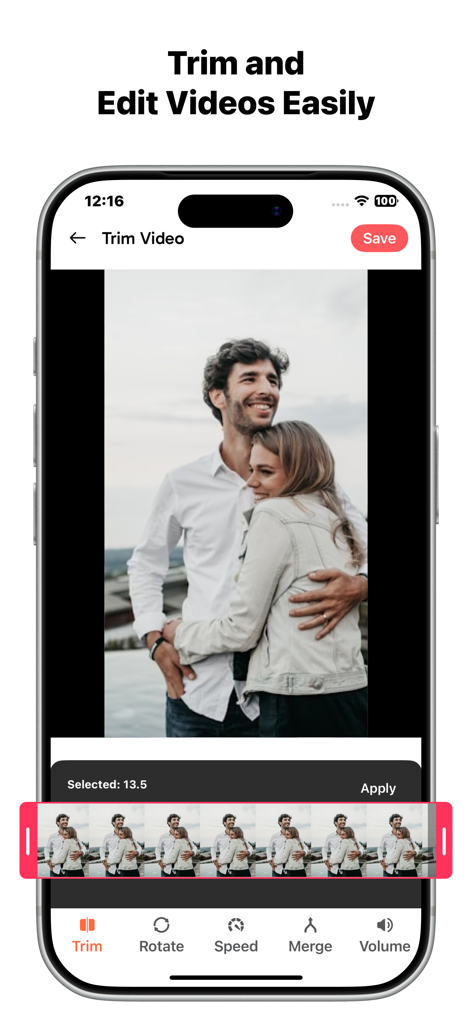
AnyRECアプリで録画したビデオのトリミングと編集を行うためのインターフェース。

AnyRECアプリで録画したビデオのトリミングと編集を行うためのインターフェース。

プロのようにキャプチャ、作成、キャスト

このアプリを際立たせるツール、 100 人のユーザーが選択.

🚀

超スムーズなHDキャプチャ

調整可能な60FPSで高負荷のゲームプレイや洗練されたチュートリアルを録画し、常にプロフェッショナルでラグのない結果を得られます。

📺

シームレスなTVキャスト

コンテンツを大画面で生き生きとさせましょう。録画を任意のスマートTVに即座にキャストして、友達と勝利を共有しましょう。

📸

ワンタップ精密ツール

内蔵スクリーンショットショートカットと、お使いの特定のハードウェアに合わせたカスタマイズ可能な解像度設定で、ワークフローをマスターしましょう。

アプリについて

について知っておくべきこと AnyREC: Screen Recorder, Share.

説明

Experience the ultimate phone screen recorder that lets you capture every moment in HD video. Whether you’re recording gameplay, tutorials, or app demos, this app delivers high-quality screen recording with smooth performance, and adjustable FPS. You can also cast your recorded videos directly to your TV, making it easy to share content on a bigger screen instantly. Your All-in-One Screen Recorder & Video Companion: Go beyond basic screen capture – take instant screenshots. Designed for digital enthusiasts, the AnyREC: Screen recorder app is the simple way to record, edit, and share your screen with ease. Cast your recordings directly to your TV, so you can enjoy your content on a larger display while keeping full control from your phone. Key Features of Phone screen recorder - HD Screen Recording — Capture your Phone’s screen in smooth and clear quality. - TV Casting Support — Cast recorded videos directly to TV for easy viewing on a larger display. - One-Tap Screenshot — Take screenshots anytime during recording. - Adjust Resolution, FPS & Quality — Full control over recording performance. - Performance & Normal Mode — Choose between stable or high-performance modes. Note: Some features of this app require a paid subscription to unlock. Privacy Policy: http://screenrecorder.generationztech.com Terms of use: http://screenrecorder.generationztech.com/termsofuse.html

最新バージョン

1.0

サイズ

11.9 MB

リリース日

2026年2月7日

プロのように録画する準備はできましたか?

高解像度録画、調整可能なFPS、シームレスなTVキャストをアンロックしましょう。デフォルトに満足しないクリエイターのコミュニティに参加し、今すぐAnyRECをダウンロードしましょう。

ダウンロード: App Store

App information, icons, screenshots, and descriptions displayed on this page are sourced from the Apple App Store and are the property of their respective developers. Download estimates and rankings are based on MWM's proprietary models and may not reflect actual figures. This page is provided for informational and analytical purposes only.

Believe this page infringes your intellectual property? File a dispute