App Lock-Lock Apps, App Locker
ダウンロード: App Store

このページはアプリまたはその開発者の公式ページではなく、情報提供および論評を目的として作成された独立した編集出版物です。明示的に別段の記載がない限り、アプリおよびその開発者は、MWM、Apple、Google Play、アプリのパブリッシャー、またはアプリの開発者と提携、承認、後援、認可、またはその他の公式的な関係はなく、このページのいかなる内容も、アプリがMWMのサービスを使用して開発されたことを意味するものではありません。すべての商標、ロゴ、スクリーンショット、その他のコンテンツはそれぞれの所有者の財産です。

ロゴ: App Lock-Lock Apps, App Locker
ダウンロード: App Store

App Lock-Lock Apps, App Locker

機密性の高いアプリを保護し、偶発的なアプリ内購入をブロックし、最新の家族向けに設計されたカスタマイズ可能なモードで子供のスクリーンタイムを管理します。

主要数値

ダウンロード

7K+

ユーザー評価

3.6/5

評価数

0

開発元

小玲 黄

カテゴリ

Lifestyle

対応言語

12

最新バージョン

1.1.9

サイズ

53.4 MB

リリース日

2023年11月20日
機能

子供のスクリーンタイムを完全にコントロール

高度なアプリロックおよび保護ツールを使用して、プライバシーを保護し、財政を確保し、子供たちに安全なデジタル環境を作成します。

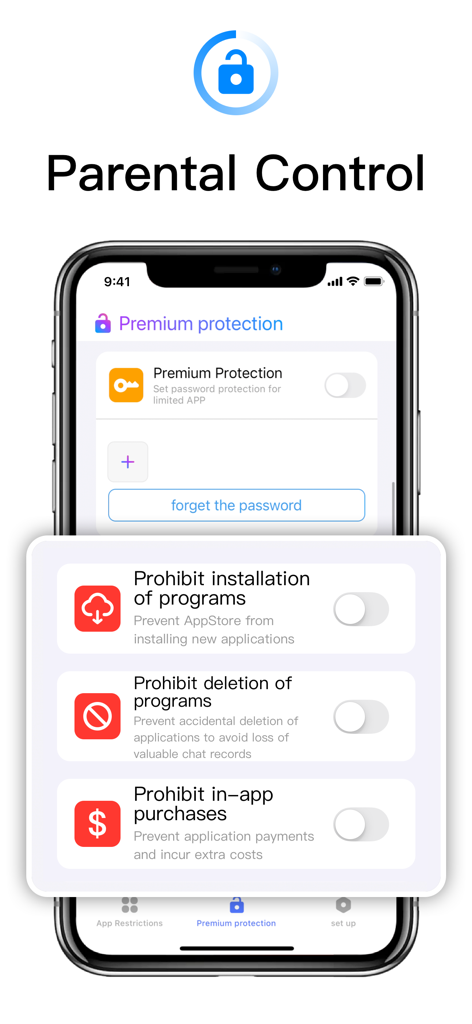
偶発的な購入を停止

アプリ内支払いをブロックし、モバイルゲームからの予期しない請求ショックを防ぐことで、銀行口座を保護します。

仕事と個人データを保護

重要なアプリをロックし、偶発的な削除を防ぐことで、仕事のメールやチャット記録を子供たちの手から安全に守ります。

以下のスクリーンショットと説明は、アプリの公式ストアリスティングから直接取得されたものであり、アプリ開発者の所有物です。

アプリストア

スクリーンショット
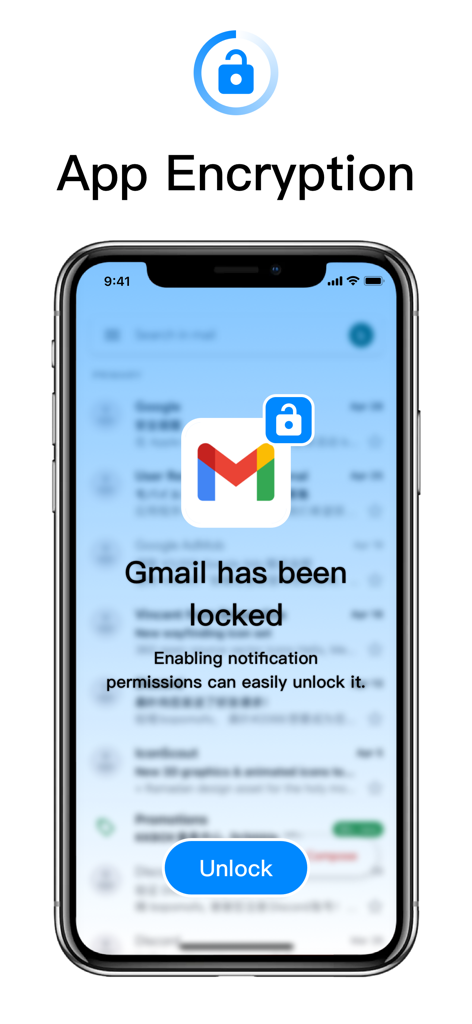
App Lock-Lock Apps, App Locker - ロックされたGmailアプリとロック解除ボタン、アプリ暗号化ラベルが表示されたスマートフォンの画面。
ロックされたGmailアプリとロック解除ボタン、アプリ暗号化ラベルが表示されたスマートフォンの画面。

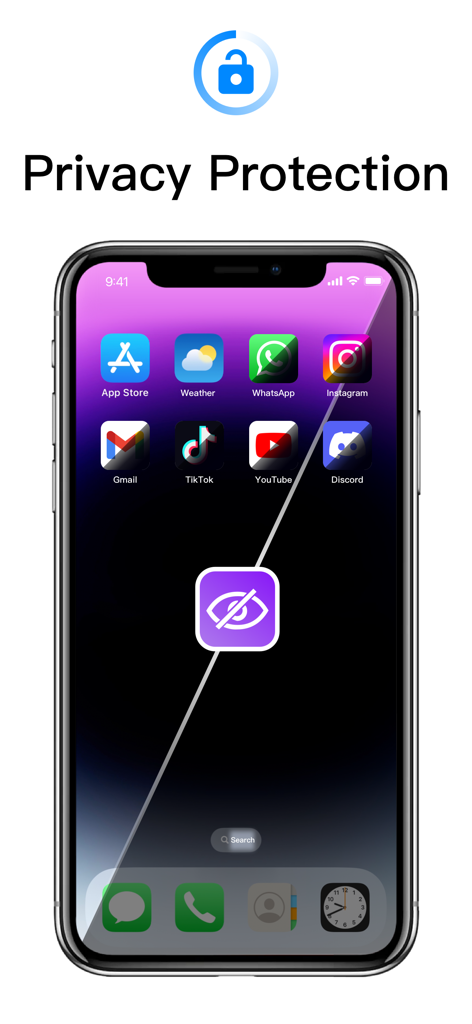
App Lock-Lock Apps, App Locker - プライバシー保護とアプリロック機能を表す中央の隠された目のアイコンが表示された複数のアプリが表示されたスマートフォン。
プライバシー保護とアプリロック機能を表す中央の隠された目のアイコンが表示された複数のアプリが表示されたスマートフォン。

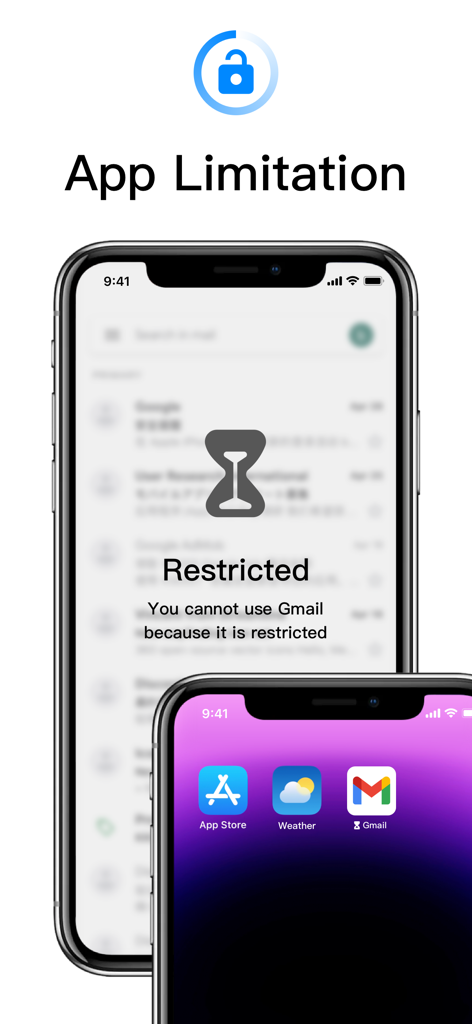
App Lock-Lock Apps, App Locker - アプリの制限を表す砂時計のアイコンが付いた、制限されたアプリの通知が表示されたiPhone画面。
アプリの制限を表す砂時計のアイコンが付いた、制限されたアプリの通知が表示されたiPhone画面。

App Lock-Lock Apps, App Locker - アプリのインストール、削除、アプリ内購入を禁止するトグルが表示されたペアレンタルコントロールインターフェース
アプリのインストール、削除、アプリ内購入を禁止するトグルが表示されたペアレンタルコントロールインターフェース

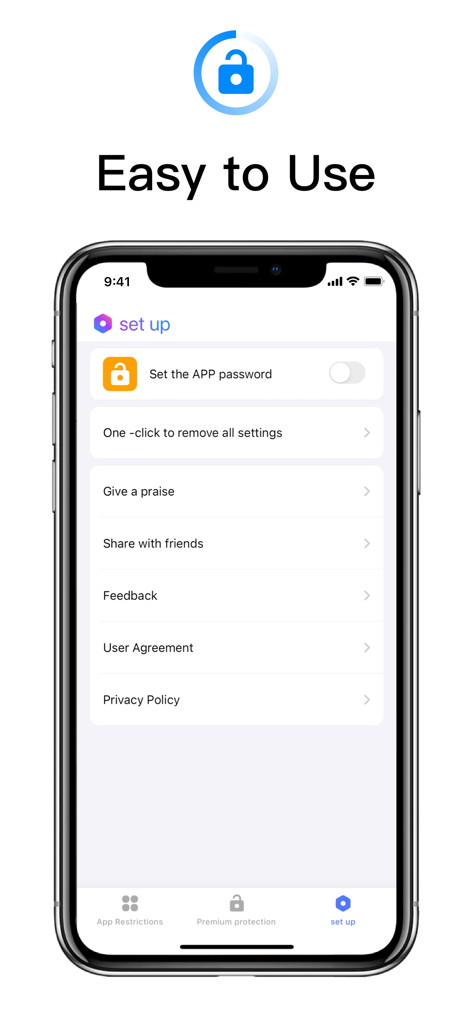
App Lock-Lock Apps, App Locker - アプリロックとプライバシー設定の簡単なセットアップメニューが表示されたモバイルアプリインターフェース

アプリロックとプライバシー設定の簡単なセットアップメニューが表示されたモバイルアプリインターフェース

説明

Regardless of whether you're willing or not, electronic devices have become indispensable tools for children amidst the pandemic. At-home parenting has become reliant on electronic products, as they serve as productivity enhancers, but that doesn't mean parents can completely let go. To address this, we've introduced a powerful application aimed at providing comprehensive app protection and privacy management features. This application includes the following features: Password Protection: Users can set password protection for restricted applications, ensuring only authorized users can access them. Prevent Installation: This feature prevents the installation of new applications from the app store, effectively controlling the number and type of applications on the device. Prevent Deletion: Prevents accidental deletion of applications, particularly those containing important data like chat records, ensuring data security. In-App Purchase Blocking: Blocks in-app payments to prevent users from incurring additional costs unintentionally. Multiple Mode Switching and App Restriction Grouping: Users can customize app restriction modes for different scenarios such as learning, socializing, and gaming, and can also add custom groups to control screen time more flexibly. Set Application Password: Users can set a separate password for this application to protect its settings and features from unauthorized access. Face Unlock: In addition to passwords, users can use face unlock to quickly unlock applications, enhancing convenience and security. Subscription Services: Payment: Payments are deducted through the user's iTunes account immediately upon purchase confirmation, offering various subscription modes for users to choose from. Renewal: Apple iTunes accounts will be charged 24 hours before expiration, with the subscription period extending by 1 cycle upon successful payment. Cancel Subscription Renewal: To cancel subscription renewal, manually disable auto-renewal in Settings/Apple ID at least 24 hours before the current subscription expires.

Download

ダウンロード: App Store

このページはアプリまたはその開発者の公式ページではなく、情報提供および論評を目的として作成された独立した編集出版物です。明示的に別段の記載がない限り、アプリおよびその開発者は、MWM、Apple、Google Play、アプリのパブリッシャー、またはアプリの開発者と提携、承認、後援、認可、またはその他の公式的な関係はなく、このページのいかなる内容も、アプリがMWMのサービスを使用して開発されたことを意味するものではありません。すべての商標、ロゴ、スクリーンショット、その他のコンテンツはそれぞれの所有者の財産です。








