AR Draw: Trace & Sketch Master

AR Draw: Trace & Sketch Master

ダウンロード: App Store
ロゴ: AR Draw: Trace & Sketch Master

AR Draw: トレース&スケッチマスター – スマホをプロの描画プロジェクターに

比率の心配はもうやめて、創造を始めましょう。ARテクノロジーでギャラリーのどんな写真でも簡単に紙にトレースできます。DIYプロジェクト、カスタムギフト、そしてアーティストとしての自信を築くのに最適です。

開発元

Try the Colors s. r. o.

カテゴリ

Graphics & Design

ダウンロード

1K+

ユーザー評価

5.0/5

評価数

0

対応言語

52

あなたの創造的な旅を可視化

このインターフェースを利用する 1K+ 人のユーザー.

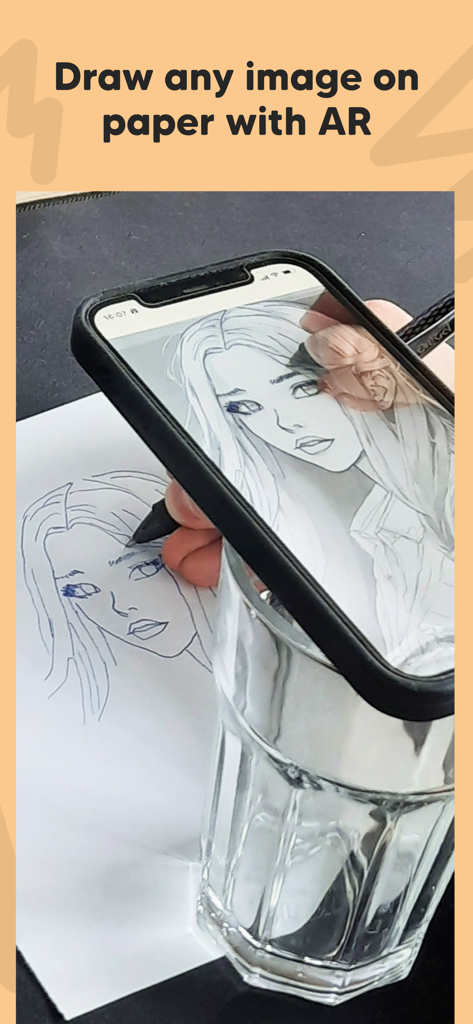
ARを使って、紙にトレースするためのポートレートを投影するスマートフォン

ARを使って、紙にトレースするためのポートレートを投影するスマートフォン

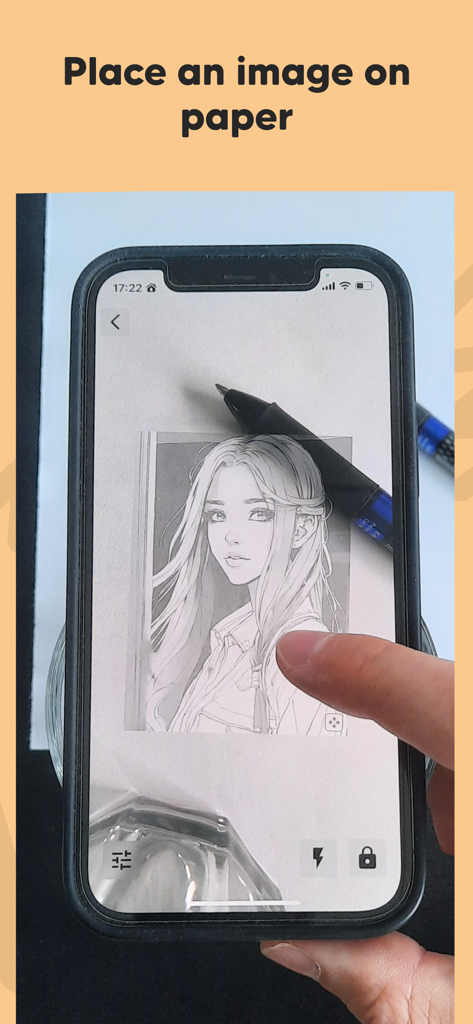
ARを使って、トレースのために紙に描画を投影するスマートフォン
ARを使って、トレースのために紙に描画を投影するスマートフォン

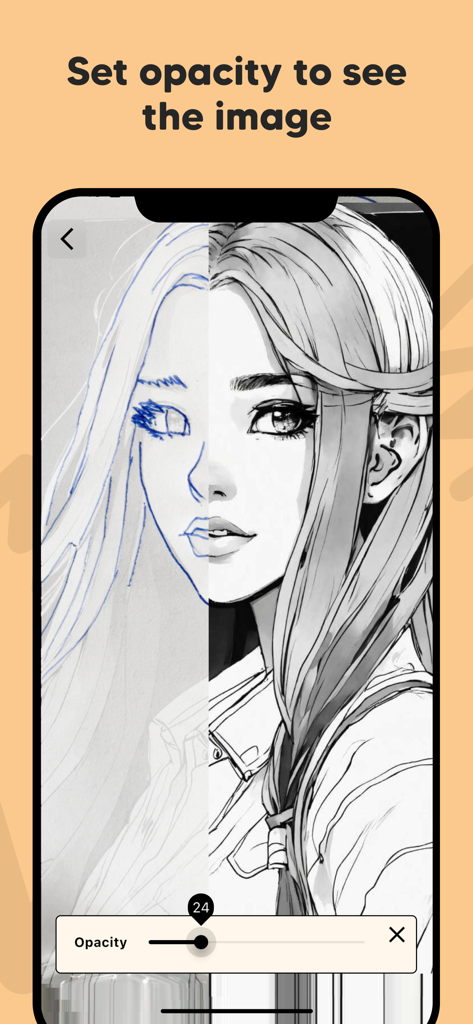
トレースとスケッチのためにポートレート画像の不透明度を調整する不透明度スライダーを示すスマートフォンの画面
トレースとスケッチのためにポートレート画像の不透明度を調整する不透明度スライダーを示すスマートフォンの画面

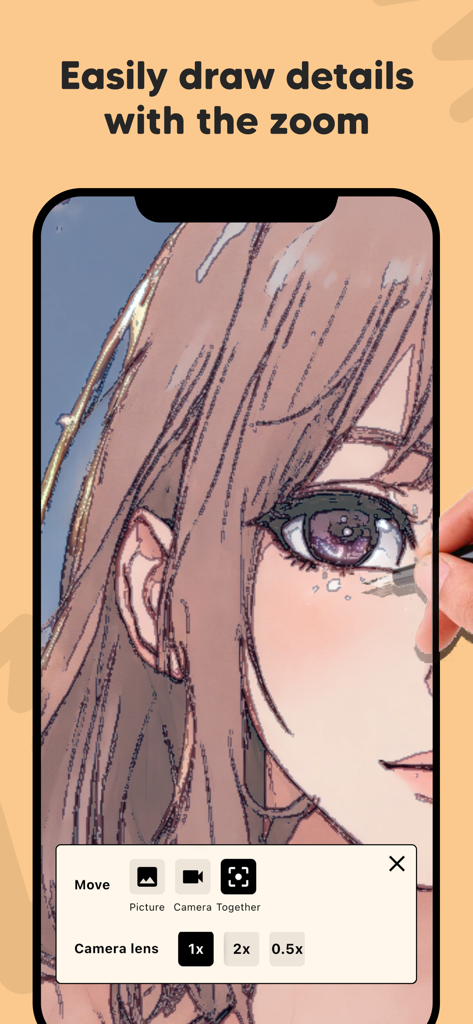
AR Drawアプリがアニメのスケッチをズームインし、カメラレンズコントロールが表示されているスマートフォンの画面
AR Drawアプリがアニメのスケッチをズームインし、カメラレンズコントロールが表示されているスマートフォンの画面

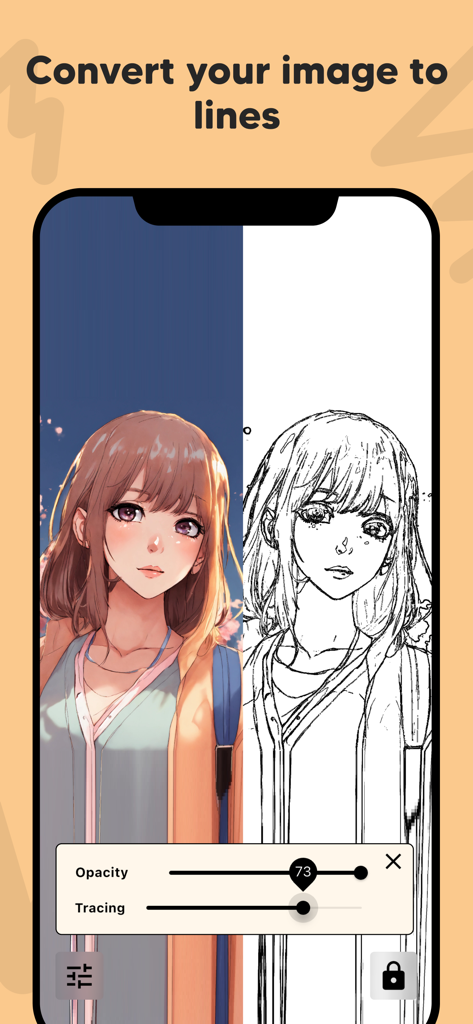
AR Drawアプリのインターフェースでトレースするために、カラーアニメのポートレートが白黒の線画に変換された分割画面表示。

AR Drawアプリのインターフェースでトレースするために、カラーアニメのポートレートが白黒の線画に変換された分割画面表示。

創造性をレベルアップ

このアプリを際立たせるツール、 1K+ 人のユーザーが選択.

📱

魔法のAR投影

あなたのスキルレベルに関係なく、どんな参照画像でも、紙やキャンバスに直接投影して、毎回比率を正確に捉えましょう。

瞬時の線画

複雑な写真をクリーンでトレース可能なアウトラインに自動変換 – 美しいファンアートやパーソナライズされたギフトの作成に最適です。

🔍

プロレベルの精度

不透明度を調整し、細部までズームインすることで、クリエイティブな不安なしにプロのイラストレーターのようなコントロールを提供します。

アプリについて

について知っておくべきこと AR Draw: Trace & Sketch Master.

説明

Bring your drawings to life with AR Draw: Trace & Sketch Master! This innovative app uses augmented reality to help you effortlessly trace and sketch any image onto paper, making it perfect for artists, hobbyists, students, and beginners. Key Features: Draw Any Image on Paper: Select any image from your gallery and project it onto your real-world paper using AR technology. Easy Image Placement: Position the image on your paper exactly where you want it, ensuring accurate sketches every time. Adjust Image Opacity: Make tracing simple by setting the image opacity. See both your drawing and the reference image clearly as you sketch. Zoom for Fine Details: Zoom in to capture intricate details and create precise illustrations with ease. Image to Line Conversion: Convert your photos into clear outlines or line art for easier tracing and drawing. How It Works: Choose an image from your device or take a new photo. Place the image on your drawing paper using your device’s camera and AR preview. Adjust the opacity and zoom for perfect visibility and detail. Start tracing—your device will show your hand and the paper with the image overlay, making it easy to sketch accurately. With AR Draw: Trace & Sketch Master, anyone can create beautiful drawings by tracing faces, objects, landscapes, or cartoons. Whether you're practicing new techniques, learning to draw, or making custom gifts, this app makes drawing more accessible than ever. Perfect For: Artists & Designers Students & Teachers Kids & Adults Anyone learning to draw No expensive equipment required—just your phone, paper, and a pencil! Download AR Draw: Trace & Sketch Master now and become a tracing and sketching pro using the power of AR! By using this app, you agree to Apple's standard End User License Agreement (EULA), available here: https://www.apple.com/legal/internet-services/itunes/dev/stdeula/

最新バージョン

1.0.14

サイズ

72.6 MB

リリース日

2025年7月29日

プロのようにスケッチする準備はできましたか?

数千人のクリエイターが、写真を驚くほど手描きの芸術に変えています。今すぐAR Drawをダウンロードして、最初の傑作を今日から始めましょう。

ダウンロード: App Store

App information, icons, screenshots, and descriptions displayed on this page are sourced from the Apple App Store and are the property of their respective developers. Download estimates and rankings are based on MWM's proprietary models and may not reflect actual figures. This page is provided for informational and analytical purposes only.

Believe this page infringes your intellectual property? File a dispute