AR Drawing - Sketch Trace Draw
ダウンロード: App Store

このページはアプリまたはその開発者の公式ページではなく、情報提供および論評を目的として作成された独立した編集出版物です。明示的に別段の記載がない限り、アプリおよびその開発者は、MWM、Apple、Google Play、アプリのパブリッシャー、またはアプリの開発者と提携、承認、後援、認可、またはその他の公式的な関係はなく、このページのいかなる内容も、アプリがMWMのサービスを使用して開発されたことを意味するものではありません。すべての商標、ロゴ、スクリーンショット、その他のコンテンツはそれぞれの所有者の財産です。

ロゴ: AR Drawing - Sketch Trace Draw
ダウンロード: App Store

AR Drawing - Sketch Trace Draw

比率に悩むのはやめて、創造を始めましょう。スマホをデジタルライトボックスに変えて、アニメからポートレートまで、あらゆるものを即座に投影、トレース、マスターする驚くべきスケッチを作成しましょう。

主要数値

ダウンロード

1K+

ユーザー評価

4.6/5

評価数

0

開発元

Darshan Mavani

カテゴリ

Graphics & Design

対応言語

20

最新バージョン

1.0

サイズ

92.2 MB

リリース日

2025年12月18日
機能

数秒で描画アートをマスター

スマホをパワフルなARプロジェクターに変えましょう。どんな画像でもトレースし、ステップバイステップのガイドに従い、正式なトレーニング経験がゼロでも、驚くべき物理的なスケッチを作成できます。

魔法のようなAR投影

カメラレンズを通して、選択した画像が紙の上に直接浮かび上がるのを見ることができます。完璧な比率を毎回得るために、線に従うだけです。

あなたの世界をトレース

ペット、トレンドのアニメ、カスタムタトゥーのアイデアの写真をインポートして、あなたの個人的なギャラリーをプロ仕様のステンシルに変えましょう。

以下のスクリーンショットと説明は、アプリの公式ストアリスティングから直接取得されたものであり、アプリ開発者の所有物です。

アプリストア

スクリーンショット
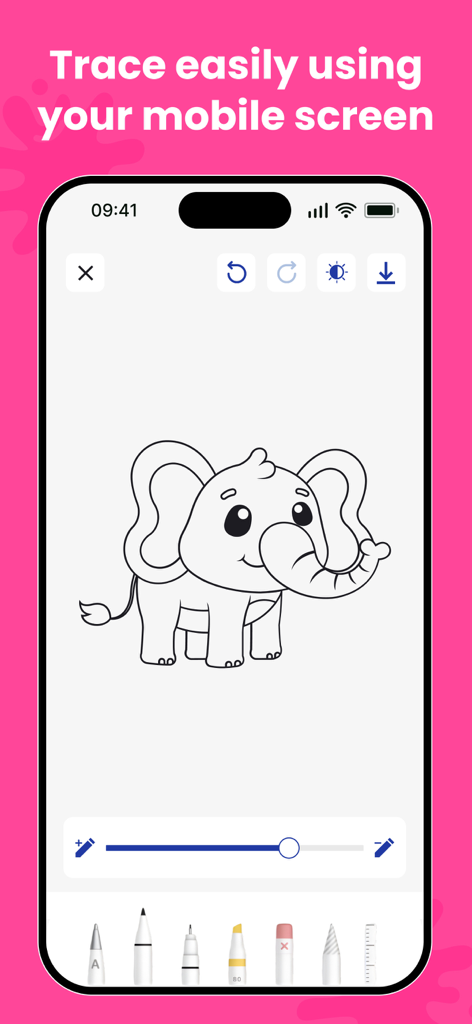
AR Drawing - Sketch Trace Draw - モバイル画面には、さまざまなデジタル描画ツールでトレースする準備ができた漫画の象のスケッチが表示されています。
モバイル画面には、さまざまなデジタル描画ツールでトレースする準備ができた漫画の象のスケッチが表示されています。

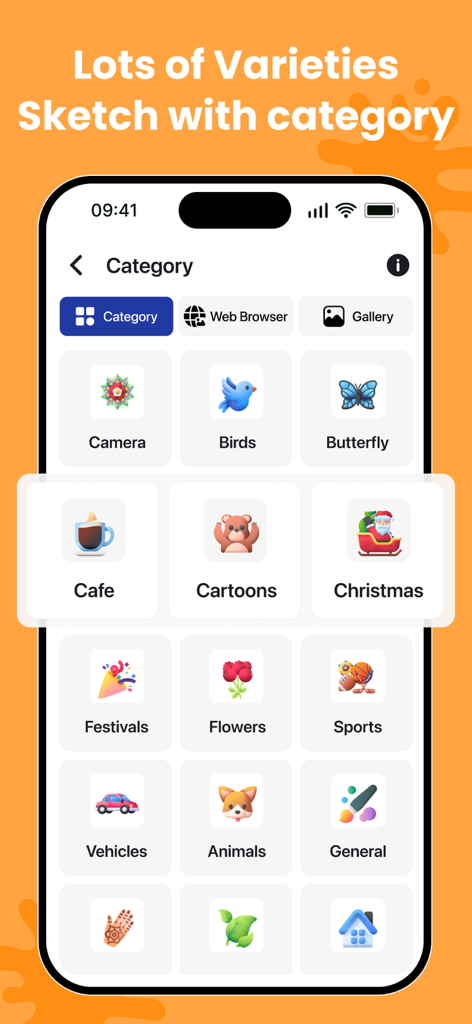
AR Drawing - Sketch Trace Draw - 動物、鳥、漫画などのさまざまなスケッチカテゴリをトレース用に表示するインターフェイス。
動物、鳥、漫画などのさまざまなスケッチカテゴリをトレース用に表示するインターフェイス。

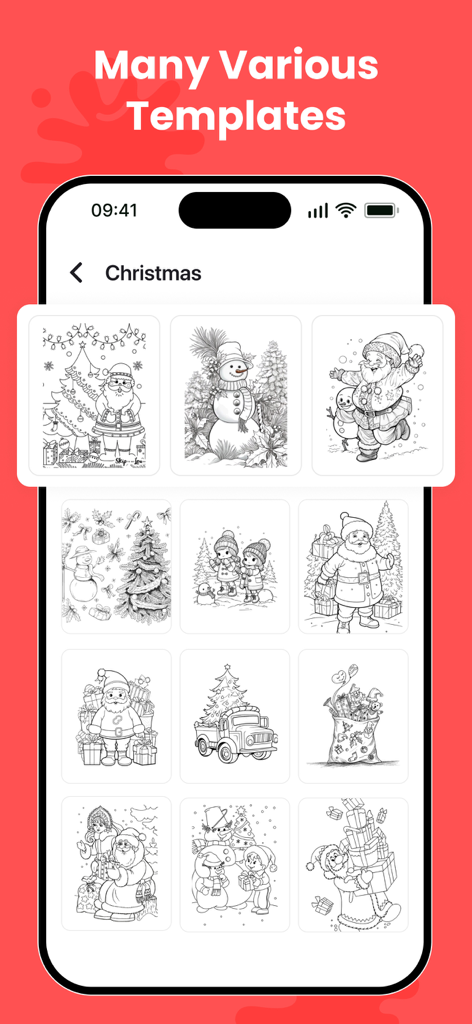
AR Drawing - Sketch Trace Draw - AR描画アプリ内のクリスマスをテーマにした描画およびトレーステンプレートのギャラリー。
AR描画アプリ内のクリスマスをテーマにした描画およびトレーステンプレートのギャラリー。

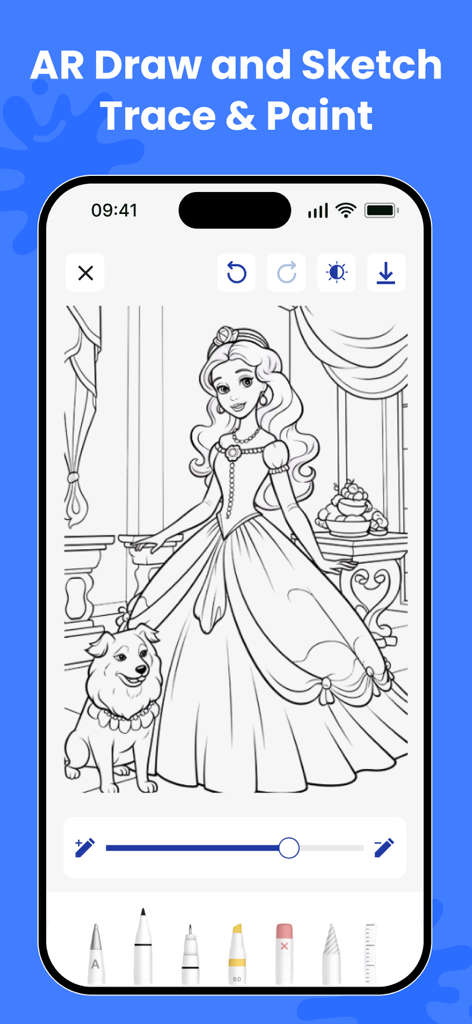
AR Drawing - Sketch Trace Draw - AR描画アプリの画面には、プリンセスと犬のスケッチが表示されており、トレースしてペイントできます。
AR描画アプリの画面には、プリンセスと犬のスケッチが表示されており、トレースしてペイントできます。

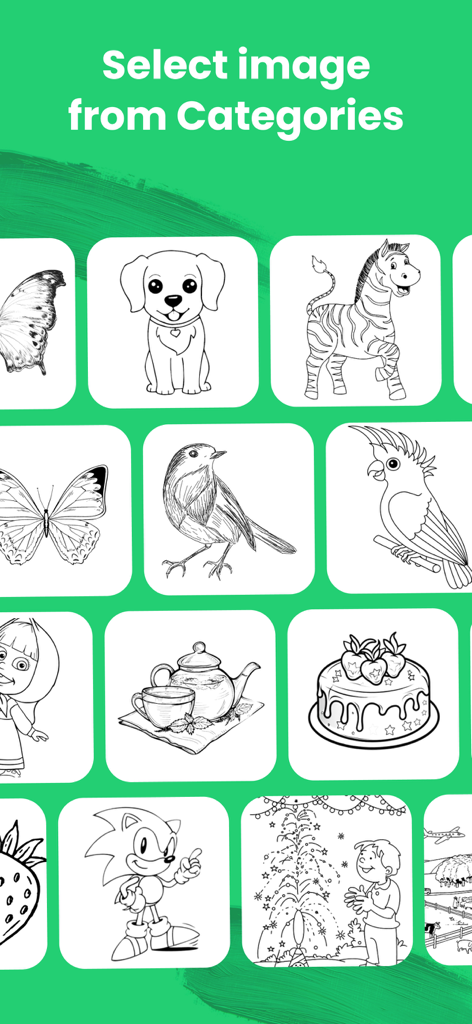
AR Drawing - Sketch Trace Draw - AR描画アプリの選択画面には、動物、食べ物、漫画のキャラクターなど、さまざまなスケッチのグリッドが表示されています。
AR描画アプリの選択画面には、動物、食べ物、漫画のキャラクターなど、さまざまなスケッチのグリッドが表示されています。

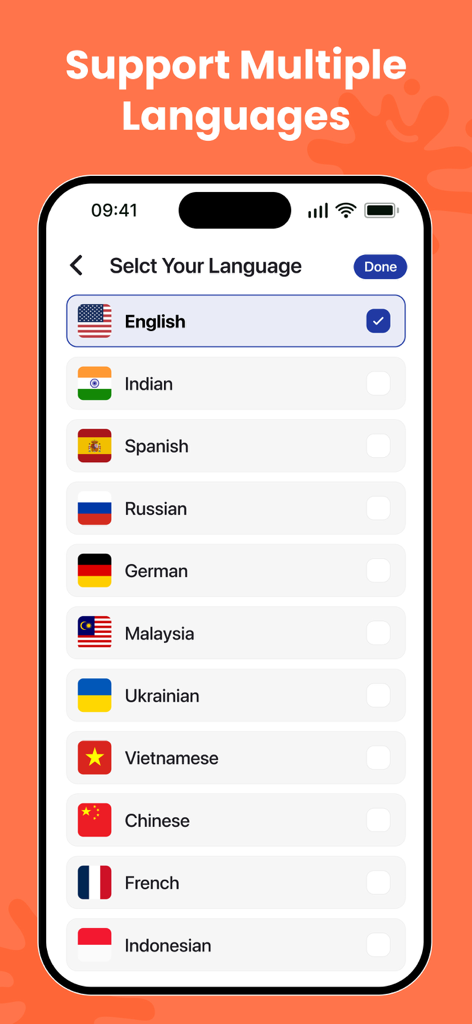
AR Drawing - Sketch Trace Draw - AR描画アプリ内の画面には、英語、スペイン語、フランス語などのサポートされている言語のリストが表示されています。
AR描画アプリ内の画面には、英語、スペイン語、フランス語などのサポートされている言語のリストが表示されています。

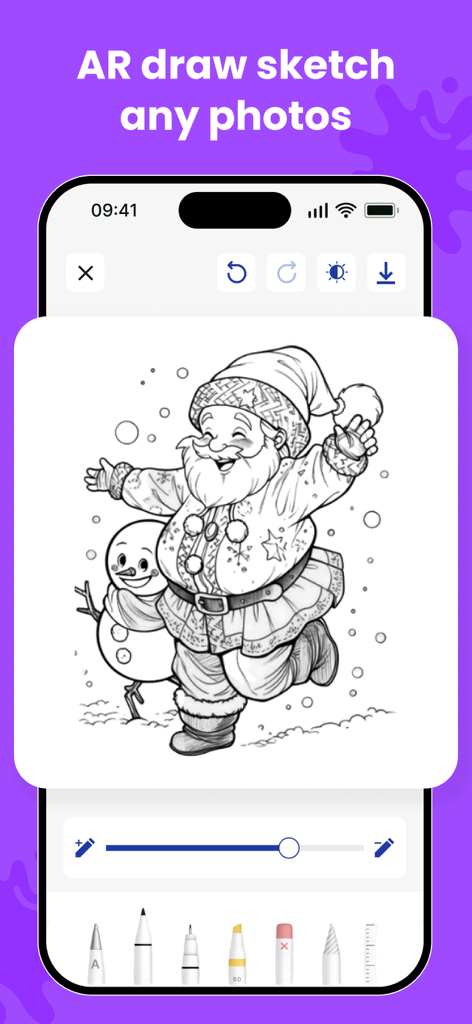
AR Drawing - Sketch Trace Draw - AR描画アプリの画面には、さまざまなデジタルペンツールでトレースする準備ができたサンタクロースと雪だるまの白黒スケッチが表示されています。

AR描画アプリの画面には、さまざまなデジタルペンツールでトレースする準備ができたサンタクロースと雪だるまの白黒スケッチが表示されています。

説明

Bring your creativity to life with AR Drawing – Sketch Trace Draw, the ultimate tool to Learn to Draw, trace images, and create perfect drawing sketches using Augmented Reality. Whether you’re a beginner or an artist, this app makes drawing easier than ever with step-by-step guides, Easy Draw tools, and powerful tracing features. With advanced AR technology, you can place a virtual image on real paper and draw by trace with accuracy. From portraits to cartoons, from objects to handwritten text drawing, everything becomes easy to sketch and paint. Key Features: AR Drawing – Trace Any Image Use the AR Drawing camera to place an image on your paper and draw trace outlines with perfect alignment. Great for Paper Sketch, portraits, tattoos, and school art. Learn to Draw – Step-by-Step Follow structured drawing lessons designed to help beginners improve quickly. The How to Draw mode simplifies complex images so anyone can learn. Sketch Trace & Sketch Draw Tools Master tracing with tools like: - Sketch Trace - Trace Draw - Sketch Draw - How Draw guides Perfect for creating smooth sketches with pencils, markers, or pens. Import & Trace Any Photo Upload photos from your gallery and convert them into outlines for image to pen edit and trace image drawing styles. Drawing With Pen or Pencil The app works with any medium—drawing with pen, pencil, marker, or brush. Just place your phone above your paper and start tracing. Sketching & Painting Enhance your creativity with built-in sketch & paint tools, helping you turn simple outlines into beautiful artwork. Adjustable Controls - Resize, rotate, or flip images - Change transparency for better visibility - Lock the image for stable tracing Save & Share Save your draw sketch results or share them on Instagram, Facebook, or with friends. Why You’ll Love AR Drawing – Sketch Trace Draw - Makes drawing simple with Easy Draw tools - Best app to Learn Draw and improve sketching skills - Ideal for beginners, kids, students & artists - Helps you practice everyday Drawing, portraits & cartoons - Brings real-time AR technology for perfect tracing - Works for tattoo design drafts, custom art, and calligraphy How to Use 1. Place your phone above your paper 2. Select a picture or import your own 3. Adjust size and transparency 4. Start tracing with ease 5. Finish your paper sketch and share your art Create Your Best Art Today Whether you want to learn to draw, improve your drawing sketch skills, or make professional-level art with draw trace techniques, this app gives you everything in one place. Use the free Video Browser to watch videos directly from the internet. It provides a smooth, fast, and seamless experience while browsing and viewing your favorite content. Privacy Policy: https://darshanmavaniapps.blogspot.com/2025/12/privacy-policy-for-ar-drawing-sketch.html Terms of use: https://darshanmavaniapps.blogspot.com/2025/12/terms-and-conditions-for-ar-drawing.html Download AR Drawing – Sketch Trace Draw and start drawing like a pro!

Download

ダウンロード: App Store

このページはアプリまたはその開発者の公式ページではなく、情報提供および論評を目的として作成された独立した編集出版物です。明示的に別段の記載がない限り、アプリおよびその開発者は、MWM、Apple、Google Play、アプリのパブリッシャー、またはアプリの開発者と提携、承認、後援、認可、またはその他の公式的な関係はなく、このページのいかなる内容も、アプリがMWMのサービスを使用して開発されたことを意味するものではありません。すべての商標、ロゴ、スクリーンショット、その他のコンテンツはそれぞれの所有者の財産です。







