
このページはアプリまたはその開発者の公式ページではなく、情報提供および論評を目的として作成された独立した編集出版物です。明示的に別段の記載がない限り、アプリおよびその開発者は、MWM、Apple、Google Play、アプリのパブリッシャー、またはアプリの開発者と提携、承認、後援、認可、またはその他の公式的な関係はなく、このページのいかなる内容も、アプリがMWMのサービスを使用して開発されたことを意味するものではありません。すべての商標、ロゴ、スクリーンショット、その他のコンテンツはそれぞれの所有者の財産です。


ArcGIS Field Maps
業界をリードするGISツールでモバイルワークフォースを強化しましょう。検査を合理化し、リアルタイムデータをキャプチャし、オフラインでシームレスに作業して、フィールドとオフィスのギャップを橋渡しします。
ダウンロード
989K+ユーザー評価
評価数
200開発元
カテゴリ
Productivity対応言語
31最新バージョン
25.3.1サイズ
144.1 MBリリース日
2020年11月1日プロフェッショナルなフィールドオペレーションを合理化
フィールド技術者が高精度データを収集し、オフラインで作業し、組織全体を同期させるための最も信頼されるツール。
高精度データキャプチャ
外部GNSS統合と手動入力エラーを排除するスマートフォームにより、サブセンチメートル精度を実現します。
中断のないオフラインアクセス
重要なマップをダウンロードし、リモートゾーンで完全な検査を実行できます。接続が回復すると自動的に同期されます。
よくある質問
について知っておくべきこと ArcGIS Field Maps
ArcGIS Field Maps は何に使用されますか?
ArcGIS Field Maps は、フィールドワーカー向けの Esri の主要なモバイルマップアプリです。インタラクティブなデジタルマップを使用して、周囲の状況を理解し、アセットを見つけ、データを収集し、検査を実行するのに役立ちます。
ArcGIS Field Maps ではオフライン作業ができますか?
はい、ArcGIS Field Maps では、事前に作成されたオフラインマップエリアをダウンロードしたり、デバイス上で独自のオフラインマップエリアを作成したりできます。編集内容は、インターネットに接続すると自動的または手動で同期されます。
ArcGIS Field Maps で高精度なデータを収集できますか?
はい、ArcGIS Field Maps は外部 GNSS 受信機に接続して、高精度なデータ収集を行うことができます。新規アセットデータの作成や既存アセットデータの編集を正確に行うことができます。
ArcGIS Field Maps はジオフェンスアラートを提供しますか?
はい、ArcGIS Field Maps は、ユーザーが特定のエリアに入ったときに通知するジオフェンスアラートを提供します。この機能は、例えば火災ゾーンや作業エリアでの安全確保に役立ちます。
ArcGIS Field Maps はフィールド検査をどのようにサポートしますか?
ArcGIS Field Maps は、ユーザーがレコードをデジタルで文書化し、写真やビデオをキャプチャし、スマートフォームを使用して効率的なデータ入力と自動計算を行うことができるようにすることで、フィールド検査をサポートします。
ArcGIS Field Maps は屋内マッピングをサポートしていますか?
はい、ArcGIS Field Maps は、フロア認識型の屋内マップ内でアセットや場所を表示することをサポートしています。これにより、屋内環境での詳細なナビゲーションとデータ収集が可能になります。
ArcGIS Field Maps を使用するには ArcGIS 組織アカウントが必要ですか?
はい、ArcGIS Field Maps 内でデータを収集および更新するには、ArcGIS 組織アカウントが必要です。ただし、組織によって共有された公開マップは、サインインせずに表示できます。
ユーザーは ArcGIS Field Maps でマップに注釈を付けられますか?
はい、ユーザーは指やスタイラスを使用して、ArcGIS Field Maps のマップ上に直接注釈を付けることができます。これにより、個人的なメモを作成したり、マップエリアにマークを付けたりできます。
ArcGIS Field Maps はチームの連携のためにユーザーの現在地を追跡できますか?
はい、ArcGIS Field Maps は、有効にすると、ユーザーの現在地を監督者やチームメンバーと共有できます。また、チームメンバーの現在地を表示して、作業を調整し、安全を確保することもできます。
ArcGIS Field Maps で管理できるタスクの種類は何ですか?
ArcGIS Field Maps は、破損した街灯標識の検査、ゴミ箱からの溢れ検出、またはゴミ/がらくたの場所の特定など、さまざまなフィールドタスクを管理します。ユーザーは割り当てられたタスクとその詳細を表示できます。
以下のスクリーンショットと説明は、アプリの公式ストアリスティングから直接取得されたものであり、アプリ開発者の所有物です。
アプリストア
スクリーンショット
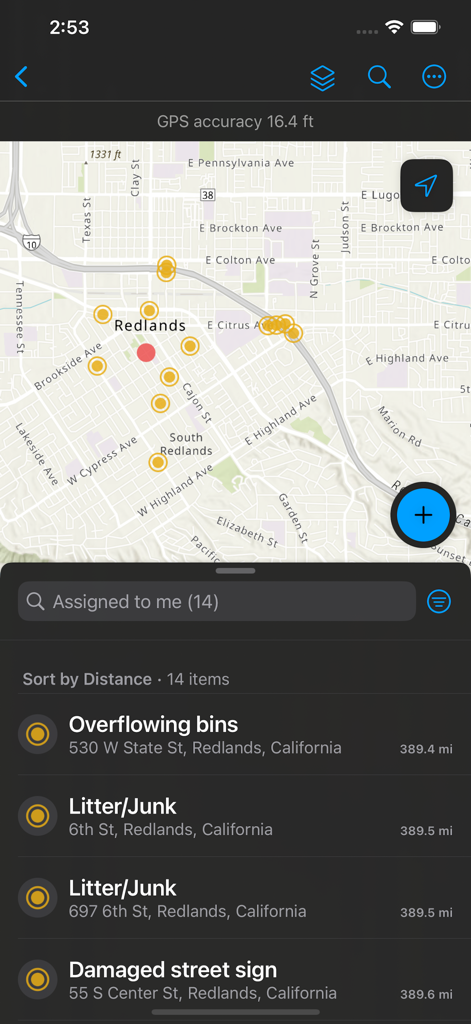
ArcGIS Field Mapsモバイル画面、データポイントと、オーバーフローするゴミ箱や破損した標識などの割り当てられたフィールドタスクのリストが表示されたマップ。
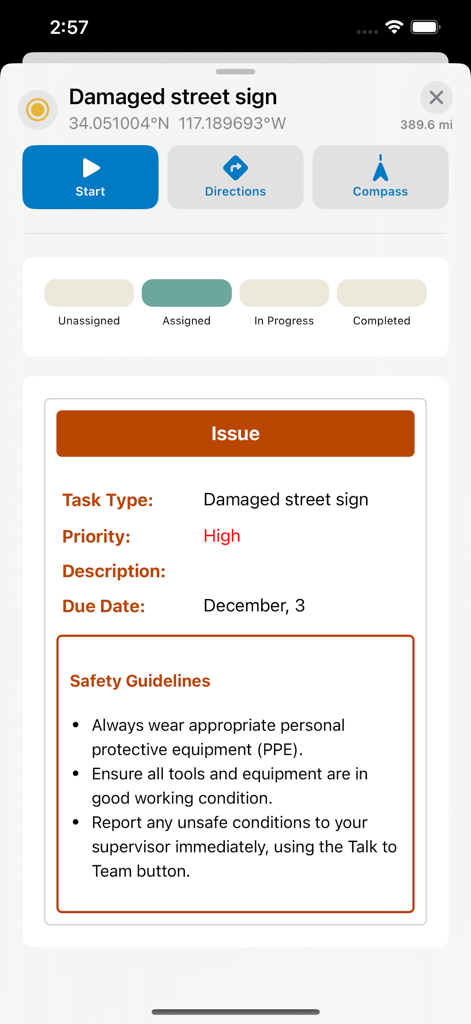
ArcGIS Field Maps画面、破損した道路標識のフィールドタスク、GPS座標、安全ガイドラインが表示されたもの。
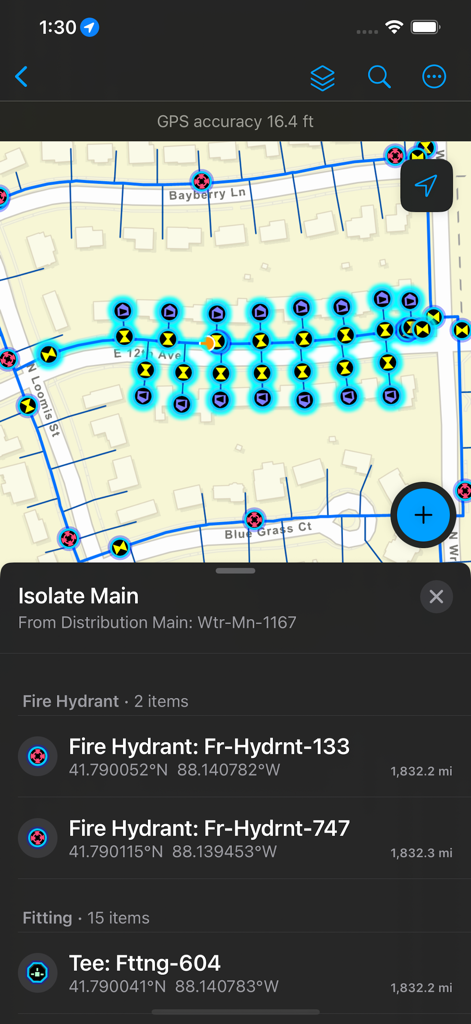
ArcGIS Field Maps画面、消火栓の位置と資産の詳細が表示されたユーティリティネットワークマップ。
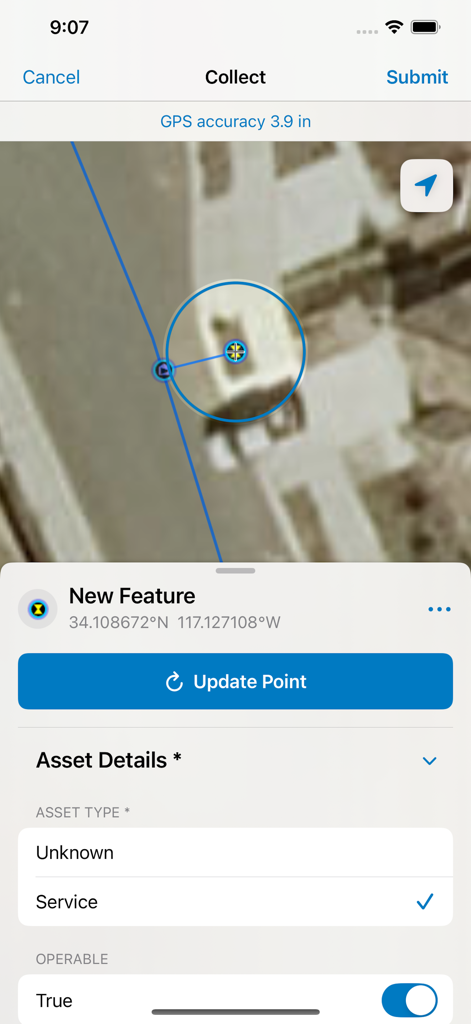
ArcGIS Field Mapsインターフェース、衛星マップデータ収集、資産の詳細と高GPS精度を記録するためのスマートフォーム。
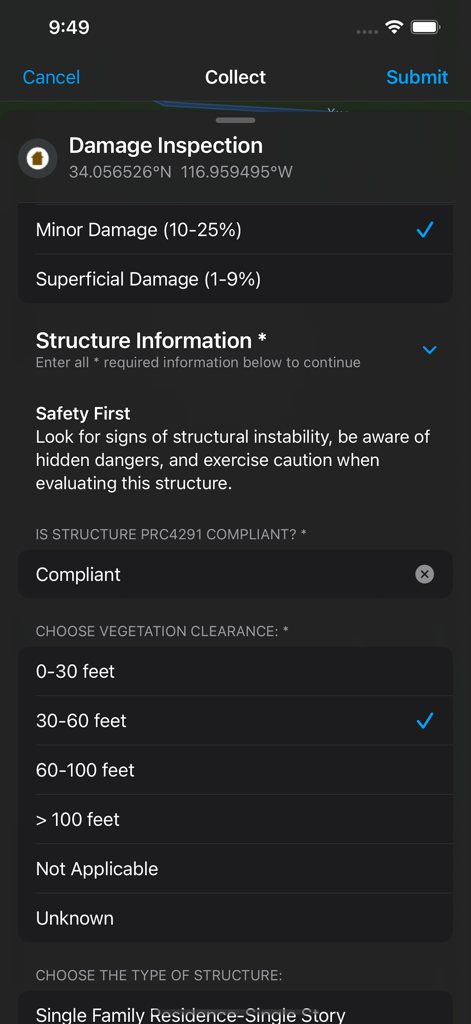
ArcGIS Field Mapsモバイルインターフェース、フィールドデータ収集用のデジタル損傷検査スマートフォーム。
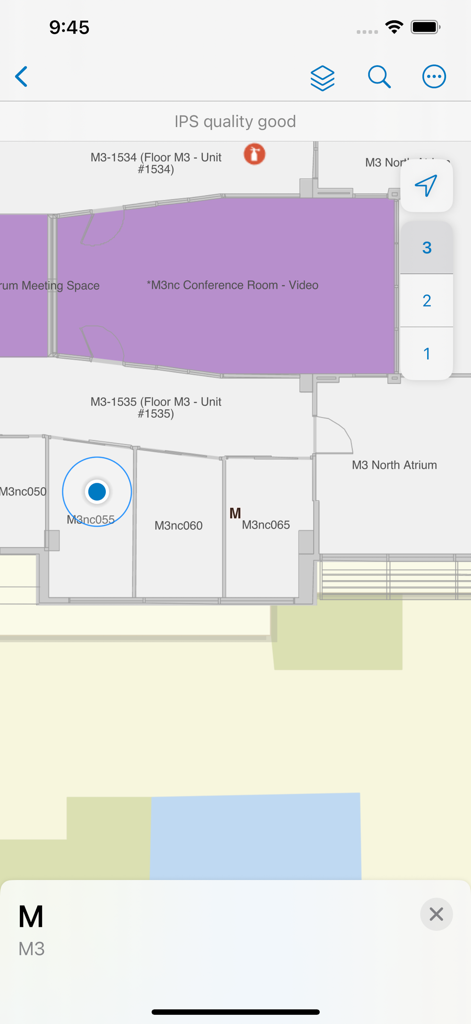
ArcGIS Field Mapsインターフェース、部屋のラベルと階数選択が表示された屋内フロアプラン。
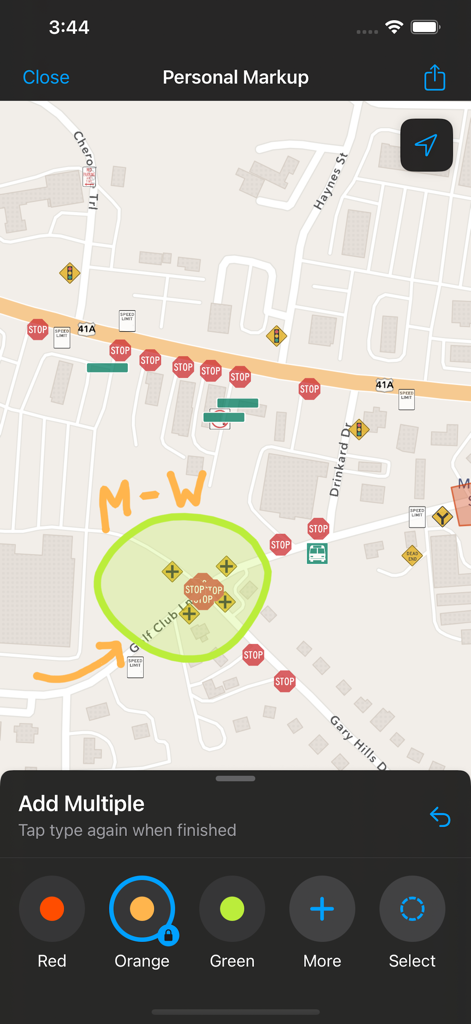
ArcGIS Field Maps画面、道路マップ上の個人マークアップ注釈。
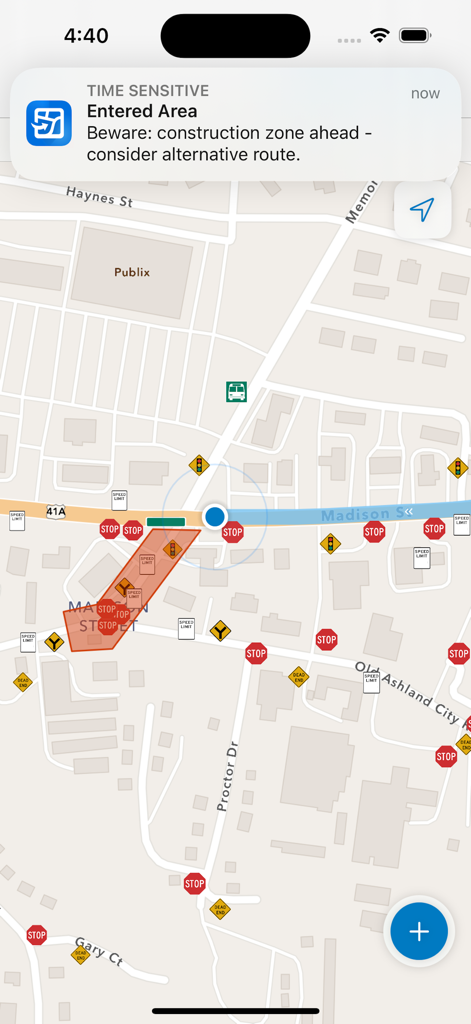
ArcGIS Field Mapsモバイルインターフェース、道路マップ上の建設ゾーンのジオフェンスアラート。
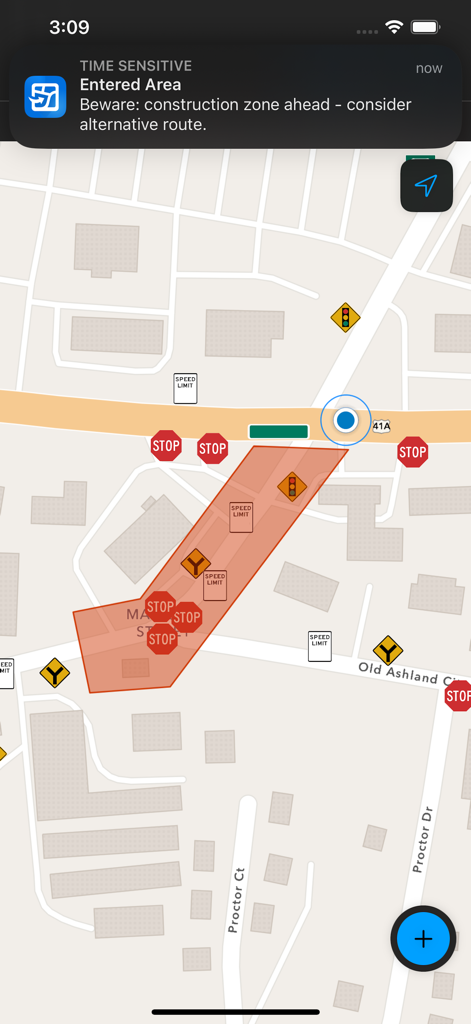
ArcGIS Field Mapsインターフェース、マップ上の進入した建設ゾーンのジオフェンス通知。
説明
Download
類似アプリ
似た機能とユーザー体験を持つアプリ
MilGPS
Cascode Labs Pty Ltd

SEAiq Pilot VPP
Sakhalin, LLC
Cartograph Maps 3
Harald Meyer

新知卫星地图-路线规划,高清地图导航
Chongqing Xinzhi Space Technology Co., Ltd.

Coordinates – GPS Converter
Mapnitude Company Limited

Mgrs & Utm Map
Vahid Cataltas

DeepStateMap
Heorhii Karpenko

Map Plus
Miocool Inc.
Compass 55. Map & GPS kit.
Kalimex-Consulting s.r.o.
このページはアプリまたはその開発者の公式ページではなく、情報提供および論評を目的として作成された独立した編集出版物です。明示的に別段の記載がない限り、アプリおよびその開発者は、MWM、Apple、Google Play、アプリのパブリッシャー、またはアプリの開発者と提携、承認、後援、認可、またはその他の公式的な関係はなく、このページのいかなる内容も、アプリがMWMのサービスを使用して開発されたことを意味するものではありません。すべての商標、ロゴ、スクリーンショット、その他のコンテンツはそれぞれの所有者の財産です。