Archive Utility
Archive Utility
ダウンロード: App Store

このページはアプリまたはその開発者の公式ページではなく、情報提供および論評を目的として作成された独立した編集出版物です。明示的に別段の記載がない限り、アプリおよびその開発者は、MWM、Apple、Google Play、アプリのパブリッシャー、またはアプリの開発者と提携、承認、後援、認可、またはその他の公式的な関係はなく、このページのいかなる内容も、アプリがMWMのサービスを使用して開発されたことを意味するものではありません。すべての商標、ロゴ、スクリーンショット、その他のコンテンツはそれぞれの所有者の財産です。

ロゴ: Archive Utility
ダウンロード: App Store

Archive Utility

iPhoneとiPadでフォーマットの壁を突破しましょう。モバイルファーストのワークフローのために設計された、デスクトップグレードの強力なツールで、RAR、7-Zip、ISOなど多数の形式を抽出します。

主要数値

ダウンロード

9K+

ユーザー評価

3.9/5

評価数

0

開発元

RootRise Technologies Private Limited

カテゴリ

Utilities

対応言語

1

最新バージョン

2.0

サイズ

3.1 MB

リリース日

2018年8月4日
機能

モバイルワークフローのためのデスクトップクラスのパワー

アーカイブを処理するためだけにPCに切り替えるのはやめましょう。Archive Utilityは、iPhoneとiPadにプログレードの圧縮と抽出機能をもたらし、制限なくどこでも作業できるようにします。

フォーマットの壁を壊す

標準的なZIPから高度なRAR、7-Zip、ISOファイルまで、あらゆるものを処理できます。クライアントのドキュメントを開けないと、もう二度と言う必要はありません。

ネイティブファイル統合

iOSドキュメントブラウザに直接構築されています。デスクトップのような体験で、iCloud、Dropbox、Boxのファイルをシームレスに管理、タグ付け、整理できます。

以下のスクリーンショットと説明は、アプリの公式ストアリスティングから直接取得されたものであり、アプリ開発者の所有物です。

アプリストア

スクリーンショット
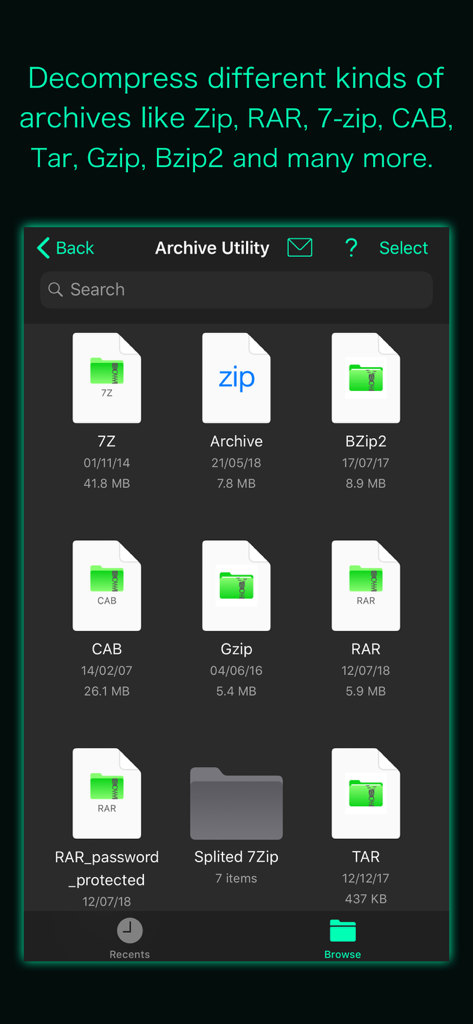
Archive Utility - Archive Utilityアプリのインターフェース。ZIP、RAR、7Zのようなさまざまなアーカイブ形式のサポートを示しています。
Archive Utilityアプリのインターフェース。ZIP、RAR、7Zのようなさまざまなアーカイブ形式のサポートを示しています。

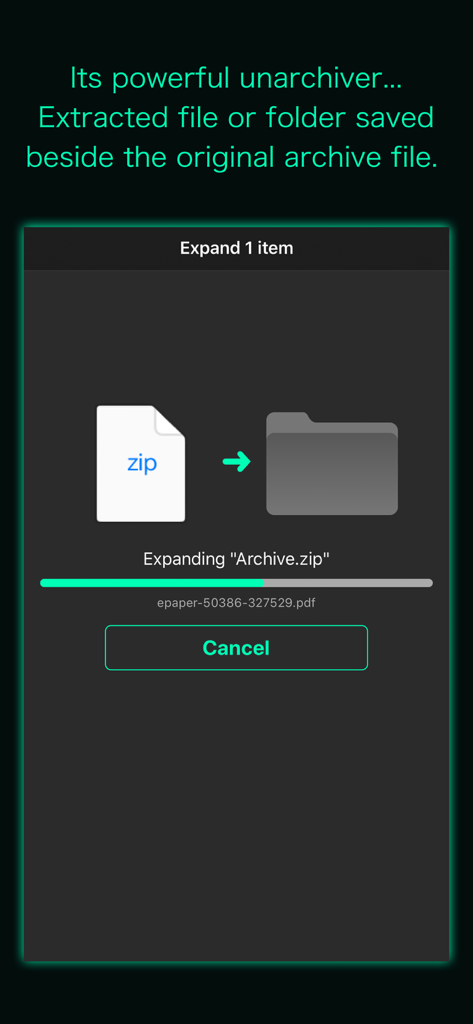
Archive Utility - Archive Utilityアプリの画面。iOSデバイス上のフォルダにzipアーカイブを展開する進行状況を示しています。
Archive Utilityアプリの画面。iOSデバイス上のフォルダにzipアーカイブを展開する進行状況を示しています。

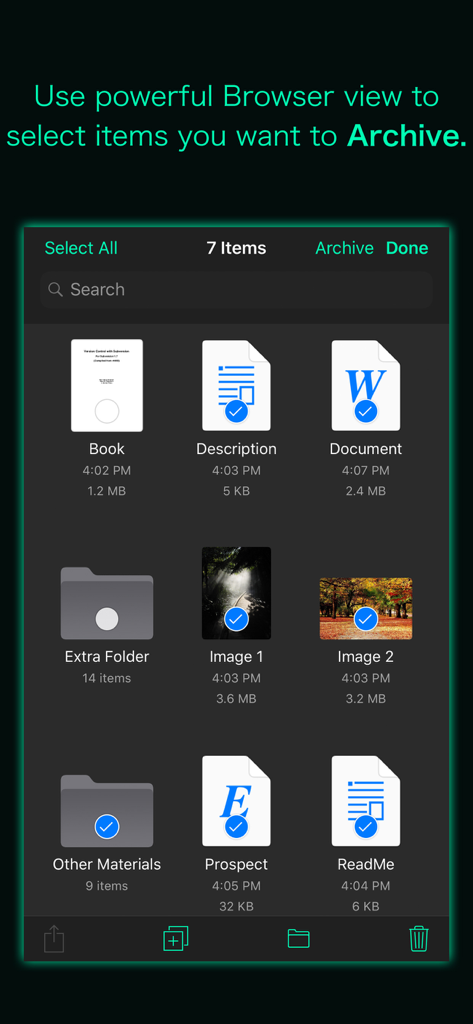
Archive Utility - Archive Utilityアプリのブラウザインターフェース。アーカイブする準備ができた複数の選択されたドキュメントと画像を示しています。
Archive Utilityアプリのブラウザインターフェース。アーカイブする準備ができた複数の選択されたドキュメントと画像を示しています。

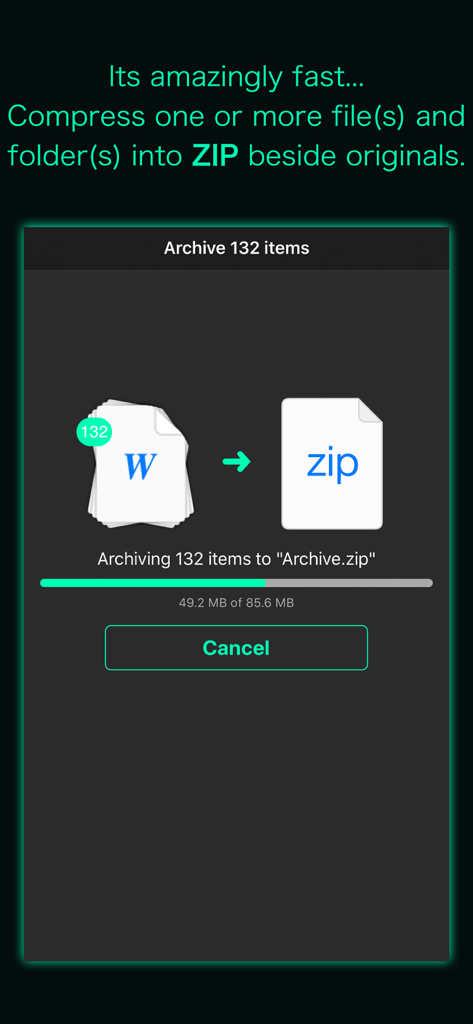
Archive Utility - Archive Utilityアプリのインターフェース。複数のドキュメントをzipアーカイブに圧縮中の進行状況バーを示しています。
Archive Utilityアプリのインターフェース。複数のドキュメントをzipアーカイブに圧縮中の進行状況バーを示しています。

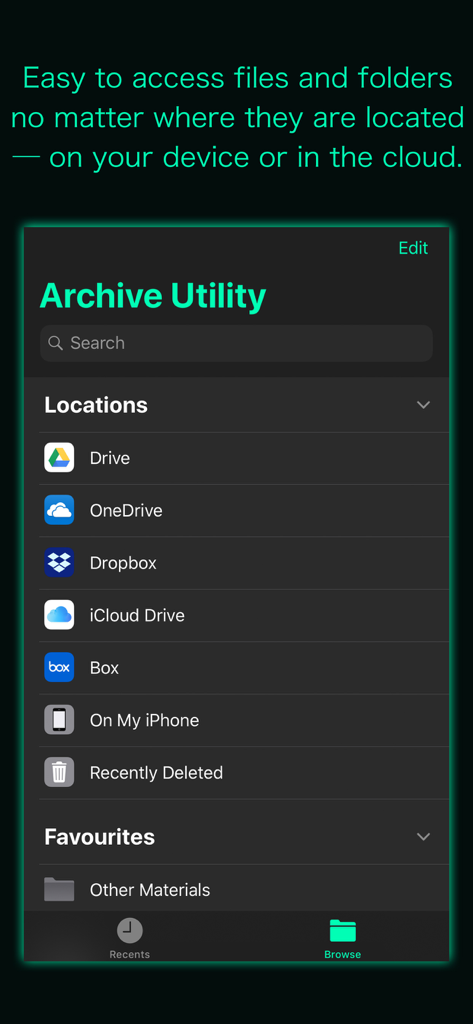
Archive Utility - Archive Utilityアプリのインターフェース。Dropbox、Google Drive、iCloud Driveのような統合されたクラウドストレージの場所を示しています。

Archive Utilityアプリのインターフェース。Dropbox、Google Drive、iCloud Driveのような統合されたクラウドストレージの場所を示しています。

説明

“Archive Utility” is a small and intuitive application to create .zip file and decompress many different kinds of archive files on iPhone and iPad. It supports to unarchive or expand common formats like Zip, RAR, 7-zip, CAB, Tar, Gzip and Bzip2, as well as older formats like StuffIt, Cpio, LZH, ARJ, ARC, DiskDoubler and LBR. It can also expand unusual formats like ISO, BIN, MDF, NRG and CDI, Windows self-extracting EXE files, and can even extract media from Flash SWF files and images from PDF files. Many more archive formats are supported, tap Developer Website to visit product page for the complete list. Your long time wait for computer like compress-uncompress tool on iPhone and iPad is over with "Archive Utility". It integrates Archive and Expand features with Document Browser View to make easy-to-use yet powerful Archive Utility. * How to create a ZIP file? - Use powerful Browser view to select file(s) and folder(s) you want to compress and tap Archive button to create ZIP file beside original items. * How to expand/unarchive/uncompress/extract an archive file? - Navigate to archive file you want to uncompress in Browser view and tap on it to expand. Decompressed file or folder saved in the same folder as the original archive file. - Use "Copy to Archive Utility" to open archive file received as email attachment, downloaded from the the web or contained in another app. You can even add files in the app's Documents folder from your computer through iTunes file sharing. - It lets you preview files and archives that iOS can support. DOCUMENT MANAGEMENT - "Archive Utility" built upon Document Browser view which allows to access files no matter where they’re located — on your device or in the cloud with Archive Utility. Handles access to iCloud Drive and third-party cloud storage services such as Dropbox and Box within the app. - Browse view to navigate folders, organise your files with tags, move files between folders, search and sort. - Share files using the Share button or a drag-and-drop action. - You can move, delete, duplicate and rename a document and folder. - Drag and drop to select files and organise them into folders. - Inherit tagged and favourite items from Files app and allow to create and change within the app. Note: “Archive Utility” is standalone application running natively to archive files and expand archives securely right on your iOS device. You can refer User Manual for any assistance Or Contact Support.

Download

ダウンロード: App Store

このページはアプリまたはその開発者の公式ページではなく、情報提供および論評を目的として作成された独立した編集出版物です。明示的に別段の記載がない限り、アプリおよびその開発者は、MWM、Apple、Google Play、アプリのパブリッシャー、またはアプリの開発者と提携、承認、後援、認可、またはその他の公式的な関係はなく、このページのいかなる内容も、アプリがMWMのサービスを使用して開発されたことを意味するものではありません。すべての商標、ロゴ、スクリーンショット、その他のコンテンツはそれぞれの所有者の財産です。








