Art Model - Pose & morph tool
ダウンロード: App Store

このページはアプリまたはその開発者の公式ページではなく、情報提供および論評を目的として作成された独立した編集出版物です。明示的に別段の記載がない限り、アプリおよびその開発者は、MWM、Apple、Google Play、アプリのパブリッシャー、またはアプリの開発者と提携、承認、後援、認可、またはその他の公式的な関係はなく、このページのいかなる内容も、アプリがMWMのサービスを使用して開発されたことを意味するものではありません。すべての商標、ロゴ、スクリーンショット、その他のコンテンツはそれぞれの所有者の財産です。


ロゴ: Art Model - Pose & morph tool
ダウンロード: App Store

Art Model - Pose & morph tool

強力な変形システムと直感的なドラッグ&ドロップポーズで、あなたの想像力を具現化しましょう。デジタルアートワークフローに不可欠な3Dリファレンスコンパニオンです。

主要数値

ダウンロード

121K+

ユーザー評価

3.4/5

評価数

100

開発元

Tomi Nevalainen

カテゴリ

Utilities

対応言語

1

最新バージョン

2.55

サイズ

312.6 MB

リリース日

2017年9月4日
機能

解剖学と構図をマスターする

デジタルアーティストのために設計された究極の3Dリファレンスツール。リアルなキャラクターを作成、変形、ポーズ付けし、ProcreateやPhotoshopのワークフローを充実させましょう。

直感的なマジックポーズ

面倒な関節の回転に悩むのはやめましょう。指でタップしてドラッグするだけで、どんな四肢も目的の場所へ瞬時に自然な結果が得られます。

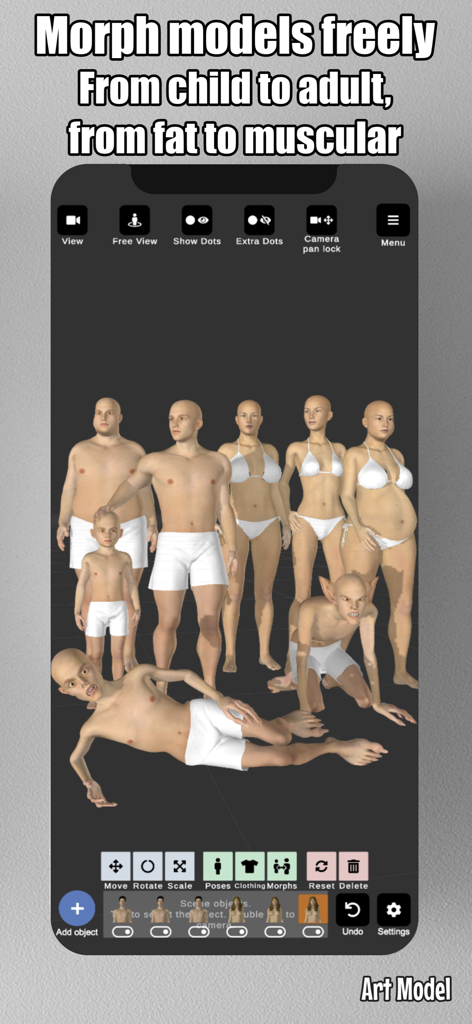
無限のキャラクター変形

ありきたりなモデルを超えましょう。体型、年齢、筋肉質をカスタマイズし、現実世界の多様性を反映したユニークなキャラクターを作成します。

以下のスクリーンショットと説明は、アプリの公式ストアリスティングから直接取得されたものであり、アプリ開発者の所有物です。

アプリストア

スクリーンショット
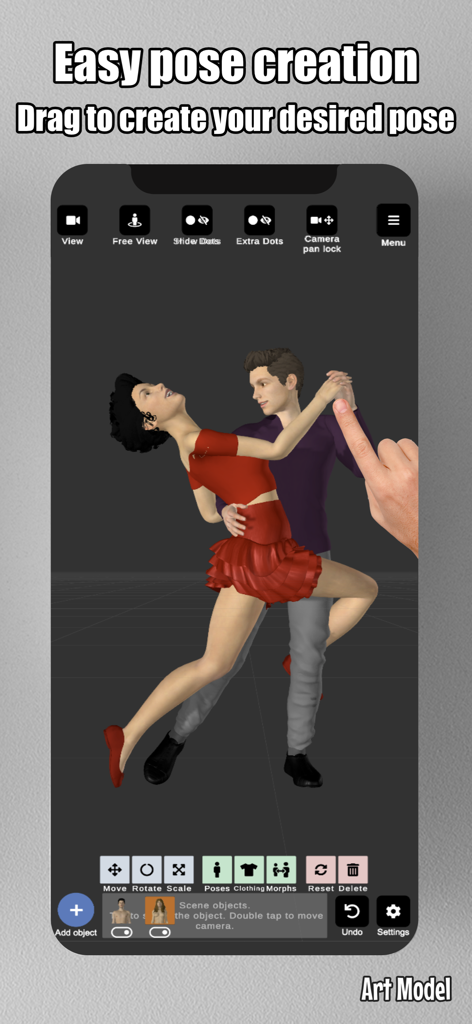
Art Model - Pose & morph tool - Art Modelアプリのインターフェースのスクリーンショット。3Dモデルを手でドラッグしてカスタムダンスポーズを作成している様子を示しています。
Art Modelアプリのインターフェースのスクリーンショット。3Dモデルを手でドラッグしてカスタムダンスポーズを作成している様子を示しています。

Art Model - Pose & morph tool - Art Modelアプリのスクリーンショット。さまざまな体型や年齢の多様な3Dキャラクターモデルを表示しています。
Art Modelアプリのスクリーンショット。さまざまな体型や年齢の多様な3Dキャラクターモデルを表示しています。

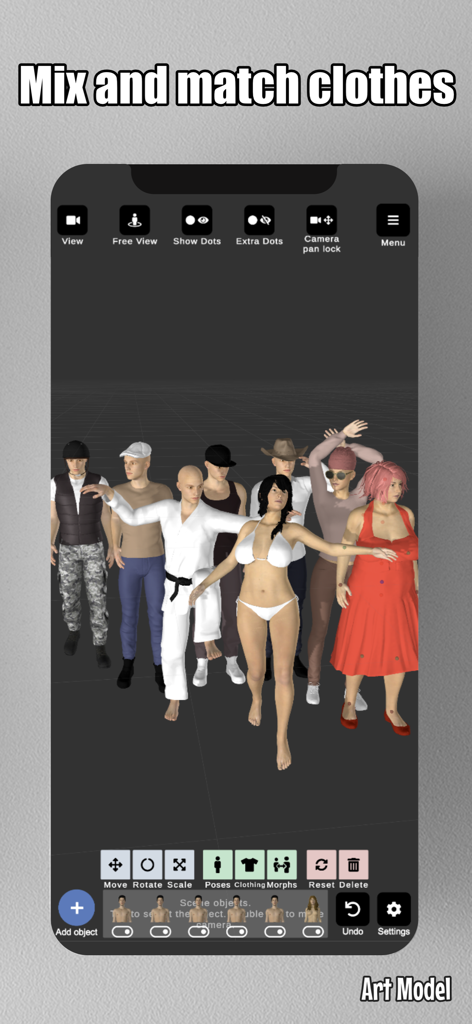
Art Model - Pose & morph tool - Art Modelアプリのインターフェース。さまざまな服装や体型の多様な3Dキャラクターを表示しています。
Art Modelアプリのインターフェース。さまざまな服装や体型の多様な3Dキャラクターを表示しています。

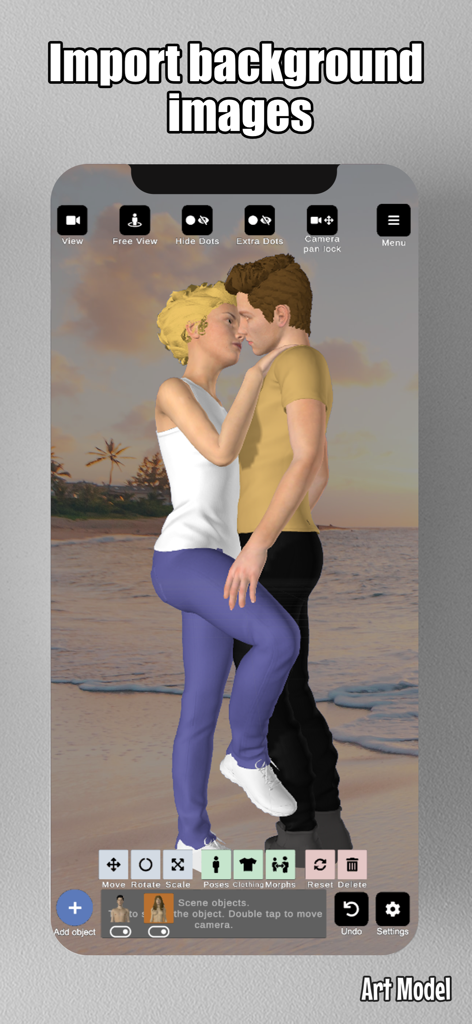
Art Model - Pose & morph tool - Art Modelアプリ内でインポートされたビーチの背景の前にポーズをとった2つの3Dモデル。
Art Modelアプリ内でインポートされたビーチの背景の前にポーズをとった2つの3Dモデル。

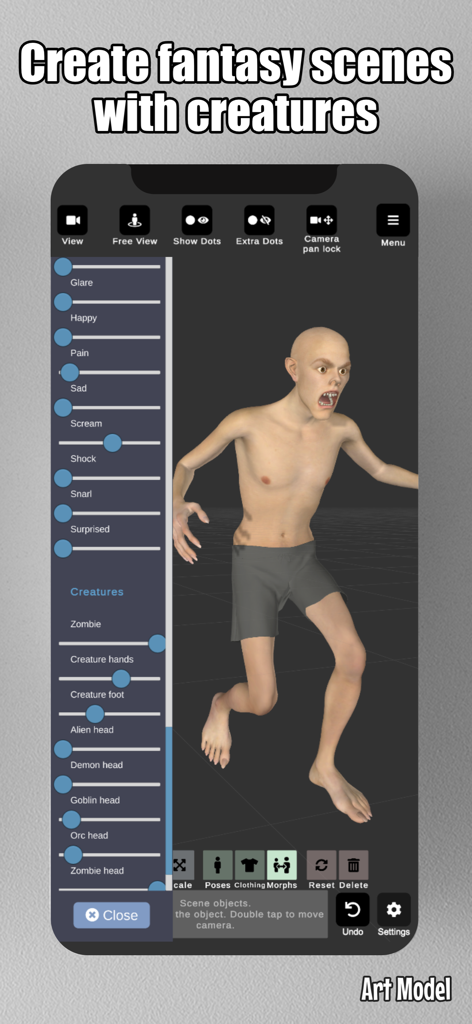
Art Model - Pose & morph tool - Art Modelアプリのインターフェース。3Dクリーチャーと、ファンタジーアートのリファレンスとして顔の表情やクリーチャータイプをカスタマイズするためのスライダーを表示しています。
Art Modelアプリのインターフェース。3Dクリーチャーと、ファンタジーアートのリファレンスとして顔の表情やクリーチャータイプをカスタマイズするためのスライダーを表示しています。

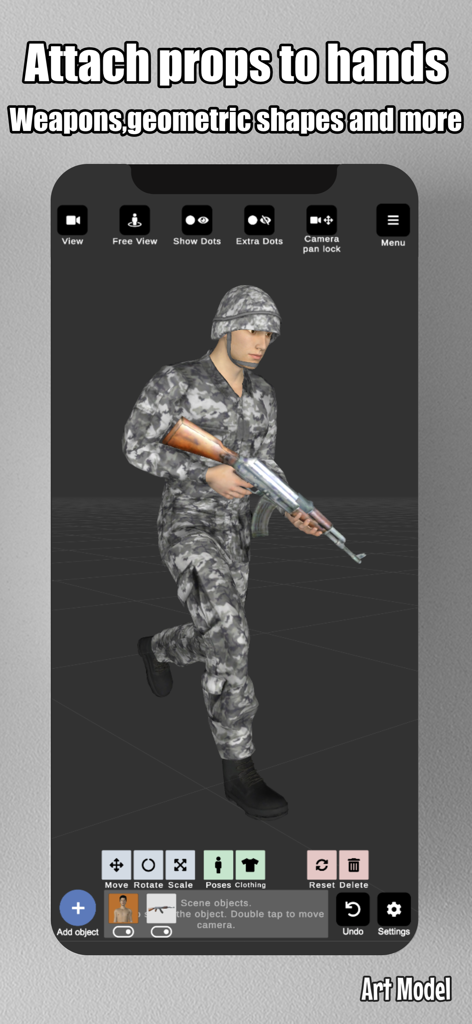
Art Model - Pose & morph tool - Art Modelアプリのインターフェースで、ライフル小道具を持っている兵士の3Dキャラクターモデル。
Art Modelアプリのインターフェースで、ライフル小道具を持っている兵士の3Dキャラクターモデル。

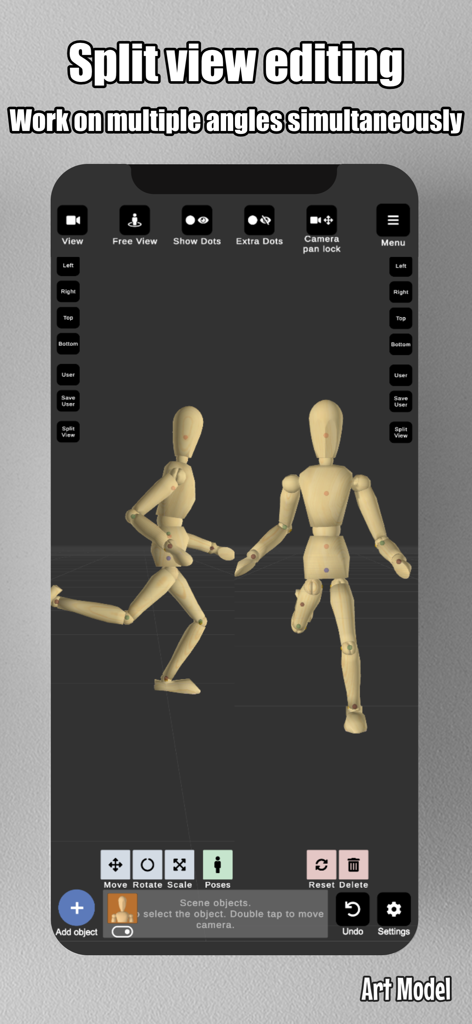
Art Model - Pose & morph tool - Art Modelアプリのスクリーンショット。木製マネキンのスプリットビュー編集を同時に2つの角度から表示しています。
Art Modelアプリのスクリーンショット。木製マネキンのスプリットビュー編集を同時に2つの角度から表示しています。

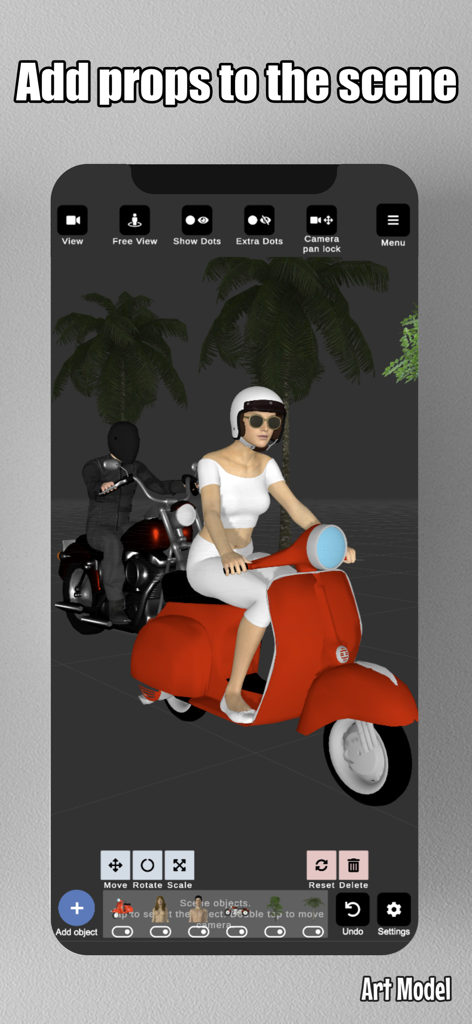
Art Model - Pose & morph tool - Art Modelアプリのインターフェース。描画リファレンス用の小道具として使用されている赤いスクーターとオートバイの上に3Dキャラクターを表示しています。
Art Modelアプリのインターフェース。描画リファレンス用の小道具として使用されている赤いスクーターとオートバイの上に3Dキャラクターを表示しています。

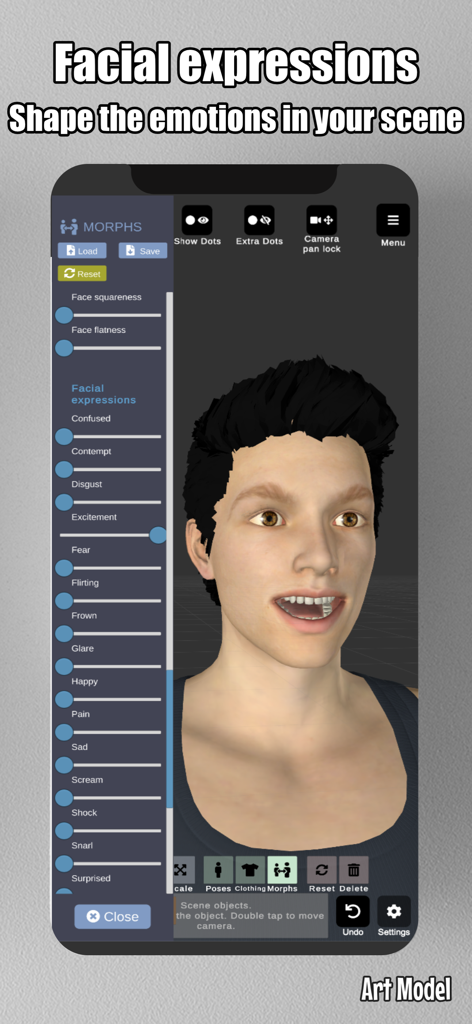
Art Model - Pose & morph tool - Art Modelアプリのスクリーンショット。3Dキャラクターの顔の表情や感情をカスタマイズするためのスライダーを表示しています。

Art Modelアプリのスクリーンショット。3Dキャラクターの顔の表情や感情をカスタマイズするためのスライダーを表示しています。

説明

Pose and morph an unlimited number of human models simultaneously in the scene with this feature-rich and powerful posing app! Creating poses is super simple—just tap a control point and drag the target limb to the desired position! No more painstaking joint rotations. It works like magic! The Poser app includes realistic-looking 3D male and female models, as well as a wooden mannequin model for traditional artists who prefer the classic drawing reference. Art Model is also a powerful morph tool. The morphing system allows you to create an unlimited range of unique models. You can transform your model from a child to an adult, from skinny to muscular, or make it fat, pregnant, a creature, etc. In addition to full-body morphs, you can create individual morphs for specific body parts like the chest/breast, arms, legs, and more. Enhance your scene by importing background images to use as reference or as part of the environment, making it easier to visualize your characters in real-world settings. The app includes a split view editing feature, allowing you to view your models from two different camera angles simultaneously. This makes it easier to adjust poses and fine-tune details without constantly rotating the scene. Enrich the scene with props! Add chairs, tables, weapons, vehicles, trees, and geometric shapes to the scene. You can even attach props directly to the model’s hands, and the props will follow hand movements. This is the ideal poser app for character design, as a human drawing guide, for illustrations or storyboarding, or for anyone looking to improve their drawing skills. Features: • Pose realistic male and female models in the scene. • Fast pose creation: drag limbs to the desired position. • Morph system allows you to create unique models. • Full-body morphs and individual morphs for specific body parts. • Wooden mannequin model for artists seeking a traditional reference. • Clothing for both models. • Add props to the scene, including chairs, tables, weapons, and geometric shapes. • Import background images to enhance your scene or use as drawing references. • Split view editing: View and edit models from two different angles simultaneously for precise adjustments. • Preset poses. • Basic hair. • Lots of headgear options (hats and helmets) • Advanced lighting options. • Save and load poses and morphs. • Zoom in and out with a two-finger pinch. • Rotate the camera with a two-finger drag. • Pan the camera with a one-finger drag. This is the ideal software for character design, as a human drawing guide, for illustrations or storyboarding. Compatible with iPhone, best experience on iPad.

Download

ダウンロード: App Store

このページはアプリまたはその開発者の公式ページではなく、情報提供および論評を目的として作成された独立した編集出版物です。明示的に別段の記載がない限り、アプリおよびその開発者は、MWM、Apple、Google Play、アプリのパブリッシャー、またはアプリの開発者と提携、承認、後援、認可、またはその他の公式的な関係はなく、このページのいかなる内容も、アプリがMWMのサービスを使用して開発されたことを意味するものではありません。すべての商標、ロゴ、スクリーンショット、その他のコンテンツはそれぞれの所有者の財産です。








