ArtLoop: Ar Drawing Lessons
ダウンロード: App Store

このページはアプリまたはその開発者の公式ページではなく、情報提供および論評を目的として作成された独立した編集出版物です。明示的に別段の記載がない限り、アプリおよびその開発者は、MWM、Apple、Google Play、アプリのパブリッシャー、またはアプリの開発者と提携、承認、後援、認可、またはその他の公式的な関係はなく、このページのいかなる内容も、アプリがMWMのサービスを使用して開発されたことを意味するものではありません。すべての商標、ロゴ、スクリーンショット、その他のコンテンツはそれぞれの所有者の財産です。

ロゴ: ArtLoop: Ar Drawing Lessons
ダウンロード: App Store

ArtLoop: Ar Drawing Lessons

新進気鋭のアーティストにとって究極の近道。拡張現実を使用して、見事なアニメ、かわいいキャラクター、風景をトレースし、作成プロセスを記録してソーシャルメディアで共有します。

主要数値

ダウンロード

13K+

ユーザー評価

1.0/5

評価数

0

開発元

Anhelina Denezhko

カテゴリ

Graphics & Design

対応言語

1

最新バージョン

1.2.1

サイズ

105.2 MB

リリース日

2025年5月1日
機能

ARマジックでスケッチスキルをマスター

白紙のページを恐れるのはやめましょう。ArtLoopは拡張現実を使用して手をガイドし、最初のセッションからプロレベルのアートを作成するのに役立ちます。

精密ARトレース

カメラを使用して任意のデザインをスケッチブックに投影します。リアルタイムのデジタルガイドをトレースすることで、比率と複雑なアウトラインを即座にマスターします。

トレンドのレッスンライブラリ

アニメ、かわいいキャラクター、スタイリッシュなカリグラフィーのステップバイステップチュートリアルにアクセスします。今日ソーシャルメディアでトレンドになっているスタイルを学びましょう。

以下のスクリーンショットと説明は、アプリの公式ストアリスティングから直接取得されたものであり、アプリ開発者の所有物です。

アプリストア

スクリーンショット
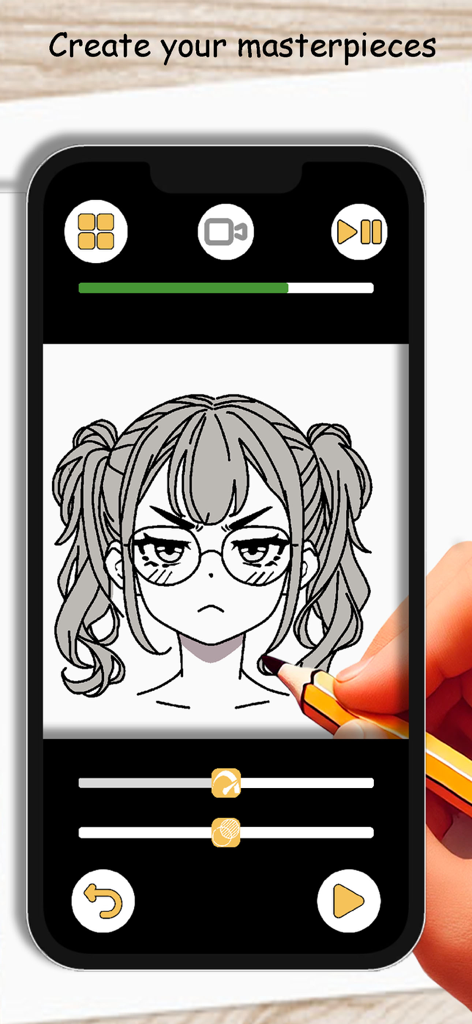
ArtLoop: Ar Drawing Lessons - ArtLoop AR描画アプリを使用して、スマートフォン画面からアニメの女の子のキャラクターをトレースするために鉛筆を使用している人物。
ArtLoop AR描画アプリを使用して、スマートフォン画面からアニメの女の子のキャラクターをトレースするために鉛筆を使用している人物。

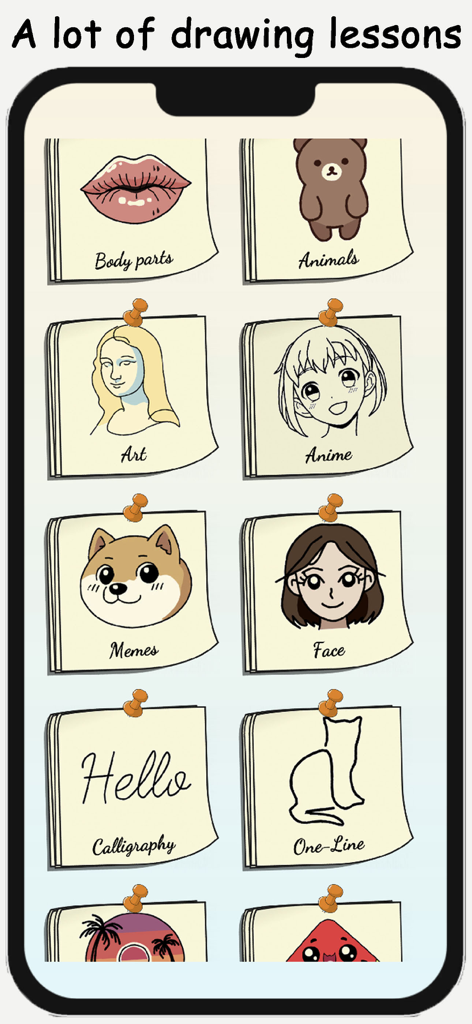
ArtLoop: Ar Drawing Lessons - ArtLoopアプリでアニメ、ミーム、カリグラフィーなどのさまざまな描画レッスンカテゴリを表示する画面。
ArtLoopアプリでアニメ、ミーム、カリグラフィーなどのさまざまな描画レッスンカテゴリを表示する画面。

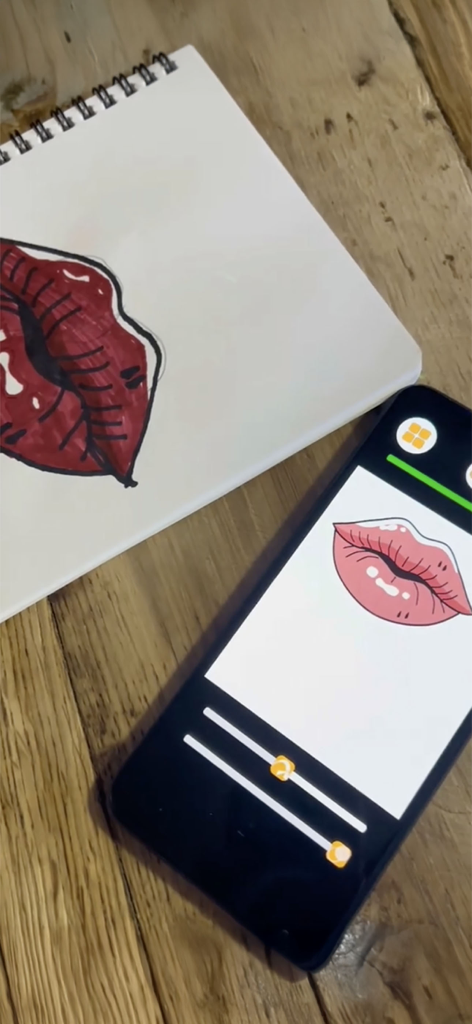
ArtLoop: Ar Drawing Lessons - ArtLoop ARテクノロジーを使用して、物理的なスケッチブックに唇のイラストをトレースするスマートフォン。
ArtLoop ARテクノロジーを使用して、物理的なスケッチブックに唇のイラストをトレースするスマートフォン。

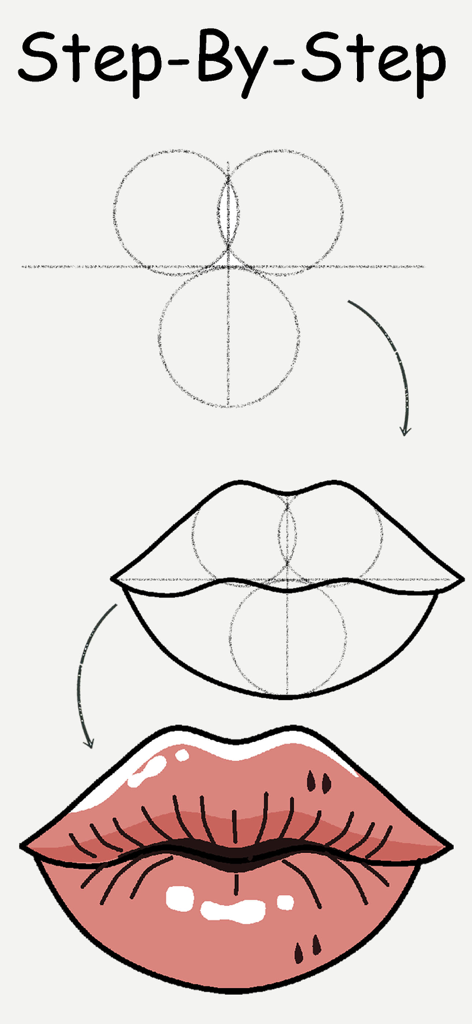
ArtLoop: Ar Drawing Lessons - ArtLoopアプリで唇を描くためのステップバイステップチュートリアル。

ArtLoopアプリで唇を描くためのステップバイステップチュートリアル。

説明

Unleash your inner artist with AR Drawing Lessons: Sketch Art! This innovative app combines the magic of Augmented Reality with step-by-step tutorials to help you learn to sketch like a pro. Perfect for beginners and seasoned sketch artists alike, this app provides an easy and fun learning experience that will spark your creativity and enhance your artistic skills. Key Features: Step-by-Step Tutorials: Learn how to create art through detailed lessons that guide you from start to finish. Whether you want to sketch animals, anime, kawaii characters, or fantastic landscapes, we have tutorials that fit your style. Creative Templates: Get inspired with our diverse collection of creative templates. Use these designs as a base for your creations or practice your skills as you learn to paint and illustrate. Augmented Reality Projection: Experience your artworks in a whole new dimension! Use our AR projector feature to visualize your creations in real-world settings. The augmented reality capability enhances your artistic process and helps you understand proportions better. Video Recording: Capture your artistic journey! Record your progress as you improve your techniques, so you can revisit your process and share your achievements with friends and family. Save and Share Drawings: Love your artwork? Save your creations effortlessly and share them on social media with just a few taps. Show the world your talent and inspire other budding artists! Intuitive Interface: Designed for users of all ages, our intuitive interface makes it easy to navigate. Just select a lesson, trace the outlines, and learn to create at your own pace. Regular Updates: Stay inspired with regular updates that introduce new tutorials and templates. Our dedicated team is committed to bringing fresh content to help you enhance your artistic skills continuously. Artistic Exploration: From one-line sketches to complex fantasy creatures, the AR Drawing Lessons app encourages you to explore new styles and techniques. Let your creativity flow and experiment with different forms of art. Additional Features: Artistic Helper: Your ultimate assistant to make learning easy and enjoyable. Practice on Any Surface: Use your tablet or any drawing pad to trace and create stunning artworks. Calligraphy Lessons: Explore the elegance of calligraphy with step-by-step guides. Proportions Made Easy: Master proportions and details with the AR tracer feature, perfect for beginners. Realistic Eye Sketches: Learn to illustrate expressive eyes and enhance your skills with detailed tutorials. Picture Gallery: Save all your sketches in one place and easily organize your artistic journey. Whether you're a kid, an adult, or a seasoned artist looking for a portable drawing helper, this app is suitable for everyone aged 10 to 50. Get started today and discover how easy it is to sketch with AR Drawing Lessons: Sketch Art. Join a community of creative individuals and elevate your skills. Download AR Drawing Lessons: Sketch Art now and start your artistic journey today! Create, learn, tracing, and explore – the world of art awaits you.

Download

ダウンロード: App Store

このページはアプリまたはその開発者の公式ページではなく、情報提供および論評を目的として作成された独立した編集出版物です。明示的に別段の記載がない限り、アプリおよびその開発者は、MWM、Apple、Google Play、アプリのパブリッシャー、またはアプリの開発者と提携、承認、後援、認可、またはその他の公式的な関係はなく、このページのいかなる内容も、アプリがMWMのサービスを使用して開発されたことを意味するものではありません。すべての商標、ロゴ、スクリーンショット、その他のコンテンツはそれぞれの所有者の財産です。







