AstroVizor
AstroVizor
ダウンロード: App Store

このページはアプリまたはその開発者の公式ページではなく、情報提供および論評を目的として作成された独立した編集出版物です。明示的に別段の記載がない限り、アプリおよびその開発者は、MWM、Apple、Google Play、アプリのパブリッシャー、またはアプリの開発者と提携、承認、後援、認可、またはその他の公式的な関係はなく、このページのいかなる内容も、アプリがMWMのサービスを使用して開発されたことを意味するものではありません。すべての商標、ロゴ、スクリーンショット、その他のコンテンツはそれぞれの所有者の財産です。


ロゴ: AstroVizor
ダウンロード: App Store

AstroVizor

上級実務家のための究極のモバイルワークステーション。16のハウスシステム、複雑な進行(プログレッション)、NASA提供の天文データにアクセスし、妥協のないプロフェッショナルな精度を実現します。

主要数値

ダウンロード

36K+

ユーザー評価

4.2/5

評価数

100

開発元

Andrey Semenov

カテゴリ

Lifestyle

対応言語

2

最新バージョン

4.3

サイズ

10.3 MB

リリース日

2017年2月9日
機能

プロフェッショナルな占星術のための高度なツール

デスクトップワークステーションの精度をモバイルデバイスで体験してください。AstroVizorは、プロフェッショナルレベルのリーディングや深い研究に不可欠な生データと技術的な深みを提供します。

NASA提供のデータによる精度

16のハウスシステムと、小惑星、ケンタウルス族、恒星の膨大なデータベースを使用して、絶対的な精度でチャートを計算します。

高度な分析ツール

カスタマイズ可能なオーブ(許容度)と詳細な技術表を備えた、相性、進行、回帰のための二重円チャートをアンロックします。

以下のスクリーンショットと説明は、アプリの公式ストアリスティングから直接取得されたものであり、アプリ開発者の所有物です。

アプリストア

スクリーンショット
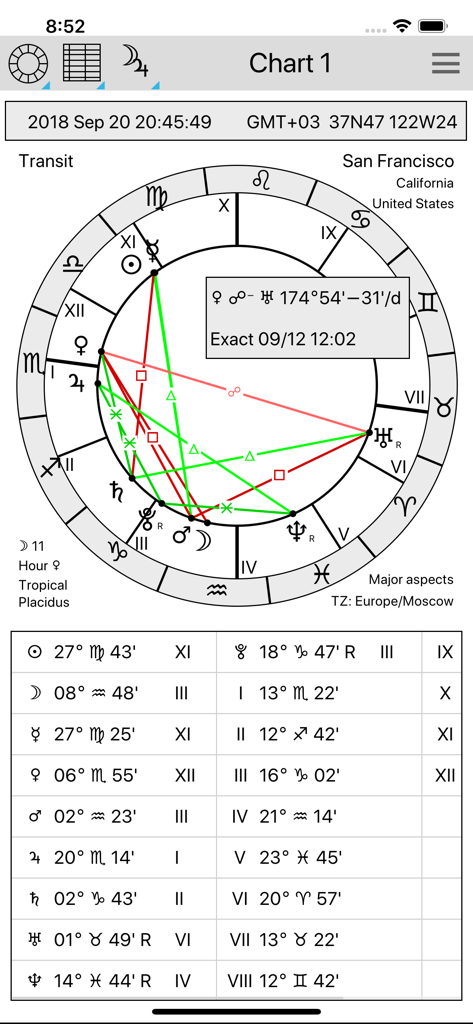
AstroVizor - AstroVizorアプリ内の技術的な占星術トランジットチャート・ホイールと惑星位置表
AstroVizorアプリ内の技術的な占星術トランジットチャート・ホイールと惑星位置表

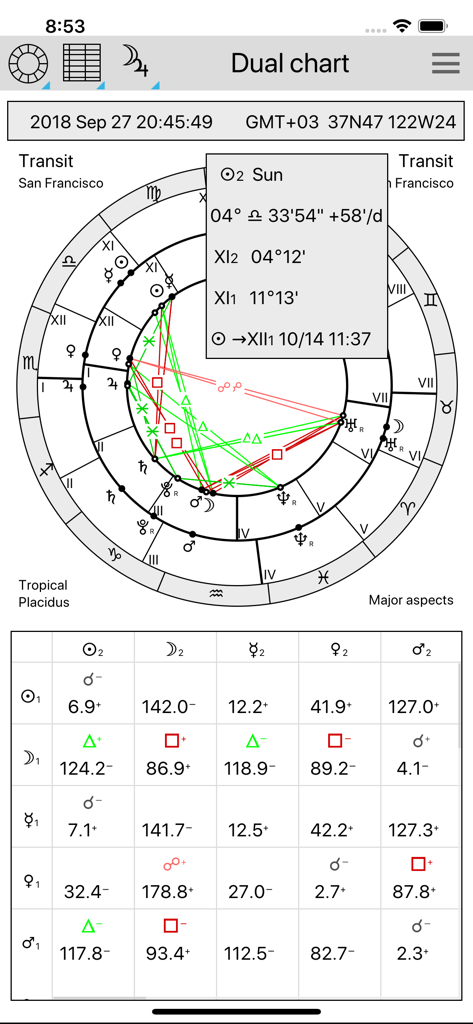
AstroVizor - プロフェッショナルな占星術二重円と技術的なアスペクト・グリッドを表示するAstroVizorアプリのインターフェース。
プロフェッショナルな占星術二重円と技術的なアスペクト・グリッドを表示するAstroVizorアプリのインターフェース。

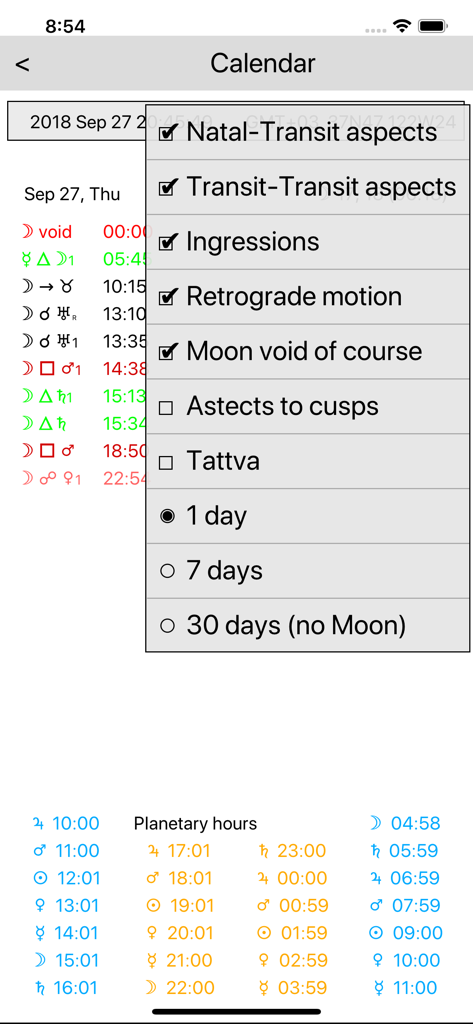
AstroVizor - 惑星のアスペクトとプラネタリー・アワーを表示するAstroVizorの占星術カレンダー表示
惑星のアスペクトとプラネタリー・アワーを表示するAstroVizorの占星術カレンダー表示

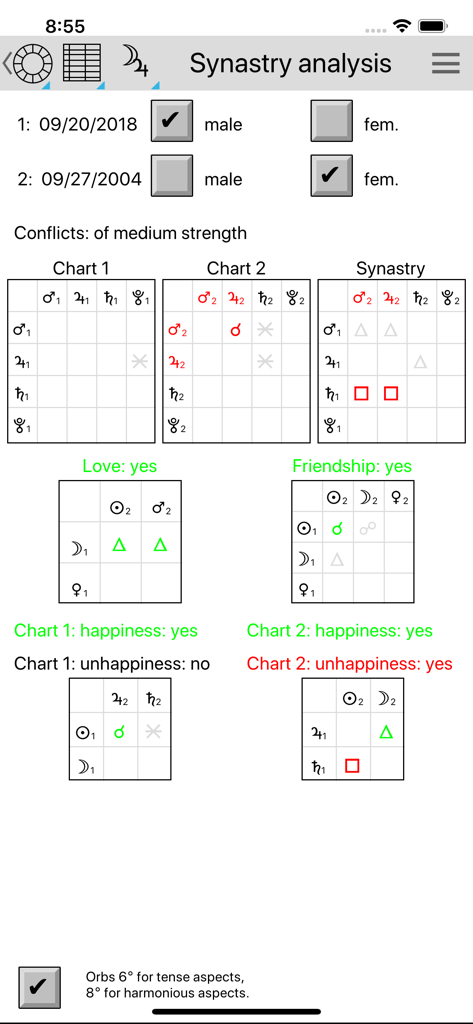
AstroVizor - 2人間の占星術的相性表とアスペクト・グリッドを表示するAstroVizorの相性(シナストリー)分析画面。
2人間の占星術的相性表とアスペクト・グリッドを表示するAstroVizorの相性(シナストリー)分析画面。

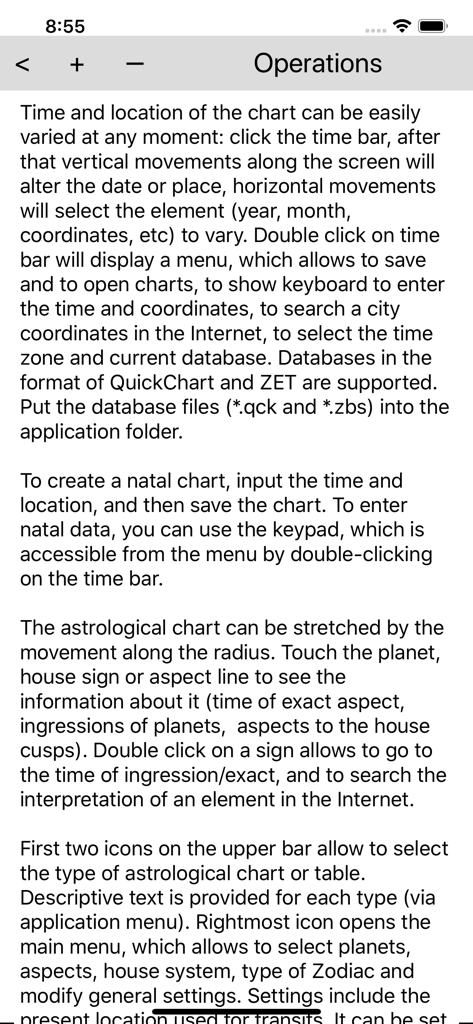
AstroVizor - 占星術チャートと設定の管理手順を詳しく説明するAstroVizorアプリ内の技術ヘルプ画面。

占星術チャートと設定の管理手順を詳しく説明するAstroVizorアプリ内の技術ヘルプ画面。

説明

AstroVizor is the application for astrologers. It can create natal or transit chart, display tables of planets and aspects, search for interpretations in the Internet. Descriptive text is provided for each type of astrological chart or table (see Help section of the application menu). The free version can display only a single chart. It includes: - Single charts (natal chart or transit chart). To create a natal chart, input the time and location, and then save the chart. - Charts and tables can be scaled (with 2-finger gesture); - It is possible to save and to open charts. - Tropical and sidereal zodiac; - Asteroids Ceres, Pallas, Juno, Vesta, Chiron; - Lunar nodes and Lilith (Dark Moon), mean and true; - Ingressions of planets, time of exact aspects (touch the planet sign or aspect line); - Search for interpretations in the Internet (on the double click on the planet sign or aspect line). - Lunar days and planetary hours; Full version is activated by subscription with monthly payment (7 days free trial period), or yearly payment (no trial period). Full version can work with two charts, the core chart (Chart 1) which is a natal chart or an arbitrary time, and background chart (Chart 2) which could be natal (synastry), transit, return, direction/progression chart. Full version has the following capacities: - Single and dual (bewheel) charts; - 17 centaurs (asteroids between Saturn and Neptune), 23 transneptunian asteroids, more asteroids and comets from NASA server; - 16 house systems; - 19 aspects, orbs can be set for single and dual charts independently; - Table of the planets can be customized to display astronomical data and the rulers of the zodiac sign and its subdivisions (decan, term, degree); - Midpoints, uranian wheel; - Fixed stars; - Antiscia, parallels of declination; - Firdaria, vimshottari dasha; - Synastry analysis; - Arabic points: Fortune, others can be defined by a user; - Directions (zodiacal and equatorial), progressions. Set the natal data in Chart 1, then go to Chart 2 and double click on the time bar. Choose Derived chart in the menu; - Solar and Lunar returns; - Planetary returns, partial returns to another planet of to house cusp; - Heliocentric, planetocentric charts; - Harmonic charts with any coefficient; - Composite charts, Davison charts for groups of people. Double click on time box to modify the list of persons. It is possible to copy this chart into Chart 1 and study it's compatibility with other natal or transit chart. - Calendar of aspects and ingressions for the period of 1 day, 1 week, 1 month. It works also for directions and progressions. IN-APP PURCHASE DETAILS - Full version subscription price is US$2.49/month or US$14.99/year. - Payment will be charged to your iTunes account at confirmation of purchase. – Subscription automatically renews unless auto-renew is turned off at least 24-hours before the end of the current period. - Auto-renewal may be turned off by going to the user's Account Settings after purchase. - Privacy policy can be found at https://astrovizor.ru/en/ppi.html - Terms of use can be found at https://astrovizor.ru/en/tui.html

Download

ダウンロード: App Store

このページはアプリまたはその開発者の公式ページではなく、情報提供および論評を目的として作成された独立した編集出版物です。明示的に別段の記載がない限り、アプリおよびその開発者は、MWM、Apple、Google Play、アプリのパブリッシャー、またはアプリの開発者と提携、承認、後援、認可、またはその他の公式的な関係はなく、このページのいかなる内容も、アプリがMWMのサービスを使用して開発されたことを意味するものではありません。すべての商標、ロゴ、スクリーンショット、その他のコンテンツはそれぞれの所有者の財産です。








