Audio Converter: Audio Editing
ダウンロード: App Store

このページはアプリまたはその開発者の公式ページではなく、情報提供および論評を目的として作成された独立した編集出版物です。明示的に別段の記載がない限り、アプリおよびその開発者は、MWM、Apple、Google Play、アプリのパブリッシャー、またはアプリの開発者と提携、承認、後援、認可、またはその他の公式的な関係はなく、このページのいかなる内容も、アプリがMWMのサービスを使用して開発されたことを意味するものではありません。すべての商標、ロゴ、スクリーンショット、その他のコンテンツはそれぞれの所有者の財産です。


ロゴ: Audio Converter: Audio Editing
ダウンロード: App Store

Audio Converter: Audio Editing

ボーカルを抽出し、ノイズを除去し、ビデオを即座にMP3に変換します。クリエイター、ミュージシャン、そしてあなたの日常のワークフローのために設計されたプロレベルのオーディオツール。

主要数値

ダウンロード

100

ユーザー評価

1.0/5

評価数

0

開発元

珮辰 赵

カテゴリ

Utilities

対応言語

33

最新バージョン

1.0.6

サイズ

59.6 MB

リリース日

2025年3月4日
機能

オールインワンのモバイルオーディオスタジオ

バイラルサウンド抽出からAIボーカル分離まで、iPhoneで直接オーディオを作成、クリーンアップ、変換するために必要なすべてを入手できます。

インスタントビデオからオーディオへ

TikTokやReelsでトレンドのサウンドを見つけましたか?それを即座に抽出して、あなた自身のコンテンツのための高品質なサウンドトラックを作成しましょう。

ボーカルとインストゥルメンタルを分離

高度なAI分離技術を使用して、カスタムカラオケトラックやリミックス用のクリーンなボーカルステムを作成します。

以下のスクリーンショットと説明は、アプリの公式ストアリスティングから直接取得されたものであり、アプリ開発者の所有物です。

アプリストア

スクリーンショット
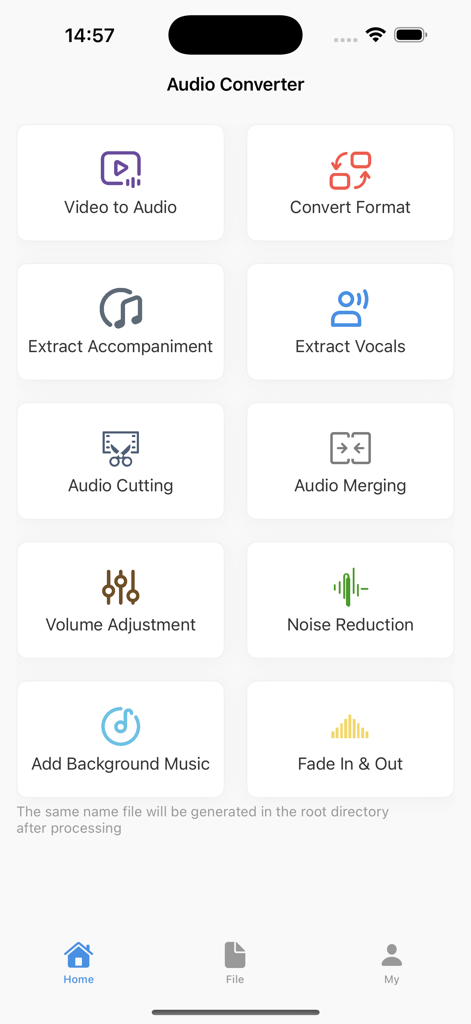
Audio Converter: Audio Editing - オーディオコンバーターアプリのメインメニュー。ビデオからオーディオやノイズリダクションなどのさまざまな編集ツールのアイコンが表示されています
オーディオコンバーターアプリのメインメニュー。ビデオからオーディオやノイズリダクションなどのさまざまな編集ツールのアイコンが表示されています

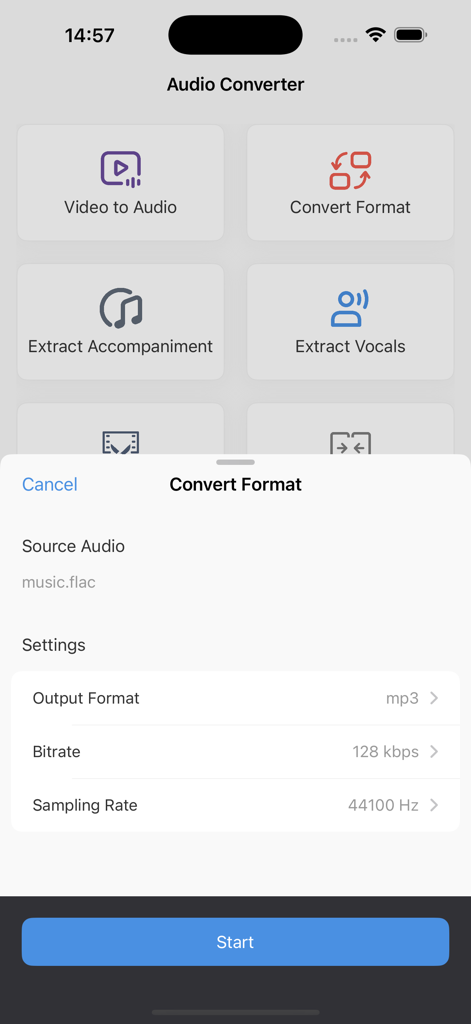
Audio Converter: Audio Editing - オーディオコンバーターアプリのインターフェース。FLACからMP3形式への変換オプションが表示されています
オーディオコンバーターアプリのインターフェース。FLACからMP3形式への変換オプションが表示されています

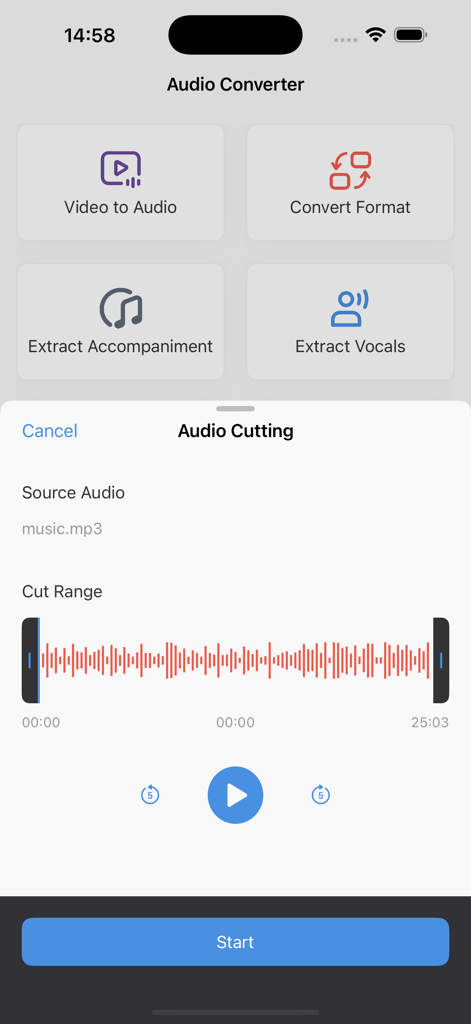
Audio Converter: Audio Editing - オーディオコンバーターアプリのユーザーインターフェース。ビデオからオーディオへの抽出オプションとオーディオ波形を備えたトリミングツールが表示されています
オーディオコンバーターアプリのユーザーインターフェース。ビデオからオーディオへの抽出オプションとオーディオ波形を備えたトリミングツールが表示されています

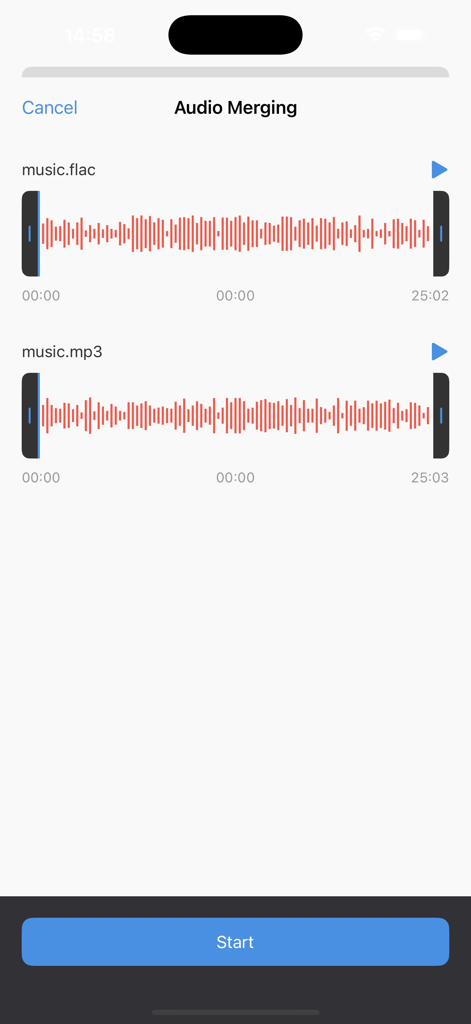
Audio Converter: Audio Editing - 2つのオーディオトラックをマージするためのインターフェース。表示されている波形と開始ボタン
2つのオーディオトラックをマージするためのインターフェース。表示されている波形と開始ボタン

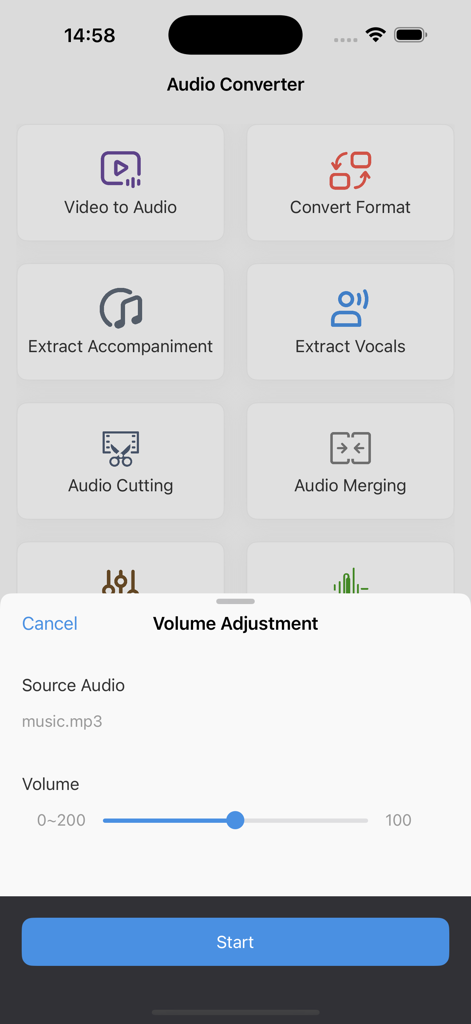
Audio Converter: Audio Editing - オーディオコンバーターのモバイルアプリインターフェース。さまざまなオーディオ編集ツールの上に音量調整スライダーが表示されています
オーディオコンバーターのモバイルアプリインターフェース。さまざまなオーディオ編集ツールの上に音量調整スライダーが表示されています

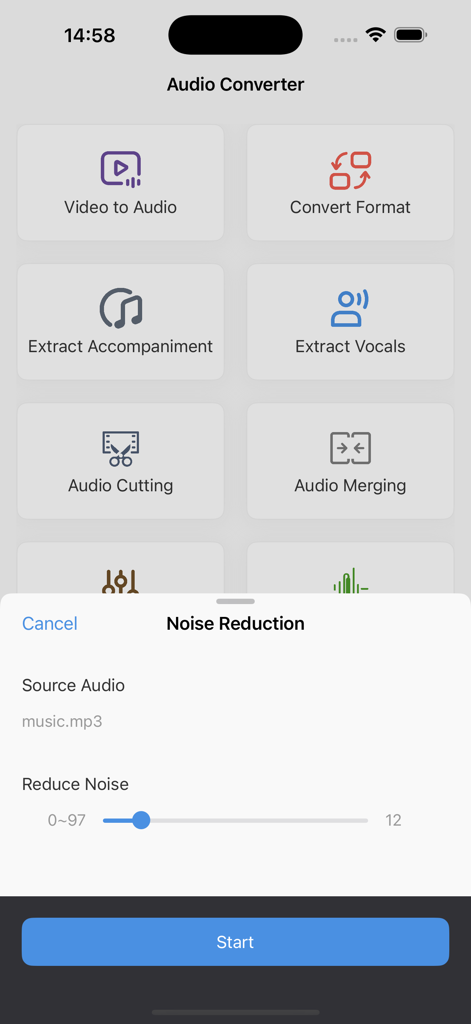
Audio Converter: Audio Editing - オーディオコンバーターアプリのインターフェース。ノイズリダクションツールと編集オプションが表示されています
オーディオコンバーターアプリのインターフェース。ノイズリダクションツールと編集オプションが表示されています

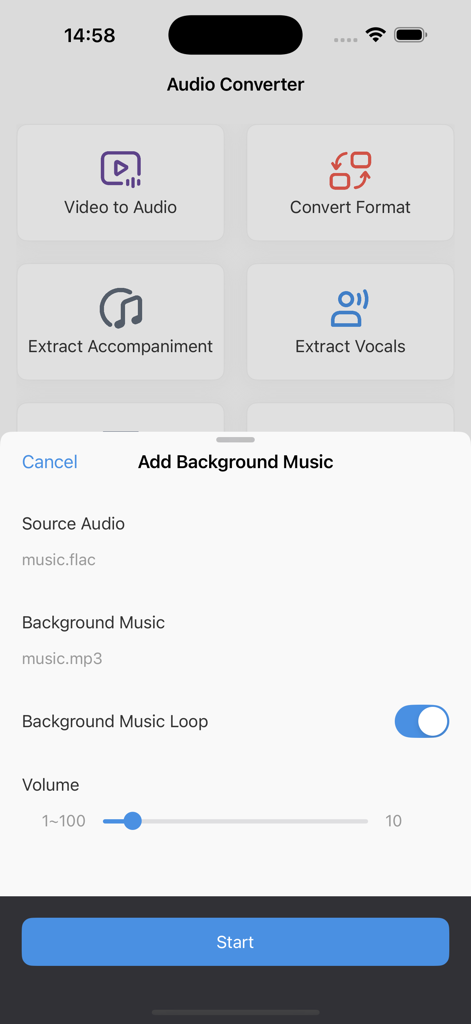
Audio Converter: Audio Editing - オーディオコンバーターアプリのインターフェース。BGM追加機能と音量コントロールが表示されています
オーディオコンバーターアプリのインターフェース。BGM追加機能と音量コントロールが表示されています

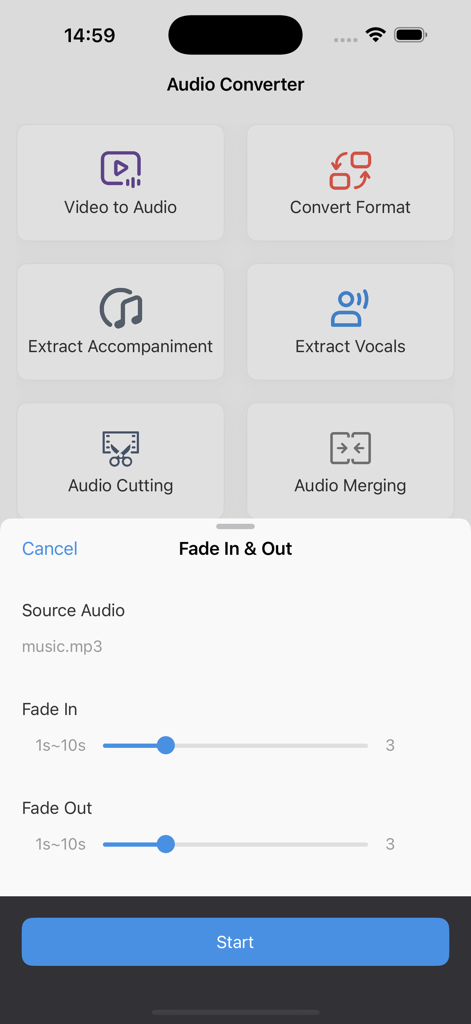
Audio Converter: Audio Editing - オーディオコンバーターアプリのインターフェース。メインメニューオプションとオーディオ編集用のフェードイン・フェードアウト調整スライダーが表示されています

オーディオコンバーターアプリのインターフェース。メインメニューオプションとオーディオ編集用のフェードイン・フェードアウト調整スライダーが表示されています

説明

Audio Converter is a powerful and easy-to-use tool for extracting, converting, and editing audio files. Whether you need to extract audio from a video, change formats, trim or merge clips, this app has you covered. [Key Features & Use Cases] Video to Audio: Extract audio from videos to save movie dialogues, music tracks, or background sounds for separate use or editing. Format Conversion: Convert between MP3, WAV, AAC, FLAC, and other formats to ensure compatibility with different devices and software. Extract Instrumental: Separate instrumental tracks from vocals, ideal for creating karaoke tracks or music remixes. Extract Vocals: Isolate vocals from audio files, perfect for podcasts, voiceovers, and transcription needs. Audio Trimming: Cut and trim audio clips precisely, useful for creating ringtones, extracting key segments, or shortening long recordings. Audio Merging: Seamlessly combine multiple audio files, suitable for making playlists, audiobooks, or custom music tracks. Volume Adjustment: Increase or decrease volume levels to match different playback environments and enhance listening experiences. Noise Reduction: Remove background noise for clearer sound quality, ideal for improving recordings and voice memos. Add Background Music: Mix background music into your audio files, perfect for video soundtracks, advertisements, and podcasts. Fade In & Fade Out: Apply smooth transitions with fade-in and fade-out effects for a more natural audio experience. With Audio Converter, you can process audio effortlessly, whether for everyday use or professional production. Download now and enjoy advanced audio editing features! [Auto-Renewal Terms] We offer auto-renewable subscription services for 1 week, 1 month, and 12 months. • Payment: Payment will be charged to your iTunes account after confirmation of purchase. • Renewal: Subscriptions with a free trial will automatically renew to a paid subscription after the trial ends. The payment will be deducted from your iTunes account 24 hours before the current subscription period ends. Renewal charges are based on the selected subscription plan. After successful payment, the subscription period will automatically extend for another cycle. • Cancel Renewal: To cancel renewal, please turn off the auto-renewal feature at least 24 hours before the current subscription period ends via your iTunes/Apple ID settings. After that, no renewal fees will be charged. User Agreement: http://oss.qingchengkeji.vip/h5/audioCut/user.html Privacy Policy: http://oss.qingchengkeji.vip/h5/audioCut/privacy.html Subscription Agreement: http://oss.qingchengkeji.vip/h5/audioCut/subscribe.html

Download

ダウンロード: App Store

このページはアプリまたはその開発者の公式ページではなく、情報提供および論評を目的として作成された独立した編集出版物です。明示的に別段の記載がない限り、アプリおよびその開発者は、MWM、Apple、Google Play、アプリのパブリッシャー、またはアプリの開発者と提携、承認、後援、認可、またはその他の公式的な関係はなく、このページのいかなる内容も、アプリがMWMのサービスを使用して開発されたことを意味するものではありません。すべての商標、ロゴ、スクリーンショット、その他のコンテンツはそれぞれの所有者の財産です。








