Audio Editor: Recording Studio
ダウンロード: App Store

このページはアプリまたはその開発者の公式ページではなく、情報提供および論評を目的として作成された独立した編集出版物です。明示的に別段の記載がない限り、アプリおよびその開発者は、MWM、Apple、Google Play、アプリのパブリッシャー、またはアプリの開発者と提携、承認、後援、認可、またはその他の公式的な関係はなく、このページのいかなる内容も、アプリがMWMのサービスを使用して開発されたことを意味するものではありません。すべての商標、ロゴ、スクリーンショット、その他のコンテンツはそれぞれの所有者の財産です。

ロゴ: Audio Editor: Recording Studio
ダウンロード: App Store

Audio Editor: Recording Studio

スタジオ品質の録音と直感的な編集ツールで、ポッドキャスト、音楽、ソーシャルコンテンツをレベルアップさせましょう。スマートフォンでプロ品質のオーディオを録音、ミックス、共有できます。

主要数値

ダウンロード

973K+

ユーザー評価

4.3/5

評価数

11K+

開発元

Giant Brains LLC

カテゴリ

Utilities

対応言語

1

最新バージョン

7.3

サイズ

148.0 MB

リリース日

2019年11月12日
機能

プロフェッショナルスタジオのパワーを、ポケットの中に

バイラルTikTokからチャートを賑わすポッドキャストまで、現代のクリエイターのために設計された直感的なツールで、あなたのアイデアを高品質なオーディオの傑作に変えましょう。

簡単な精密編集

簡単なタップでカット、ペースト、トリミング。複雑なデスクトップソフトウェアの学習曲線なしで、シームレスなトランジションと完璧なループを作成できます。

スタジオグレードのモバイル録音

どこでもクリアなオーディオをキャプチャ。プロフェッショナルなエフェクトとフィルターを適用して、ボイスオーバーや音楽を磨き上げ、ハイエンドなスタジオ制作サウンドを実現します。

以下のスクリーンショットと説明は、アプリの公式ストアリスティングから直接取得されたものであり、アプリ開発者の所有物です。

アプリストア

スクリーンショット
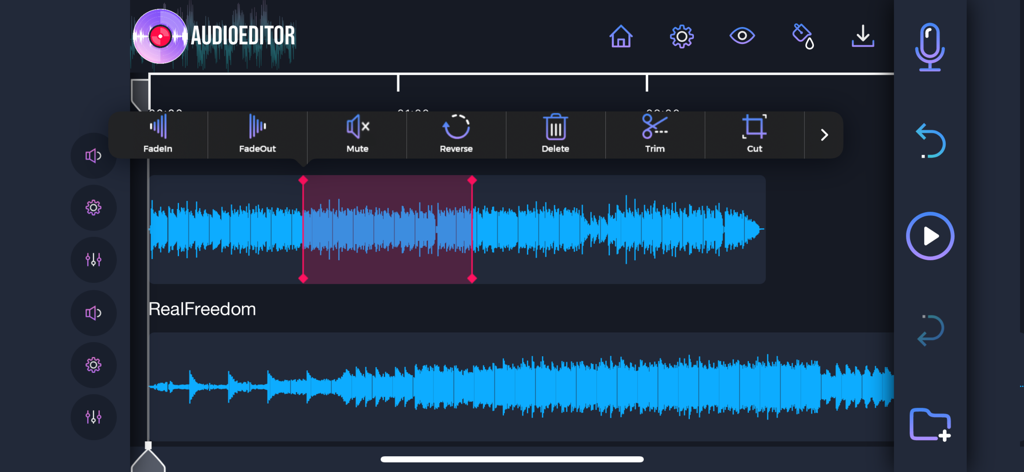
Audio Editor: Recording Studio - 波形とトリミング、カット、エフェクト追加ツールを備えたマルチトラックオーディオ編集インターフェイス。
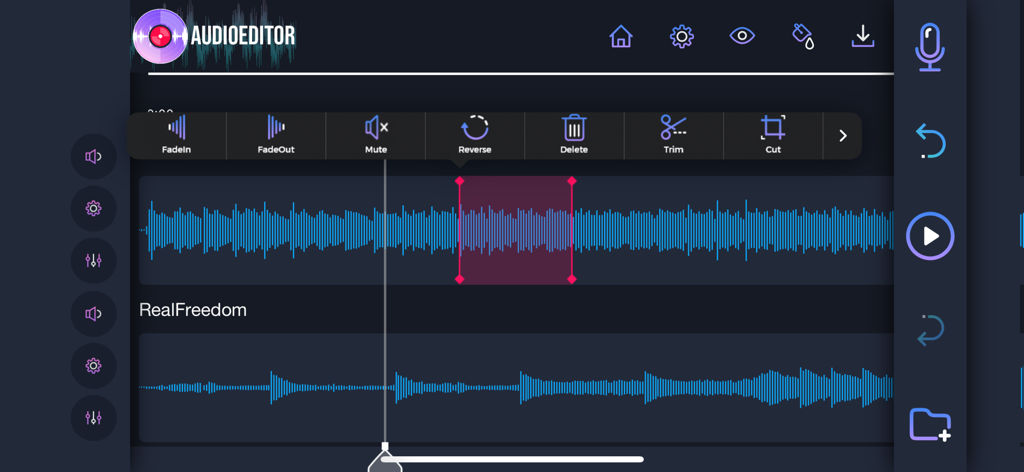
波形とトリミング、カット、エフェクト追加ツールを備えたマルチトラックオーディオ編集インターフェイス。

Audio Editor: Recording Studio - トリムカットやリバースなどのツールを備えたマルチトラック波形編集を表示するモバイルオーディオエディターインターフェイス
トリムカットやリバースなどのツールを備えたマルチトラック波形編集を表示するモバイルオーディオエディターインターフェイス

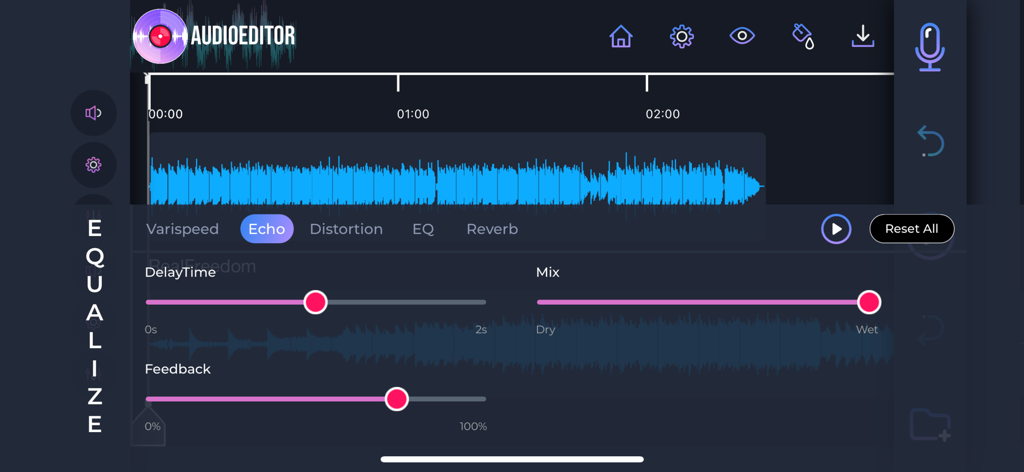
Audio Editor: Recording Studio - エコーエフェクトコントロールと波形を示すAudio Editorアプリのインターフェイス。
エコーエフェクトコントロールと波形を示すAudio Editorアプリのインターフェイス。

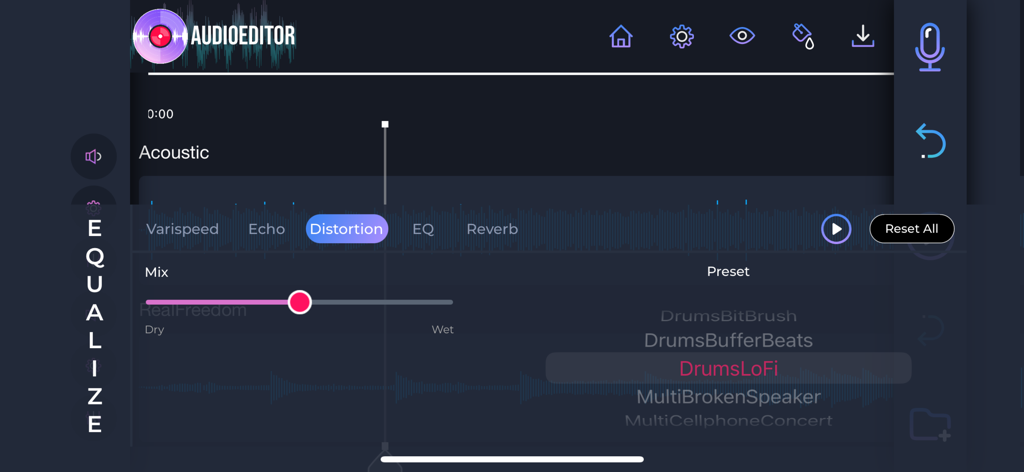
Audio Editor: Recording Studio - Audio Editorモバイルアプリのディストーションエフェクトとミキシングインターフェイス。

Audio Editorモバイルアプリのディストーションエフェクトとミキシングインターフェイス。

説明

Edit your favorite songs, change the way you send voice notes, record audios in a professional way, and edit any audio in your device, with an easy to use-yet powerful tool that will make your audios more stunning than ever before. • Editing your audios is just as easy as cutting, pasting, and using your creativity to create amazing masterpieces. • Record audio directly from the app, and add them to your favorite songs with just a tap on the screen. • Add music effects to your recordings, and edit your audios like a professional. • Save your mixes directly in the app, or download them to your phone, and use it whenever necessary. • Change the quality of your recordings, and give a professional style to your music. • Share your creations with your friends, and let them know your musical ability. • Import and export sound from your phone, and make your creations as complete as you want. Easily edit your audio files with the most professional style. Take your favorite songs to the next level, and create your favorite mixes with nothing but your imagination! Your passion for music, and the professional tools that Audio Editor brings directly to the palm of your hand. 1. Title of publication or service: Audio Editor PRO. 2. Length of subscription & Price of subscription, and price per unit if appropriate: - Monthly (First 3 day free trial) 3. Price of subscription: - 3 day free trial then $9.99 per month - 3 day free trial then $49.99 per year 4. Payment will be charged to iTunes Account at confirmation of purchase 5. Subscription automatically renews unless auto-renew is turned off at least 24-hours before the end of the current period. You can turn of the auto-renew subscription from iPhone setting 6. Account will be charged for renewal within 24-hours prior to the end of the current period, and identify the cost of the renewal 7. Subscriptions may be managed by the user and auto-renewal may be turned off by going to the user's Account Settings after purchase. 8. Privacy Policy: https://giantbrainsllc.wordpress.com/privacy-policy/ 9. Terms of use: https://giantbrainsllc.wordpress.com/terms-of-use/ 10. Any unused portion of a free trial period, if offered, will be forfeited when the user purchases a subscription to that publication where applicable 11. Audio Editor adds new features above and are available through an auto-renewing subscription. Subscriptions will be charged to your credit card through your iTunes account. Your subscription will automatically renew unless cancelled at least 24 hours before the end of your current subscription, and you can cancel anytime a subscription during the active period. You can manage your subscription, either by viewing your account in iTunes from your Mac or PC, or Account Settings on your device after purchase.

Download

ダウンロード: App Store

このページはアプリまたはその開発者の公式ページではなく、情報提供および論評を目的として作成された独立した編集出版物です。明示的に別段の記載がない限り、アプリおよびその開発者は、MWM、Apple、Google Play、アプリのパブリッシャー、またはアプリの開発者と提携、承認、後援、認可、またはその他の公式的な関係はなく、このページのいかなる内容も、アプリがMWMのサービスを使用して開発されたことを意味するものではありません。すべての商標、ロゴ、スクリーンショット、その他のコンテンツはそれぞれの所有者の財産です。








