Audio Recorder Pro and Editor

Audio Recorder Pro and Editor

ダウンロード: App Store
ロゴ: Audio Recorder Pro and Editor

Audio Recorder Pro and Editor: 音声をキャプチャし、マスタリングするためのプロフェッショナルスタジオ

クリスタルクリアな品質で録音、編集、スケジュール設定。無制限の録音時間から安全なクラウド同期、オフライン文字起こしまで、生産性向上ハッカー、ジャーナリスト、パワーユーザーのために作られた高忠実度ツールキットです。

ダウンロード: App Store

開発元

LiveBird Technologies Private Limited

カテゴリ

Business

ダウンロード

287K+

ユーザー評価

4.5/5

評価数

1K+

対応言語

26

ポケットの中のあなたのスタジオ

このインターフェースを利用する 287K+ 人のユーザー.

Audio Recorder Pro and Editorアプリのプロフェッショナルスタジオマイクと赤いロゴ、暗い背景
Audio Recorder Pro and Editorアプリのプロフェッショナルスタジオマイクと赤いロゴ、暗い背景

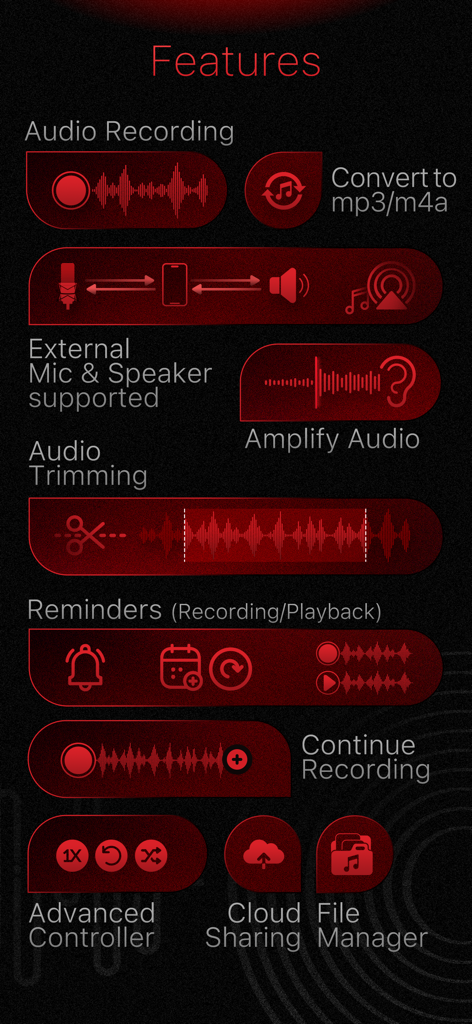
録音ツール、オーディオトリミング、リマインダー、クラウド共有オプションを含むAudio Recorder Proアプリの機能概要
録音ツール、オーディオトリミング、リマインダー、クラウド共有オプションを含むAudio Recorder Proアプリの機能概要

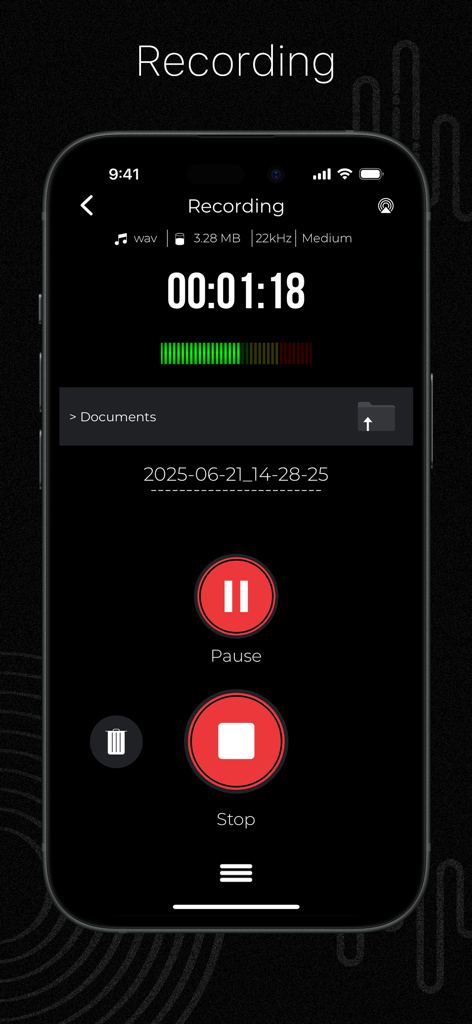
デジタルタイマーと音量メーターを備えたプロフェッショナルオーディオ録音インターフェイスを表示するスマートフォンの画面。
デジタルタイマーと音量メーターを備えたプロフェッショナルオーディオ録音インターフェイスを表示するスマートフォンの画面。

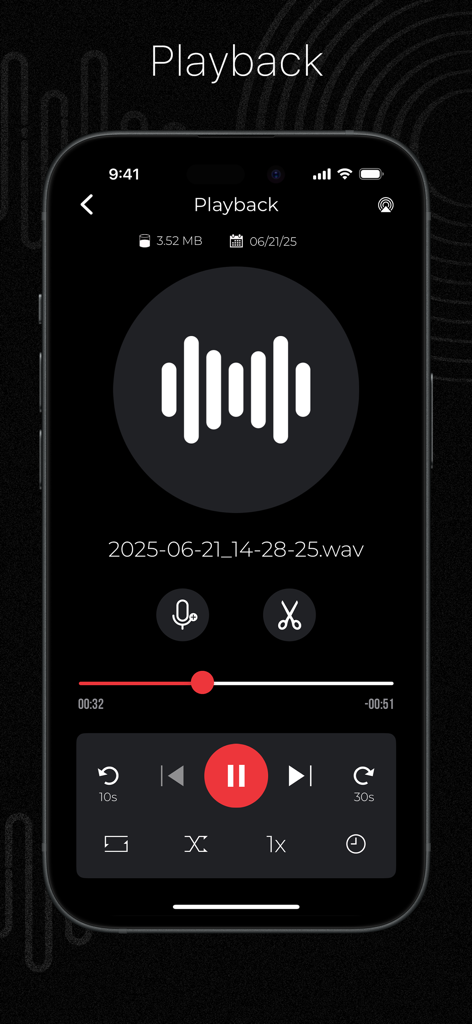
波形表示とオーディオ編集コントロールを備えたAudio Recorder Proアプリの再生画面
波形表示とオーディオ編集コントロールを備えたAudio Recorder Proアプリの再生画面

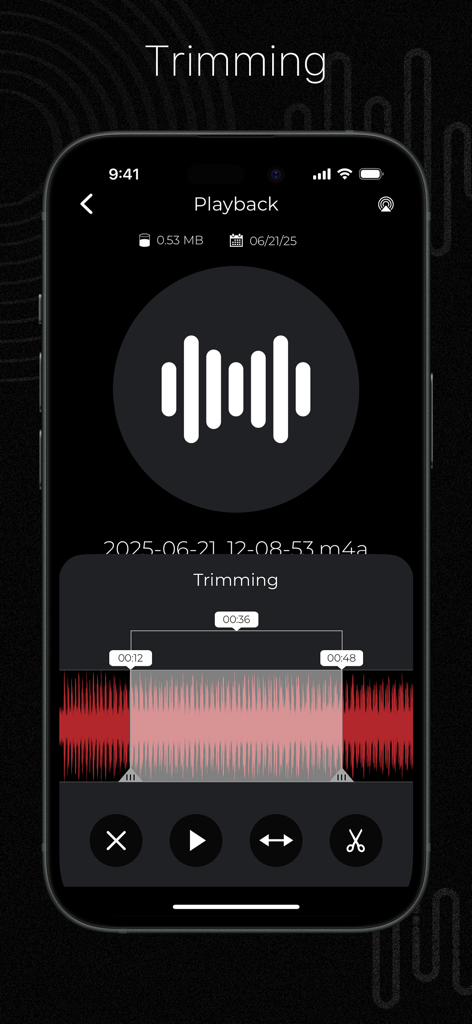
波形と時間マーカーが付いたオーディオトリミングツールを示すAudio Recorder Proアプリのインターフェイス。
波形と時間マーカーが付いたオーディオトリミングツールを示すAudio Recorder Proアプリのインターフェイス。

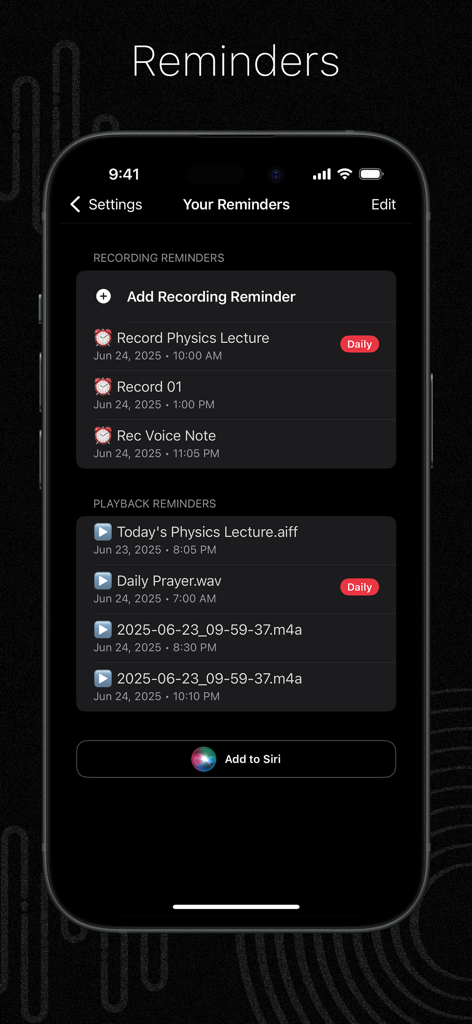
物理学の講義の録音などのタスクの録音および再生リマインダーを示すAudio Recorder Proアプリのインターフェイス。
物理学の講義の録音などのタスクの録音および再生リマインダーを示すAudio Recorder Proアプリのインターフェイス。

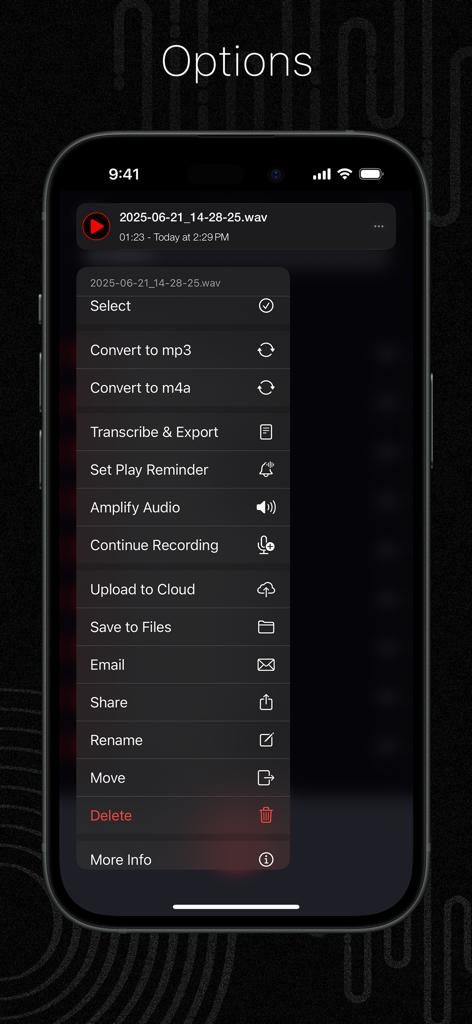
ファイル管理と編集ツールを示すAudio Recorder Proのオプションメニュー
ファイル管理と編集ツールを示すAudio Recorder Proのオプションメニュー

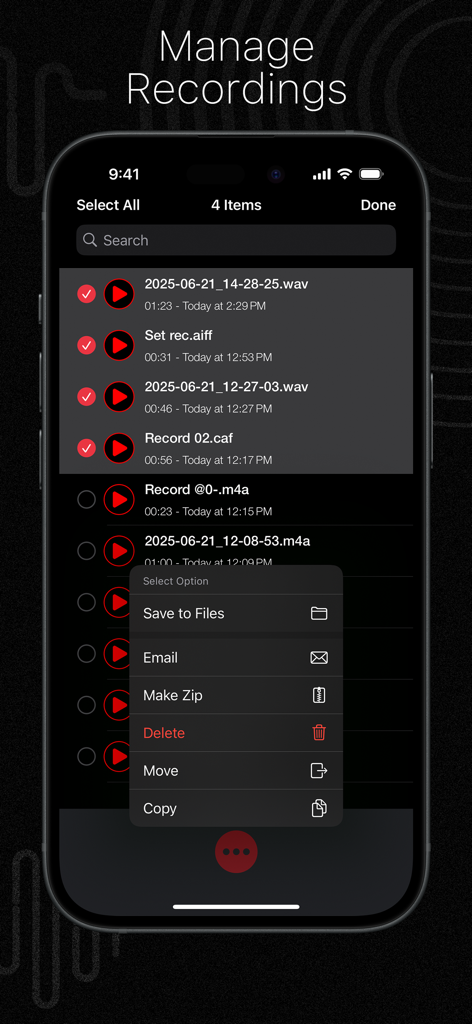
ファイル選択と管理メニューを示すAudio Recorder Proアプリの録音管理画面
ファイル選択と管理メニューを示すAudio Recorder Proアプリの録音管理画面

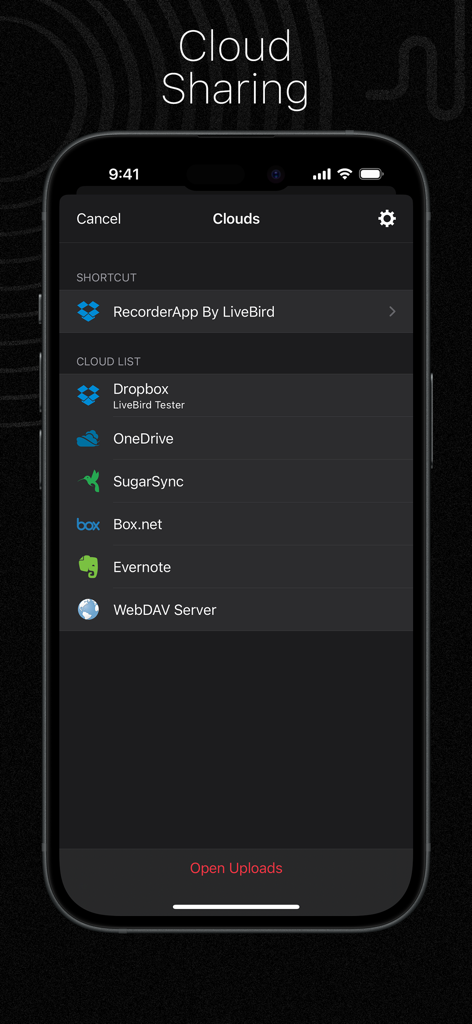
Dropbox、OneDrive、Evernoteなどのクラウドストレージ統合オプションを表示するAudio Recorder Proアプリのインターフェイス
Dropbox、OneDrive、Evernoteなどのクラウドストレージ統合オプションを表示するAudio Recorder Proアプリのインターフェイス

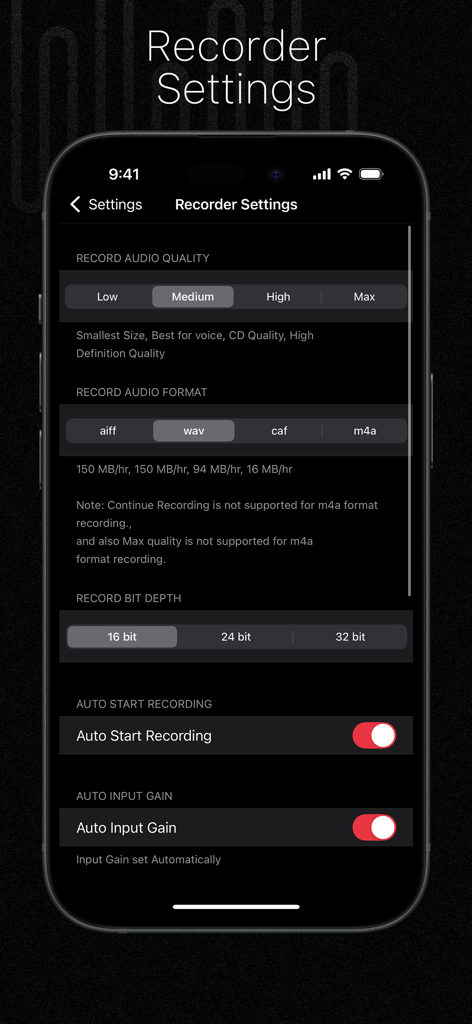
オーディオ品質、フォーマット、ビット深度のオプションを示すAudio Recorder Proの設定画面

オーディオ品質、フォーマット、ビット深度のオプションを示すAudio Recorder Proの設定画面

あらゆる瞬間のためのプログレードオーディオツール

このアプリを際立たせるツール、 287K+ 人のユーザーが選択.

🎙️

スタジオ品質の録音

32ビット深度サポート、無音検出、自動再開により、20時間までの高忠実度オーディオをキャプチャし、一言一句聞き逃さないようにします。

✂️

高精度モバイル編集

スマートフォンをワークステーションに変えましょう。アプリ内で直接トリミング、誤りの削除、サウンドの増幅を行い、すぐに完成度の高いオーディオを提供します。

🔒

安全なワークフローと同期

パスワードで保護されたフォルダに機密ファイルを保護し、スケジュールされた録音リマインダーとシームレスなクラウドバックアップで生産性を自動化します。

アプリについて

について知っておくべきこと Audio Recorder Pro and Editor.

説明

Let’s talk beyond recording—let’s talk sound and time! Audio Recorder App is your all-in-one studio for capturing, editing, and now scheduling every important audio moment. Record podcasts, voice memos, concerts, meetings, and lectures in crystal clarity. Perfect each file with precise trimming and erasing tools, then keep yourself on track with brand-new recording and playback reminders. Save to the cloud or transfer over Wi-Fi/FTP—the choice is yours. # Key Features Record - Unlimited length—tested up to 20 hours. - Auto-resume after calls or interruptions. - Continue into an existing file or start fresh. - Silence detection with auto-pause and auto-resume. - Adjustable input gain; Bluetooth mic support. - One-tap restart or redo. Reminders - Recording Reminders – Schedule recordings ahead of time with flexible repeat options. - Playback Reminders – Get reminders to review any file exactly when you need it. - Manage, edit, or delete reminders anytime. Trim & Edit - Trim – Keep only the parts you want. - Erase – Remove mistakes instantly. Amplify - Boost quiet recordings for louder, clearer sound. Transcribe (Offline) - Convert speech to text using our free companion app "PDF Export"—no internet required. Formats & Quality - Record in AIFF, WAV, CAF, or M4A. - Choose from Low, Medium, High (CD), or Max (HD) quality. - Bit depth options: 16-bit, 24-bit, or 32-bit. Input & Output - Works with built-in, Bluetooth, or external mics (Tascam iM2 supported). - Quick switching between input/output devices. Recording Intervals - Automatically stop recording after a preset time (15, 30, 60 minutes, etc.). Player - Fast forward and rewind controls. - Adjustable playback speed. - Trim directly within the player. - Continuous playback option. - Playback stop timer. - Works with Apple EarPods and Bluetooth devices. File Manager - iCloud support for syncing. - Manage files: copy, move, rename, delete, and zip. - Email multiple recordings at once. - Search and sort files. - View detailed file info. Themes - Choose between Dark or Light mode. Trash Management - Deleted recordings go to Trash and can be restored if needed. Private Recordings - Store sensitive recordings in a secure, password-protected folder. Cloud Storage - Upload to Dropbox, OneDrive, Box.net, SugarSync, Evernote, or WebDAV. - Import from supported cloud services. Wi-Fi Sharing - Access or transfer recordings to your computer using a web browser on the same Wi-Fi network. FTP File Sharing - Map a network drive on your computer for wireless access to your files. Settings - Customize audio format and quality. - Lock the app with a passcode. - Enable Wi-Fi or FTP sharing. Other Highlights - Find recordings using iPhone Spotlight. - Quick actions with 3D Touch support. We hope you’re enjoying everything the Audio Recorder App has to offer. If you love using the app, we’d truly appreciate it if you could leave a rating on the App Store. Your feedback helps us improve and continue delivering the best possible experience.

最新バージョン

12.0.1

サイズ

54.9 MB

リリース日

2013年11月4日

最高の仕事の録音を始める準備はできましたか?

高忠実度サウンド、安全なストレージ、簡単な編集のためにAudio Recorder Proを信頼する287,000人以上のプロフェッショナルおよび学生に加わりましょう。

ダウンロード: App Store

App information, icons, screenshots, and descriptions displayed on this page are sourced from the Apple App Store and are the property of their respective developers. Download estimates and rankings are based on MWM's proprietary models and may not reflect actual figures. This page is provided for informational and analytical purposes only.

Believe this page infringes your intellectual property? File a dispute