Audio Recorder with Trigger
ダウンロード: App Store

このページはアプリまたはその開発者の公式ページではなく、情報提供および論評を目的として作成された独立した編集出版物です。明示的に別段の記載がない限り、アプリおよびその開発者は、MWM、Apple、Google Play、アプリのパブリッシャー、またはアプリの開発者と提携、承認、後援、認可、またはその他の公式的な関係はなく、このページのいかなる内容も、アプリがMWMのサービスを使用して開発されたことを意味するものではありません。すべての商標、ロゴ、スクリーンショット、その他のコンテンツはそれぞれの所有者の財産です。

ロゴ: Audio Recorder with Trigger
ダウンロード: App Store

Audio Recorder with Trigger

音声レベルトリガーと位置情報タグ付けで録音を自動化。ジャーナリスト、学生、プロフェッショナルが、無音部分なしで高品質オーディオをキャプチャ、マッピング、整理するための究極のツールです。

主要数値

ダウンロード

200

ユーザー評価

1.0/5

評価数

0

開発元

Philip Braham

カテゴリ

Utilities

対応言語

1

最新バージョン

8.3

サイズ

1.3 MB

リリース日

2024年1月23日
機能

重要なものだけをキャプチャ

無音のギャップで時間を無駄にするのをやめましょう。インテリジェントな音声トリガー技術と位置情報タグ付きの整理機能は、よりスマートなオーディオキャプチャを必要とするプロフェッショナルや学生のために設計されています。

スマート音声トリガー

無音をスキップしてストレージを節約しましょう。カスタム音声しきい値を設定すると、アクションがある場合にのみアプリが自動的に録音するため、講義や睡眠追跡に最適です。

位置情報タグ付きコンテキスト

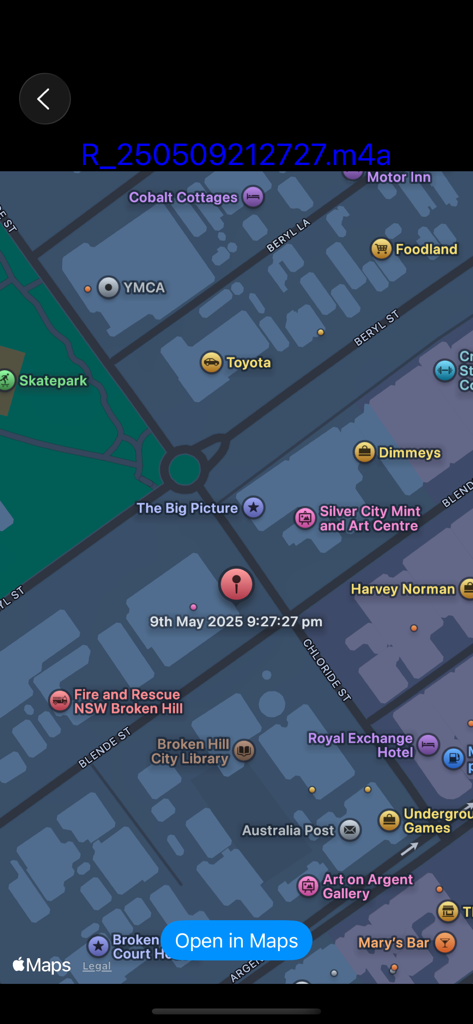
すべての録音は自動的にマップにピン留めされます。フィールドのジャーナリストであっても、現場の研究者であっても、各クリップがどこでキャプチャされたかを正確に知ることができます。

以下のスクリーンショットと説明は、アプリの公式ストアリスティングから直接取得されたものであり、アプリ開発者の所有物です。

アプリストア

スクリーンショット
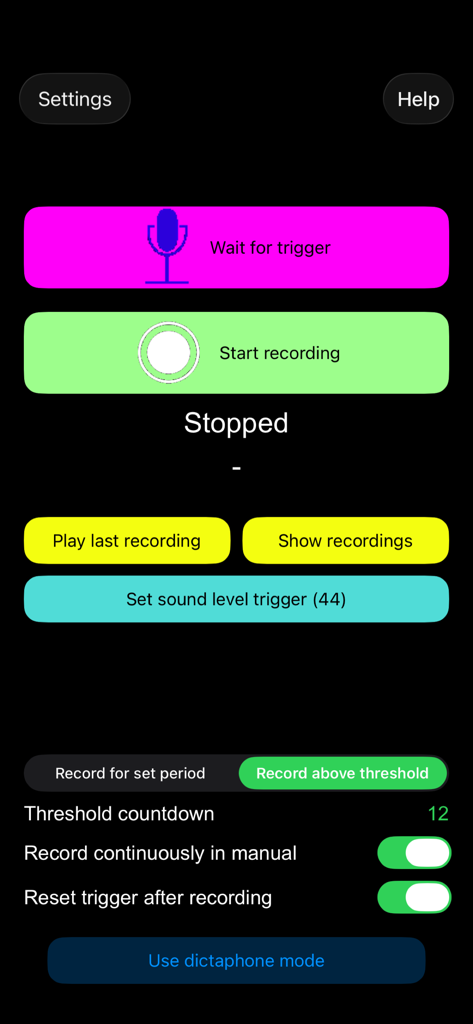
Audio Recorder with Trigger - 録音およびトリガー設定を表示する、トリガー付きオーディオレコーダーアプリのインターフェイス
録音およびトリガー設定を表示する、トリガー付きオーディオレコーダーアプリのインターフェイス

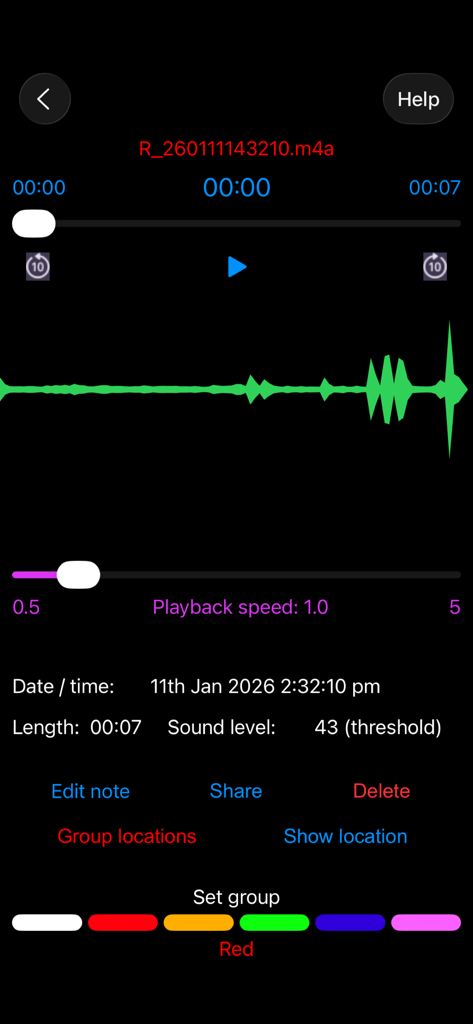
Audio Recorder with Trigger - 波形と録音メタデータを表示する、トリガー付きオーディオレコーダーアプリの再生インターフェイス
波形と録音メタデータを表示する、トリガー付きオーディオレコーダーアプリの再生インターフェイス

Audio Recorder with Trigger - 位置情報タグ付きオーディオ録音の位置とタイムスタンプを示すマップ

位置情報タグ付きオーディオ録音の位置とタイムスタンプを示すマップ

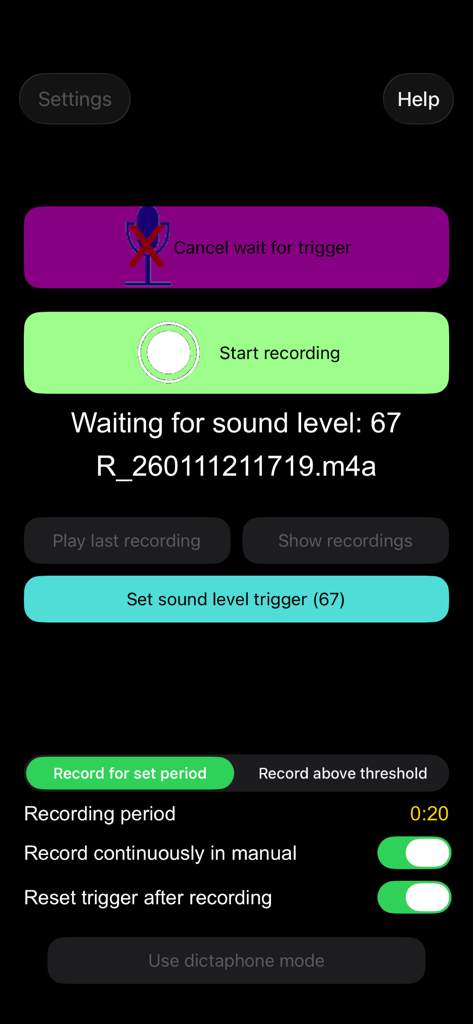
Audio Recorder with Trigger - 音声レベルトリガー設定と録音ボタンを表示するアプリのメイン画面

音声レベルトリガー設定と録音ボタンを表示するアプリのメイン画面

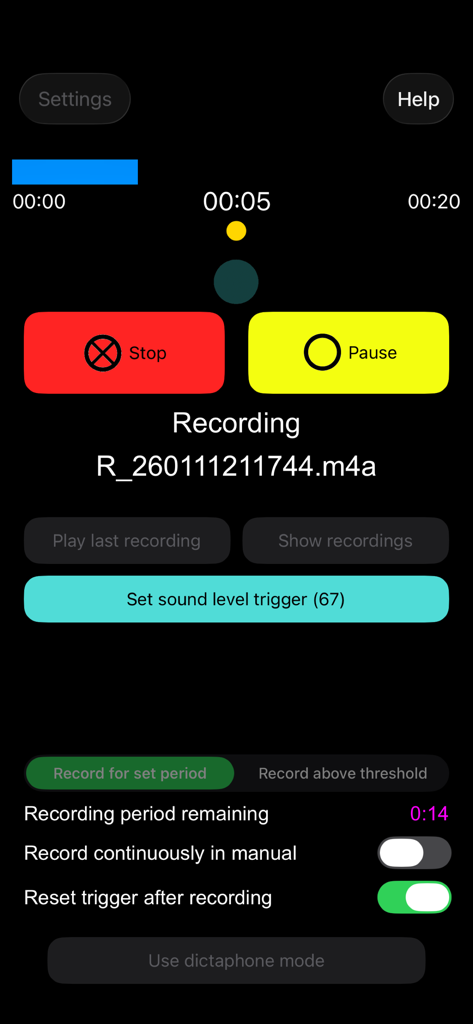
Audio Recorder with Trigger - 音声レベル設定を備えた、トリガー付きオーディオレコーダーアプリの録音画面

音声レベル設定を備えた、トリガー付きオーディオレコーダーアプリの録音画面
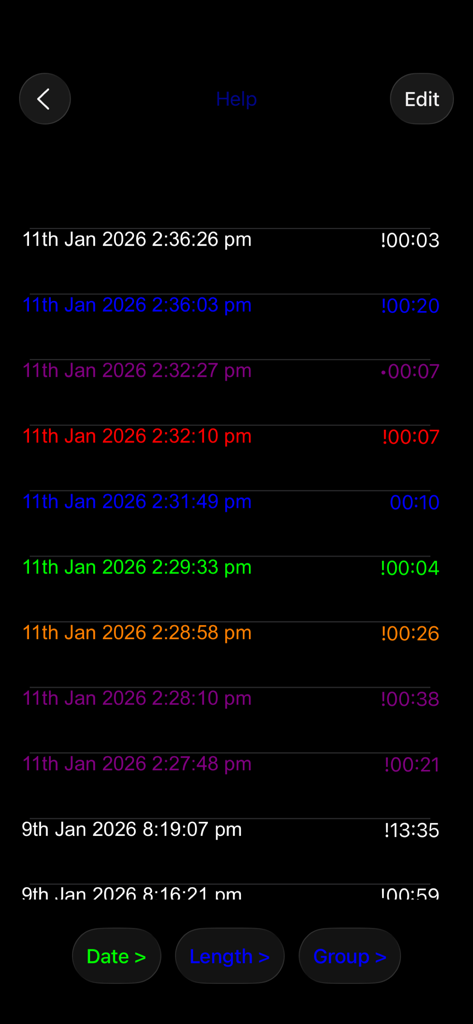
Audio Recorder with Trigger - カラーグループに整理されたオーディオ録音のリスト

カラーグループに整理されたオーディオ録音のリスト

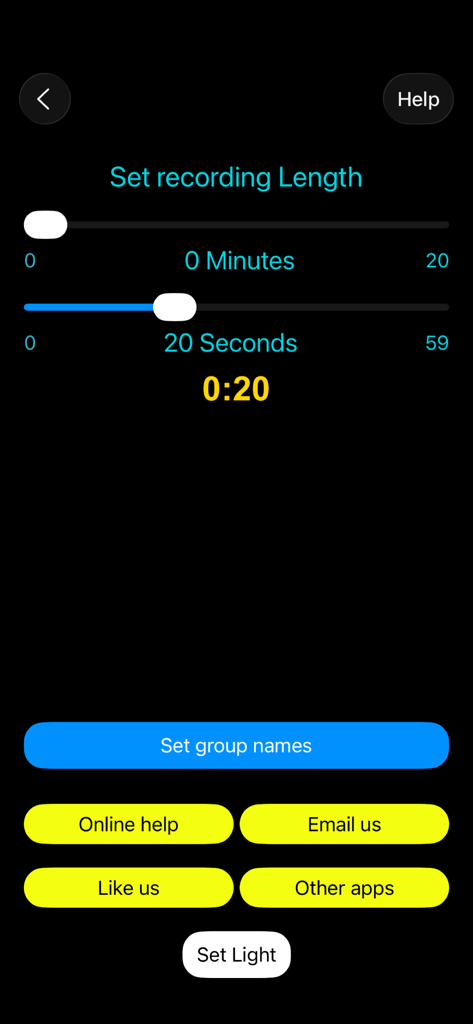
Audio Recorder with Trigger - 分と秒のスライダーで録音長を設定する画面

分と秒のスライダーで録音長を設定する画面

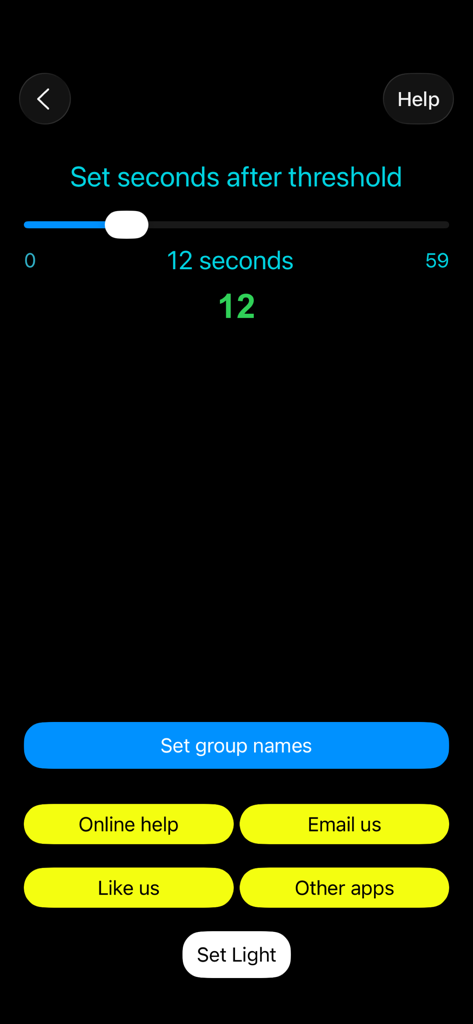
Audio Recorder with Trigger - しきい値後の秒数を設定するためのスライダーとメニューボタンを示す、トリガー付きオーディオレコーダーアプリの設定画面
しきい値後の秒数を設定するためのスライダーとメニューボタンを示す、トリガー付きオーディオレコーダーアプリの設定画面

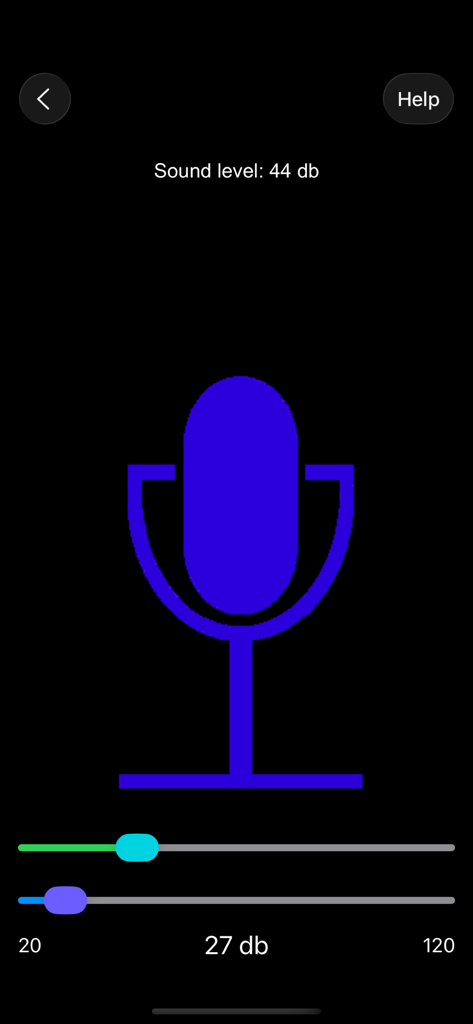
Audio Recorder with Trigger - 音声レベルの監視とオーディオ録音トリガーの設定のためのモバイルアプリインターフェイス
音声レベルの監視とオーディオ録音トリガーの設定のためのモバイルアプリインターフェイス

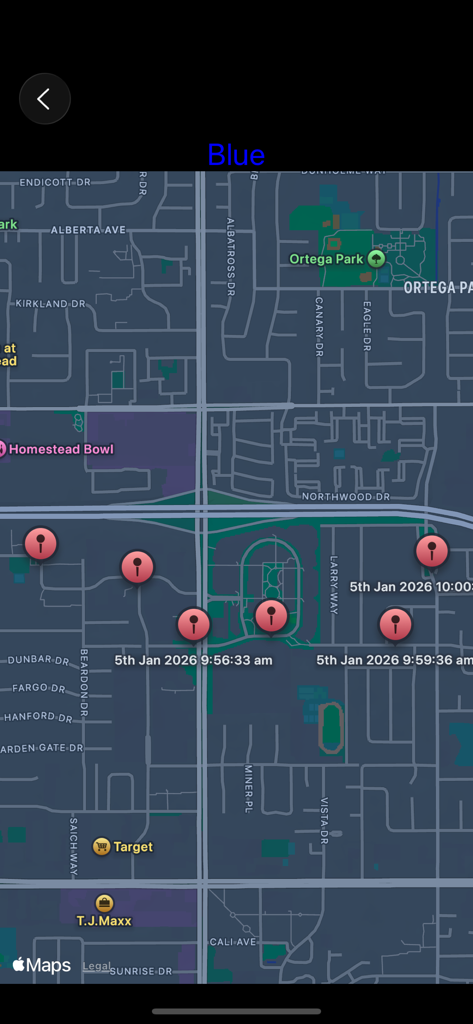
Audio Recorder with Trigger - 複数の位置情報タグ付きオーディオ録音の位置とタイムスタンプを示すマップビューインターフェイス

複数の位置情報タグ付きオーディオ録音の位置とタイムスタンプを示すマップビューインターフェイス

説明

Recorder with trigger is the ultimate recording app. It will start recording when a trigger level of sound is reached (or just start it manually) or in Dictaphone mode recording takes place as long as the record button is held down. Recordings are geo-tagged so the location of the recording can be seen on a map. Put the recordings into colour groups and show all their locations. Add notes to a recording. Share the recordings. KEY FEATURES: - HD Audio recorder - High quality voice recording. - Record immediately or wait for trigger - Record for a certain time, until the ambient sound drops or until stopped manually - Dictaphone note-taking mode - View waveform of recording - Record songs, lectures, speeches etc.  - Best quality - Play, pause, stop audio files. - Send / Share your recording. - Delete or upload your recording right from the app. - Add notes to your recordings. - Save / pause / resume / abort the recording process control - Background recording (full app only) - A timer to keep track of your recording time. - Smart recorder, automatic recording ADVANCED FEATURES: Voice Recorder - Audio Recorder Audio Recorder - Mostly known as professional, and easy voice recorder. Use it for record voice memos, talks, podcasts, music and songs in high quality. Designed for everybody, especially students, journalists and musicians. Never miss important information during a meeting or at the lecture. Geo-tagged Recordings: Recordings are geo-tagged so the location of the recording can be seen on a map. Every recording automatically includes your location. This makes it ideal for journalists, travellers, and professionals who want detailed location context for every sound clip. Recorder with Trigger: Set trigger level to record high quality voice recordings. Recording starts when a trigger level of sound is reached. Say goodbye to missed moments! Set a trigger threshold, and Recorder with Trigger will automatically begin recording whenever the surrounding sound exceeds that level and can stop when the level drops. Dictaphone Recordings: In Dictaphone mode recording takes place as long as the record button is held down. This audio recording app allows you to easily capture notes and memos by voice, as well as record meetings, lectures, interviews, and everyday sounds. Instead of writing notes by hand, simply record everything you need, from quick to-do lists to important memos using speech. Colour Group recordings Put the recordings into colour groups and show all their locations. Add notes to a recording. Group all your vocal recordings into defined categories. Mark your favourite talks and memos. Place recordings, choose colours and folders. Achieve clear and sharp sound. Map View of Recordings See all your geo-tagged recordings displayed on an interactive map, either on its own or the whole group. Tap any pin to instantly see the notes. Recordings can also be shown on the Maps app. Share Recordings Easily Share your recordings quickly through email, or social apps. Export them for transcription, editing, or storage — all in a few taps. Why Choose Recorder with Trigger? Voice Recorder Audio Memos is more than just a simple recorder, it’s a powerful, automatic voice recorder with sound timer & trigger, location tagging, and intuitive organisation. Capture everything that matters automatically, efficiently, and in quality sound. Record your sleep talk! Download and enjoy much more!

Download

ダウンロード: App Store

このページはアプリまたはその開発者の公式ページではなく、情報提供および論評を目的として作成された独立した編集出版物です。明示的に別段の記載がない限り、アプリおよびその開発者は、MWM、Apple、Google Play、アプリのパブリッシャー、またはアプリの開発者と提携、承認、後援、認可、またはその他の公式的な関係はなく、このページのいかなる内容も、アプリがMWMのサービスを使用して開発されたことを意味するものではありません。すべての商標、ロゴ、スクリーンショット、その他のコンテンツはそれぞれの所有者の財産です。