
このページはアプリまたはその開発者の公式ページではなく、情報提供および論評を目的として作成された独立した編集出版物です。明示的に別段の記載がない限り、アプリおよびその開発者は、MWM、Apple、Google Play、アプリのパブリッシャー、またはアプリの開発者と提携、承認、後援、認可、またはその他の公式的な関係はなく、このページのいかなる内容も、アプリがMWMのサービスを使用して開発されたことを意味するものではありません。すべての商標、ロゴ、スクリーンショット、その他のコンテンツはそれぞれの所有者の財産です。


Auri AI Keyboard & Assistant
あらゆるアプリで、完璧なメールの下書き、ボイスメモの文字起こし、ライティングの磨き上げを瞬時に行えます。キーボードに直接統合された、プライベートで最先端のAIアシスタントのパワーで、より速く、よりスマートなワークフローを体験してください。
ダウンロード
117K+ユーザー評価
評価数
1K+開発元
カテゴリ
Productivity対応言語
14最新バージョン
3.2.6サイズ
139.0 MBリリース日
2023年1月9日究極の生産性マルチツール
Auri AIはキーボードに直接統合され、あらゆるアプリをライティング、文字起こし、プロフェッショナルなコミュニケーションの強力なツールに変えます。
AIキーボード統合
画面を切り替えたり、テキストをコピーしたりすることなく、あらゆるアプリでメールの下書き、メッセージへの返信、執筆の継続ができます。
エリート音声文字起こし
ボイスメモ、講義、会議を、外出先でも業界をリードする精度で、構造化されたメモやToDoリストに変換します。
よくある質問
について知っておくべきこと Auri AI Keyboard & Assistant
Auri AIとは何ですか?
Auri AIは、オールインワンのパーソナルAIアシスタントおよびキーボードです。メールの下書き、ボイスメモの文字起こし、メモの作成、エッセイの執筆、文法やスペルのチェックを行います。
Auri AIキーボードはどの言語をサポートしていますか?
Auri AIキーボードは80以上の言語での入力をサポートしており、ユーザーはあらゆるアプリケーションでより速く、よりスマートに、間違いのないタイピングができます。
Auri AIキーボードには音声入力機能は含まれていますか?
はい、Auri AIキーボードには最先端のKeyboard Dictation Proが搭載されており、非常に精度の高い音声テキスト変換技術を提供します。ユーザーは手入力なしで話した言葉をテキストに変換できます。
Auri AIは私のためにテキストを作成できますか?
はい、Auri AIはあらゆるアプリ、あらゆる言語で、指定されたトピックに関するテキストを作成できます。ユーザーはボタンをタップしてトピックを指定するだけで、AIがテキストを生成します。
Auri AIキーボードは文法やスペルを修正しますか?
はい、Auri AIキーボードは、文法、句読点、スペルミスをワンタップで修正します。この機能により、あらゆるアプリでテキストを間違いなく作成できます。
Auri AIはメールの返信の下書きに役立ちますか?
はい、Auri AIはほとんどのメールアプリでメールの返信の下書きを作成します。ユーザーはトーンを選択するだけで、AIが適切な返信を生成し、時間を節約します。
Auri AIには「続きを書く」機能はありますか?
はい、Auri AIには「続きを書く」機能があります。ワンタップでAIが次の数行を生成し、ユーザーがライターズブロックを克服し、思考を完了するのを支援します。
Auri AIはいくつの言語を翻訳できますか?
Auri AIは、キーボードから直接20以上の言語間でテキストを翻訳できます。これにより、国際的な連絡先とのコミュニケーションが容易になります。
Auri AIはテキストをさまざまなスタイルで言い換えることができますか?
はい、Auri AIの言い換え機能は、プロフェッショナル、面白い、皮肉、クリエイティブなど、25種類以上のスタイルで文や段落を書き直します。
Auri AIキーボードにはクリップボード機能がありますか?
はい、Auri AIキーボードにはKeyboard Clipboardが搭載されています。ユーザーは、メール、フレーズ、メッセージ、URLなど、頻繁に入力するテキストを保存して、すばやくアクセスできるため、時間を節約できます。
Auri AI Chatで何ができますか?
Auri AI Chatを使用すると、ユーザーは質問したり、アイデアをブレインストーミングしたり、新しいことを学んだりできます。18種類のチャットタイプ、2つのエンジン、メッセージの保存や共有などの機能を提供します。
Auri AIは録音をさまざまなドキュメントタイプに文字起こしできますか?
はい、Auri AIは音声録音をさまざまなドキュメントに文字起こしします。録音を要約、ToDoリスト、会議メモ、ポッドキャストメモ、さらには大学のエッセイに変換できます。
Auri AI Smart NotesではどのようなAIライティングツールが利用できますか?
Auri AI Smart Notesでは、いくつかのAIライティングツールが利用できます。これには、文法とスペルのチェック、ライティングの支援、続きの作成、翻訳、要約、テキストの言い換えが含まれます。
Auri AIはユーザーデータを収集または保存しますか?
いいえ、Auri AIはユーザーが入力または話した内容を追跡、収集、または保存しません。プライバシーを最優先に設計されており、ユーザーデータをレンタルまたは販売することはありません。
Auri AI Proにはどのような機能が含まれていますか?
Auri AI Proは、すべてのAIキーボード機能の無制限利用、無制限のAIチャット、Smart Notes AIライティングツール、および25以上のキーボードテーマを提供します。将来のPro機能も含まれます。
Auri AI Proサブスクリプションの更新はどのように機能しますか?
Auri AI Proサブスクリプションは自動的に更新されます。ユーザーは、少なくとも24時間前に自動更新をオフにしない限り、期間終了の24時間前に請求されます。
Auri AIのサポートにはどのように連絡できますか?
ユーザーは、hi@auri.aiにメールを送信するか、公式サポートページhttps://auri.ai/supportにアクセスして、Auri AIサポートに連絡できます。
Auri AIは複数のAppleデバイスと互換性がありますか?
はい、Auri AIは複数のAppleデバイスで動作します。iPhone、iPad、Apple Watchと互換性があり、すべてのアプリで機能します。
Auri AIキーボードに切り替えるにはどうすればよいですか?
Auri AIキーボードに切り替えるには、地球儀のキーボードキーを長押しし、表示されるオプションから「Auri AI」を選択します。その後、キーボードのステータスに「稼働中」と表示されます。
以下のスクリーンショットと説明は、アプリの公式ストアリスティングから直接取得されたものであり、アプリ開発者の所有物です。
アプリストア
スクリーンショット
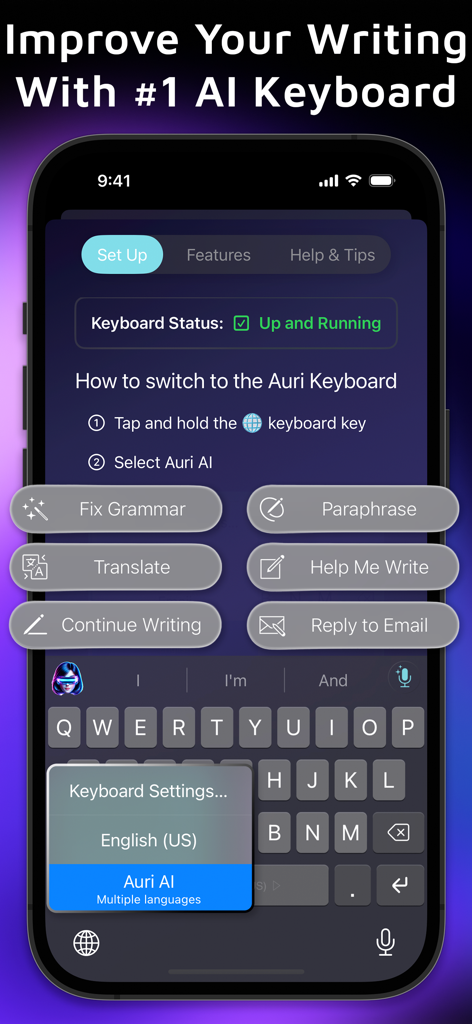
Auri AIキーボードアプリ、文法チェックや翻訳などのライティングツールを表示
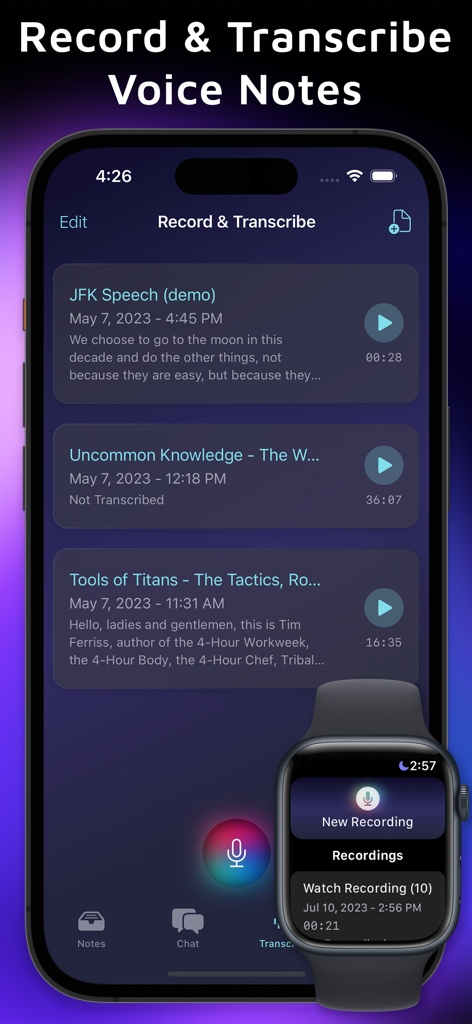
iPhoneとApple WatchでのAuri AIボイスメモと文字起こしインターフェース
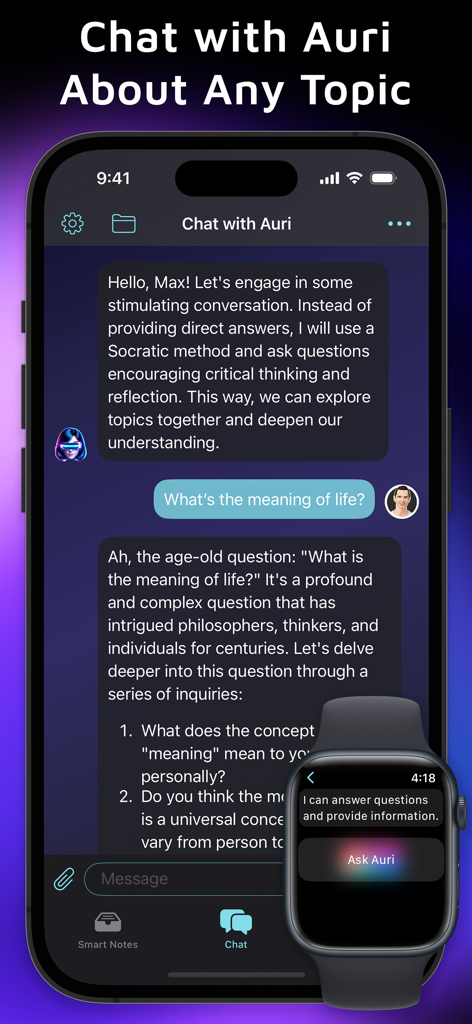
iPhoneとApple WatchでのAuri AIアシスタントチャットインターフェース
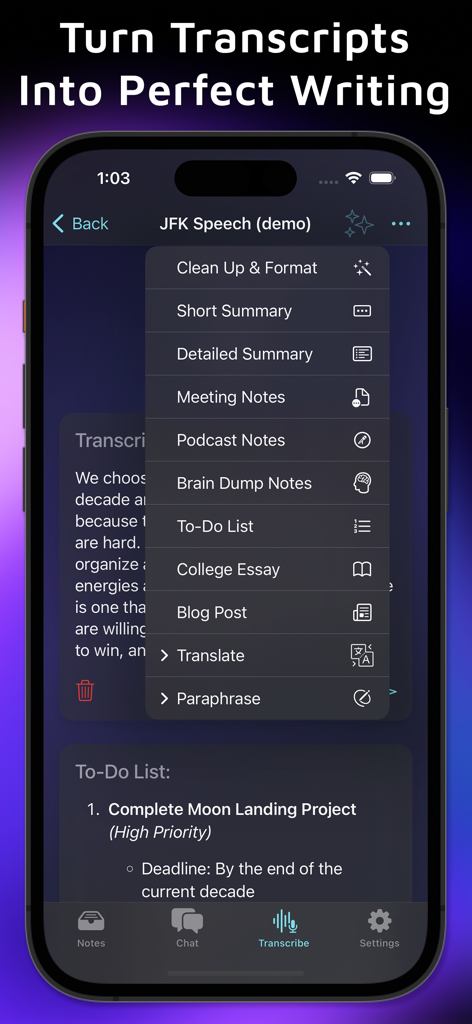
トランスクリプトを要約、会議メモ、ブログ記事、エッセイに変換するオプションを示すAuri AIアプリインターフェース
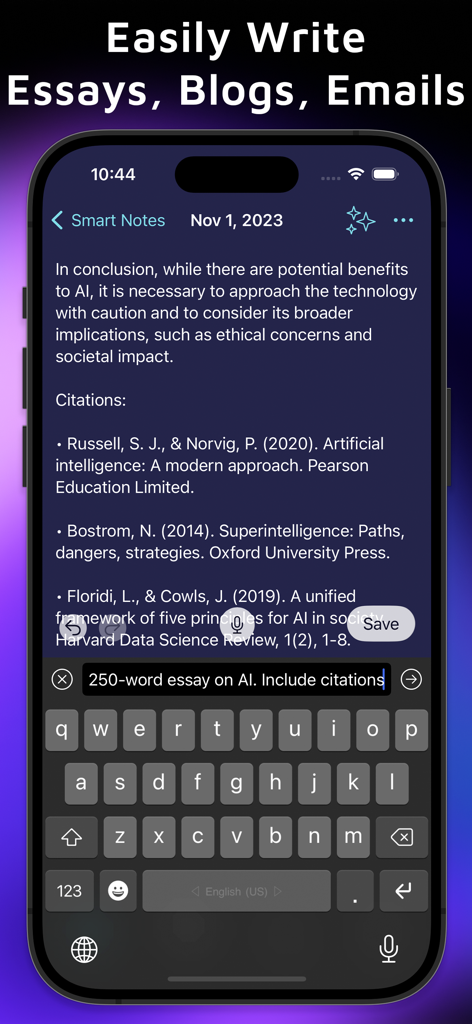
スマートフォンでSmart Notes機能で引用付きの詳細なエッセイを生成するAuri AIキーボード
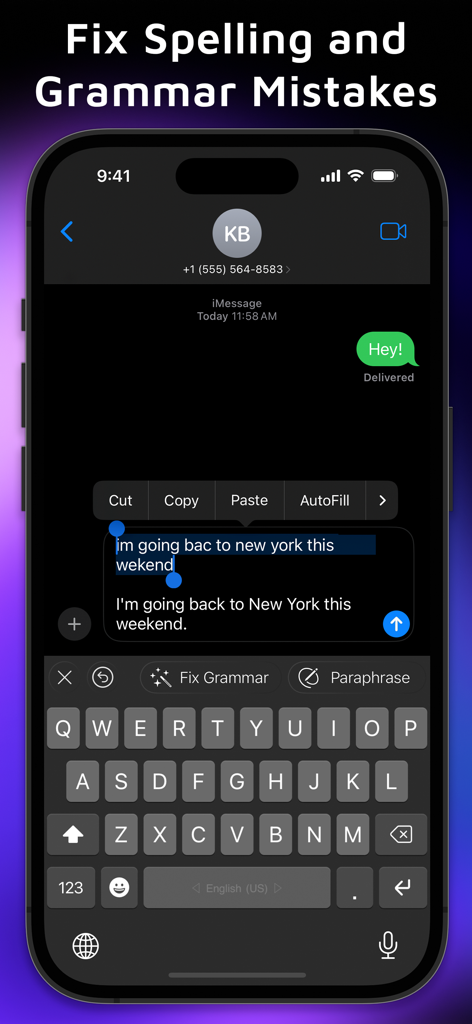
チャットメッセージのスペルミスや文法ミスを修正するAuri AIキーボード
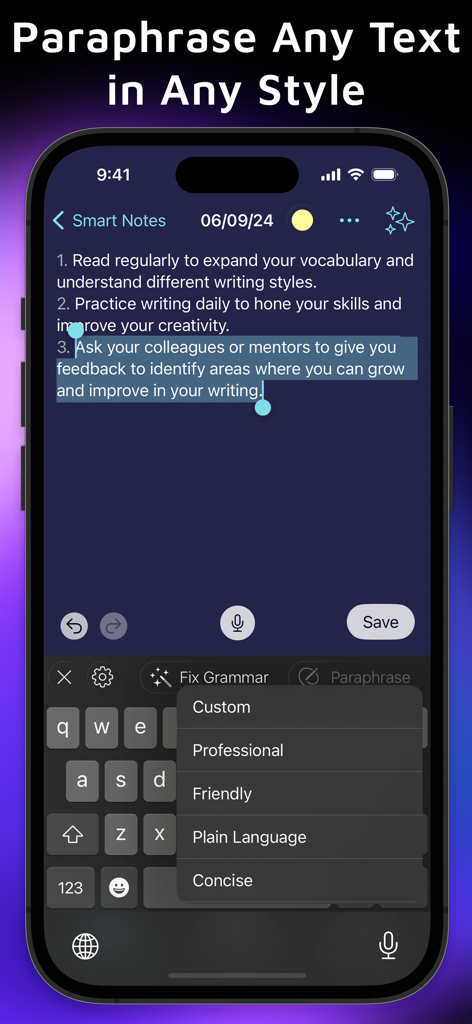
スマートノートのプロフェッショナルやフレンドリーなどのパラフレーズオプションを示すAuri AIキーボード
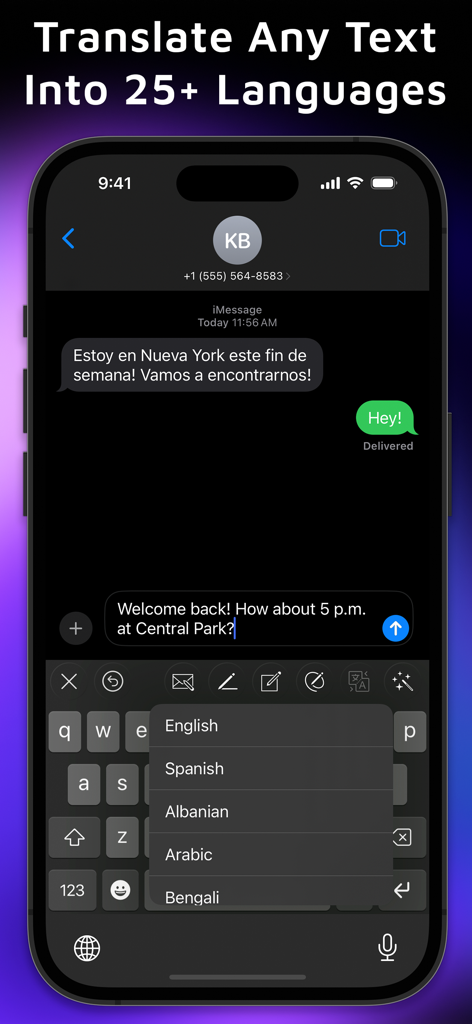
iMessageアプリでリアルタイム翻訳メニューを表示するAuri AIキーボード
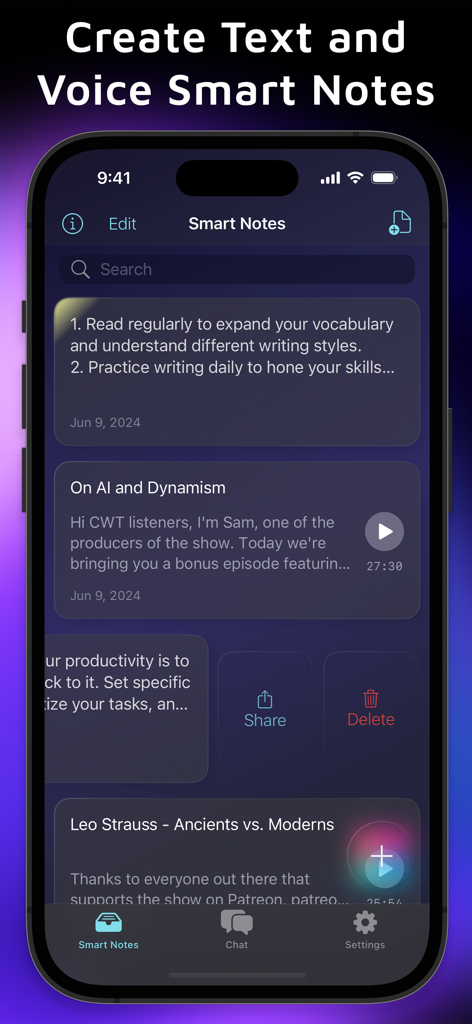
スマートノートと音声文字起こし録音を管理するためのAuri AIアプリインターフェース
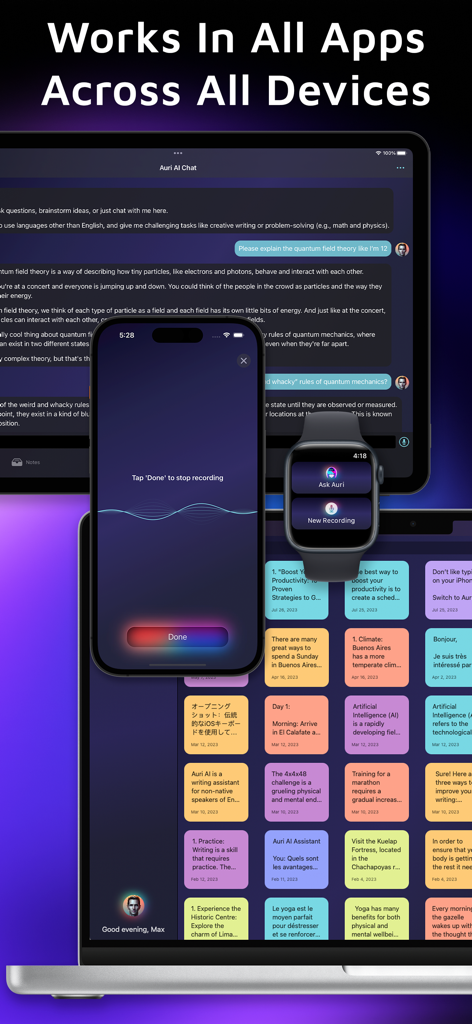
iPhone、iPad、Apple Watch、Macで動作するAuri AIキーボードとアシスタント
説明
Download
類似アプリ
似た機能とユーザー体験を持つアプリ
AiText: Grammar & Spell Check
Mikhail Chelbaev
Grammar Check Corrector AI
DAMIEN, NATHANAEL ELLEDGE
LanguageTool - Grammar Checker
LanguageTooler GmbH

AI Email Writer - Boss
Curious Creators Co.
AI Keyboard Type AI – AnyWrite
Appnest Technologies LLC
TypeEasy-AI Keyboard & Writer
Jie Huang
Grammarly: AI Writing Keyboard
Grammarly, Inc

微信输入法
Tencent Technology (Shenzhen) Company Limited

QuillBot: AI Writing, Keyboard
QuillBot, a Learneo Inc. business
このページはアプリまたはその開発者の公式ページではなく、情報提供および論評を目的として作成された独立した編集出版物です。明示的に別段の記載がない限り、アプリおよびその開発者は、MWM、Apple、Google Play、アプリのパブリッシャー、またはアプリの開発者と提携、承認、後援、認可、またはその他の公式的な関係はなく、このページのいかなる内容も、アプリがMWMのサービスを使用して開発されたことを意味するものではありません。すべての商標、ロゴ、スクリーンショット、その他のコンテンツはそれぞれの所有者の財産です。