Authenticator App - Official ™

Authenticator App - Official ™

ダウンロード: App Store
ロゴ: Authenticator App - Official ™

Authenticator App - 公式™: デジタルアイデンティティを保護

iPhoneユーザー向けの究極の2FA&MFAソリューション。暗号化されたクラウドバックアップとシームレスなワンタップ認証で、銀行、仕事、ソーシャルメディアアカウントを保護します。

ダウンロード: App Store

開発元

TRIPLE IT LTD

カテゴリ

Utilities

ダウンロード

100

ユーザー評価

1.0/5

評価数

0

対応言語

1

一目でわかるセキュリティ

このインターフェースを利用する 100 人のユーザー.

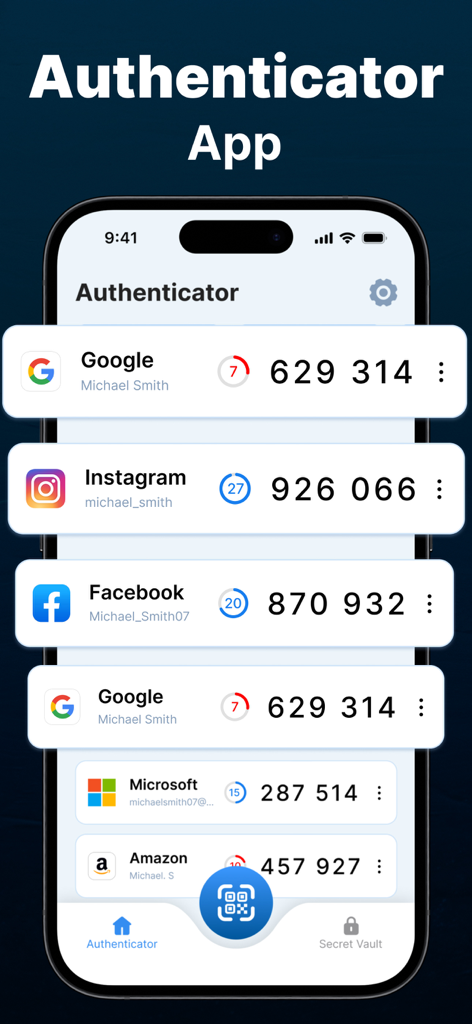
iPhone上のさまざまなオンラインアカウントの二要素認証コードを表示するAuthenticatorアプリのインターフェイス
iPhone上のさまざまなオンラインアカウントの二要素認証コードを表示するAuthenticatorアプリのインターフェイス

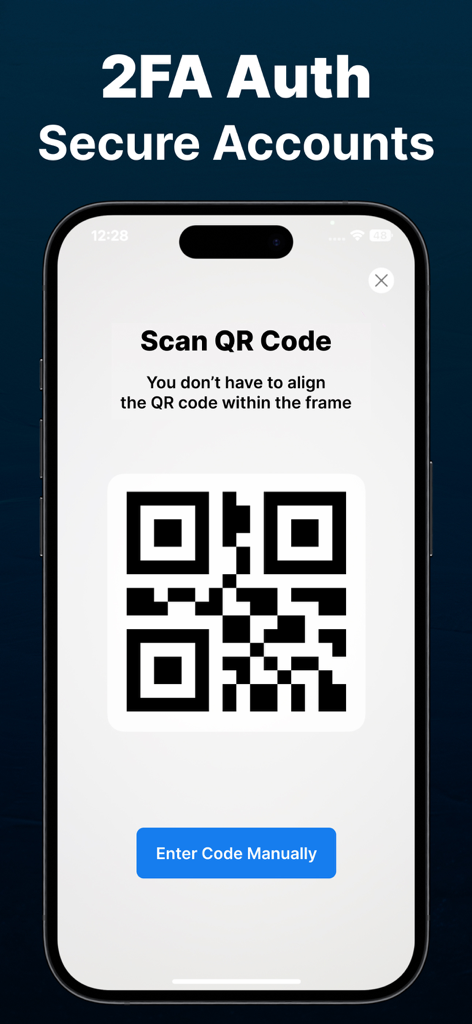
安全な2FAアカウント設定のためのQRコードスキャナーインターフェイスを表示するiPhone画面。
安全な2FAアカウント設定のためのQRコードスキャナーインターフェイスを表示するiPhone画面。

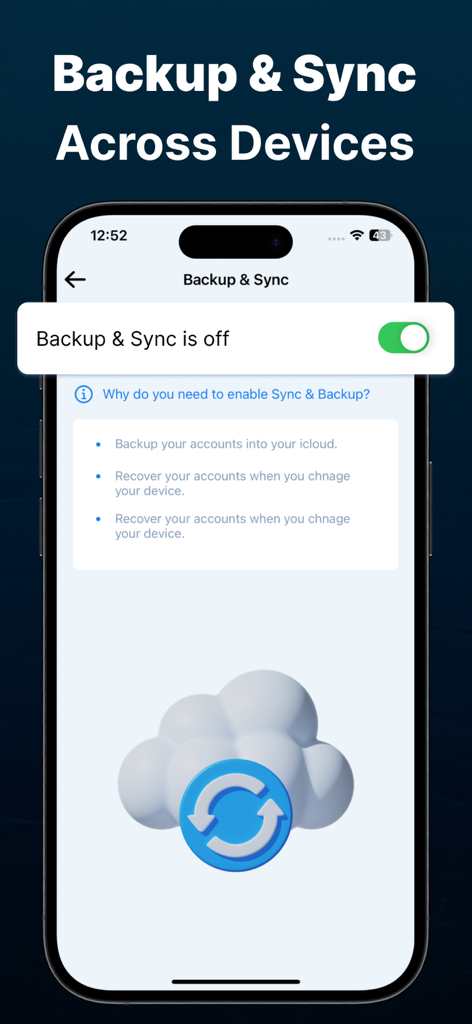
安全なクラウドアカウント復旧のためのバックアップおよび同期設定を表示するAuthenticatorアプリ画面。
安全なクラウドアカウント復旧のためのバックアップおよび同期設定を表示するAuthenticatorアプリ画面。

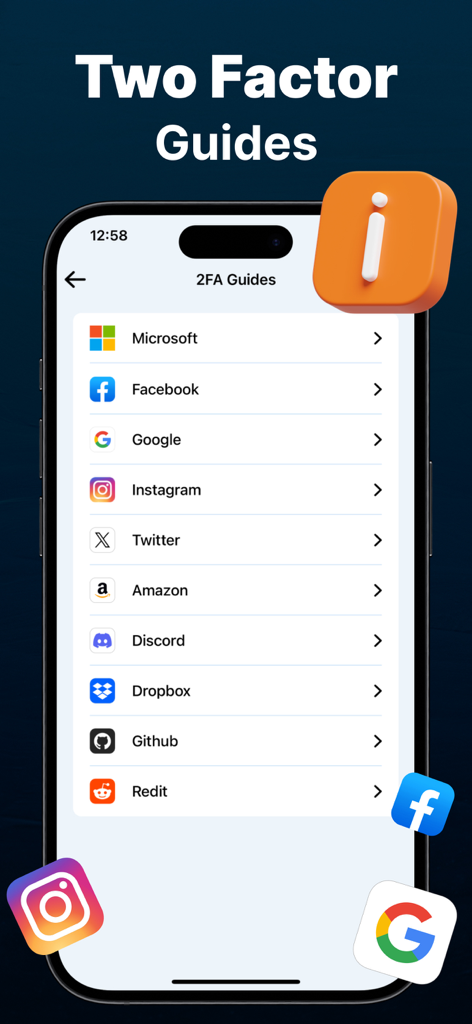
Microsoft Google Facebookなどの人気サービス向けの二要素認証セットアップガイドのリストを表示するiPhone画面

Microsoft Google Facebookなどの人気サービス向けの二要素認証セットアップガイドのリストを表示するiPhone画面

デジタルワールドのための鉄壁のセキュリティ

このアプリを際立たせるツール、 100 人のユーザーが選択.

☁️

安全なクラウドバックアップ

ロックアウトされる心配はもうありません。デバイスを切り替えたり紛失したりした場合でも、簡単に復旧できるように、コードをクラウドに安全に暗号化して保存します。

📲

ユニバーサルワンタップセットアップ

GoogleやFacebookからSalesforce、LinkedInまで、すべてを統合します。QRコードをスキャンするだけで、すべての安全なログインを1つのアプリに統合できます。

🛡️

銀行グレードの暗号化

お客様のセキュリティが最優先事項です。業界をリードする暗号化により、機密データがデバイスから離れることのないように、オフラインでコードを生成します。

アプリについて

について知っておくべきこと Authenticator App - Official ™.

説明

Authenticator App is the ultimate 2FA (Two-Factor Authentication) solution for you, ensuring an extra layer of security to protect your sensitive data. Whether you’re securing your email, banking apps, social media, or work accounts, our powerful Authenticator provides the best MFA (Multi-Factor Authentication) experience for iPhone users. Why Choose Our Authenticator App? Seamless 2FA & MFA Protection: Strengthen your online security by adding an extra verification step for your logins. With our Authenticator App, hackers can’t access your accounts even if they steal your password. One-Tap Authentication: Easily generate Time-Based One-Time Passwords (TOTP) for quick and secure logins. Offline Authentication: No internet? No problem! Our Authenticator App works offline, allowing you to retrieve codes anytime, anywhere. Secure Cloud Backup: Never lose access to your accounts! Securely store your authentication codes with encrypted cloud backup. QR Code Scanner: Quickly add new accounts by scanning QR codes from supported websites and apps. Premium features: Free app users can add limited auth codes and accounts while premium subscription app users will get access to all unlimited features including adding unlimited accounts. How Our Authenticator App Works? Enable 2FA on Your Accounts: Activate Two-Factor Authentication (2FA) on your email, social media, banking, or any supported account. Scan QR Code: Use our built-in scanner to quickly add your account to the Authenticator App. Generate Secure Codes: Get a unique TOTP (Time-Based One-Time Password) every few seconds. Login Securely: Enter the generated Auth code during login for an additional layer of security. Our Authenticator App supports major services like: Google Authenticator, Facebook, Instagram, Salesforce Authenticator, Twitter, LinkedIn, Snapchat, Microsoft Authenticator. Who Needs an Authenticator App? Individuals: Secure your personal online accounts with strong 2FA authentication. Encrypted Cloud Backup: Restore your authentication codes if you switch devices. Device Encryption: Your Auth codes are stored securely using industry-leading encryption. Multiple Token Formats: Supports TOTP, HOTP, and SHA-1, SHA-256, SHA-512 algorithms for maximum compatibility. Easy Migration & Backup Moving to a new iPhone? Our Authenticator App makes transferring accounts simple and hassle-free with secure cloud backup and one-tap restore functionality. Simple, Fast, and Secure 2FA Authentication Whether you need a Two-Factor Authentication (2FA) App for personal use, work, or high-security applications, our Authenticator is the ultimate solution. Say goodbye to security threats and safeguard your digital world with the best MFA Authenticator App for iPhone! Download the Best Authenticator App Today! Don’t wait until it’s too late! Protect your online identity, secure your accounts, and enjoy hassle-free 2FA authentication with the most powerful Authenticator App on the App Store. Download now and experience the best in Two-Factor Authentication (2FA) and Multi-Factor Authentication (MFA) security! QR Reader App's Subscription Terms - Subscriptions with a free trial will automatically convert to a paid subscription. - Payment will be deducted from your iTunes Account upon purchase confirmation. - Subscriptions automatically renew unless auto-renewal is disabled 24 hours prior to the current period's end. - Users can manage subscriptions and turn off auto-renewal in Account Settings post-purchase. To avoid charges, cancel a free trial or subscription by disabling auto-renewal in iTunes account settings at least 24 hours before the trial or subscription ends. The cancellation will activate the day after the current subscription period ends, reverting to the free service. Privacy Policy and Terms of Use of QR Scanner App: Privacy Policy: https://tripleit.ltd/app-privacy-policy.html Terms of Use: https://tripleit.ltd/app-eula.html

最新バージョン

1.0

サイズ

13.4 MB

リリース日

2025年2月24日

ワンタップでデジタルアイデンティティを保護

暗号化されたクラウドバックアップとプログレードのMFAで、究極の安心感を手に入れましょう。今すぐ公式Authenticatorをダウンロードして、アカウントへのアクセスを失う心配から解放されましょう。

ダウンロード: App Store
FAQ

よくある質問

について知っておくべきこと Authenticator App - Official ™

Authenticator Appとは何ですか?

Authenticator Appは、機密データにセキュリティの追加レイヤーを提供する2FA(2要素認証)ソリューションです。iPhoneユーザーに最適なMFA(多要素認証)エクスペリエンスを提供します。

Authenticator Appはオフラインで使用できますか?

はい、Authenticator Appはオフライン認証をサポートしています。インターネット接続なしで動作するため、いつでもどこでもコードを取得できます。

Authenticator Appはユーザーアカウントをどのように保護しますか?

Authenticator Appは、ログイン時に追加の確認ステップを追加することで、オンラインセキュリティを強化します。時間ベースのワンタイムパスワード(TOTP)を生成し、保存されたコードには業界をリードするデバイス暗号化を使用します。

Authenticator Appのユーザーは認証コードをバックアップできますか?

はい、Authenticator Appのユーザーは認証コードを安全にバックアップできます。アプリは暗号化されたクラウドバックアップを提供し、ユーザーがアカウントへのアクセスを失うことを防ぎます。

Authenticator Appのプレミアム機能は何ですか?

Authenticator Appのプレミアム機能には、すべての無制限の機能へのアクセスが含まれます。無料アプリのユーザーは、限られた数の認証コードとアカウントを追加できます。

ユーザーはAuthenticator Appに新しいアカウントを追加するにはどうすればよいですか?

ユーザーは、サポートされているウェブサイトやアプリからQRコードをスキャンして、Authenticator Appに新しいアカウントを追加できます。手動でのコード入力もサポートしています。

Authenticator Appはどのサービスで2要素認証をサポートしていますか?

Authenticator Appは、Google、Facebook、Instagram、Twitter、Microsoftなどの主要なサービスをサポートしています。また、AmazonやDiscordなど、さまざまなプラットフォーム向けの特定の2FAガイドも提供しています。

Authenticator Appで、アカウントを新しいiPhoneに移行できますか?

はい、ユーザーはアカウントを新しいiPhoneに簡単に移行できます。Authenticator Appは、安全なクラウドバックアップとワンタップ復元機能でこれを容易にします。

Authenticator Appはプレミアム機能の無料トライアルを提供していますか?

はい、Authenticator Appは無料トライアル付きのサブスクリプションを提供しています。これらのトライアルは、有効期限の少なくとも24時間前にキャンセルされない限り、自動的に有料サブスクリプションに移行します。

Authenticator Appはどのような暗号化方法を使用していますか?

Authenticator Appは、業界をリードするデバイス暗号化を使用して認証コードを安全に保存します。また、TOTP、HOTP、SHA-1、SHA-256、SHA-512アルゴリズムを含む複数のトークン形式をサポートしています。

App information, icons, screenshots, and descriptions displayed on this page are sourced from the Apple App Store and are the property of their respective developers. Download estimates and rankings are based on MWM's proprietary models and may not reflect actual figures. This page is provided for informational and analytical purposes only.

Believe this page infringes your intellectual property? File a dispute