Authy: MFA & 2FA Authenticator
ダウンロード: App Store

このページはアプリまたはその開発者の公式ページではなく、情報提供および論評を目的として作成された独立した編集出版物です。明示的に別段の記載がない限り、アプリおよびその開発者は、MWM、Apple、Google Play、アプリのパブリッシャー、またはアプリの開発者と提携、承認、後援、認可、またはその他の公式的な関係はなく、このページのいかなる内容も、アプリがMWMのサービスを使用して開発されたことを意味するものではありません。すべての商標、ロゴ、スクリーンショット、その他のコンテンツはそれぞれの所有者の財産です。


ロゴ: Authy: MFA & 2FA Authenticator
ダウンロード: App Store

Authy: MFA & 2FA Authenticator

軍事グレードの暗号化、シームレスなiCloud同期、インスタントApple Watchアクセスでアカウントを保護します。Appleエコシステム専用に構築された、最も先進的なネイティブセキュリティソリューションを体験してください。

主要数値

ダウンロード

74K+

ユーザー評価

3.7/5

評価数

0

開発元

Level Clash Apps S.L.

カテゴリ

Utilities

対応言語

6

最新バージョン

1.1.1

サイズ

43.8 MB

リリース日

2024年9月2日
機能

最大限のセキュリティ、最小限の摩擦

Appleデバイス全体で同期され、機密データを厳重に保護するネイティブ2FAエクスペリエンスで、デジタルアイデンティティを保護します。

暗号化されたiCloud同期

アカウントへのアクセスを二度と失うことはありません。トークンは完全に暗号化され、iPhone、Mac、Apple Watch全体で自動的に同期されます。

ワンタップ認証

手動コードの入力はやめましょう。市場で最もシームレスなログインエクスペリエンスのために、Apple WatchまたはTouch IDを使用して2FAトークンに即座にアクセスします。

以下のスクリーンショットと説明は、アプリの公式ストアリスティングから直接取得されたものであり、アプリ開発者の所有物です。

アプリストア

スクリーンショット
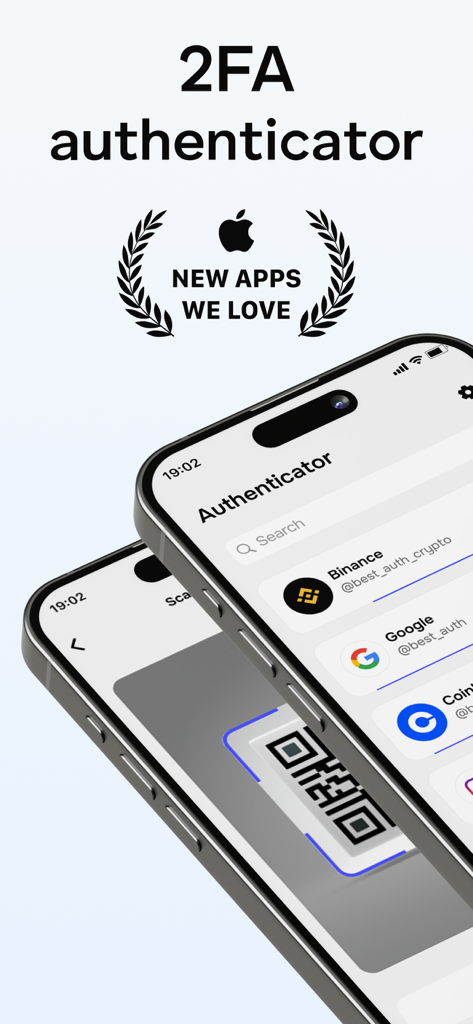
Authy: MFA & 2FA Authenticator - Authy 2FAアプリのiPhoneインターフェイス。「New Apps We Love」バッジ付き。
Authy 2FAアプリのiPhoneインターフェイス。「New Apps We Love」バッジ付き。

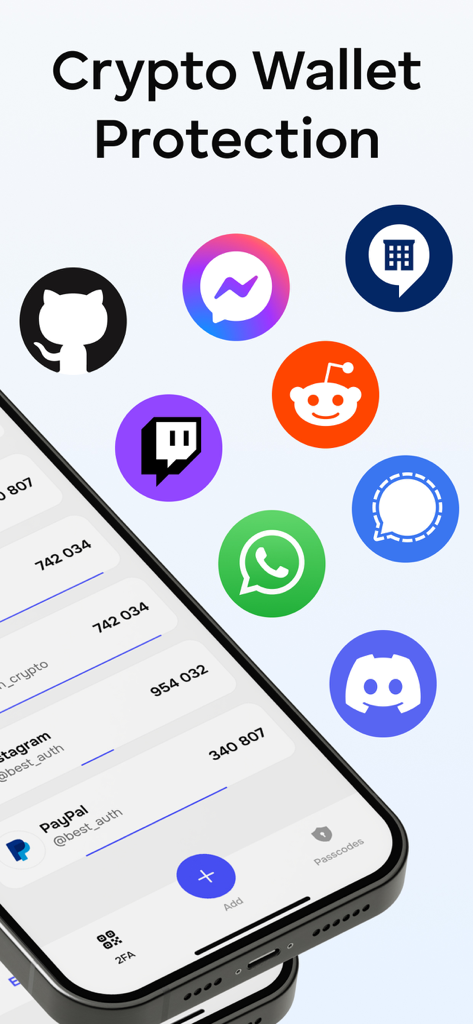
Authy: MFA & 2FA Authenticator - Authy MFAアプリ。2FAコードと、仮想通貨およびソーシャルメディアセキュリティ用のサービスアイコンが表示されています。
Authy MFAアプリ。2FAコードと、仮想通貨およびソーシャルメディアセキュリティ用のサービスアイコンが表示されています。

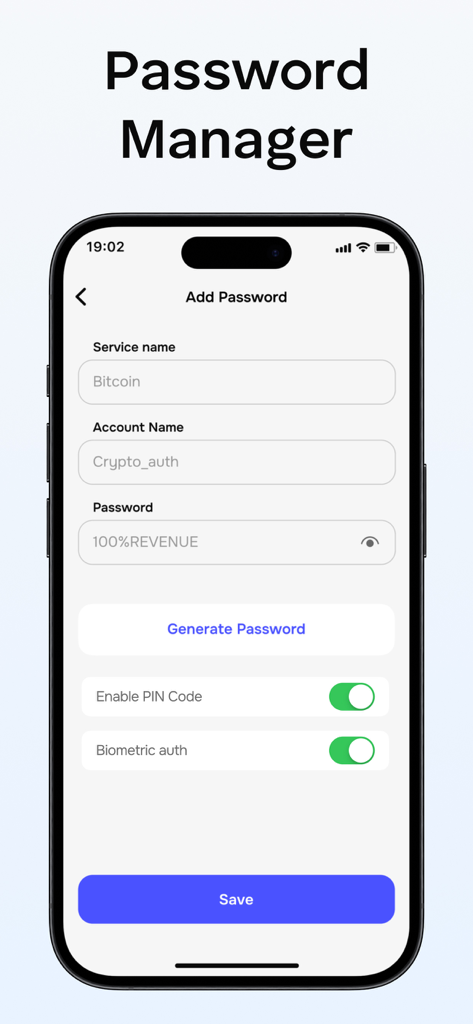
Authy: MFA & 2FA Authenticator - Authyアプリのインターフェイス。新しいアカウントを追加するためのパスワードマネージャー画面が表示され、生体認証トグルがオンになっています。
Authyアプリのインターフェイス。新しいアカウントを追加するためのパスワードマネージャー画面が表示され、生体認証トグルがオンになっています。

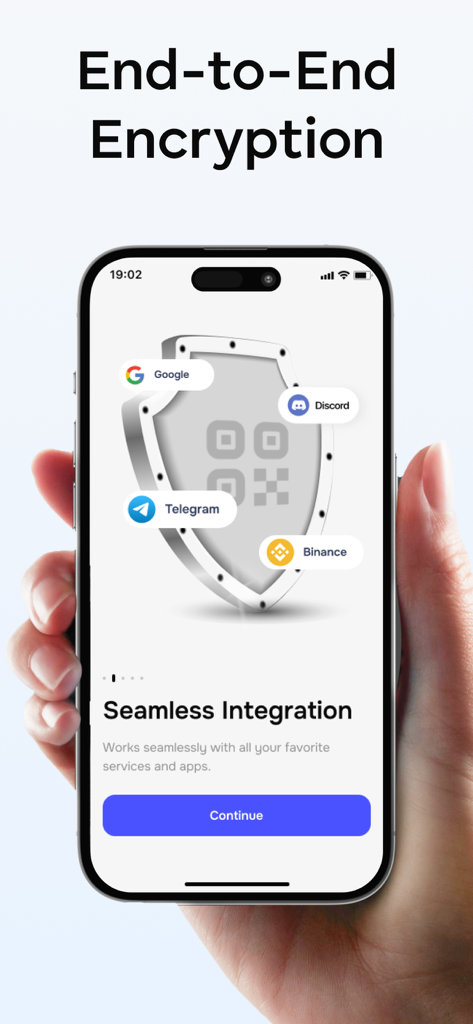
Authy: MFA & 2FA Authenticator - Authyアプリが表示されたiPhoneを持つ手。シールドアイコンと、Google、Discord、Telegram、Binanceのロゴが表示され、エンドツーエンド暗号化とシームレスな統合を強調しています。

Authyアプリが表示されたiPhoneを持つ手。シールドアイコンと、Google、Discord、Telegram、Binanceのロゴが表示され、エンドツーエンド暗号化とシームレスな統合を強調しています。

説明

Authenticator allows you to securely store and generate two-factor authentication codes for all your online accounts, directly on your device. Key Features: 1. Secure and Private. All data within Authenticator is encrypted at all times, even when backed up to iCloud, ensuring that only you have access to your information. 2. Encrypted Backups. Easily create a secure, encrypted backup in Authenticator, safeguarding your data if you lose your device or switch to a new one. 3. Cross-Device Sync. Authenticator automatically syncs your accounts across all Apple devices, including your Apple Watch. 4. Quick Access Widget. Use the Authenticator widget for fast access to your 2FA codes right from your Home Screen. 5. Apple Watch and Touch ID Unlock. Unlock the app instantly using Apple Watch or Touch ID for quicker access. 6. Menu Bar Integration. Keep Authenticator accessible directly from your Menu Bar. 7. Offline Code Generation. Even when offline, Authenticator generates secure codes, allowing you to authenticate safely even in airplane mode. 8. Easy Multi-Account Import. You can seamlessly import accounts from Google Authenticator, Password Managers, or Files. 9. Designed for Apple Devices. Enjoy a fully native experience on all Apple devices with features like Data Sync, Gestures, Widgets, and Dark Mode. 10. Support for Major Services. Authenticator supports major platforms like Facebook, Coinbase, Amazon, Gmail, Instagram, Roblox, and thousands more, including 8-digit tokens. 11. Continuous Updates and Improvements. We regularly enhance our app. If you have any feature requests or feedback, reach out to us at support@2stable.com. Subscription Information. Payment is charged to your iTunes Account upon purchase confirmation. Subscriptions renew automatically unless auto-renew is turned off at least 24 hours before the end of the current period. Your account will be charged for renewal within 24 hours before the current period ends. You can manage your subscriptions and disable auto-renewal through your App Store account settings, up to 24 hours before the next payment is due. Privacy Policy: https://telegra.ph/2FA-Authenticator-Privacy-Policy-08-05 Terms of Use: https://telegra.ph/2FA-Authenticator-Terms-of-Use-08-05

Download

ダウンロード: App Store

このページはアプリまたはその開発者の公式ページではなく、情報提供および論評を目的として作成された独立した編集出版物です。明示的に別段の記載がない限り、アプリおよびその開発者は、MWM、Apple、Google Play、アプリのパブリッシャー、またはアプリの開発者と提携、承認、後援、認可、またはその他の公式的な関係はなく、このページのいかなる内容も、アプリがMWMのサービスを使用して開発されたことを意味するものではありません。すべての商標、ロゴ、スクリーンショット、その他のコンテンツはそれぞれの所有者の財産です。








