
このページはアプリまたはその開発者の公式ページではなく、情報提供および論評を目的として作成された独立した編集出版物です。明示的に別段の記載がない限り、アプリおよびその開発者は、MWM、Apple、Google Play、アプリのパブリッシャー、またはアプリの開発者と提携、承認、後援、認可、またはその他の公式的な関係はなく、このページのいかなる内容も、アプリがMWMのサービスを使用して開発されたことを意味するものではありません。すべての商標、ロゴ、スクリーンショット、その他のコンテンツはそれぞれの所有者の財産です。


ダウンロード
5M+ユーザー評価
評価数
22.6K開発元
カテゴリ
Photo & Video対応言語
1最新バージョン
3.8.3サイズ
107.4 MBリリース日
2013年6月5日テックアナリストによるデジタルコンテンツクリエイター向け評価
アプリ 'Auto Captions' の主要機能分析
多言語対応
ユーザーは、世界中の視聴者向けに複数の言語で字幕を作成でき、コンテンツのリーチを効果的に拡大します。
自動字幕生成
このアプリは音声を自動的に文字に変換し、字幕生成にかかる時間と労力を大幅に節約し、コンテンツのアクセシビリティを即座に高めます。
透かしなしのエクスポート
本ツールを使用すると、ユーザーは透かしなしで動画をエクスポートでき、コンテンツのクリーンでプロフェッショナルな外観を維持し、ブランドイメージを強化します。
字幕スタイルカスタマイズ
ユーザーは、フォント、色、背景、サイズなどの様々なオプションを利用して字幕をパーソナライズし、動画のトーンとブランドアイデンティティに合わせて視覚的な魅力を高めることができます。
直感的で簡単な操作
このアプリは直感的なインターフェースを備えており、初心者から経験豊富なプロまで、あらゆるレベルのユーザーが数ステップで高品質のキャプション付き動画を簡単に作成できます。
字幕の微調整
ユーザーは、字幕のタイミング、位置、フォントサイズを細かく調整し、すべての詳細を完璧に仕上げて、正確でプロフェッショナルな表示を実現できます。
よくある質問
について知っておくべきこと Auto Captions: Video Subtitles
What is Auto Captions: Video Subtitles?
Auto Captions: Video Subtitles is a smart video editing app that automatically generates accurate subtitles for videos. It allows users to customize caption styles, edit text, and supports multiple languages.
Does Auto Captions: Video Subtitles automatically generate captions?
Yes, Auto Captions: Video Subtitles automatically generates captions by transcribing audio to text. This feature saves time and makes video content instantly accessible.
Can I customize the style of captions in Auto Captions: Video Subtitles?
Yes, Auto Captions: Video Subtitles allows extensive customization of caption styles. Users can personalize captions with various fonts, colors, backgrounds, and text sizes.
Does Auto Captions: Video Subtitles support multiple languages?
Yes, Auto Captions: Video Subtitles supports multiple languages for caption creation. This feature enables users to reach a global audience with multilingual subtitles.
Is there a watermark on videos edited with Auto Captions: Video Subtitles?
No, Auto Captions: Video Subtitles allows users to edit and share their videos without watermarks. Content remains clean and professional, free from distractions.
What is the price of Captions Pro in Auto Captions: Video Subtitles?
Captions Pro, the auto-renewing subscription for Auto Captions: Video Subtitles, costs $29.99 per year. This subscription offers unlimited file conversions.
How do I manage my Captions Pro subscription in Auto Captions: Video Subtitles?
Subscriptions for Auto Captions: Video Subtitles can be managed, and auto-renewal turned off, in Account Settings after purchase. Auto-renewal must be off 24-hours before the current period ends.
Does Auto Captions: Video Subtitles offer video editing features beyond captions?
Yes, Auto Captions: Video Subtitles provides additional video editing features. These include adding text, video stickers, splitting, cropping, slow motion, and green screen effects.
以下のスクリーンショットと説明は、アプリの公式ストアリスティングから直接取得されたものであり、アプリ開発者の所有物です。
アプリストア
スクリーンショット
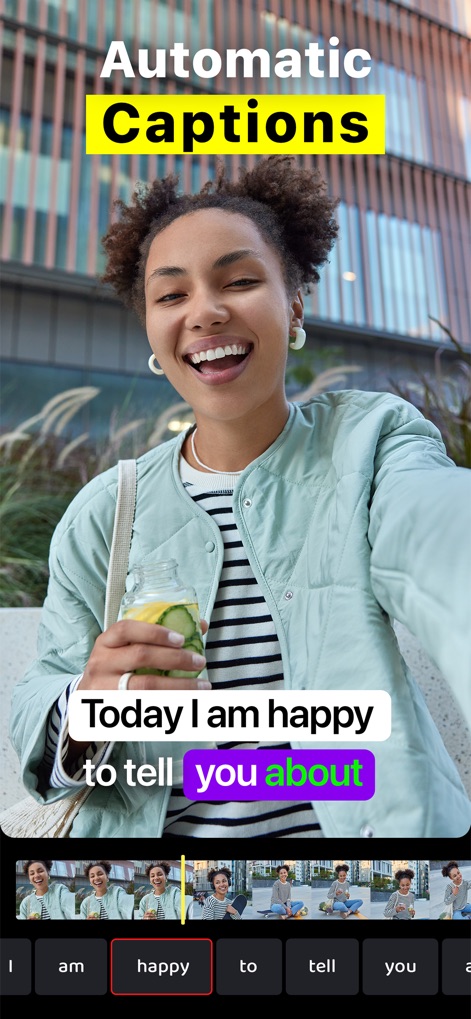
このアプリは、ユーザーが話した内容を自動的にテキスト化し、リアルタイムで字幕を生成します。ビデオのタイムラインと単語ごとの編集ツールにより、キャプションのタイミングと内容を細かく調整可能です。
自動キャプション生成

ユーザーは多様なフォント、色、背景を組み合わせて、動画コンテンツのトーンに合った独自の字幕スタイルを作成できます。様々なスタイルが適用された動画タイトルから、理想のデザインを選択可能です。
カスタム字幕スタイル
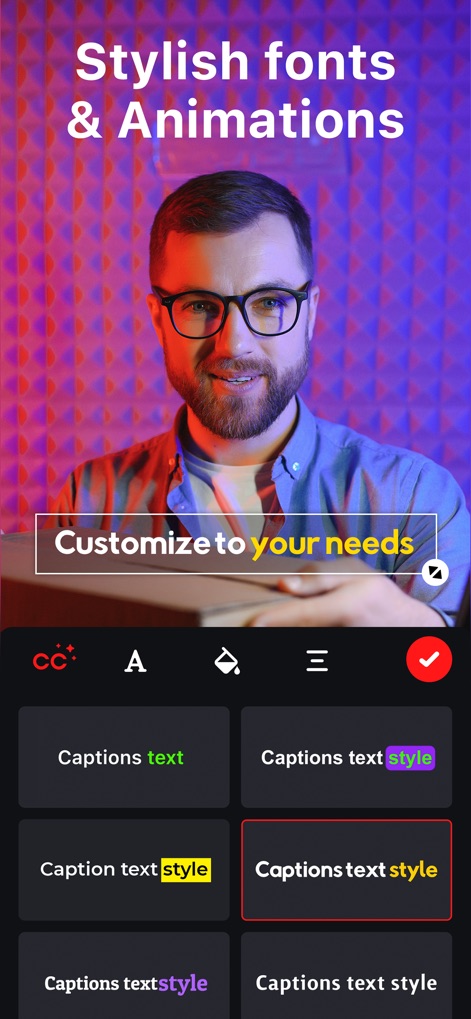
本アプリでは、動画の魅力を高めるスタイリッシュなフォントとアニメーションを提供します。ユーザーは様々なキャプションスタイルの選択肢から、動画の雰囲気に合わせてカスタマイズできます。
洗練されたフォントとアニメーション
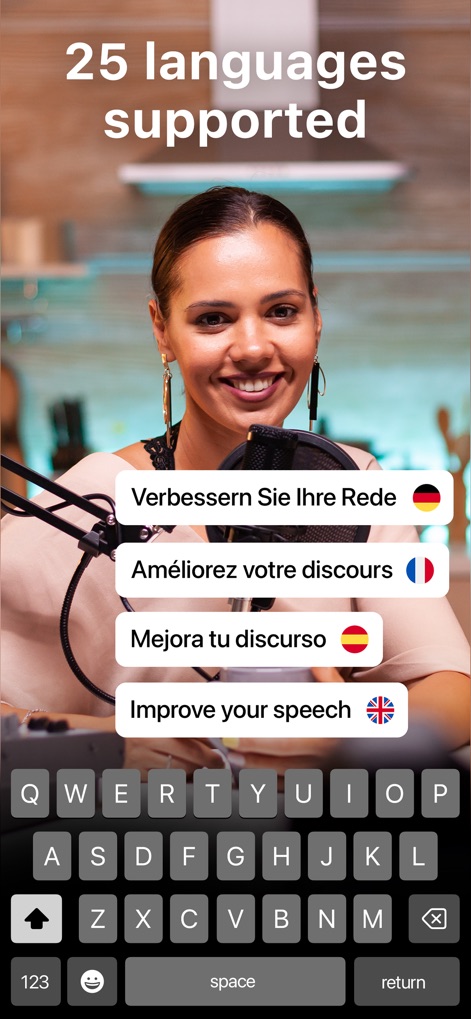
このツールは25言語以上の字幕生成に対応し、世界中の視聴者にコンテンツを届けられます。キーボード入力と複数の言語オプションを通じて、簡単に多言語字幕を切り替え、作成可能です。
多言語対応字幕
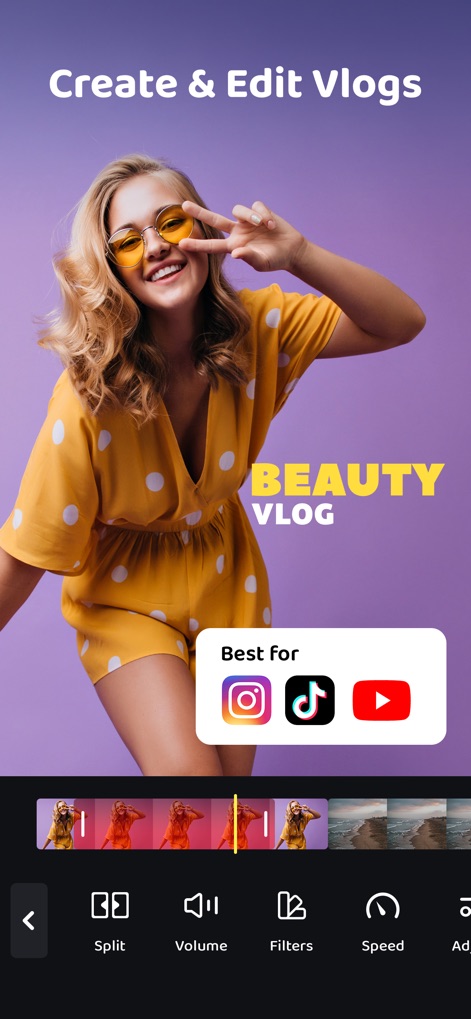
ユーザーはInstagram、TikTok、YouTubeといった主要なソーシャルメディアプラットフォーム向けに、Vlogを簡単に作成・編集できます。直感的なタイムラインと共有オプションで、プロ品質の動画が実現可能です。
Vlogの作成と編集

このアプリは、動画にドラマチックな効果を加えるスローモーション機能を搭載しています。ユーザーは速度調整ツールを使用して、映像の特定の部分を効果的に遅くすることができます。
印象的なスローモーション

ユーザーは動画にテキストオーバーレイを自由に追加し、メッセージを強調できます。画面上のテキストを直感的に配置・編集し、視覚的な魅力を向上させることが可能です。
テキストの追加と編集

動画にエンゲージメントを高める多様なビデオステッカーを追加できます。サブスクライブボタンやいいねアイコンなど、視覚的に魅力的な要素で視聴者とのインタラクションを促進します。
インタラクティブな動画ステッカー

ユーザーは動画を分割したり、不要な部分をトリミングしたりして、最適な構図と長さに調整できます。画面上のグリッドとFill/Fitオプションを活用し、アスペクト比を細かく設定可能です。
動画の分割とトリミング

グリーンバック機能を使って、動画の背景を自由に置き換えることができます。ユーザーはクロマキー合成と「Subscribe」ボタンのような追加要素を組み合わせ、プロフェッショナルな映像表現を実現します。
グリーンバック合成機能
説明
Download
類似アプリ
似た機能とユーザー体験を持つアプリ

Vrew
VoyagerX, Inc.

Captions for Videos - SubMe AI
Polina Kravchenko

Capzy: AI Caption
unitedreams inc.

Auto Caption Video Subtitles
Take Agency, LLC

AI Captions for Videos: VidCap
Fadel.io OU

Subcap: Captions AI, Subtitles
RATEL BILISIM HIZMETLERI LTD STI

Captions & Filters – GARMASH
Top G Team FZ-LLC

Capti AI. Captions for videos.
Capti AI FZ-LLC
MixCaptions: Video Captions
Mixcord Inc.
このページはアプリまたはその開発者の公式ページではなく、情報提供および論評を目的として作成された独立した編集出版物です。明示的に別段の記載がない限り、アプリおよびその開発者は、MWM、Apple、Google Play、アプリのパブリッシャー、またはアプリの開発者と提携、承認、後援、認可、またはその他の公式的な関係はなく、このページのいかなる内容も、アプリがMWMのサービスを使用して開発されたことを意味するものではありません。すべての商標、ロゴ、スクリーンショット、その他のコンテンツはそれぞれの所有者の財産です。