
このページはアプリまたはその開発者の公式ページではなく、情報提供および論評を目的として作成された独立した編集出版物です。明示的に別段の記載がない限り、アプリおよびその開発者は、MWM、Apple、Google Play、アプリのパブリッシャー、またはアプリの開発者と提携、承認、後援、認可、またはその他の公式的な関係はなく、このページのいかなる内容も、アプリがMWMのサービスを使用して開発されたことを意味するものではありません。すべての商標、ロゴ、スクリーンショット、その他のコンテンツはそれぞれの所有者の財産です。

AutoCAD
業界標準のパワーを現場に届けます。モバイルで図面を表示、編集、注釈を付け、シームレスなクラウド統合とオフラインアクセスにより、オフィスと現場のギャップを埋めます。
ダウンロード
10M+ユーザー評価
評価数
61K+開発元
カテゴリ
Productivity対応言語
12最新バージョン
6.20.1サイズ
522.1 MBリリース日
2010年9月29日プロフェッショナルのためのスタジオが、現場用に再構築されました
業界で最も信頼されているCADツールで、オフィスと現場のギャップを埋めます。モバイルデバイスで、高精度な製図とシームレスなコラボレーションを体験してください。
図面はもう現場に持ち込まない
重いロール紙なしで、DWGライブラリ全体にアクセスできます。遠隔地でオフライン作業を行い、オンラインに戻ると変更が自動的に同期されます。
高精度な製図
使い慣れたAutoCADツールで、プロフェッショナルな基準を維持します。ピクセルパーフェクトな精度でジオメトリを作成、編集、測定し、建設開始前にすべての寸法が正しいことを確認します。
よくある質問
について知っておくべきこと AutoCAD
AutoCADモバイルアプリとは何ですか?
AutoCADアプリは、DWG™ファイルサポートを含む、CAD図面の表示、編集、作成のための公式Autodeskソリューションです。モバイルデバイスで、基本的な製図および設計機能を提供します。
AutoCADアプリは無料トライアルを提供していますか?
はい、新規ユーザーはAutoCAD Webの全機能が利用できる30日間の無料トライアルをお楽しみいただけます。トライアル終了後、有料サブスクリプションなしでは限定的な読み取り専用機能が利用可能になります。
AutoCAD Webサブスクリプションの料金はいくらですか?
AutoCAD Webの月額サブスクリプションは9.99ドル、年額サブスクリプションは99.99ドルです。既存のAutoCADおよびAutoCAD LTデスクトップサブスクリプションには、このサービスが無料で含まれています。
AutoCADモバイルアプリはオフラインで使用できますか?
はい、AutoCADアプリでは、インターネット接続なしでプロジェクトをオフラインで作業できます。オフラインで行われた変更は、デバイスがオンラインに戻ったときに同期されます。
AutoCADアプリはどのクラウドストレージサービスと連携しますか?
AutoCADアプリは、Autodesk Drive、Autodesk Docs、Microsoft OneDrive、Box、Dropbox、Google DriveからDWGファイルを直接開くことで、ワークフローを簡素化します。
AutoCADモバイルアプリでオブジェクトを測定できますか?
はい、AutoCADアプリにはさまざまな測定ツールが含まれています。ユーザーは、図面内で直接距離、角度、面積、半径を測定できます。
AutoCADアプリは図面の整理のためにレイヤーをサポートしていますか?
はい、AutoCADアプリはレイヤー管理をサポートしています。ユーザーは、アプリケーション内でレイヤーを管理し、その表示を制御することでプロジェクトを整理できます。
AutoCAD Webサブスクリプションの更新とキャンセルはどうなりますか?
AutoCAD Webサブスクリプションは、現在の期間が終了する少なくとも24時間前までにキャンセルされない限り、自動的に更新されます。アクティブなサブスクリプション期間中のキャンセルはできません。
AutoCADサービスの使用に年齢制限はありますか?
いいえ、AutoCADサービスは14歳未満の子供には提供されていません。14歳未満のユーザーはこのサービスを使用できません。
以下のスクリーンショットと説明は、アプリの公式ストアリスティングから直接取得されたものであり、アプリ開発者の所有物です。
アプリストア
スクリーンショット
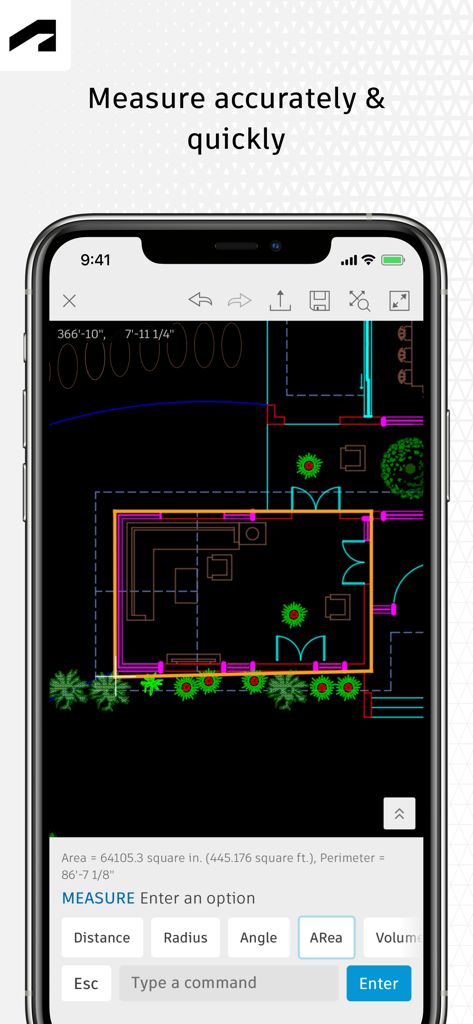
AutoCADモバイルアプリのインターフェースには、スマートフォン画面に測定ツールがアクティブになった2D間取り図が表示されています。
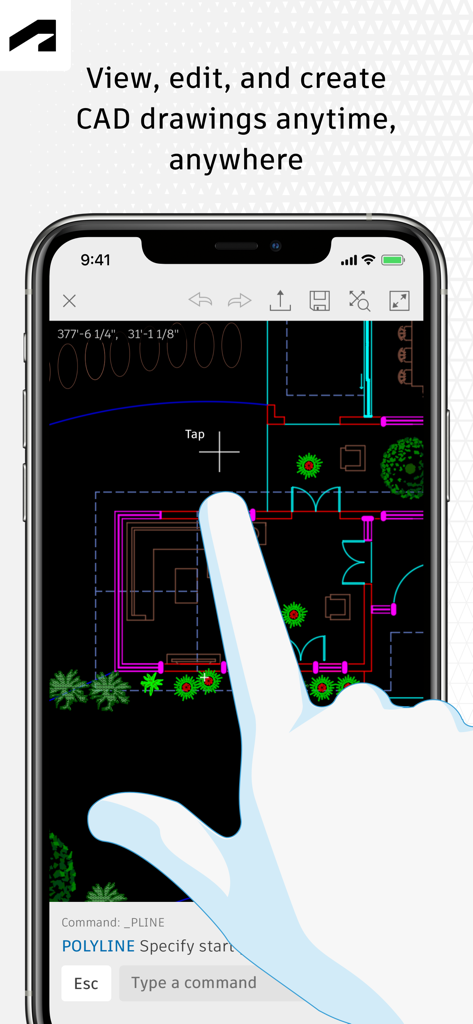
AutoCADモバイルアプリのユーザーインターフェースには、スマートフォンで編集中の2D間取り図が表示されています。
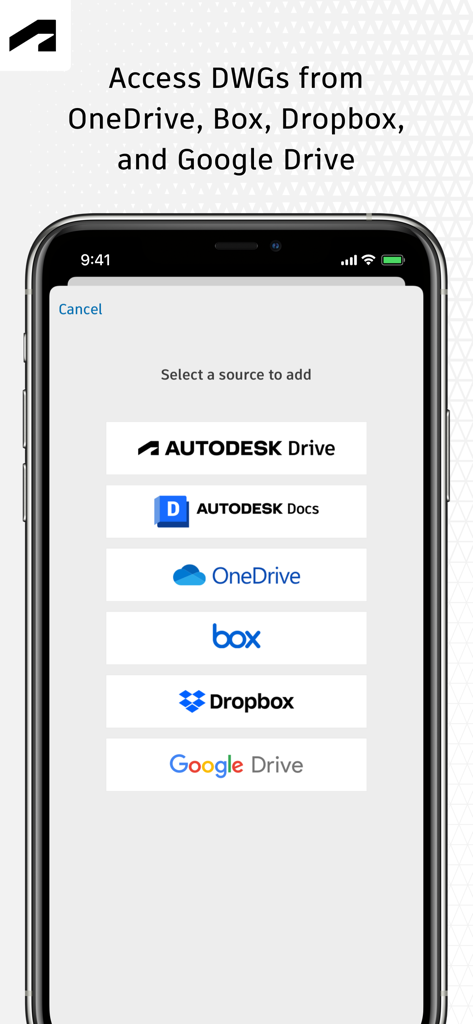
AutoCADモバイルアプリの画面には、OneDrive、Dropbox、Google DriveなどのクラウドサービスからDWGファイルにアクセスするためのオプションが表示されています。
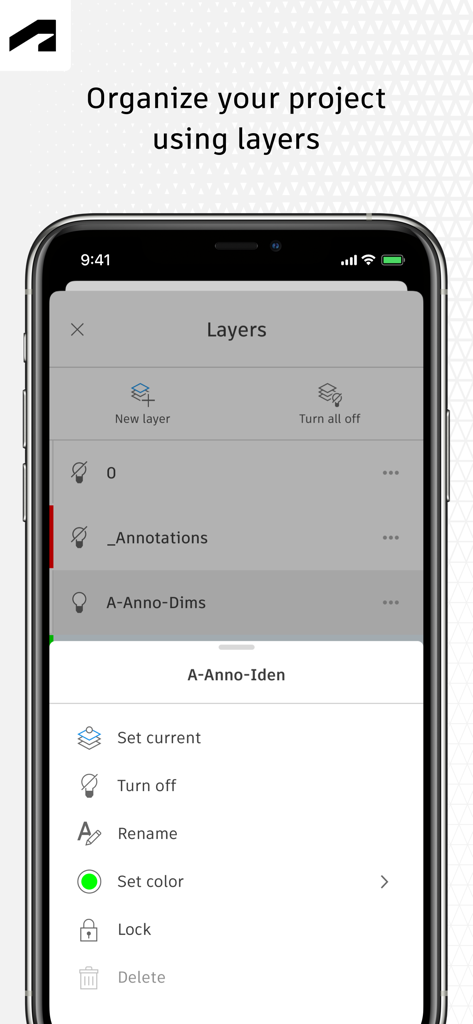
AutoCADモバイルアプリのインターフェースには、プロジェクトレイヤーの整理および管理ツールが表示されています。
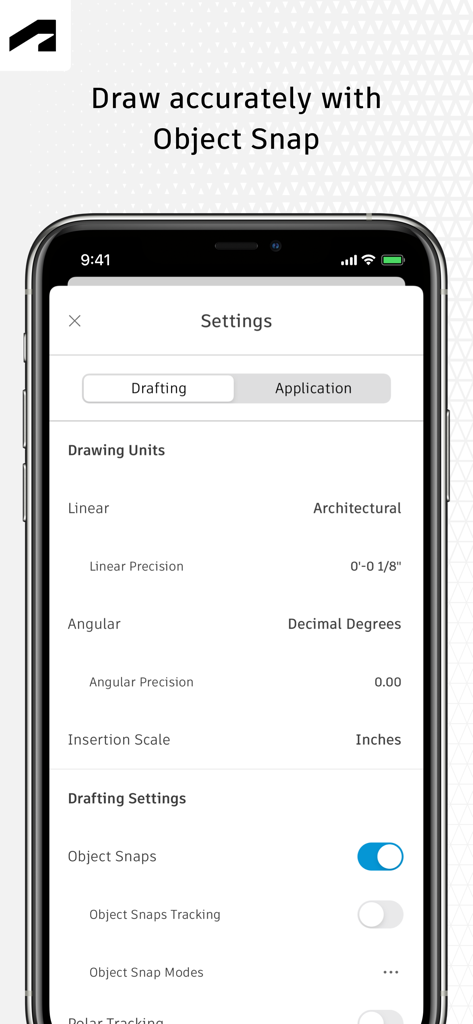
AutoCADモバイルアプリの設定画面には、精度描画のための製図単位とオブジェクトスナップオプションが表示されています。
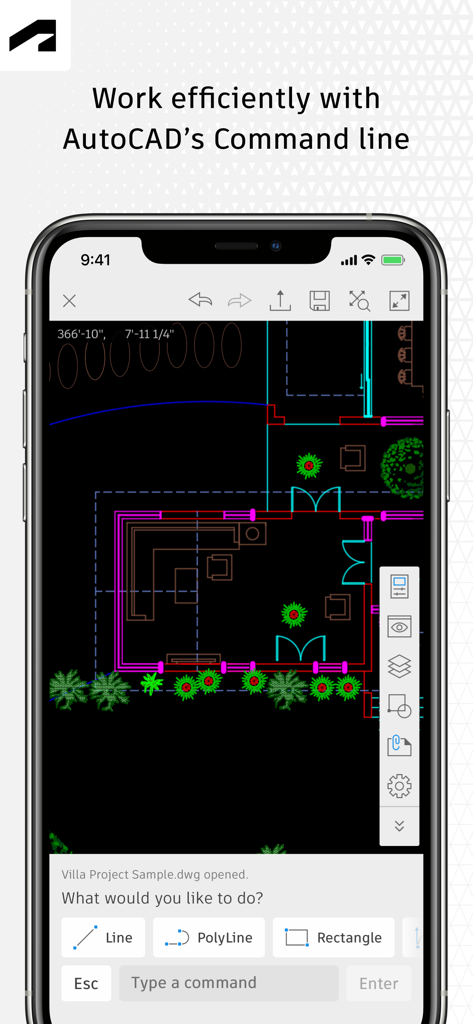
AutoCADモバイルアプリの建築間取り図とコマンドラインツール。
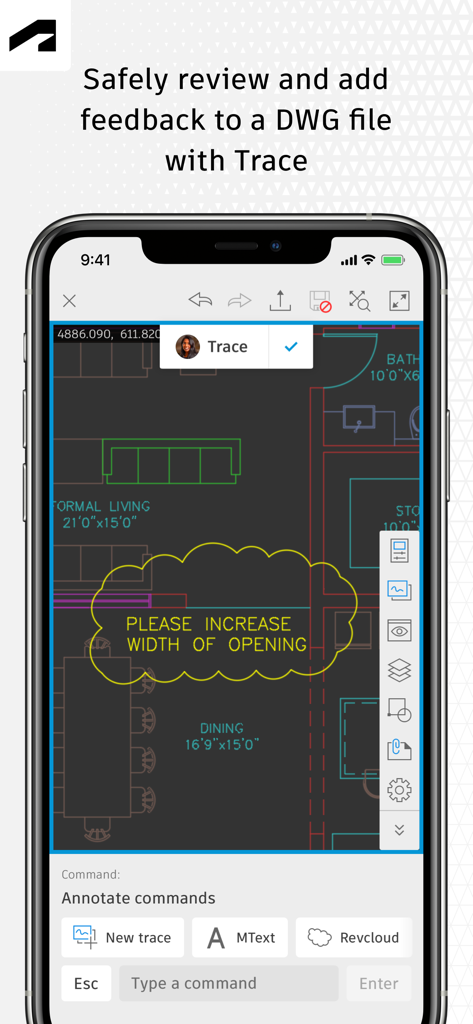
AutoCADモバイルアプリのトレース機能で、DWG図面のレビューとマークアップができます。
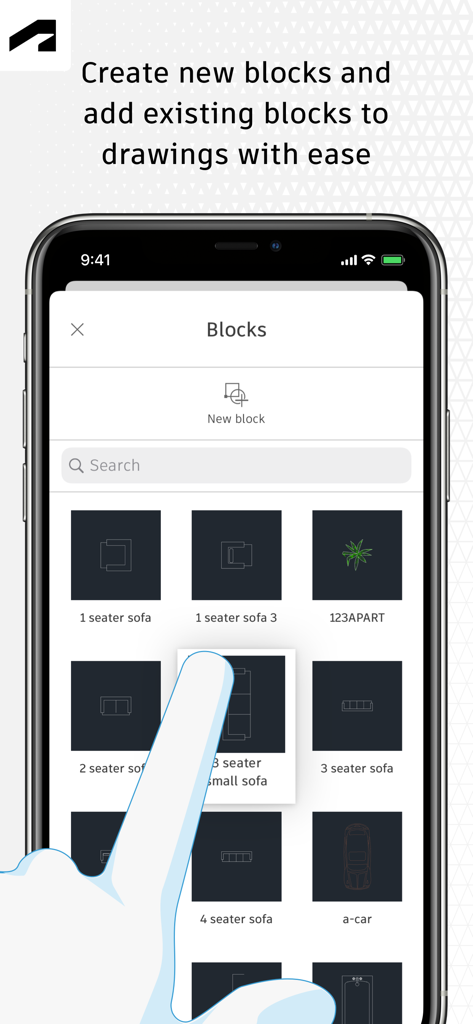
AutoCADモバイルアプリのインターフェースには、家具や車のアイコンを含むブロックライブラリが表示されています。
説明
Download
類似アプリ
似た機能とユーザー体験を持つアプリ

Shapr 3D CAD modeling
Shapr 3D Zartkoruen Mukodo Reszvenytarsasag

CAD快速看图-dwg手机快速看图,设计图纸工程建筑
Shanghai Tantian Network Technology Co.,Ltd.

DWG FastView-CAD Viewer&Editor
Gstarsoft Co., Ltd

CAD快速看图-CAD手机看图软件
存旺 姜

ZWCAD Mobile - Mobile CAD
ZWCAD Software Co.,Ltd.

CAD快速看图- 手机快速查看cad图纸
嘉欣 朱

Draft Paper
Giles Goddard

CAD FastView King: DWG Viewer
镇源 余

CAD Reader-View & Measure DWG
Beijing Honghu Yuntu Technology Co., Ltd.
このページはアプリまたはその開発者の公式ページではなく、情報提供および論評を目的として作成された独立した編集出版物です。明示的に別段の記載がない限り、アプリおよびその開発者は、MWM、Apple、Google Play、アプリのパブリッシャー、またはアプリの開発者と提携、承認、後援、認可、またはその他の公式的な関係はなく、このページのいかなる内容も、アプリがMWMのサービスを使用して開発されたことを意味するものではありません。すべての商標、ロゴ、スクリーンショット、その他のコンテンツはそれぞれの所有者の財産です。