
このページはアプリまたはその開発者の公式ページではなく、情報提供および論評を目的として作成された独立した編集出版物です。明示的に別段の記載がない限り、アプリおよびその開発者は、MWM、Apple、Google Play、アプリのパブリッシャー、またはアプリの開発者と提携、承認、後援、認可、またはその他の公式的な関係はなく、このページのいかなる内容も、アプリがMWMのサービスを使用して開発されたことを意味するものではありません。すべての商標、ロゴ、スクリーンショット、その他のコンテンツはそれぞれの所有者の財産です。


ダウンロード
750k+ユーザー評価
評価数
1.8K開発元
カテゴリ
Lifestyle対応言語
5最新バージョン
1.9サイズ
34.9 MBリリース日
2013年10月12日スペインの電子政府サービスにおけるデジタル署名の要件を満たす包括的ソリューション
Autofirma Appの技術分析と主要機能
ウェブブラウザからの公的文書署名
互換性のあるウェブサイトを通じて、行政手続きや公式文書に法的拘束力のある電子署名を直接行えます。
PKCS#12/PFXデジタル証明書のサポート
認定されたPKCS#12またはPFX形式のデジタル証明書をアプリにインポート・管理し、署名の法的有効性とセキュリティを確保します。
デバイス内PDF文書の直接署名
iOSデバイス内に保存されているPDFファイルに、ネットワークに接続されていない状態でも電子署名を追加できます。
ウェブサイトからのシームレスな起動
電子署名が必要な公的機関のウェブサイトから、直接Autofirma Appを起動し、手続きフローを中断することなく署名プロセスを完了できます。
ローカルおよびクラウドストレージからの文書アクセス
デバイスのローカルストレージだけでなく、iCloudなどのクラウドサービスに保存されているPDF文書にもアクセスし、アプリ内で直接署名を行えます。
iOS 17以降の広範な互換性
最新のiOSデバイス(バージョン17以降)で安定して動作し、幅広いユーザーがアプリを利用できる環境を提供します。
よくある質問
について知っておくべきこと Autofirma App
What is Autofirma App used for?
Autofirma App enables electronic signatures for web procedures and PDF documents. Users sign securely and legally using their digital certificate or electronic DNI.
How does Autofirma App enable electronic signatures?
Autofirma App enables electronic signatures by allowing users to install recognized digital certificates (PKCS#12 or PFX). It integrates with compatible web procedures and facilitates signing PDF documents stored on the device.
What are the compatibility requirements for Autofirma App?
Autofirma App is compatible with any iOS device running version 17 or higher. It functions with any web browser, allowing flexible use for electronic signatures.
How do users install digital certificates in Autofirma App?
Users install digital certificates in Autofirma App from a PKCS#12 or PFX file. The application's help section provides instructions for installation. Certificates must be obtained from a certification service provider.
Can Autofirma App sign PDF documents stored on the device?
Yes, Autofirma App signs PDF documents directly from the device's icon. It accesses files located in local storage or cloud services for electronic signatures.
Does Autofirma App support signing with an electronic DNI (DNIe)?
Yes, Autofirma App supports DNIe signing. The process requires users to enter the CAN number from their DNI and then their PIN, utilizing NFC for DNI reading.
How can users test the functionality of Autofirma App for web signing?
Users verify the proper functioning of Autofirma App for web-based signing by visiting the official test page: https://valide.redsara.es/firmaMovil/demo.html. This page confirms invocation from a compatible website.
Where can users find more information about Autofirma App?
Users find more information on the Portal de Administración Electrónica website and the Centro de Transferencia Tecnológica repository. These sources provide comprehensive details about Autofirma App.
Is Autofirma App a secure platform for electronic signatures?
Yes, Autofirma App provides secure and legal electronic signatures. It identifies users using their digital certificate or electronic DNI, ensuring the integrity and authenticity of signed documents.
以下のスクリーンショットと説明は、アプリの公式ストアリスティングから直接取得されたものであり、アプリ開発者の所有物です。
アプリストア
スクリーンショット
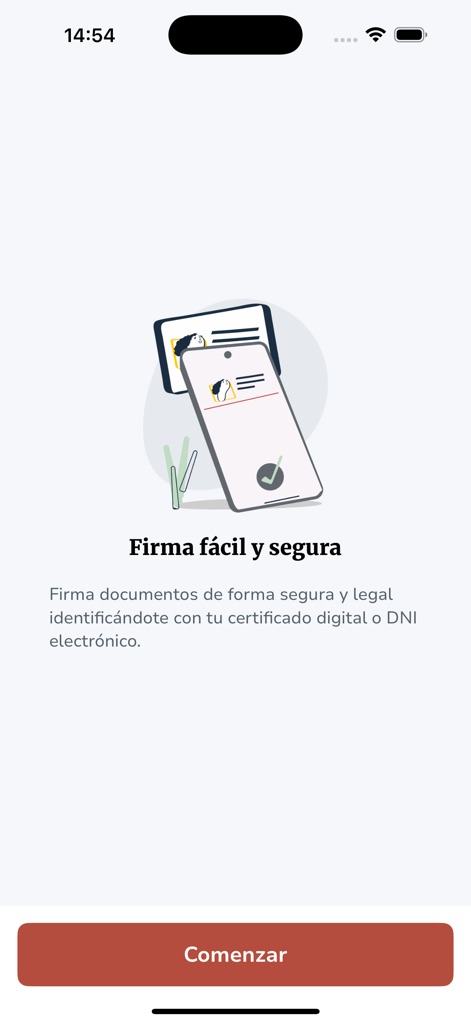
この画面では、「Firma fácil y segura」(簡単で安全な署名)というタイトルが、本アプリの主要な価値提案を明確に伝えています。ユーザーは、チェックマーク付きのスマートフォンとドキュメントのイラストを通じて、電子署名の簡便性と信頼性を視覚的に把握できます。
簡単・安全な電子署名
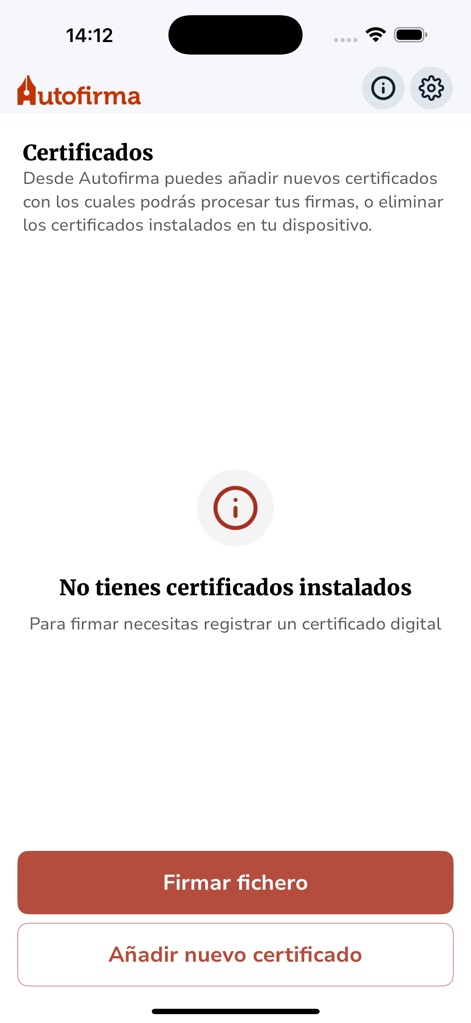
「Certificados」と表示されたセクションは、ユーザーが自身のデジタル証明書を管理できることを示しています。画面下部にある「Añadir nuevo certificado」(新しい証明書を追加)ボタンは、必要な証明書を簡単にインポートする手段を提供します。
証明書の集中管理
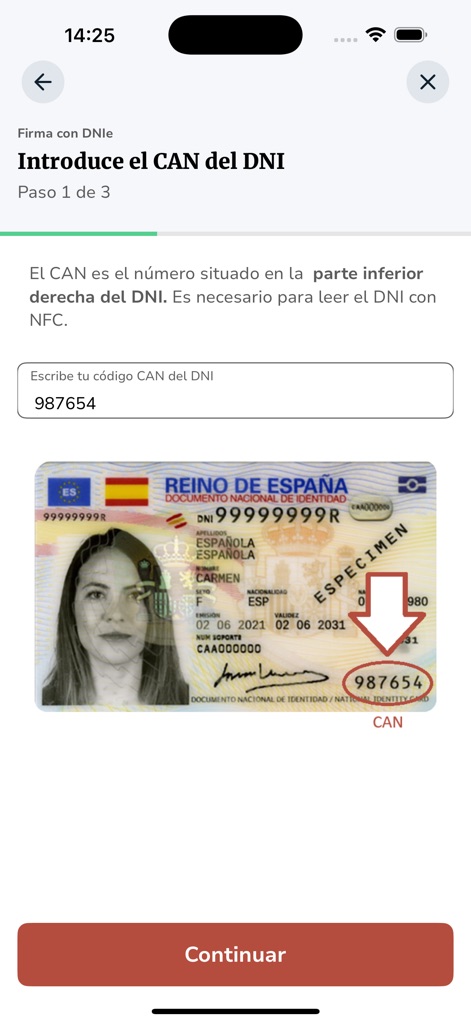
CAN番号が強調されたDNI(国民識別番号)カードの画像は、ユーザーが物理カード上で正しい情報を簡単に見つけるのに役立ちます。また、CAN番号を入力するためのテキストフィールドが、スムーズな認証プロセスをサポートしています。
DNIe認証ガイド
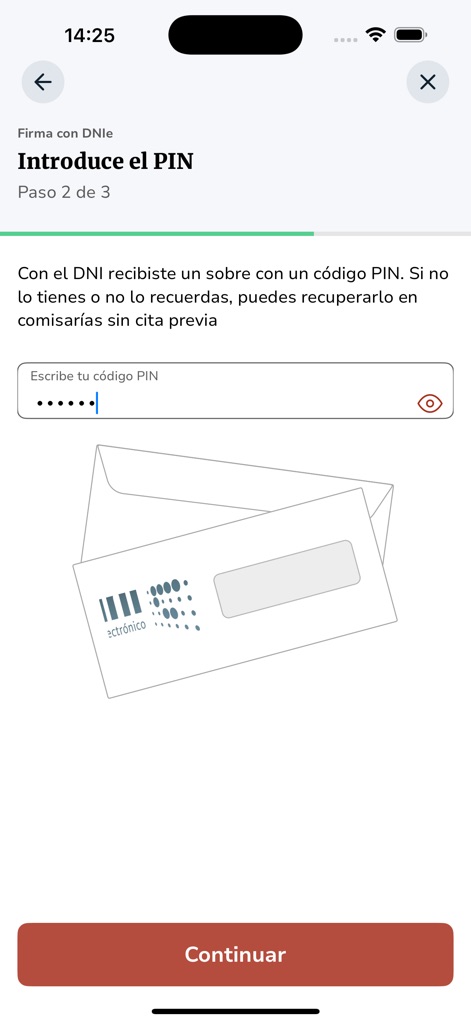
この画面では、電子署名プロセスにおけるセキュリティの重要な段階として、PINを入力するためのフィールドが明確に示されています。また、「electrónico」と書かれた封筒のイラストは、DNIeを通じて行われるデジタル取引の概念を視覚的に表現しています。
PINで安全な署名
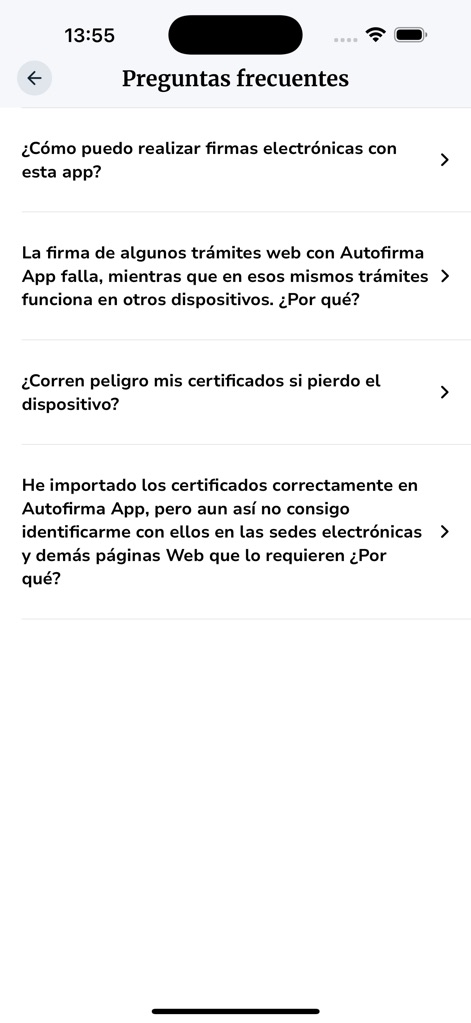
「Preguntas frecuentes」(よくある質問)というタイトルは、ユーザーが一般的な疑問に対する答えを迅速に見つけられるセクションであることを示しています。矢印付きの質問項目リストは、それぞれの質問を展開して詳細な情報を確認できる、直感的で整理されたUIを提供します。
よくある質問
説明
Download
類似アプリ
似た機能とユーザー体験を持つアプリ

itsme
Belgian Mobile ID SA

myDSS 2.0
SafeTech Ltd
SİMA - Rəqəmsal İmza
Data Processing Center of the Ministry of Communications and High Technologies

Singpass
Government Technology Agency
SoyYo - Identidad Digital
Servicios de Identidad Digital SAS

VIDaaS
valid certificadora digital ltda

TrustMe: Your Digital Identity
A3BC GROUP

Bird ID
Vault Id Solucoes em Criptografia e Identificacao Ltda ME
eDO App
Polska Wytwornia Papierow Wartosciowych S.A.
このページはアプリまたはその開発者の公式ページではなく、情報提供および論評を目的として作成された独立した編集出版物です。明示的に別段の記載がない限り、アプリおよびその開発者は、MWM、Apple、Google Play、アプリのパブリッシャー、またはアプリの開発者と提携、承認、後援、認可、またはその他の公式的な関係はなく、このページのいかなる内容も、アプリがMWMのサービスを使用して開発されたことを意味するものではありません。すべての商標、ロゴ、スクリーンショット、その他のコンテンツはそれぞれの所有者の財産です。