Backlog: Project Management

Backlog: Project Management

ダウンロード: App Store
ロゴ: Backlog: Project Management

Backlog: テクニカルチームのために構築されたプロジェクト管理

開発、デザイン、マーケティングの間のギャップを埋めます。バグを追跡し、タスクを管理し、優秀なプロフェッショナルのために設計されたオールインワンツールでチームを同期させ続けます。

開発元

Nulab Inc.

カテゴリ

Business

ダウンロード

212K+

ユーザー評価

4.3/5

評価数

3K+

対応言語

2

生産性を明確に

このインターフェースを利用する 212K+ 人のユーザー.

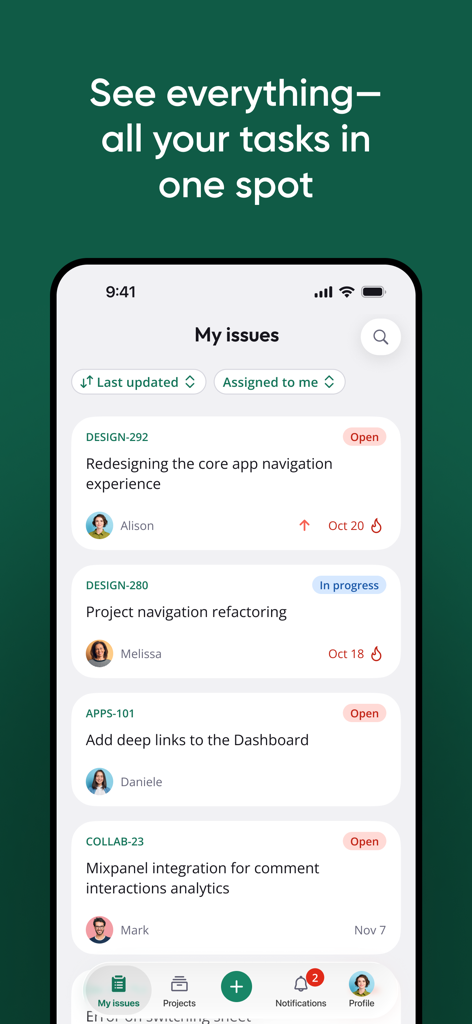
Backlogモバイルアプリのインターフェース。プロジェクトタスクと課題のリストが表示され、担当者とステータス更新が示されています。
Backlogモバイルアプリのインターフェース。プロジェクトタスクと課題のリストが表示され、担当者とステータス更新が示されています。

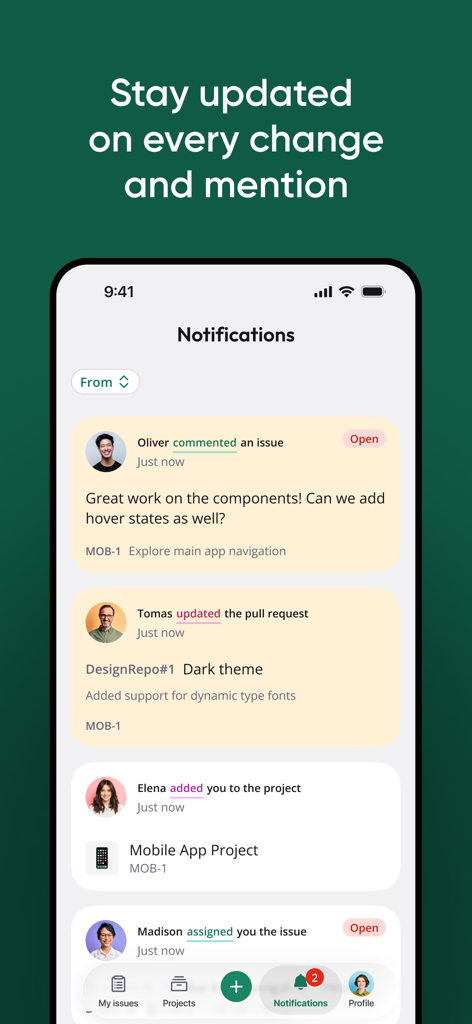
Backlogプロジェクト管理アプリの通知画面。iPhone上でタスクの更新とチームのコメントが表示されます。
Backlogプロジェクト管理アプリの通知画面。iPhone上でタスクの更新とチームのコメントが表示されます。

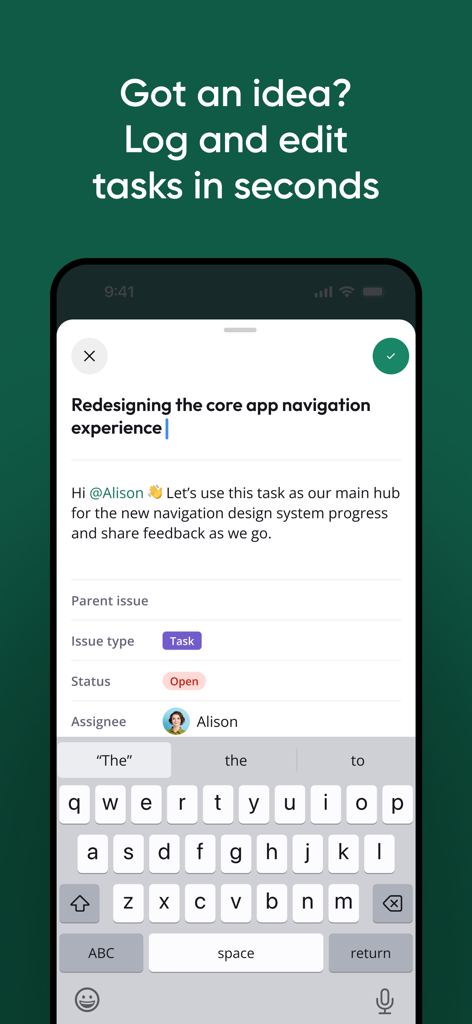
Backlogモバイルアプリのインターフェース。キーボードが表示され、タスク作成と編集フィールドが表示されています。
Backlogモバイルアプリのインターフェース。キーボードが表示され、タスク作成と編集フィールドが表示されています。

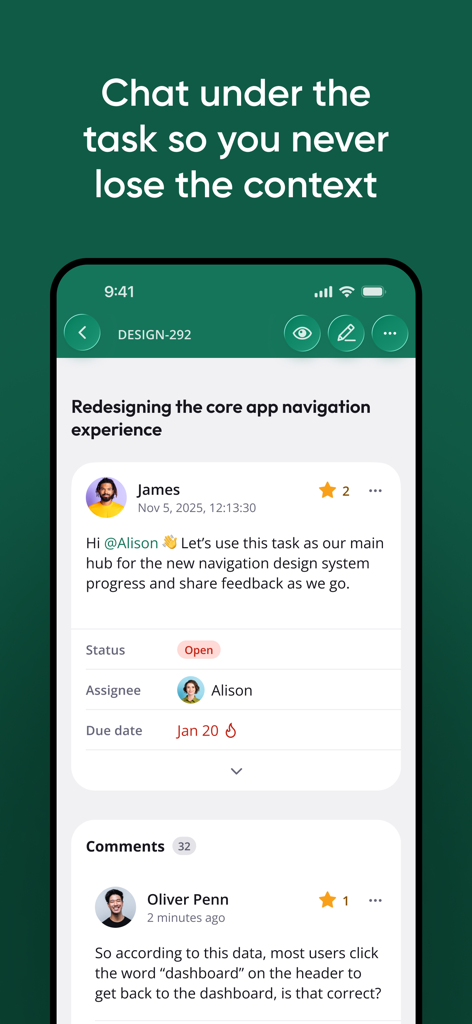
Backlogモバイルアプリのインターフェース。コンテキストに応じたコラボレーションのための統合されたチームチャットスレッドが表示されるプロジェクトタスクを示しています。
Backlogモバイルアプリのインターフェース。コンテキストに応じたコラボレーションのための統合されたチームチャットスレッドが表示されるプロジェクトタスクを示しています。

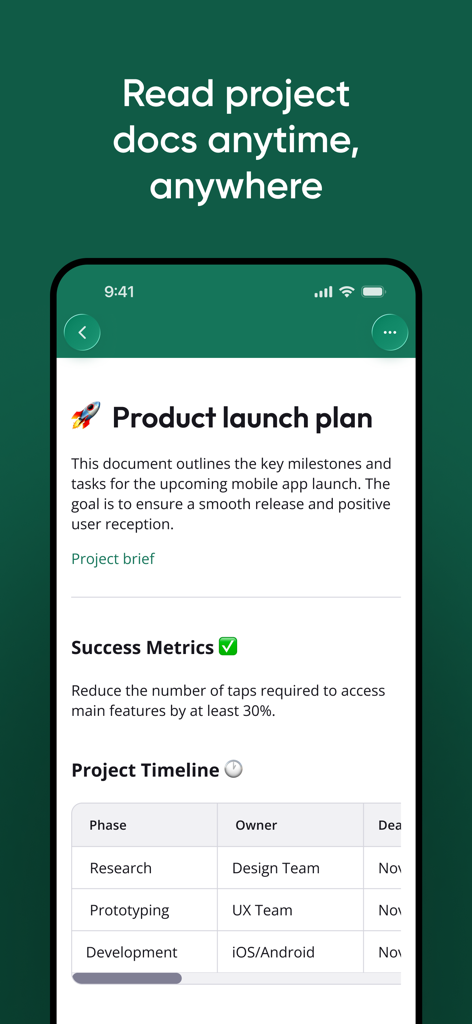
Backlogモバイルアプリのインターフェース。タイムラインテーブルが表示されるプロジェクトローンチプランのドキュメントを示しています。
Backlogモバイルアプリのインターフェース。タイムラインテーブルが表示されるプロジェクトローンチプランのドキュメントを示しています。

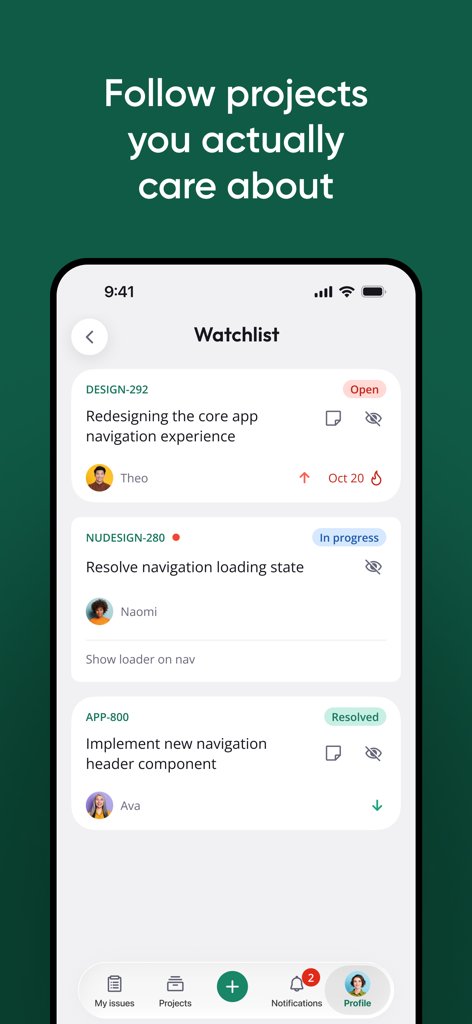
Backlogモバイルアプリのウォッチリスト画面。オープンや進行中などのステータスが表示されたプロジェクトタスクを示しています。
Backlogモバイルアプリのウォッチリスト画面。オープンや進行中などのステータスが表示されたプロジェクトタスクを示しています。

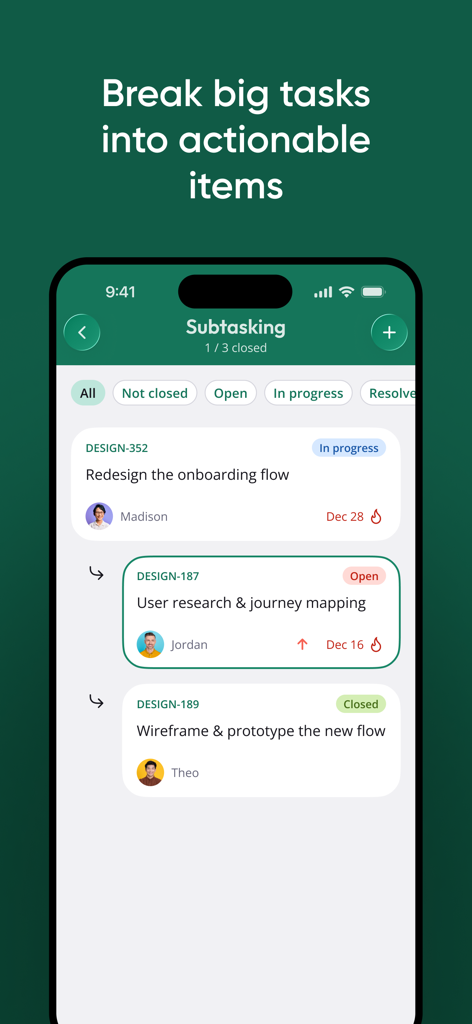
デザインプロジェクトのステータスバッジと担当チームメンバーが表示されたサブタスクを示すBacklogアプリのインターフェース。
デザインプロジェクトのステータスバッジと担当チームメンバーが表示されたサブタスクを示すBacklogアプリのインターフェース。

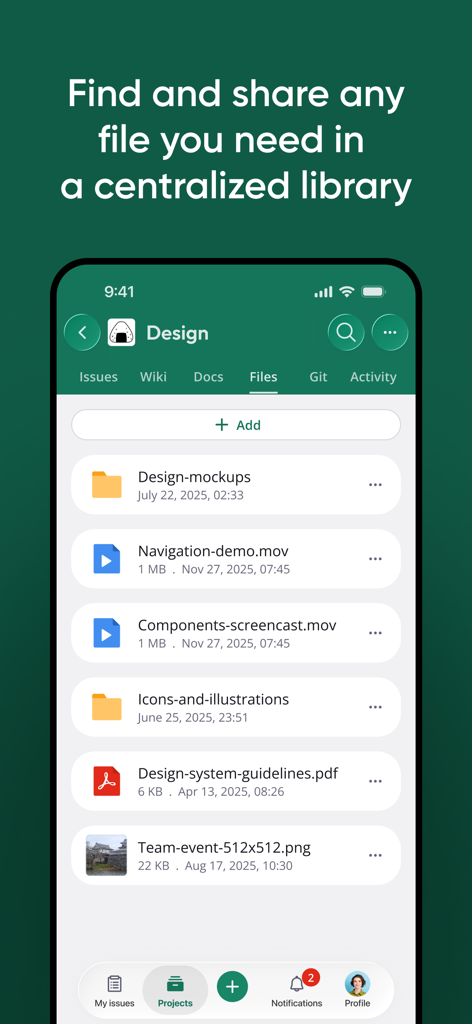
Backlogプロジェクト管理アプリのスクリーンショット。フォルダとドキュメントが表示された一元化されたファイルライブラリを示しています。
Backlogプロジェクト管理アプリのスクリーンショット。フォルダとドキュメントが表示された一元化されたファイルライブラリを示しています。

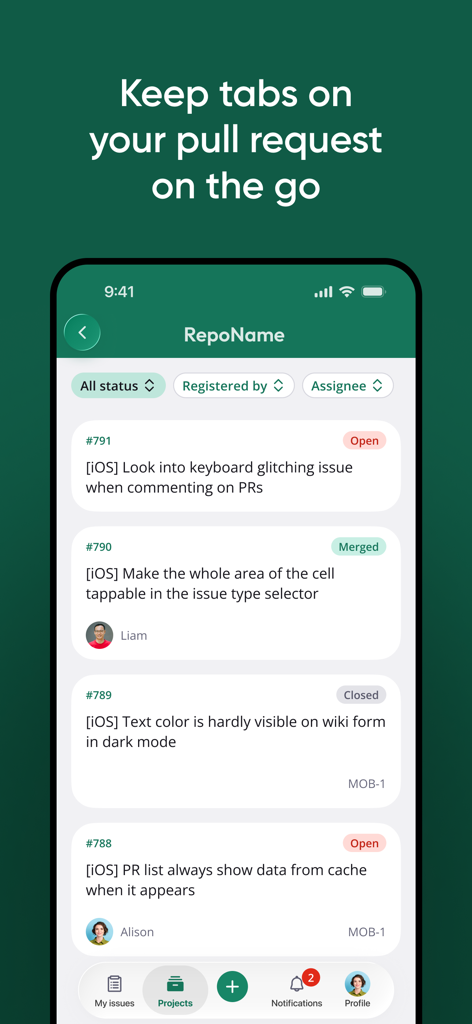
ステータス更新が表示されたプルリクエストのリストを表示するBacklogモバイルアプリのインターフェース。

ステータス更新が表示されたプルリクエストのリストを表示するBacklogモバイルアプリのインターフェース。

チームのワークフローを統合する

このアプリを際立たせるツール、 212K+ 人のユーザーが選択.

外出先での課題トリアージ

通勤中に優先順位を即座に更新し、タスクを割り当てることで、ステータスマッチングなしでワークフローを継続させます。

💬

コンテキストに応じたコラボレーション

すべてのディスカッション、ファイル、決定事項を、本来あるべきタスク内に維持することで、煩雑なメールチェーンを排除します。

📚

一元化されたナレッジベース

共有Wikiとバグ追跡を使用して、テクニカルチームとクリエイティブチームを連携させ、全員が情報を把握し、スケジュール通りに進むようにします。

アプリについて

について知っておくべきこと Backlog: Project Management.

説明

Backlog is a project management and collaboration tool for teams that want higher productivity, greater visibility, and simple project tracking. Development teams can work together with Design, Marketing, IT, and more to release high-quality projects, faster. With the Backlog iOS App, you can update your projects on-the-go. Leave immediate feedback on comment threads and add or edit issues right from your device. Reach your business goals with features that help you: - Get everyone on track. Organize your work and teammates with projects and tasks. - Stay in the loop. Your Activity feed and Watchlist help you keep an eye on relevant work and deadlines. - Keep the conversation moving. Use comment threads to leave feedback and ask questions right in tasks as you’re working on them. Mobile features: - Projects: Organize everyone’s work into projects for better visibility and tracking - Issues: Create, assign, prioritize, and schedule tasks with your team - Subtasking: Keep related tasks grouped to stay more organized - Watchlist: Add important tasks to your personalized Watchlist - Comment threads: Keep a record of all discussions, changes, and decisions within tasks as they’re being worked on - Wikis: Create collaboratively edited web pages to refer to again and again for common questions and instructions - Bug Tracking: Easy issue and bug tracking to keep your projects running smoothly - File sharing: Store important docs and files right in the task or project you need them Do even more on desktop with: - Gantt Charts: Automatically generated and updated Gantt charts help you track work as it’s being completed against your project plan - Burndown Charts: Easily visualize how your project is progressing without having read every issue - Version control: No installation required, Backlog provides Git and Subversion repositories as well as a Web-based repository browser Find a bug? Help us squash it! Send an email directly to our support team at support@backlog.com.

最新バージョン

3.3

サイズ

25.4 MB

リリース日

2014年4月29日

ワークフローをどこでもマスター

デスクから離れていても、チームのペースを落とさないでください。Backlogモバイルアプリで、問題をトリアージし、Wikiを更新し、スプリントを順調に進めましょう。

ダウンロード: App Store

App information, icons, screenshots, and descriptions displayed on this page are sourced from the Apple App Store and are the property of their respective developers. Download estimates and rankings are based on MWM's proprietary models and may not reflect actual figures. This page is provided for informational and analytical purposes only.

Believe this page infringes your intellectual property? File a dispute