Baduk Cap
Baduk Cap
ダウンロード: App Store

このページはアプリまたはその開発者の公式ページではなく、情報提供および論評を目的として作成された独立した編集出版物です。明示的に別段の記載がない限り、アプリおよびその開発者は、MWM、Apple、Google Play、アプリのパブリッシャー、またはアプリの開発者と提携、承認、後援、認可、またはその他の公式的な関係はなく、このページのいかなる内容も、アプリがMWMのサービスを使用して開発されたことを意味するものではありません。すべての商標、ロゴ、スクリーンショット、その他のコンテンツはそれぞれの所有者の財産です。

ロゴ: Baduk Cap
ダウンロード: App Store

Baduk Cap

高度な画像認識を活用して、盤面をキャプチャし、ライブ記録を自動化し、主要なルールセットすべてでの採点をマスターしましょう。伝統的な木製盤と現代のデジタル分析をつなぐ究極の架け橋です。

主要数値

ダウンロード

69K+

ユーザー評価

4.8/5

評価数

200

開発元

Thomas Breitling

カテゴリ

Utilities

対応言語

3

最新バージョン

6.2.1

サイズ

196.6 MB

リリース日

2014年7月20日
機能

伝統とテクノロジーの架け橋

分析志向のプレイヤー向けにカスタマイズされたプログレードの画像認識で、物理的な囲碁の対局を簡単にデジタル化、採点、分析できます。

瞬時のSGF作成

物理的な盤面を数秒でデジタルのファイルに変換。お気に入りのAI学習アプリにシームレスにエクスポートして、詳細な対局後分析を行いましょう。

自動精密採点

手作業での数えは不要。日本、中国、AGA、または応氏ルールを使用して、トーナメントレベルの精度で勝者を瞬時に特定します。

以下のスクリーンショットと説明は、アプリの公式ストアリスティングから直接取得されたものであり、アプリ開発者の所有物です。

アプリストア

スクリーンショット
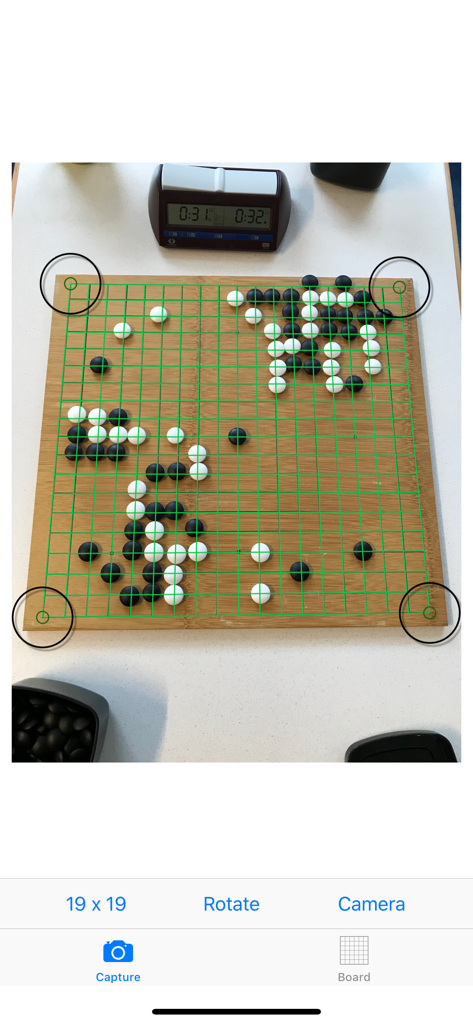
Baduk Cap - Baduk Capアプリが、緑色のグリッドオーバーレイ付きの物理的な木製囲碁盤で画像認識を実行しています
Baduk Capアプリが、緑色のグリッドオーバーレイ付きの物理的な木製囲碁盤で画像認識を実行しています

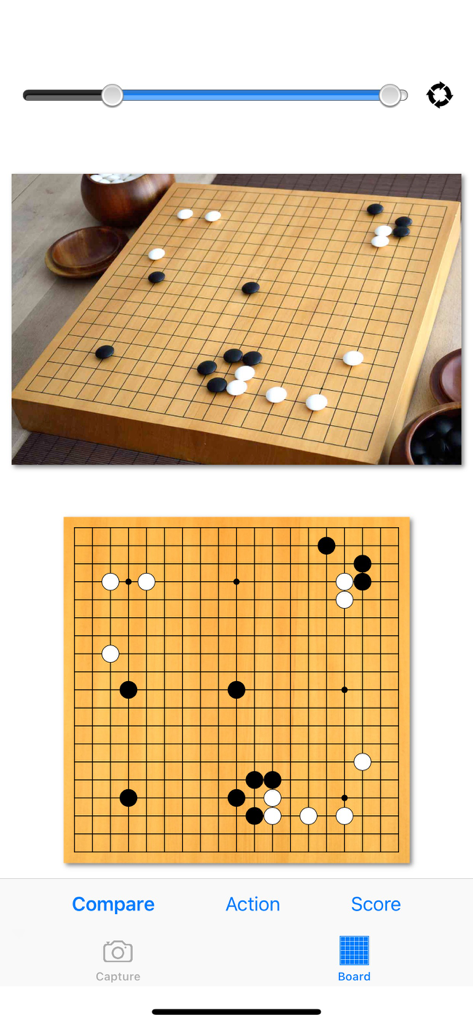
Baduk Cap - 物理的な木製囲碁盤とBaduk Capアプリでのそのデジタル表現の比較。

物理的な木製囲碁盤とBaduk Capアプリでのそのデジタル表現の比較。

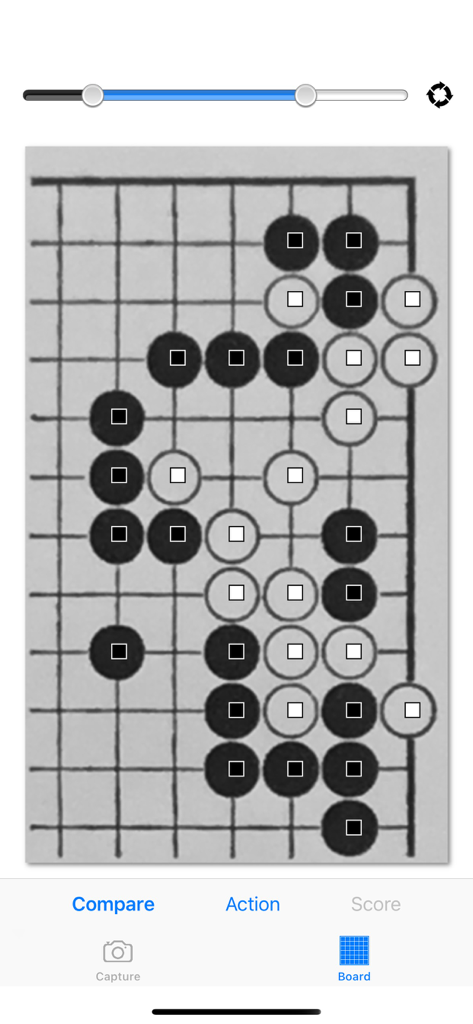
Baduk Cap - Baduk Capアプリのスクリーンショットで、囲碁盤上の黒と白の石の画像認識を示しています
Baduk Capアプリのスクリーンショットで、囲碁盤上の黒と白の石の画像認識を示しています

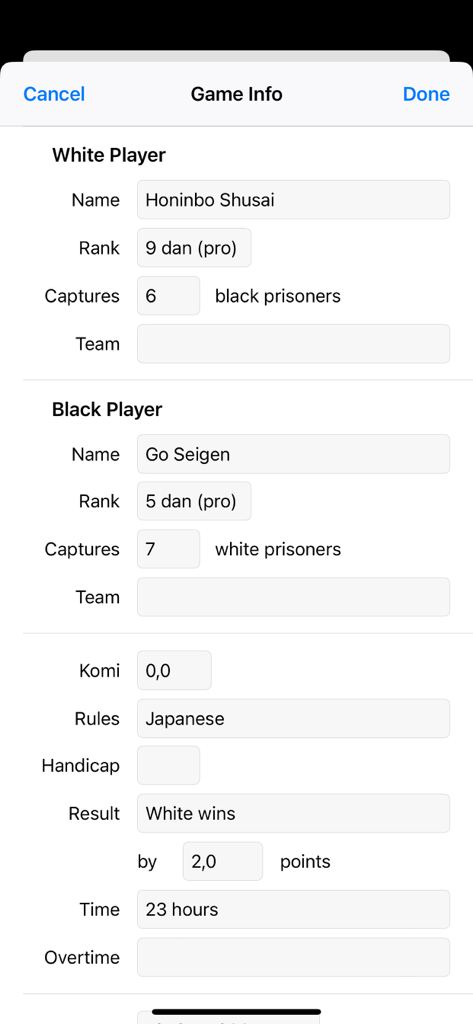
Baduk Cap - Baduk Capのゲーム情報画面に、プレイヤーの詳細と対局結果が表示されています
Baduk Capのゲーム情報画面に、プレイヤーの詳細と対局結果が表示されています

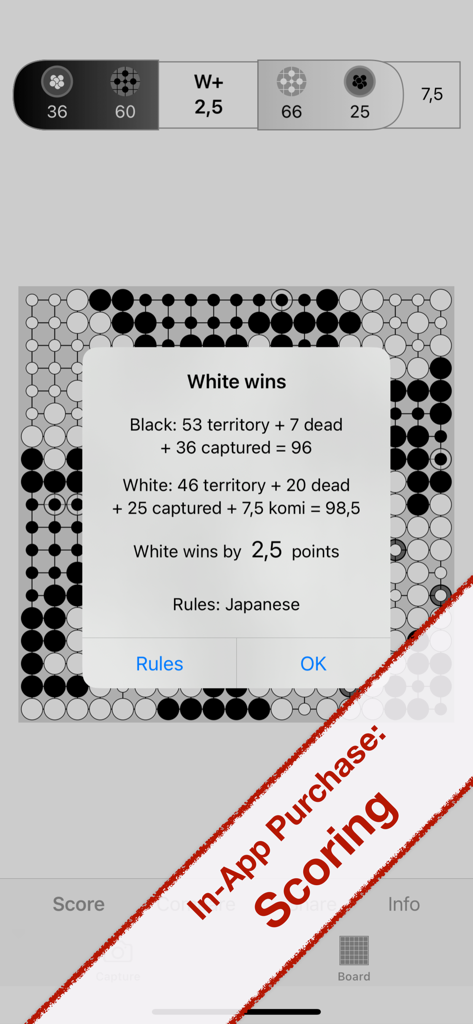
Baduk Cap - Baduk Capアプリのインターフェースに、囲碁の対局の採点結果と勝者発表が表示されています
Baduk Capアプリのインターフェースに、囲碁の対局の採点結果と勝者発表が表示されています

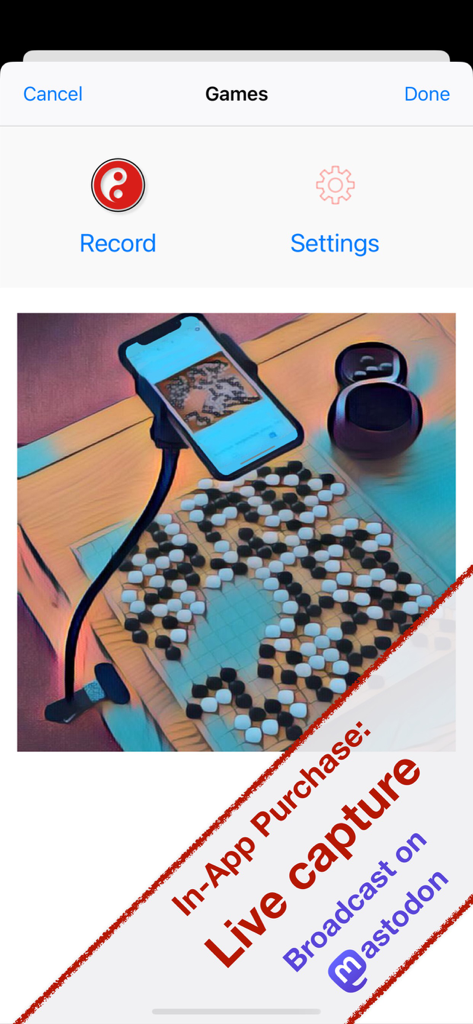
Baduk Cap - 物理的な囲碁盤のライブキャプチャとMastodonブロードキャストのためのスマートフォンのセットアップ

物理的な囲碁盤のライブキャプチャとMastodonブロードキャストのためのスマートフォンのセットアップ

説明

Baduk Cap lets you capture positions on your wooden Go board and easily transfer them to the SGF file format (Smart Game Format) using built-in image recognition. Include game information such as player names, ranks, captured stones, and more. You can copy the SGF file to the clipboard, send it by email, save it to Dropbox, or export it to apps like EasyGo or SmartGo Kifu. Determine the winner and exact score of your game with the scoring function (available as an in-app purchase). Supported rulesets are: Japanese, Chinese, AGA (Area), AGA (Territory), Ing, New Zealand. Because Baduk Cap automatically recognizes corners of arbitrary size, you can capture problems from books and export them to apps like EasyGo, which offer the spaced repetition system as a study tool. Live capture of your game while it is being played is also supported, featuring automatic move recognition and automatic photo capture, or photos triggered via a Bluetooth camera remote. (This feature is available as an in-app purchase.) External cameras and webcams (UVC-compatible) can be used with this feature. Focus fully on the game instead of interrupting your concentration with manual recording. If you wish, you can broadcast your live game to the Mastodon social network. Baduk Cap supports board sizes of 9 x 9, 13 x 13, and 19 x 19, and is optimized for both iPhone and iPad. The following one-year subscriptions are available (Baduk Cap Pro): • Scoring: Determine the winner and exact result of the game (tap the result for an explanation of how it was calculated) • Game recording: Live capture your game with automatic move recognition, automatic photos, or photos triggered by a Bluetooth camera remote. Broadcast to Mastodon is supported. (Includes all features of the Scoring subscription) These subscriptions do not renew automatically. After one year, you will need to manually resubscribe if you wish to continue using the unlocked features. You can also choose the 'Lifetime Pro' subscription, which is paid once and provides access to all app features forever. Each of the Baduk Cap Pro subscriptions also unlocks the following features: • Siri shortcuts: Take a picture of your Go board with a voice command of your choice • Dark mode • Alternate app icons

Download

ダウンロード: App Store

このページはアプリまたはその開発者の公式ページではなく、情報提供および論評を目的として作成された独立した編集出版物です。明示的に別段の記載がない限り、アプリおよびその開発者は、MWM、Apple、Google Play、アプリのパブリッシャー、またはアプリの開発者と提携、承認、後援、認可、またはその他の公式的な関係はなく、このページのいかなる内容も、アプリがMWMのサービスを使用して開発されたことを意味するものではありません。すべての商標、ロゴ、スクリーンショット、その他のコンテンツはそれぞれの所有者の財産です。