BE WAVE
BE WAVE
ダウンロード: App Store

このページはアプリまたはその開発者の公式ページではなく、情報提供および論評を目的として作成された独立した編集出版物です。明示的に別段の記載がない限り、アプリおよびその開発者は、MWM、Apple、Google Play、アプリのパブリッシャー、またはアプリの開発者と提携、承認、後援、認可、またはその他の公式的な関係はなく、このページのいかなる内容も、アプリがMWMのサービスを使用して開発されたことを意味するものではありません。すべての商標、ロゴ、スクリーンショット、その他のコンテンツはそれぞれの所有者の財産です。


ロゴ: BE WAVE
ダウンロード: App Store

BE WAVE

プロレベルのセキュリティ、インテリジェントなオートメーション、データに基づいたエネルギー管理で、物件を完全にコントロールしましょう。空気の質を監視し、旅行中に不在をシミュレートし、現代の住宅所有者向けに設計された直感的なダッシュボードで複数のシステムを管理します。

主要数値

ダウンロード

100

ユーザー評価

4.8/5

評価数

0

開発元

Satel sp. z. o.o

カテゴリ

Utilities

対応言語

1

最新バージョン

1.1.5

サイズ

116.1 MB

リリース日

2024年6月7日
機能

インテリジェントな空間を完全にコマンド

BE WAVEは、プロレベルのセキュリティ、気候監視、エネルギー管理を、現代の物件所有者向けに設計された単一の高性能エコシステムにシームレスに統合します。

エリートセキュリティ&不在シミュレーション

インテリジェントな照明ルーチンで侵入者を撃退し、直接のプロフェッショナル監視とリアルタイムのカメラフィードで接続を維持します。

マルチプロパティコントロールセンター

簡単な切り替えのために設計された単一のインターフェースで、自宅、別荘、オフィスを同時に管理します。

以下のスクリーンショットと説明は、アプリの公式ストアリスティングから直接取得されたものであり、アプリ開発者の所有物です。

アプリストア

スクリーンショット
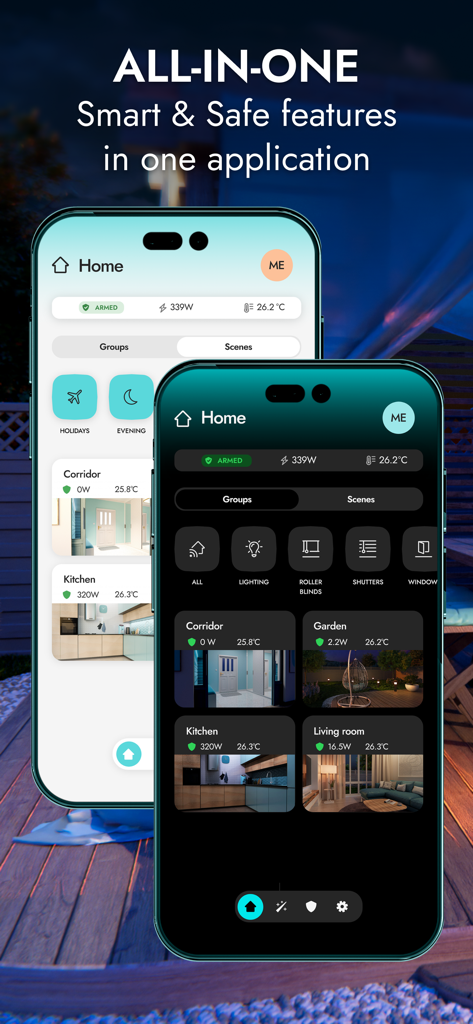
BE WAVE - BE WAVEアプリのインターフェースを2台のスマートフォンに表示し、セキュリティとオートメーションコントロールを備えたスマートホームダッシュボードのライトモードとダークモードを示しています。
BE WAVEアプリのインターフェースを2台のスマートフォンに表示し、セキュリティとオートメーションコントロールを備えたスマートホームダッシュボードのライトモードとダークモードを示しています。

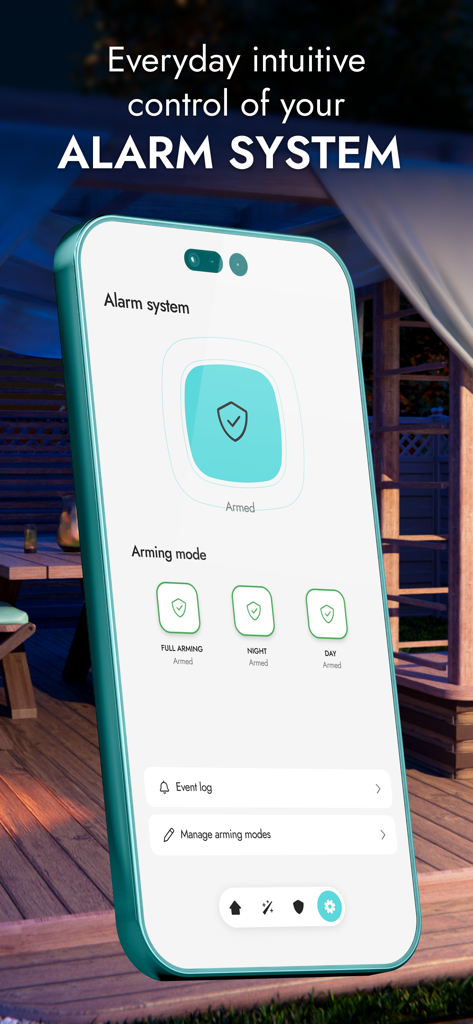
BE WAVE - BE WAVEスマートフォンアプリのインターフェース。ホームアラームのアームモードを管理します。
BE WAVEスマートフォンアプリのインターフェース。ホームアラームのアームモードを管理します。

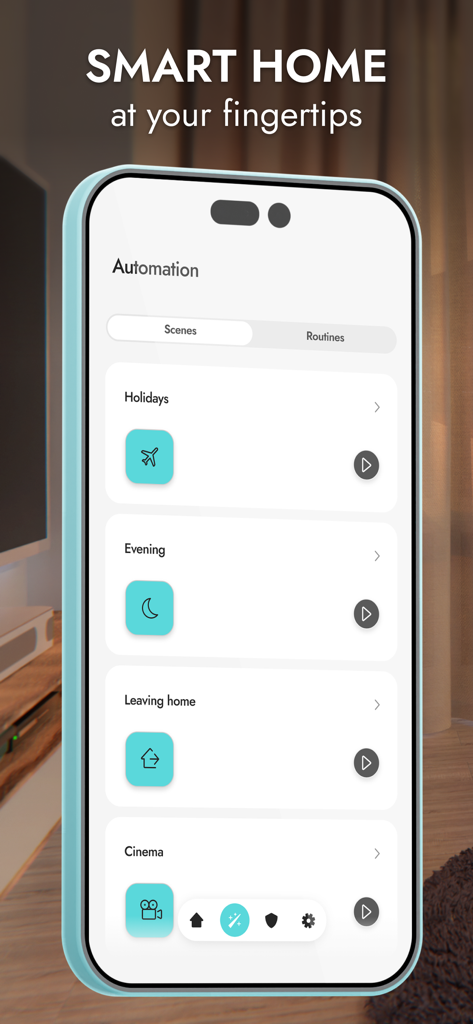
BE WAVE - BE WAVEアプリのホリデーやホーム設定の自動化シーンを表示するスマートフォンの画面
BE WAVEアプリのホリデーやホーム設定の自動化シーンを表示するスマートフォンの画面

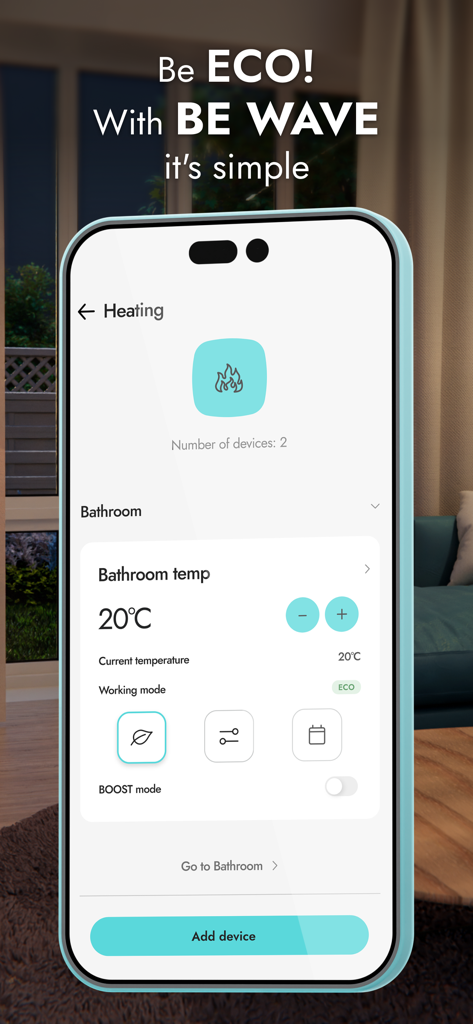
BE WAVE - BE WAVEアプリのスマート暖房コントロールインターフェースを表示するスマートフォンの画面。バスルームでECOモードが有効になっています。
BE WAVEアプリのスマート暖房コントロールインターフェースを表示するスマートフォンの画面。バスルームでECOモードが有効になっています。

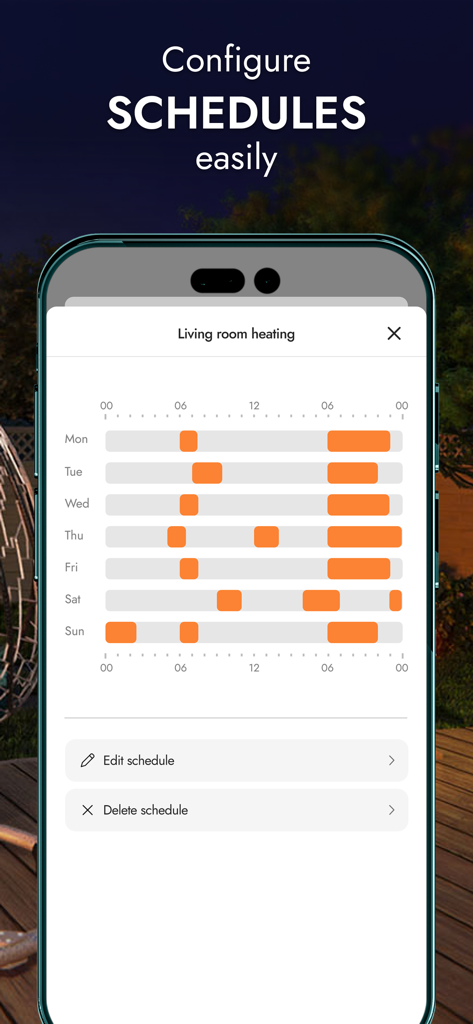
BE WAVE - BE WAVEのモバイルアプリインターフェース。リビングルームの週次暖房スケジュール設定を表示します。
BE WAVEのモバイルアプリインターフェース。リビングルームの週次暖房スケジュール設定を表示します。

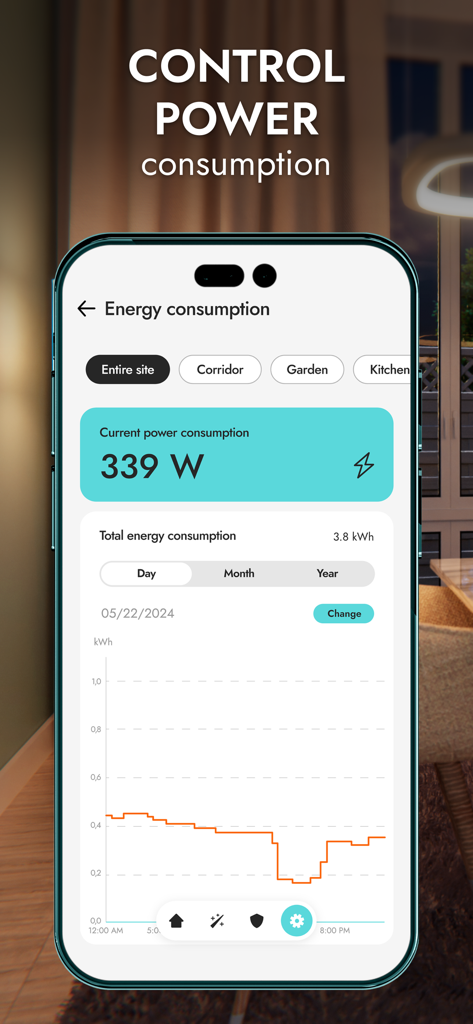
BE WAVE - BE WAVEアプリのエネルギー消費ダッシュボード。リアルタイムの電力使用量と日次統計チャートを表示します。
BE WAVEアプリのエネルギー消費ダッシュボード。リアルタイムの電力使用量と日次統計チャートを表示します。

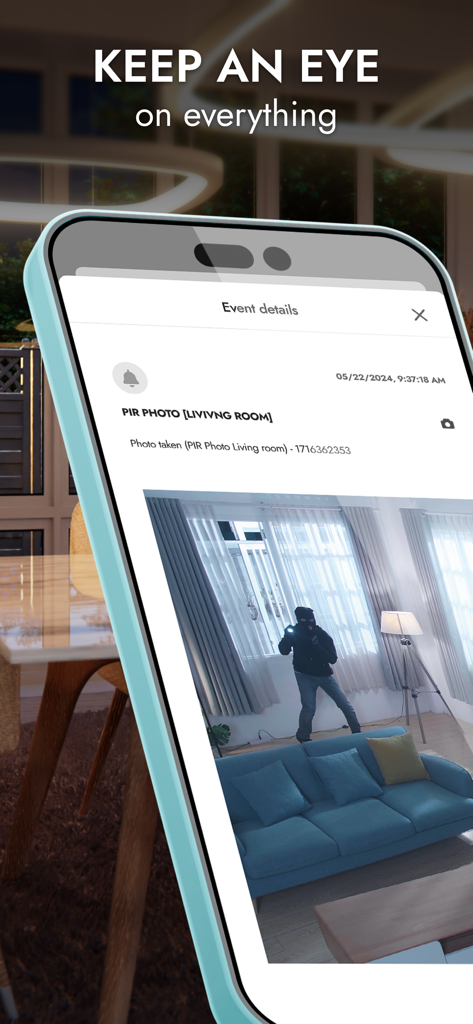
BE WAVE - BE WAVEアプリ。リビングルームのセキュリティ写真に侵入者が表示されます。
BE WAVEアプリ。リビングルームのセキュリティ写真に侵入者が表示されます。

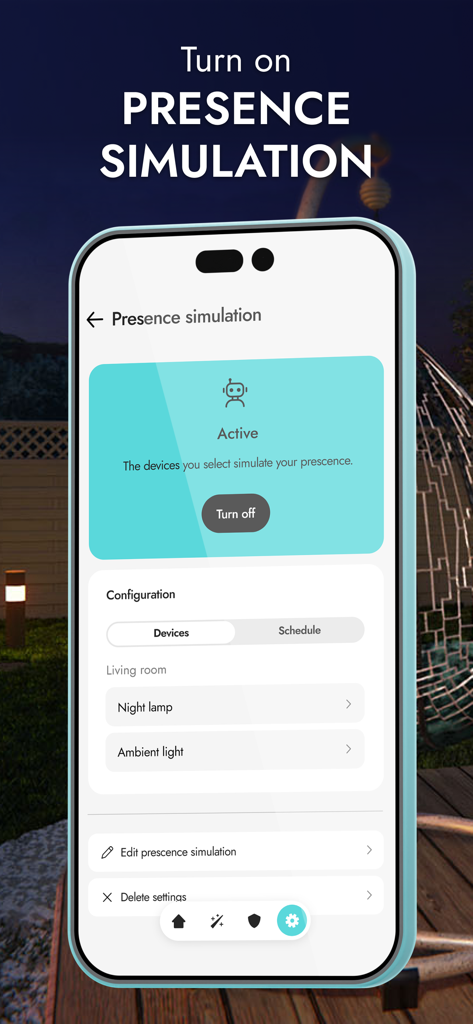
BE WAVE - BE WAVEアプリのインターフェース。ホームセキュリティ管理のためのアクティブな不在シミュレーション機能を表示します。

BE WAVEアプリのインターフェース。ホームセキュリティ管理のためのアクティブな不在シミュレーション機能を表示します。

説明

All-in-one – smart & safe functions in one application The application is used to both configure and operate your BE WAVE system. With its help, you can manage the comfort and protection functions of your home or office, even when you are on the other side of the world. Creating the system and configuring it is quick and very intuitive. Quick system startup Easily create an object. Then add devices and configure them according to your requirements. Give them names, assign them to rooms and groups - so that system management is transparent and intuitive. You can also conveniently add additional objects. Intuitive daily protection management For your convenience, BE WAVE allows you to create different standby modes, e.g. night, day, etc. You can have up to 9 of them to choose the one that works best in a given situation. On the dashboard you can quickly check the current status of the system and its protection. Smart Home in your hands In BE WAVE, you immediately get the ability to control selected devices and whole groups. You can also create tailor-made scenes and routines involving selected installations in your home. Configuring automation is easier than ever. Be ECO - it's easy with BE WAVE automation Manage energy efficiency with the BE WAVE application - adjust the system's operation to turn off unnecessary electrical devices. Also check the current power consumption of connected devices and analyze archived data in charts – this will help to reduce energy consumption. View the current temperature in the rooms. See also how it has changed over time, and adjust the heating to your needs for optimal heat management. Temperature, humidity, pressure - air quality Monitor air parameters in your home - in the BE WAVE application you can check measurement results and view charts including daily, monthly and annual statistics. Keep an eye on everything View images from cameras and photos from Motion Detector Cam sensors. You can see what is happening in your home and its surroundings at any time. If an alarm occurs, make sure whether it was actually triggered after detecting an intruder, or whether the system reacted to a curious animal. Intelligent presence simulation In the application, you will configure and enable the presence simulation function, which will randomly turn on and off selected home installations in a given time period. These may include, among others: lights, sprinklers, electronics as well as blinds and curtains. By creating the illusion of the presence of household members, your home will be safe even when you are not there. Monitoring – under the watchful eye of the patrol You can connect the BE WAVE system with a chosen security agency that will receive selected events reporting about what is happening in the system. Ask your installer to configure the monitoring settings in the app. The quick response of services to dangerous events minimizes possible damage. Set up the BE WAVE app as you wish On the dashboard, you can rearrange rooms and groups to quickly find the functions you mostly use. Each household member can individually set the appearance of the main screen. You can also assign your own photo to individual rooms. You will receive push notifications immediately after an event occurs in your system or after starting automation tasks. It's up to you what information you receive. Set everything according to your preferences and stay on track. In the event log, you can filter the list by event type, which will allow you to quickly find the data you are looking for. Quickly switch between different systems Are there several Smart HUB devices added in your application, e.g. the one at home, at a summer estate or in your office? You don't have to log out of one and register in the other - just a few clicks and you can control another system.

Download

ダウンロード: App Store

このページはアプリまたはその開発者の公式ページではなく、情報提供および論評を目的として作成された独立した編集出版物です。明示的に別段の記載がない限り、アプリおよびその開発者は、MWM、Apple、Google Play、アプリのパブリッシャー、またはアプリの開発者と提携、承認、後援、認可、またはその他の公式的な関係はなく、このページのいかなる内容も、アプリがMWMのサービスを使用して開発されたことを意味するものではありません。すべての商標、ロゴ、スクリーンショット、その他のコンテンツはそれぞれの所有者の財産です。








