BeadHub
BeadHub
ダウンロード: App Store

このページはアプリまたはその開発者の公式ページではなく、情報提供および論評を目的として作成された独立した編集出版物です。明示的に別段の記載がない限り、アプリおよびその開発者は、MWM、Apple、Google Play、アプリのパブリッシャー、またはアプリの開発者と提携、承認、後援、認可、またはその他の公式的な関係はなく、このページのいかなる内容も、アプリがMWMのサービスを使用して開発されたことを意味するものではありません。すべての商標、ロゴ、スクリーンショット、その他のコンテンツはそれぞれの所有者の財産です。


ロゴ: BeadHub
ダウンロード: App Store

BeadHub

何千人ものクリエイターがピクセルを傑作に変えるのに参加しましょう。ゲームスプライト、パーラービーズのパターン、またはレトロなデジタルアートをデザインする場合でも、直感的なツールと活気のあるコミュニティがあなたのビジョンを実現するのを容易にします。

主要数値

ダウンロード

2K+

ユーザー評価

4.7/5

評価数

100

開発元

世英 王

カテゴリ

Graphics & Design

対応言語

3

最新バージョン

2.5.2

サイズ

42.0 MB

リリース日

2025年8月9日
機能

すべてのピクセルを傑作に変える

居心地の良いデジタルイラストから物理的なパーラービーズのパターンまで、BeadHubはプロフェッショナルなツールを提供し、ピクセルアートを簡単に作成、変換、共有できます。

精密クリエイティブスタジオ

円形と正方形のオプションを備えた直感的なエディターで、すべてのピクセルをマスターしましょう。レトロなゲームスプライトから詳細なクロスステッチの設計図まで、あらゆるものをデザインするのに最適です。

インスタント写真からピクセルへの魔法

お気に入りの写真を瞬時にピクセルアートに変換したり、膨大なコミュニティテンプレートライブラリを探索して、DIYクラフトプロジェクトを簡単に始めましょう。

以下のスクリーンショットと説明は、アプリの公式ストアリスティングから直接取得されたものであり、アプリ開発者の所有物です。

アプリストア

スクリーンショット
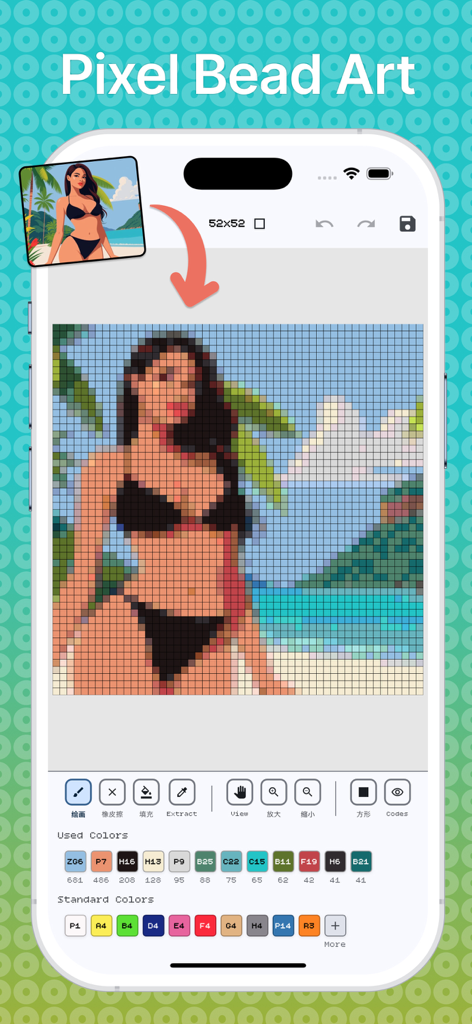
BeadHub - BeadHubアプリのインターフェース。カラーパレットと編集ツールを使用して、ポートレートをピクセルアートパターンに変換している様子を示しています。
BeadHubアプリのインターフェース。カラーパレットと編集ツールを使用して、ポートレートをピクセルアートパターンに変換している様子を示しています。

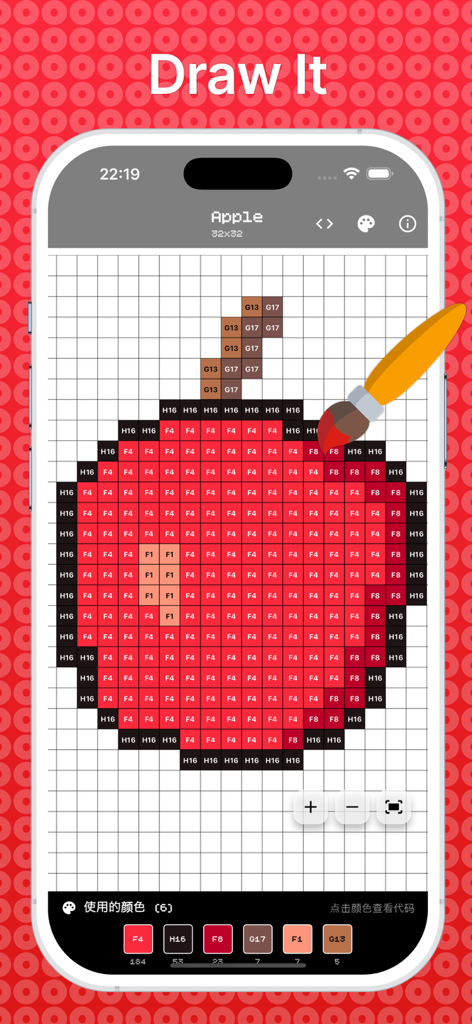
BeadHub - BeadHubアプリのインターフェース。グリッド上にカラーコードが表示されたリンゴのピクセルアートの描画を示しています。
BeadHubアプリのインターフェース。グリッド上にカラーコードが表示されたリンゴのピクセルアートの描画を示しています。

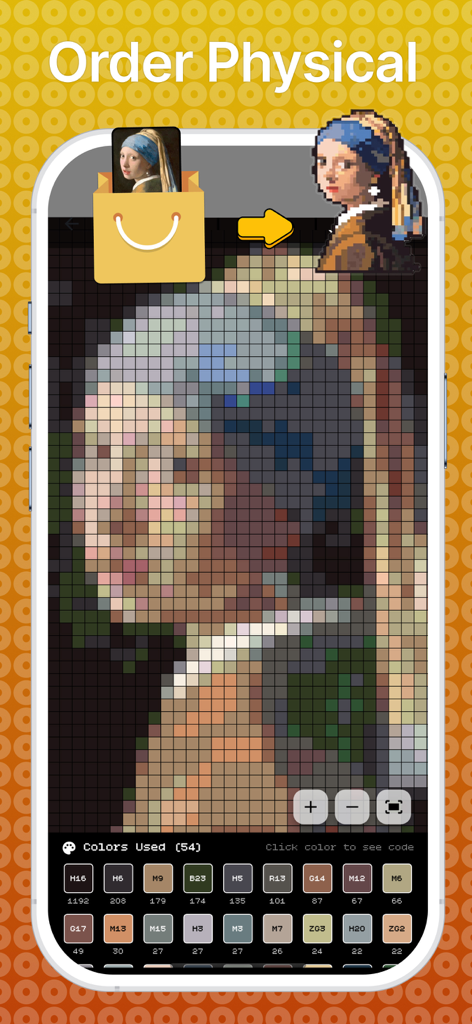
BeadHub - BeadHubアプリのインターフェース。クラシックな絵画を物理的なクラフト用のピクセルアートパターンに変換しています。
BeadHubアプリのインターフェース。クラシックな絵画を物理的なクラフト用のピクセルアートパターンに変換しています。

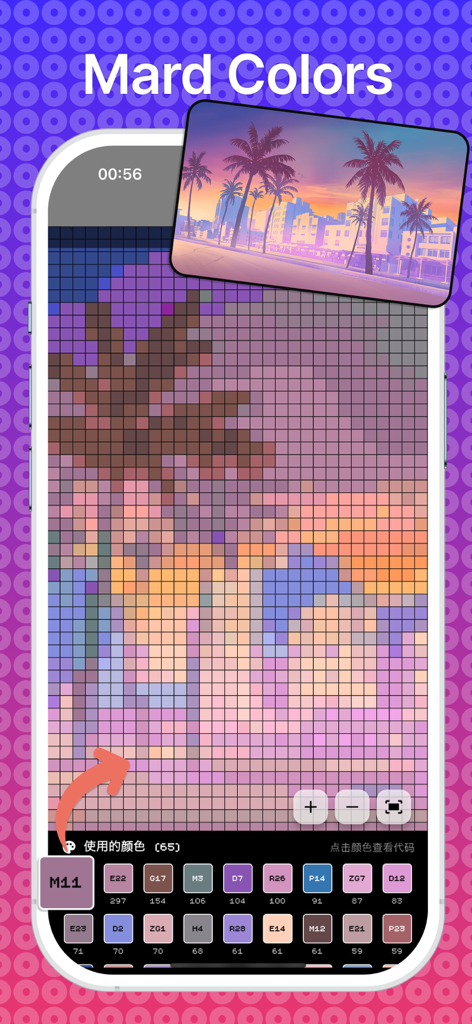
BeadHub - BeadHubアプリのインターフェースが表示されたスマートフォン。夕日の写真をDIYクラフト用のカラーコード付きピクセルアートパターンに変換しています。
BeadHubアプリのインターフェースが表示されたスマートフォン。夕日の写真をDIYクラフト用のカラーコード付きピクセルアートパターンに変換しています。

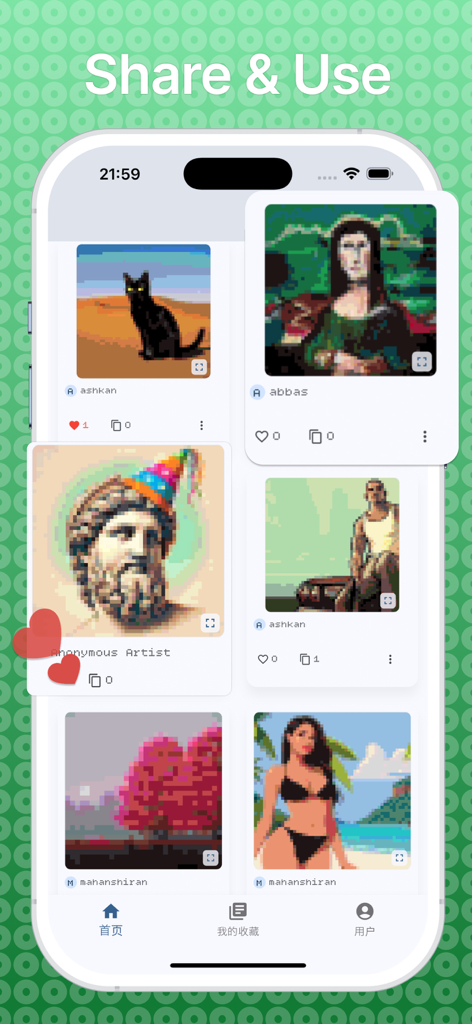
BeadHub - BeadHubアプリのコミュニティギャラリー。黒猫やモナリザなど、ユーザーが作成したさまざまなピクセルアート作品を表示しています。

BeadHubアプリのコミュニティギャラリー。黒猫やモナリザなど、ユーザーが作成したさまざまなピクセルアート作品を表示しています。

説明

DIY Pixel Generator - Create & Share Pixel Art Transform your creativity into stunning pixel art masterpieces! DIY Pixel Generator is the ultimate pixel art creation app that combines powerful editing tools with a vibrant community platform. Whether you're a beginner or a seasoned pixel artist, our app provides everything you need to bring your digital art to life. Key Features: Creative Tools: Intuitive pixel-by-pixel editor with precise control Multiple canvas sizes to fit your vision Circular and square pixel options for unique styles Advanced color palette with unlimited possibilities Zoom and pan functionality for detailed work Undo/redo support for worry-free editing Template Library: Extensive collection of pre-made templates Import images and convert them to pixel art Start from scratch or use community creations Save and organize your projects in personal library Favorites system to bookmark inspiring artworks Social Community: Share your creations with pixel art enthusiasts worldwide Discover trending pixel art from talented artists Use community templates as starting points Interactive engagement with likes and usage tracking User profiles with customizable avatars Personal Experience: Create and customize your profile Upload profile pictures and personalize your presence Track your creative journey and achievements Manage your favorite artworks and templates Seamless login system with persistent sessions Export & Share: High-quality PNG export with customizable resolution Share directly to social media platforms Save to device gallery Share with the in-app community Multiple sharing options for maximum reach Perfect For: Digital artists and illustrators Game developers creating sprites and assets Hobbyists exploring pixel art as a creative outlet Students learning digital art fundamentals Anyone wanting to create retro-style artwork Why Choose DIY Pixel Generator: User-Friendly: Clean, intuitive interface designed for creators of all skill levels Community-Driven: Connect with fellow artists and share inspiration Feature-Rich: Professional tools without the complexity Cross-Platform: Consistent experience across all devices Regular Updates: Continuously improved with new features and templates Getting Started: Download and create your account Explore templates or start with a blank canvas Use our powerful editing tools to create your masterpiece Share with the community and get inspired by others Build your collection and grow as a pixel artist Download DIY Pixel Generator today and join thousands of creators turning pixels into art! Perfect for creating game sprites, digital art, retro graphics, NFT artwork, social media content, and more. Whether you're designing characters, landscapes, or abstract art, DIY Pixel Generator has the tools you need. Privacy Policy: https://shiranmahan.wixsite.com/website-1/about-us Terms of use: https://www.apple.com/legal/internet-services/itunes/dev/stdeula

Download

ダウンロード: App Store

このページはアプリまたはその開発者の公式ページではなく、情報提供および論評を目的として作成された独立した編集出版物です。明示的に別段の記載がない限り、アプリおよびその開発者は、MWM、Apple、Google Play、アプリのパブリッシャー、またはアプリの開発者と提携、承認、後援、認可、またはその他の公式的な関係はなく、このページのいかなる内容も、アプリがMWMのサービスを使用して開発されたことを意味するものではありません。すべての商標、ロゴ、スクリーンショット、その他のコンテンツはそれぞれの所有者の財産です。







