BeadPatternCreator
BeadPatternCreator
ダウンロード: App Store

このページはアプリまたはその開発者の公式ページではなく、情報提供および論評を目的として作成された独立した編集出版物です。明示的に別段の記載がない限り、アプリおよびその開発者は、MWM、Apple、Google Play、アプリのパブリッシャー、またはアプリの開発者と提携、承認、後援、認可、またはその他の公式的な関係はなく、このページのいかなる内容も、アプリがMWMのサービスを使用して開発されたことを意味するものではありません。すべての商標、ロゴ、スクリーンショット、その他のコンテンツはそれぞれの所有者の財産です。

ロゴ: BeadPatternCreator
ダウンロード: App Store

BeadPatternCreator

ジュエリーメーカーのための究極のデジタル織りツール。写真を複雑なビーズチャートに簡単に変換し、150以上のスタンプでカスタマイズし、次の手作り傑作のためにデザインを印刷しましょう。

主要数値

ダウンロード

6K+

ユーザー評価

1.0/5

評価数

0

開発元

Sand Castle Designs, Inc

カテゴリ

Graphics & Design

対応言語

1

最新バージョン

10

サイズ

13.7 MB

リリース日

2023年5月2日
機能

次のビーズ織りの傑作をデザイン

クリエイターのためのプロフェッショナルなデジタル織りツール。複雑なステッチをマスターし、写真をパターンに変換し、精密なツールでジュエリーのビジョンを形にしましょう。

本格的なステッチレイアウト

方眼紙での苦労はやめましょう。ペヨーテ、ブリック、ライトアングルウィーブ専用に、実際のクラフトに合ったグリッドでデザインできます。

インスタント写真変換

大切な写真や風景を、自動的に詳細なビーズチャートに変換します。ユニークでパーソナライズされたギフトやポートレートの作成に最適です。

以下のスクリーンショットと説明は、アプリの公式ストアリスティングから直接取得されたものであり、アプリ開発者の所有物です。

アプリストア

スクリーンショット
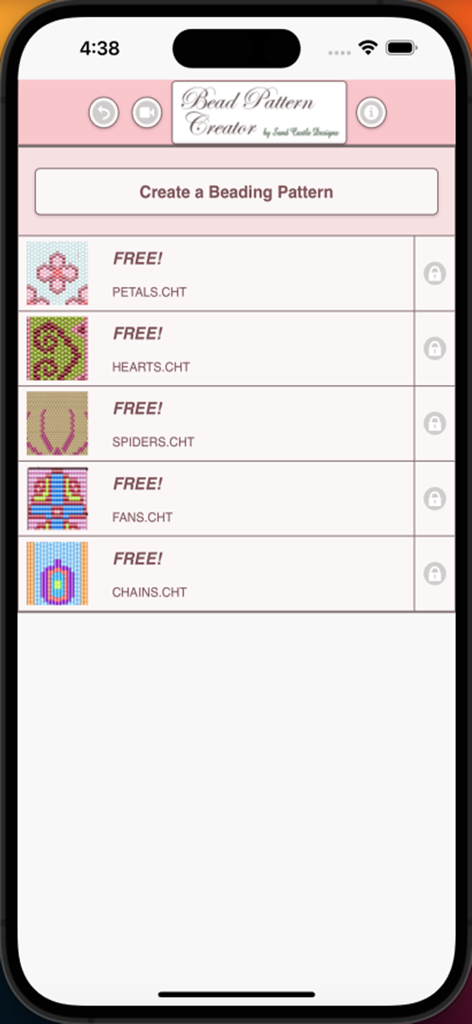
BeadPatternCreator - Bead Pattern Creatorアプリのホーム画面。花びら、ハート、クモなど、無料のビーズデザインのリストが表示されています。
Bead Pattern Creatorアプリのホーム画面。花びら、ハート、クモなど、無料のビーズデザインのリストが表示されています。

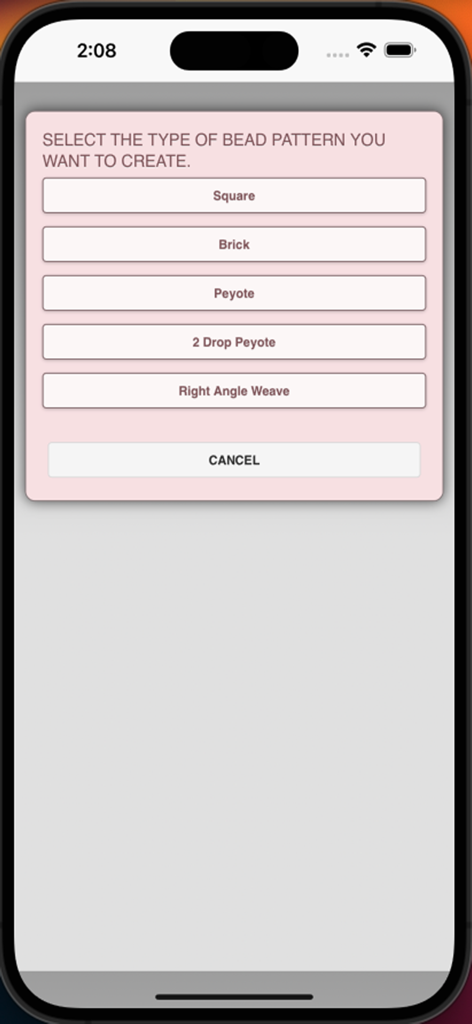
BeadPatternCreator - BeadPatternCreatorアプリのメニュー画面。スクエア、ブリック、ペヨーテなどのビーズステッチタイプを選択できます。
BeadPatternCreatorアプリのメニュー画面。スクエア、ブリック、ペヨーテなどのビーズステッチタイプを選択できます。

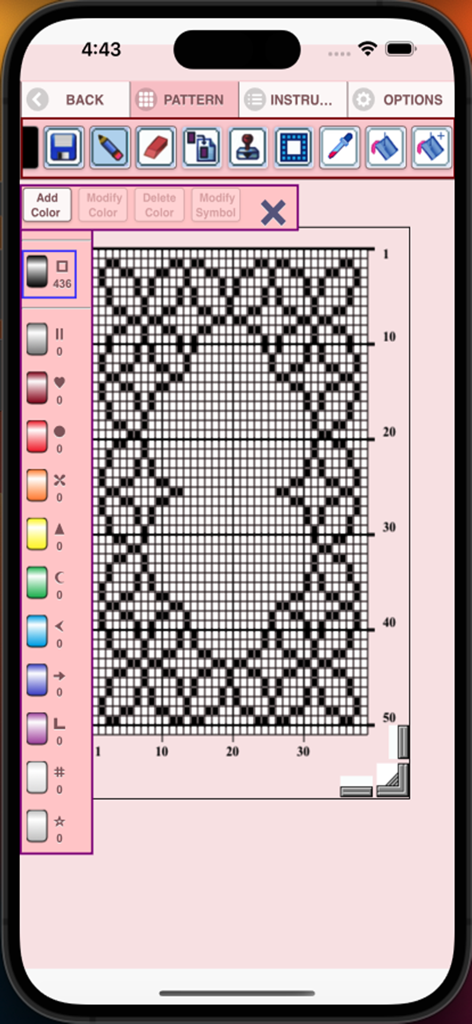
BeadPatternCreator - BeadPatternCreatorインターフェース。グリッドパターンとデザインツールが表示されています。
BeadPatternCreatorインターフェース。グリッドパターンとデザインツールが表示されています。

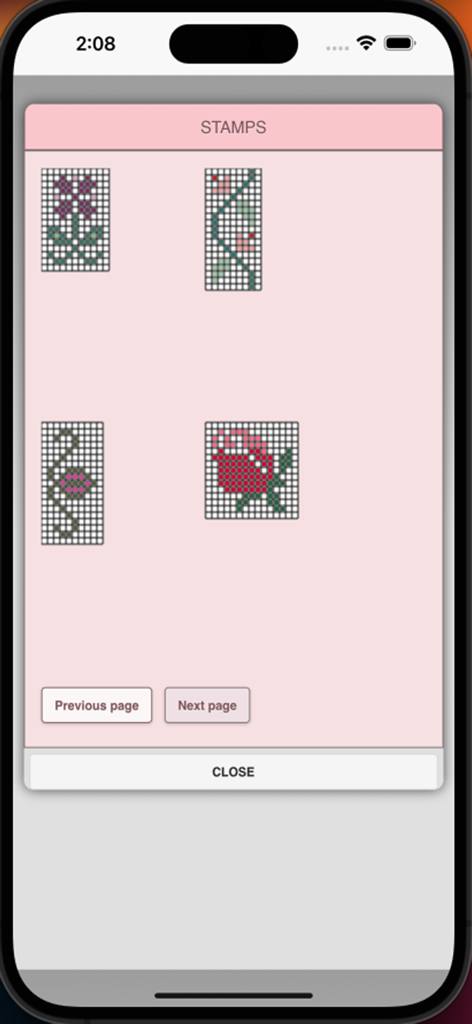
BeadPatternCreator - 花や植物のデザインなど、さまざまなビーズパターンのスタンプが表示されたメニュー画面。
花や植物のデザインなど、さまざまなビーズパターンのスタンプが表示されたメニュー画面。

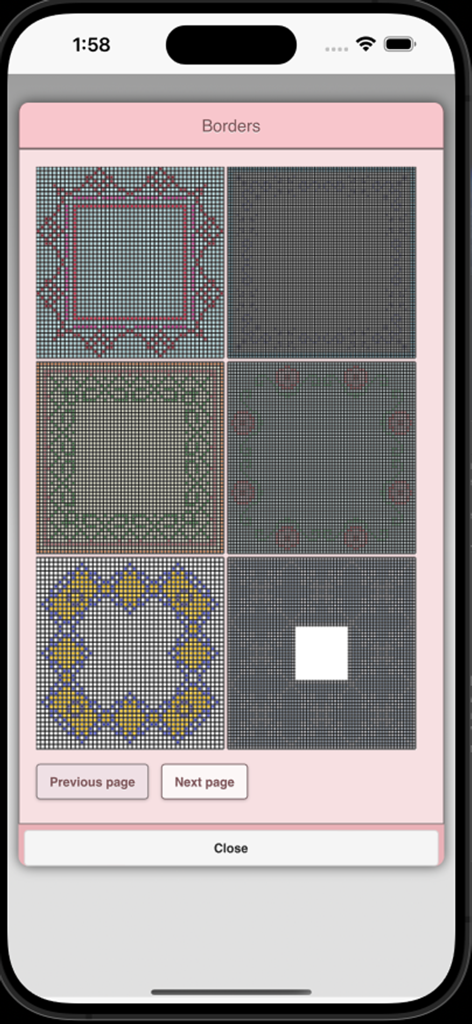
BeadPatternCreator - BeadPatternCreatorアプリのメニュー画面。さまざまなビーズの境界線のデザインが表示されています。
BeadPatternCreatorアプリのメニュー画面。さまざまなビーズの境界線のデザインが表示されています。

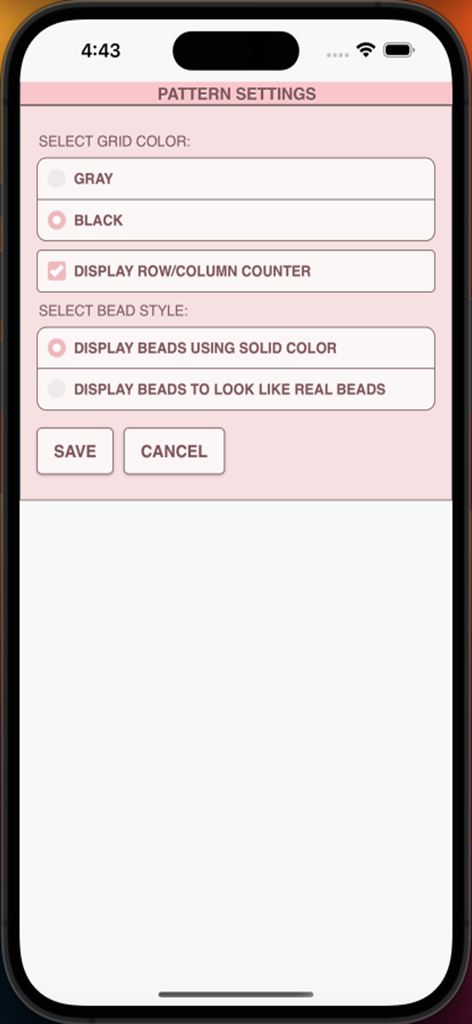
BeadPatternCreator - BeadPatternCreatorアプリのパターン設定画面。グリッドの色、行と列のカウンター、ビーズの表示スタイルなどのオプションが表示されています。
BeadPatternCreatorアプリのパターン設定画面。グリッドの色、行と列のカウンター、ビーズの表示スタイルなどのオプションが表示されています。

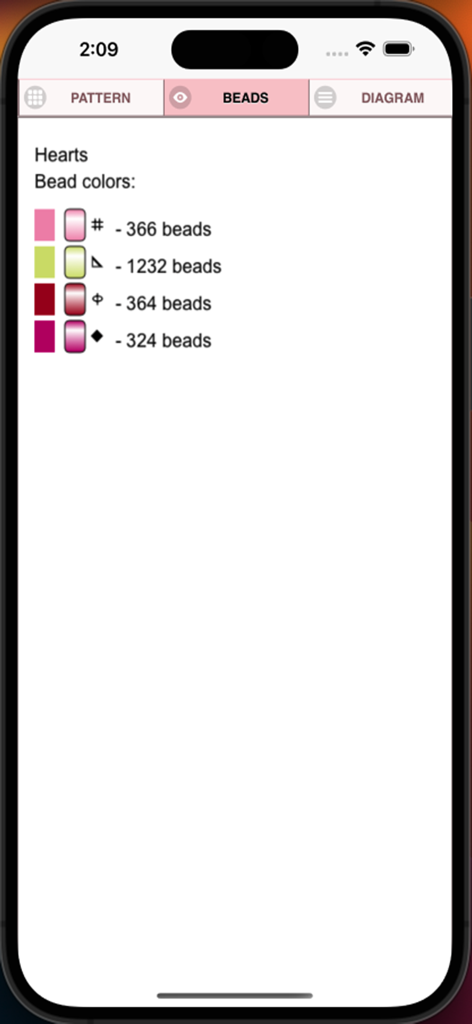
BeadPatternCreator - ビーズの色、ユニークなシンボル、および「Hearts」という名前のパターンのビーズ数を示すリストが表示されたスクリーンショット。
ビーズの色、ユニークなシンボル、および「Hearts」という名前のパターンのビーズ数を示すリストが表示されたスクリーンショット。

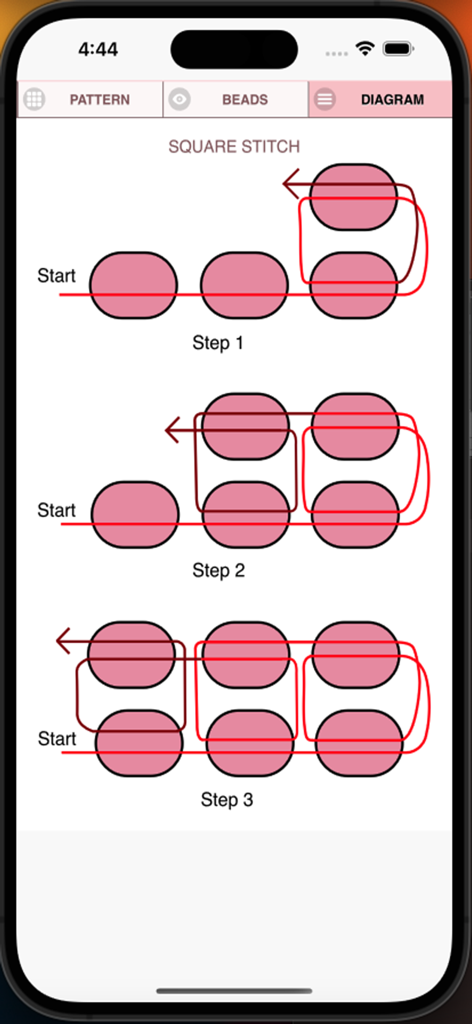
BeadPatternCreator - スクエアステッチのビーズプロセスの3つのステップを示す技術図。

スクエアステッチのビーズプロセスの3つのステップを示す技術図。

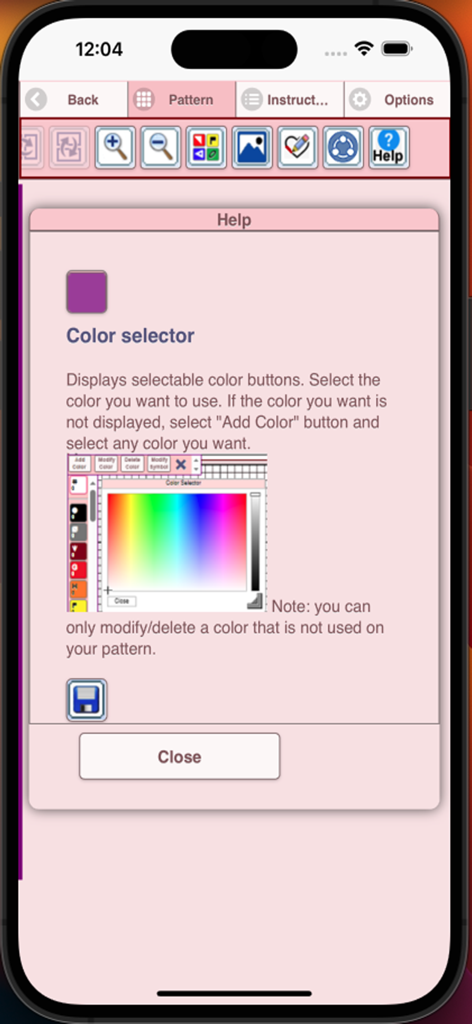
BeadPatternCreator - BeadPatternCreatorアプリ内のヘルプ画面。カラーセレクターツールの使い方を説明しています。

BeadPatternCreatorアプリ内のヘルプ画面。カラーセレクターツールの使い方を説明しています。

説明

Bead Pattern Creator for your mobile device. Comes with 5 free bead patterns. Download is free. To activate creation is $2.99. Create bead patterns for Square Stitch, Brick Stitch, Peyote Stitch, 2 drop Peyote Stitch and Right Angle Weave. To create bead patterns, select Create a Beading Pattern button. The Bead Pattern Editor will appear. Fill in the squares with beads of any color. To get started - Use the pencil to add beads to your bead pattern. Use the Eraser to remove beads from your bead pattern. You also can select from over 150 stamps and borders to apply to your bead pattern. Icons from left to right in the icon bar are: Color button - Use to add new beads with different colors to your bead list. Save button - Use to save your bead pattern. Pencil button - Use to add beads to your bead pattern. Eraser button - Use to remove beads from your bead pattern. Trim button- Remove squares from your bead pattern. Stamps button - Selectable little stamps (little bead designs) to add to your bead pattern. Borders button - Selectable borders to add to your pattern. Borders automatically wrap around your bead pattern. Dropper button -Lets you extract a bead color from your pattern and add more of that bead to your bead pattern. Bucket button- Use to fill selected area with beads of the current color. Bucket+ button - Used to change the color of all beads of the same color to a different color. Undo button- Undo each last change you made to the bead pattern. Redo button- Redo each change you undid. Selection button - Select an area of the pattern, you want to Cut, Copy, Paste. Cut button- Remove some beads from the pattern. Copy button- Copy some beads from the pattern. Paste button- Paste copied beads to the pattern. Resize button - Resize your pattern. Rotate button - Rotated a select area of the bead pattern. Flip right/left button - Flip a selected area of the bead pattern. Flip top/bottom button - Flip a selected area of the bead pattern. Zoom in button- Magnify the bead pattern. Zoom out button- Minify the bead pattern. Print button - Print your bead pattern. Symbols button- Display a unique symbol on the bead to indicate its color value. Picture button- Select a picture from your device and convert to a pattern. Social media button- Use social media to share your pattern (email, text etc.). Help button- Learn how to use all the tools in the button bar. Resize bars - Resize bars are display at the bottom right corner of your pattern. Drag them to resize your bead pattern.

Download

ダウンロード: App Store

このページはアプリまたはその開発者の公式ページではなく、情報提供および論評を目的として作成された独立した編集出版物です。明示的に別段の記載がない限り、アプリおよびその開発者は、MWM、Apple、Google Play、アプリのパブリッシャー、またはアプリの開発者と提携、承認、後援、認可、またはその他の公式的な関係はなく、このページのいかなる内容も、アプリがMWMのサービスを使用して開発されたことを意味するものではありません。すべての商標、ロゴ、スクリーンショット、その他のコンテンツはそれぞれの所有者の財産です。