BizXpenseTracker Pro

BizXpenseTracker Pro

ダウンロード: App Store
ロゴ: BizXpenseTracker Pro

BizXpenseTracker Pro:経費、マイレージ、時間追跡のためのオールインワンパワーハウス

11年の実績を誇る当社のサービスを信頼する、数千ものモバイルプロフェッショナルおよびビジネスオーナーにご参加ください。領収書をキャプチャし、マイレージを自動化し、会計士が喜ぶプロフェッショナルなPDFレポートを生成します。

ダウンロード: App Store

開発元

Silverware Software, LLC

カテゴリ

Business

ダウンロード

600

ユーザー評価

4.6/5

評価数

500

対応言語

5

すべてのビューで効率化

このインターフェースを利用する 600 人のユーザー.

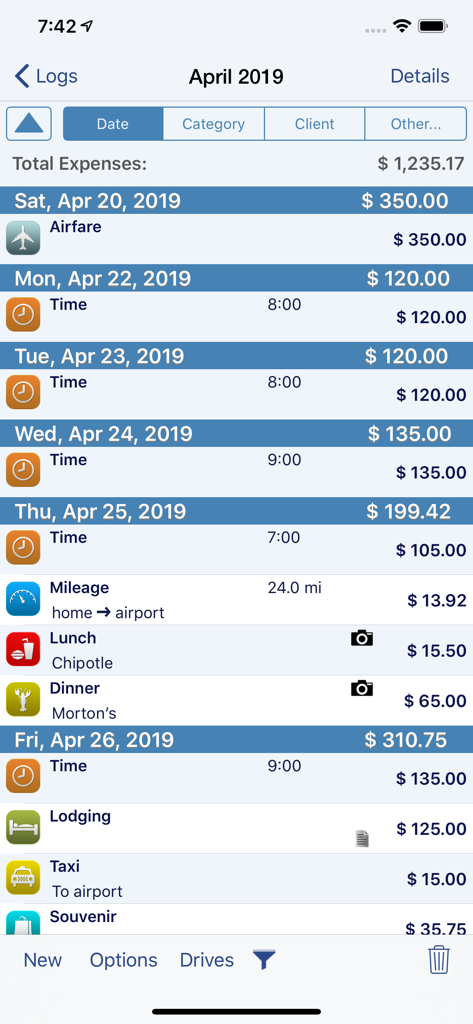
BizXpenseTracker Proの詳細なビジネス経費ログ画面。航空運賃、時間追跡、マイレージ、食事のカテゴリと関連費用が表示されます。
BizXpenseTracker Proの詳細なビジネス経費ログ画面。航空運賃、時間追跡、マイレージ、食事のカテゴリと関連費用が表示されます。

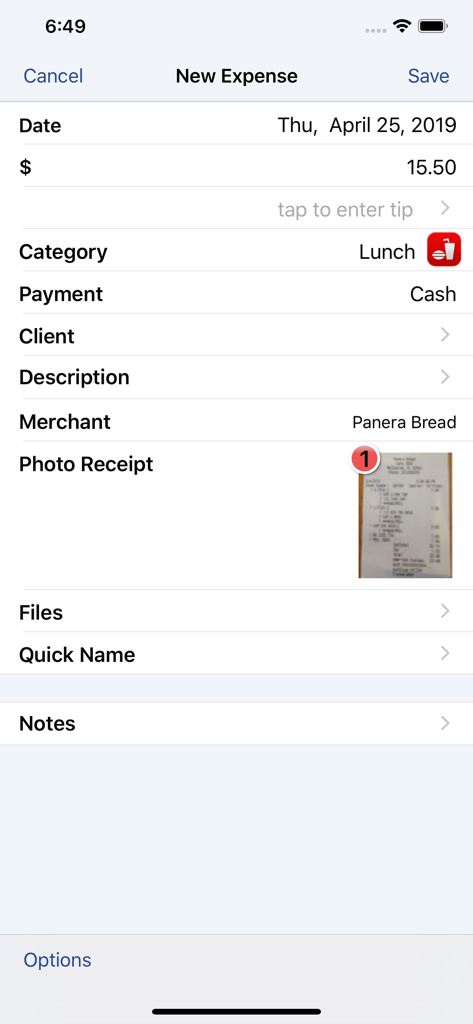
BizXpenseTracker Proのインターフェース。Panera Breadでのランチの新しい経費エントリと、添付された写真の領収書が表示されます。
BizXpenseTracker Proのインターフェース。Panera Breadでのランチの新しい経費エントリと、添付された写真の領収書が表示されます。

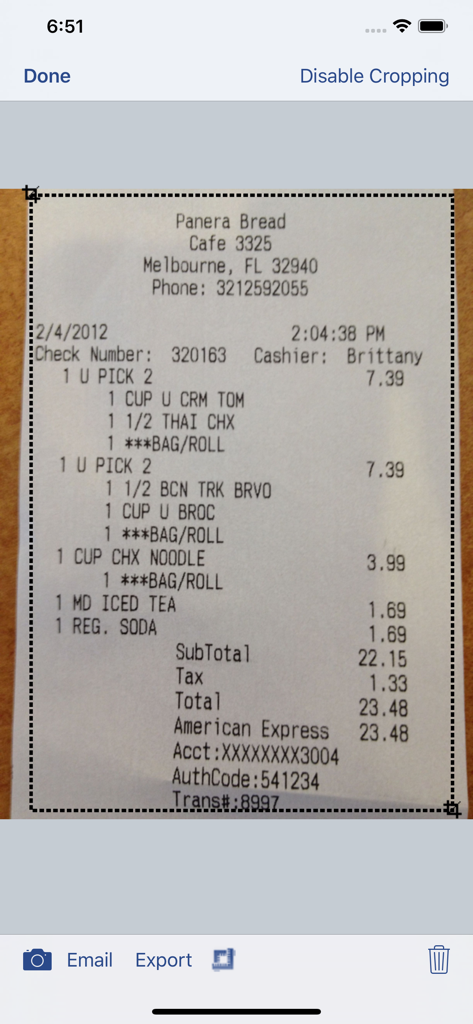
BizXpenseTracker Proアプリのインターフェース。デジタル記録保持のためにクロップされているPanera Breadの領収書が表示されます。
BizXpenseTracker Proアプリのインターフェース。デジタル記録保持のためにクロップされているPanera Breadの領収書が表示されます。

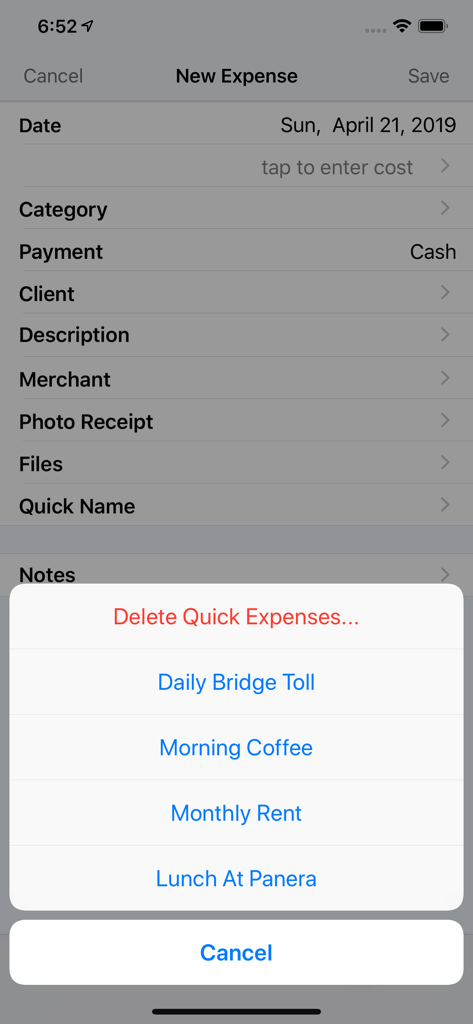
BizXpenseTracker Proインターフェース。新規エントリ画面にクイック経費ショートカットが表示されます。
BizXpenseTracker Proインターフェース。新規エントリ画面にクイック経費ショートカットが表示されます。

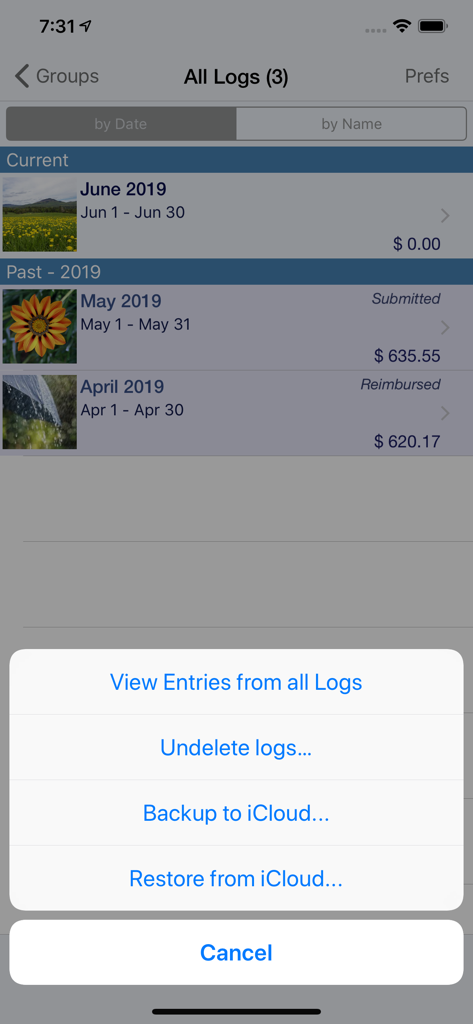
BizXpenseTracker Proアプリインターフェース。月次経費ログとiCloudバックアップおよび復元オプション付きのポップアップメニューが表示されます。
BizXpenseTracker Proアプリインターフェース。月次経費ログとiCloudバックアップおよび復元オプション付きのポップアップメニューが表示されます。

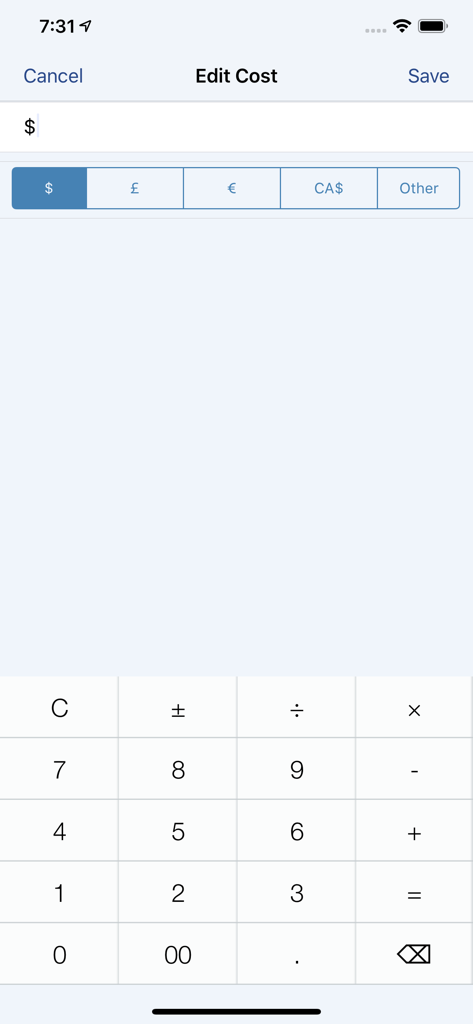
BizXpenseTracker Pro編集コストインターフェース。通貨選択と計算機キーパッドが表示されます。
BizXpenseTracker Pro編集コストインターフェース。通貨選択と計算機キーパッドが表示されます。

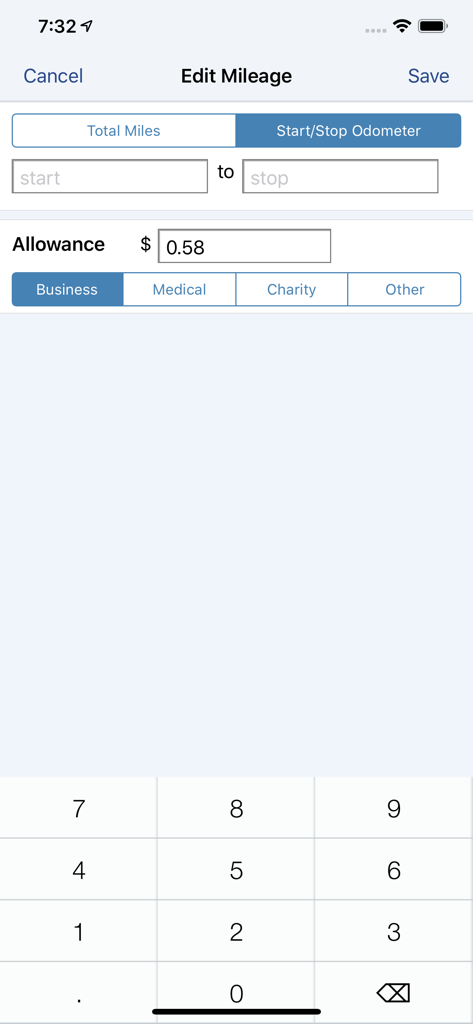
BizXpenseTracker Proマイレージ入力画面。走行距離計入力とカテゴリ選択が表示されます。
BizXpenseTracker Proマイレージ入力画面。走行距離計入力とカテゴリ選択が表示されます。

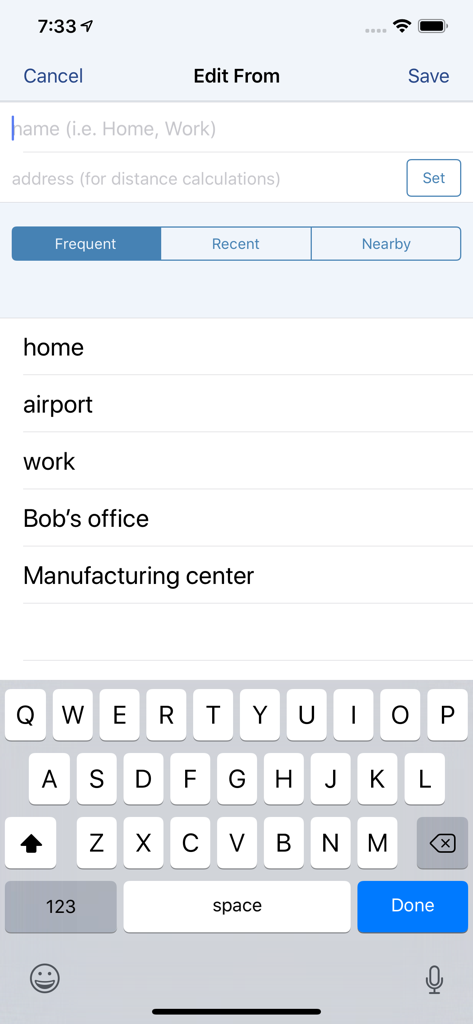
BizXpenseTracker Pro画面。マイレージ追跡のために、自宅や職場などの頻繁な開始場所を選択します。
BizXpenseTracker Pro画面。マイレージ追跡のために、自宅や職場などの頻繁な開始場所を選択します。

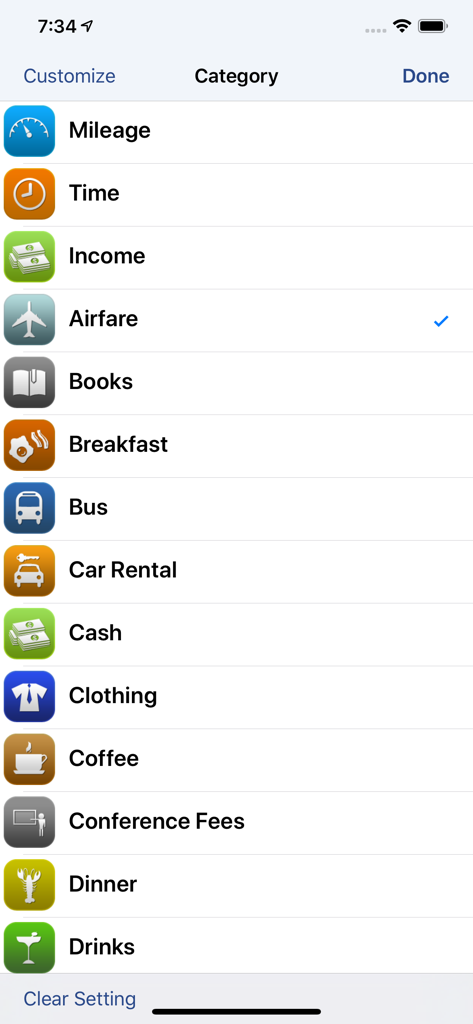
BizXpenseTracker Proアプリ内のマイレージ、時間、航空券などのカスタマイズ可能なビジネス経費カテゴリのリスト。
BizXpenseTracker Proアプリ内のマイレージ、時間、航空券などのカスタマイズ可能なビジネス経費カテゴリのリスト。

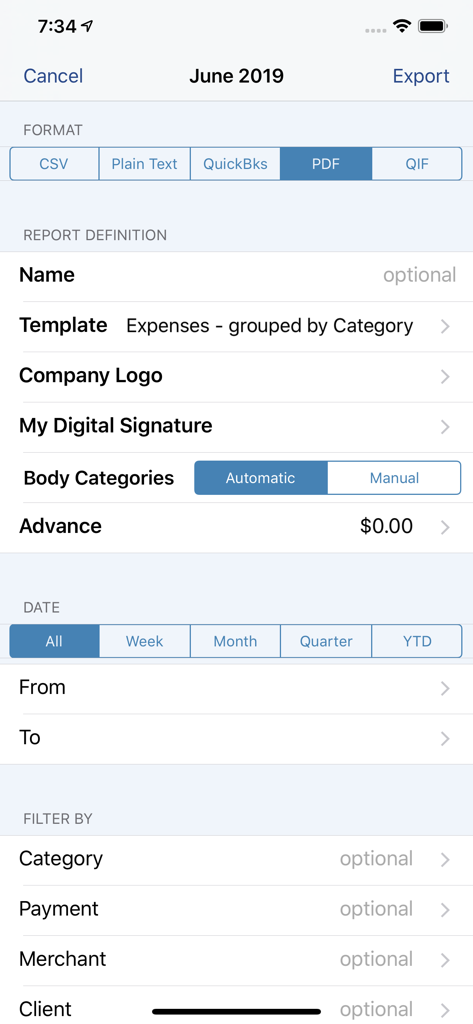
BizXpenseTracker Proアプリのレポートエクスポート設定画面。フォーマットオプションとフィルターが表示されます。

BizXpenseTracker Proアプリのレポートエクスポート設定画面。フォーマットオプションとフィルターが表示されます。

控除&生産性を最大化

このアプリを際立たせるツール、 600 人のユーザーが選択.

🚗

設定不要のマイレージ追跡

AutoTrackを使用して、すべてのビジネス走行距離をパッシブに記録します。もう手動ログは不要です。車を運転するだけで、アプリが税控除対象の旅行を処理します。

📄

監査に強いプロフェッショナルレポート

2ダース以上のテンプレートから、美しい完成品のPDFレポートを生成します。会計士を感動させ、IRSの問い合わせにいつでも対応できるようにします。

🔍

ストレスフリーな領収書管理

外出先で領収書をキャプチャし、HumanScanを使用して100%正確なデータ抽出を行います。手動入力に費やす時間を無駄にするのをやめ、ビジネスに集中しましょう。

アプリについて

について知っておくべきこと BizXpenseTracker Pro.

説明

BizXpenseTracker is your Full Featured app for tracking and reporting Expenses, Mileage and Time. With ease you can create beautiful, finished PDF reports using one of the over two dozen templates supplied. Get organized easily and save money too! BizXpenseTracker (BXT) is finely tuned, exceptionally reliable and has been helping users track their expenses, mileage and time since 2010 * Apple named BizXpenseTracker "Noteworthy" * Selected as a "very useful app" by Apple in: Apps for Business * Inc. Magazine Recommended Amex Recommends: http://tinyurl.com/AmexTopPick WHY BizXpenseTracker IS BETTER * NOW in its 11th year * Elegant user interface * The most powerful and flexible Reporting features available * Organize your entries into logs for maximum organization * Quick and easy on-screen filtering to get the most from your tracked data * File Linking feature allows you to link files received via email EASE OF USE * Completely customize your app and make it your own * Record your entries with easy to use screens that show your frequently used items * Customize categories and sub-categories * Custom keyboard with calculator functions * Smart functions to make data entry FAST ( ie For each category, the last payment type is remembered) REPORTING * Flexible and Powerful * Choose the attractive PDF format or CSV for importing into Excel * Over two dozen built-in templates * Email your reports and photo receipts * Export your reports to Dropbox, iCloud or to your desktop via wi-fi * Include photo receipt images in the same file as the PDF report * Accountants love our reports! PHOTO RECEIPTS * Capture multiple images per entry * Easily Crop images PREFERENCES * The MOST extensive set of preferences available * Hide those fields you do not need ON-SCREEN FILTERING * Sort entries by Date,Category,Payment or Client * Extensive on-screen filtering MILEAGE * Track mileage the way you want 1. LIVE mileage tracking - the app will track your every move - just tell the app when you depart and when you arrive. The app will do the rest 2. Enter Start/Stop odometer reading 3. Enter the start and end addresses and the app will determine the travel distance 4. See optional fully automatic AutoTrack feature below * If using odometer, will pre-fill start mileage with last stop mileage * Access Frequent trips from the QUICK menu * Supports Multiple Vehicles TIME * Create custom rates using a rate type of hourly, per visit, or per day * Categorize by: Work, Vacation, Sick or Other BUSINESS SPECIFIC * Per Diem * Commuter mileage INTERNATIONAL * Supports ALL major currencies * Extensive support for VAT BACKUP AND SAFE KEEPING * Backup your data to iCloud, Dropbox or directly to your desktop * Set Backup to “Automatic” to iCloud or Dropbox * Set Password or use TouchID ----- Required Subscription A subscription to Unlimited Usage or AutoTrack (which includes unlimited usage) is required after adding 25 free entries Subscription Details: * Choose between Unlimited Usage or AutoTrack (includes unlimited usage) * AutoTrack is a feature that will automatically track your drives. All you need to do is carry your device with you. * Payment charged to iTunes account. * Automatically renews unless cancelled at least 24-hours before the end of the current period * Account will be charged for renewal within 24-hours prior to the end of the current period * Either subscription is available monthly or yearly Optional Subscription - HumanScan: * Human Scan will allow you to take a picture of a receipt and have an actual human extract the key information and update your expense entry. You do NOT need this add-on if you simply want to take photos of your receipt as the app already has that built-in Questions/Comments: Just tap the Email the Author link in the Prefs screen

最新バージョン

1.8.5

サイズ

71.6 MB

リリース日

2021年5月27日

ビジネス財務を簡素化する準備はできましたか?

監査に強いレポートと簡単な追跡のためにBizXpenseTracker Proを信頼する何千ものプロフェッショナルにご参加ください。今すぐ25件のエントリ無料トライアルを開始し、当社のレポートを会計士が愛する理由をご覧ください。

ダウンロード: App Store
FAQ

よくある質問

について知っておくべきこと BizXpenseTracker Pro

BizXpenseTracker Proとは何ですか?

BizXpenseTracker Proは、経費、走行距離、時間を追跡および報告するためのフル機能アプリです。ユーザーはプロフェッショナルなPDFレポートを作成し、財務データを効率的に管理できます。

BizXpenseTracker Proは走行距離を自動追跡できますか?

はい、BizXpenseTracker Proはオプション機能のAutoTrackを提供しており、ドライブを自動的に追跡します。また、ライブ走行距離追跡と手動でのオドメーター入力もサポートしています。

BizXpenseTracker Proで生成できるレポートの種類は何ですか?

BizXpenseTracker Proは、PDFまたはCSV形式で柔軟なレポートを生成します。2ダース以上の組み込みテンプレートを提供し、写真領収書をレポートに直接埋め込むことができます。

BizXpenseTracker Proは経費の写真領収書をサポートしていますか?

はい、BizXpenseTracker Proは、エントリごとに複数の写真領収書をキャプチャすることをサポートし、トリミングツールが含まれています。これらの画像は生成されたPDFレポートに追加できます。

BizXpenseTracker Proを使用するためにサブスクリプションは必要ですか?

はい、BizXpenseTracker Proで25件の無料エントリを追加した後、無制限使用またはAutoTrackのサブスクリプションが必要です。サブスクリプションは月単位または年単位で利用できます。

BizXpenseTracker Proはデータのバックアップとセキュリティをどのように処理しますか?

BizXpenseTracker Proは、iCloud、Dropbox、またはデスクトップにデータをバックアップします。ユーザーはクラウドサービスへの自動バックアップを設定し、パスワードまたはTouchIDでアプリを保護します。

BizXpenseTracker Proで経費カテゴリをカスタマイズできますか?

はい、BizXpenseTracker Proではカテゴリとサブカテゴリを完全にカスタマイズできます。また、各カテゴリで使用された最後の支払いタイプを記憶し、迅速なデータ入力を可能にします。

BizXpenseTracker ProのHumanScanオプションサブスクリプションとは何ですか?

BizXpenseTracker ProのHumanScanオプションサブスクリプションは、人間が撮影した領収書から主要な情報を抽出し、経費エントリを更新できるようにするものです。

BizXpenseTracker Proは国際通貨をサポートしていますか?

はい、BizXpenseTracker Proはすべての主要な国際通貨をサポートしています。また、付加価値税(VAT)計算についても包括的なサポートを提供しています。

BizXpenseTrackerはいつから利用可能になりましたか?

BizXpenseTracker(BXT)は、2010年からユーザーが経費、走行距離、時間を追跡するのを支援してきました。このアプリは現在、運用11年目です。

App information, icons, screenshots, and descriptions displayed on this page are sourced from the Apple App Store and are the property of their respective developers. Download estimates and rankings are based on MWM's proprietary models and may not reflect actual figures. This page is provided for informational and analytical purposes only.

Believe this page infringes your intellectual property? File a dispute