
このページはアプリまたはその開発者の公式ページではなく、情報提供および論評を目的として作成された独立した編集出版物です。明示的に別段の記載がない限り、アプリおよびその開発者は、MWM、Apple、Google Play、アプリのパブリッシャー、またはアプリの開発者と提携、承認、後援、認可、またはその他の公式的な関係はなく、このページのいかなる内容も、アプリがMWMのサービスを使用して開発されたことを意味するものではありません。すべての商標、ロゴ、スクリーンショット、その他のコンテンツはそれぞれの所有者の財産です。


BlazeAuth - MFA Authenticator
BlazeAuthは、デジタルな要塞の鍵を握らせる。認証、パスワード管理、そして匿名性を一つのアプリに凝縮し、サイバーセキュリティの悩みを過去のものとする。
ダウンロード
250k+ユーザー評価
評価数
4.3K開発元
カテゴリ
Utilities対応言語
7最新バージョン
1.3.0サイズ
876.3 MBリリース日
2024年12月11日デジタルセキュリティと利便性を両立する包括的ソリューション
BlazeAuth - MFA Authenticator: 機能分析
多要素認証(MFA)
このアプリは、QRコードスキャン、手動入力、写真インポート、およびGoogle/Microsoft Authenticatorからのインポートを通じて、様々な方法で2FAコードの追加を可能にします。ユーザーは、強力なセキュリティ層でアカウントを保護できます。
オールインワンのセキュリティソリューション
本ツールは、MFA、パスワード管理、バックアップ、暗号化、VPN保護を一つの信頼できるソリューションとして統合します。ユーザーは、複数のアプリを使い分けることなく、包括的なデジタルセキュリティを享受できます。
パスワードマネージャー
このアプリは、無制限のパスワードを安全に保存し、自動入力機能によりログインプロセスを迅速化します。ユーザーは、複数のアカウントで強力かつユニークなパスワードを容易に管理できます。
暗号化されたバックアップ&復元
このアプリは、デバイス変更時にデータを安全に復元するための暗号化バックアップを提供します。ユーザーは、重要な認証情報やパスワードを失うことなく、安心して新しいデバイスへ移行できます。
内蔵VPN機能
本ツールは、プライベートVPNサーバーへのアクセスを提供し、ユーザーのオンラインプライバシーを強化します。これにより、ユーザーはより安全で匿名性の高いブラウジング体験を得ることができます。
生体認証による保護
本ツールは、Face IDおよびTouch IDによる保護を統合しており、認証情報への不正アクセスを防ぎます。ユーザーは、デバイスの生体認証機能を利用してセキュリティを強化できます。
オフライン2FAコード生成
本ツールは、インターネット接続がない状況でも安全な2FAコードを生成する機能を提供します。ユーザーは、飛行機モードなどオフライン時でもログインの信頼性を確保できます。
迅速なセットアップ
このアプリは、迅速なQRコードスキャンとシンプルなアカウント管理により、数秒でのセットアップを可能にします。ユーザーは、技術的な専門知識がなくても簡単に利用を開始できます。
よくある質問
について知っておくべきこと BlazeAuth - MFA Authenticator
What is BlazeAuth - MFA Authenticator?
BlazeAuth - MFA Authenticator is an all-in-one authenticator and password manager. It provides seamless security for your digital life, offering Two-Factor Authentication and secure password storage.
What are the core features of BlazeAuth?
BlazeAuth offers Two-Factor Authentication (2FA) with TOTPs, a secure password manager, encrypted cloud backup and sync across devices, and cross-platform compatibility for various services.
Does BlazeAuth provide Two-Factor Authentication (2FA)?
Yes, BlazeAuth - MFA Authenticator provides Two-Factor Authentication (2FA). It uses time-based one-time passwords (TOTPs) to add an extra layer of protection to user accounts.
Can BlazeAuth function as a password manager?
Yes, BlazeAuth includes a secure password manager. Users can securely store and manage their passwords within the app, ensuring they never forget a login again.
Does BlazeAuth offer data backup and synchronization?
Yes, BlazeAuth provides backup and sync capabilities. It effortlessly syncs user data across devices using encrypted cloud backup, ensuring data availability and security.
Is BlazeAuth - MFA Authenticator compatible with various online services?
Yes, BlazeAuth is cross-platform compatible. It supports all favorite services, including Google, Facebook, YouTube, Spotify, and more, as depicted in the interface.
How does BlazeAuth ensure data privacy and security?
BlazeAuth ensures data privacy through enhanced protection, utilizing end-to-end encryption. This method guarantees that user data remains private and secure from unauthorized access.
How do I set up accounts for 2FA in BlazeAuth?
Users can easily set up accounts in BlazeAuth by scanning a QR code. This process quickly adds an account, such as a Google account, for 2FA protection.
Are there limits to the number of passwords I can save in BlazeAuth?
No, there are no limitations. BlazeAuth's password manager allows users to save an unlimited number of passwords, ensuring all credentials are securely stored.
Does BlazeAuth support biometric authentication for secure access?
Yes, BlazeAuth supports biometric authentication. It offers secure access with Face ID and Touch ID to protect stored credentials, enhancing the app's security.
Can BlazeAuth automatically fill in passwords and verification codes?
Yes, BlazeAuth can autofill. Users can turn on Autofill to save time, allowing the app to automatically fill in passwords and verification codes for seamless logins.
How can users access all premium features of BlazeAuth?
To receive full access to all BlazeAuth - MFA Authenticator features, users must subscribe to Premium. This subscription unlocks the complete range of functionalities.
What are the subscription terms for BlazeAuth Premium?
BlazeAuth Premium payments are charged to your iTunes Account upon purchase confirmation. Subscriptions renew automatically unless canceled 24 hours before the period ends, manageable in App Store settings.
Where can I find the Privacy Policy for BlazeAuth?
The Privacy Policy for BlazeAuth is available at the provided link: https://docs.google.com/document/d/1Usq1kIeNHJIxSW12sB842AbbQS-rBatS/edit?usp=sharing.
How can I get support or report a bug for BlazeAuth?
Users can receive support or report bugs and request features by emailing support@kanatom.com. This ensures continuous improvement of the BlazeAuth app.
以下のスクリーンショットと説明は、アプリの公式ストアリスティングから直接取得されたものであり、アプリ開発者の所有物です。
アプリストア
スクリーンショット
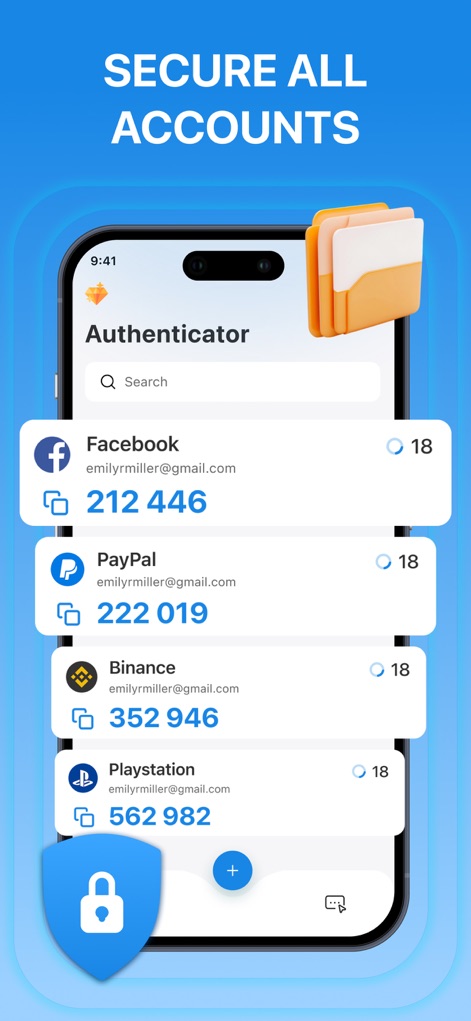
本アプリは、FacebookやPayPalなど複数のオンラインアカウントを一覧表示し、それぞれの二段階認証(TOTP)コードを安全に生成・管理します。
アカウントを集中管理
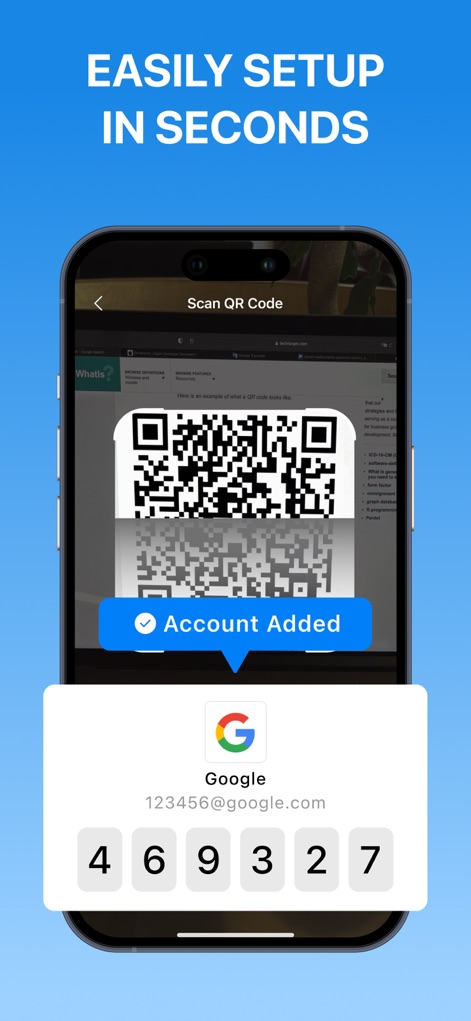
QRコードスキャン機能を使用して、Googleなどのサービスアカウントを数秒で迅速に追加し、画面に表示される検証コードを生成します。
簡単セットアップ
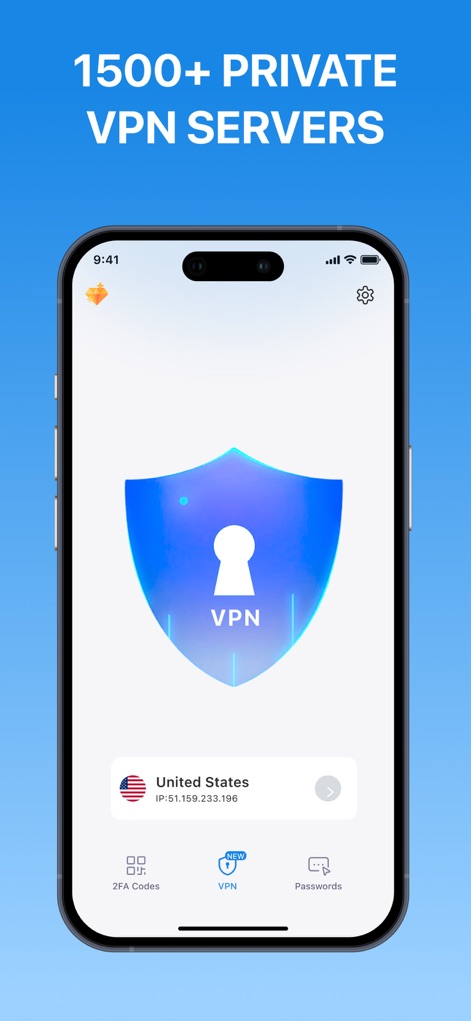
1500以上のプライベートVPNサーバーへアクセス可能で、選択された国(例:United States)のIPアドレスを表示し、暗号化された接続を通じてユーザーのオンラインプライバシーを強化します。
高度なVPN保護
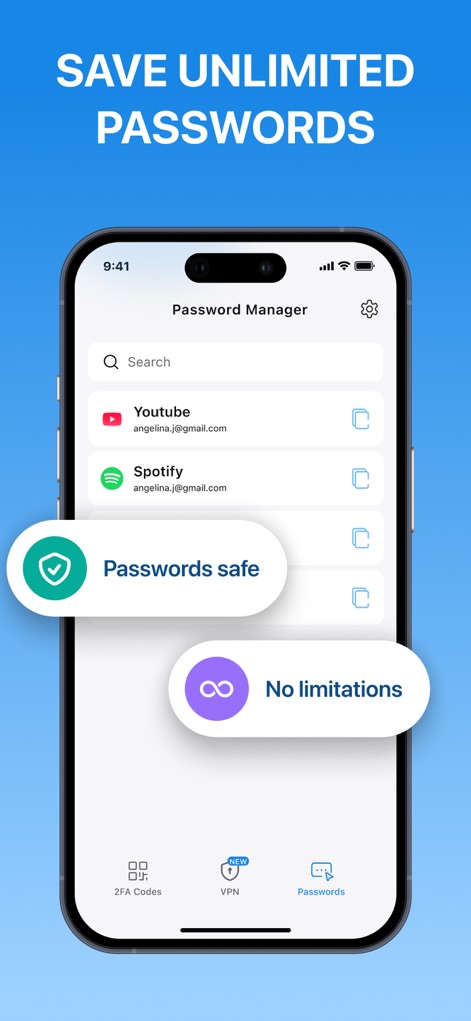
本アプリのパスワードマネージャーは、YouTubeやSpotifyなどのアカウントのパスワードを無制限に安全に保存し、「Passwords safe」および「No limitations」の表示でその堅牢性を強調します。
無制限パスワード管理
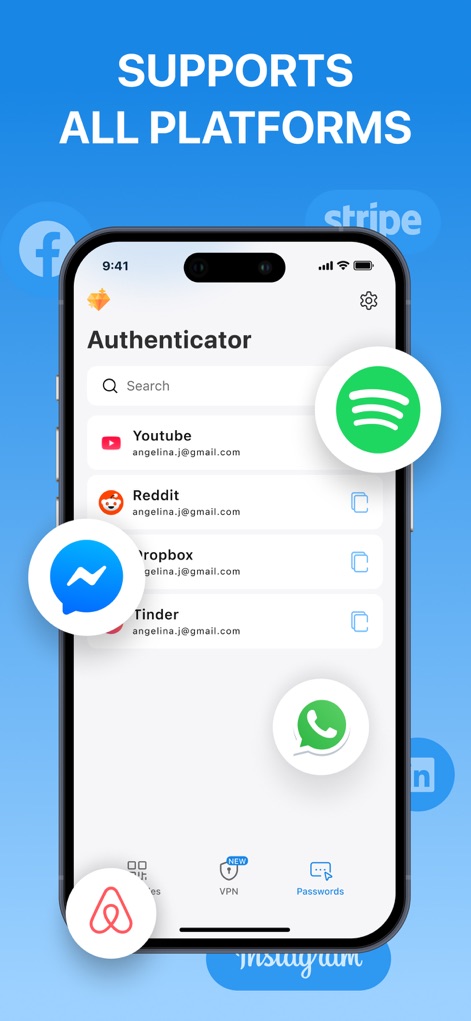
YouTubeやSpotifyなど、主要なオンラインプラットフォームの二段階認証コードに対応しており、様々なサービスアイコン(例:Facebook、Instagram)を通じてその幅広い互換性を示します。
広範なプラットフォーム対応
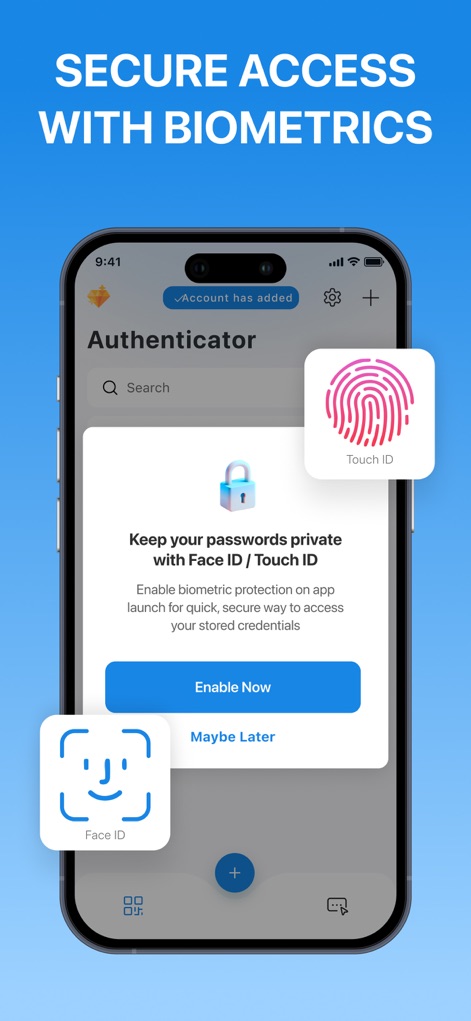
Face IDやTouch IDといった生体認証機能により、アプリへのアクセスを保護し、保存されたパスワードや認証コードのセキュリティを強化します。
生体認証で保護
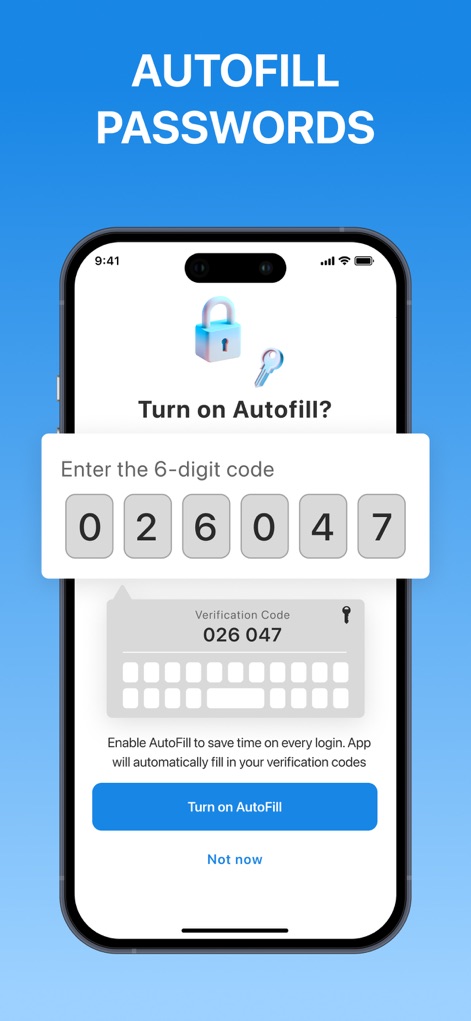
自動入力機能を有効にすることで、ユーザーはログイン時にパスワードや6桁の検証コードを自動で入力させることができ、時間と手間を削減します。
自動入力で高速ログイン
説明
Download
類似アプリ
似た機能とユーザー体験を持つアプリ

Proton Pass - Password Manager
Proton AG

Dashlane Password Manager
Dashlane

Password Manager - mSecure
mSeven Software, LLC

Kepttor Password Manager
MACREL SRL SEMPLIFICATA

DataVault Manager - Encrypted
MIKHAIL SHERSHNEV

Authenticator ·
SMM service, s.r.o.

Bitwarden Password Manager
Bitwarden Inc

Authenticator App ⁸
AGILE CODE LIMITED

Authenticator App ℗
RHO DEVELOPERS LLC
このページはアプリまたはその開発者の公式ページではなく、情報提供および論評を目的として作成された独立した編集出版物です。明示的に別段の記載がない限り、アプリおよびその開発者は、MWM、Apple、Google Play、アプリのパブリッシャー、またはアプリの開発者と提携、承認、後援、認可、またはその他の公式的な関係はなく、このページのいかなる内容も、アプリがMWMのサービスを使用して開発されたことを意味するものではありません。すべての商標、ロゴ、スクリーンショット、その他のコンテンツはそれぞれの所有者の財産です。