Blibli Seller Center
ダウンロード: App Store

このページはアプリまたはその開発者の公式ページではなく、情報提供および論評を目的として作成された独立した編集出版物です。明示的に別段の記載がない限り、アプリおよびその開発者は、MWM、Apple、Google Play、アプリのパブリッシャー、またはアプリの開発者と提携、承認、後援、認可、またはその他の公式的な関係はなく、このページのいかなる内容も、アプリがMWMのサービスを使用して開発されたことを意味するものではありません。すべての商標、ロゴ、スクリーンショット、その他のコンテンツはそれぞれの所有者の財産です。

ロゴ: Blibli Seller Center
ダウンロード: App Store

Blibli Seller Center

アメリカの起業家が、強力なモバイルファーストダッシュボードでグローバル販売を管理し、在庫を追跡し、東南アジアでの越境ビジネスを拡大することを支援します。

主要数値

ダウンロード

52K+

ユーザー評価

4.5/5

評価数

1000

開発元

PT Global Digital Niaga Tbk

カテゴリ

Shopping

対応言語

2

最新バージョン

9.42.0

サイズ

160.6 MB

リリース日

2021年7月1日
機能

Eコマース帝国を拡大する

現代のBlibliマーチャントが国際的な成長を楽に管理できるように設計された、最も強力なモバイルツールでブランドをグローバルに展開しましょう。

ライブパフォーマンス追跡

どこからでもリアルタイムで収益と売上統計を追跡するデータ駆動型ダッシュボードでストアの健全性を監視します。

グローバル注文処理

国際注文を処理し、外出先で在庫を管理し、越境ロジスティクスが遅れることのないようにします。

以下のスクリーンショットと説明は、アプリの公式ストアリスティングから直接取得されたものであり、アプリ開発者の所有物です。

アプリストア

スクリーンショット
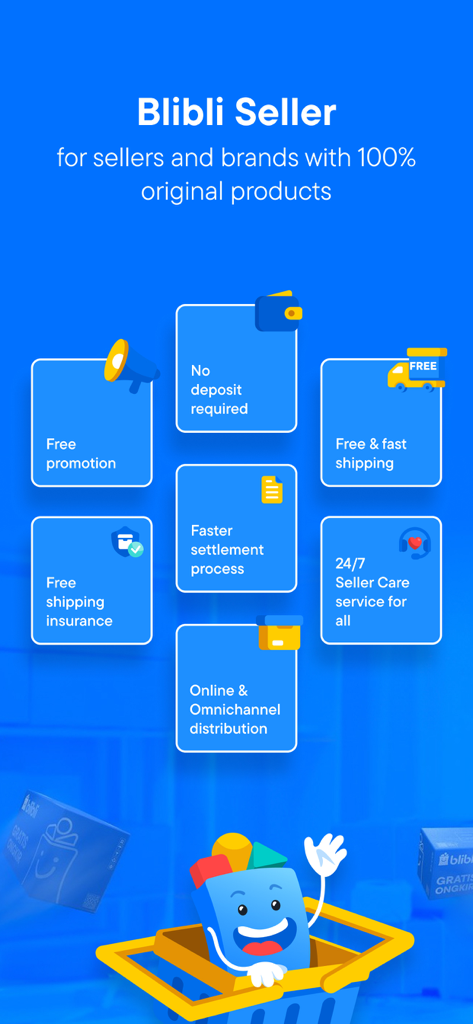
Blibli Seller Center - Blibli Seller Centerアプリにおける、無料プロモーションや24時間年中無休のセラーケアを含むマーチャント特典の概要
Blibli Seller Centerアプリにおける、無料プロモーションや24時間年中無休のセラーケアを含むマーチャント特典の概要

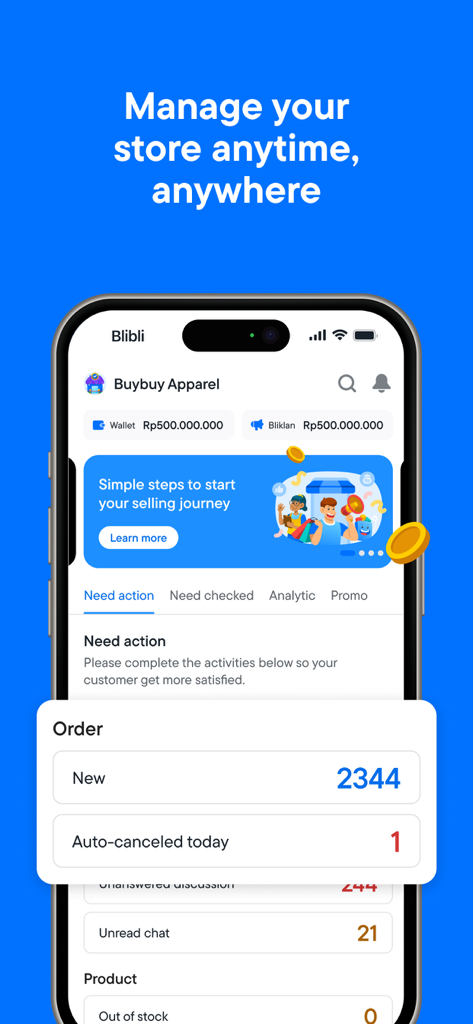
Blibli Seller Center - iPhone上の注文統計とウォレット残高を表示するBlibli Seller Centerアプリのダッシュボード
iPhone上の注文統計とウォレット残高を表示するBlibli Seller Centerアプリのダッシュボード

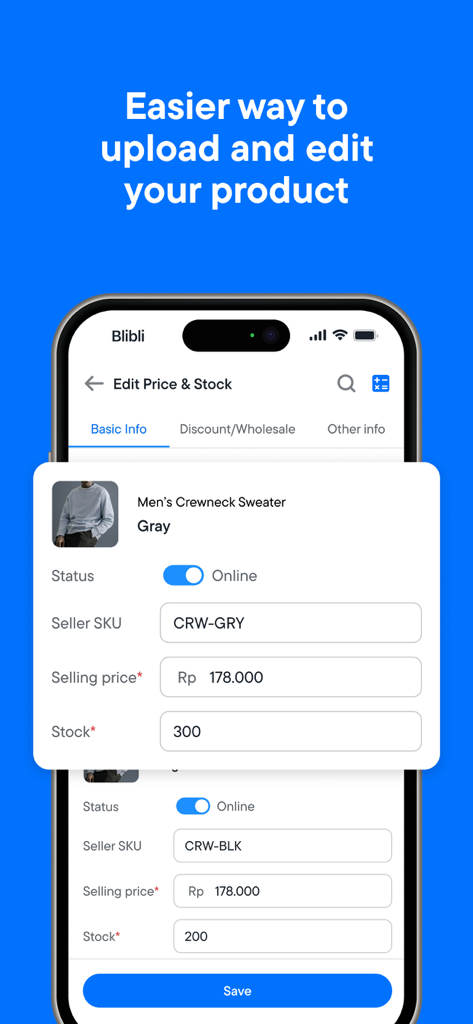
Blibli Seller Center - 商品価格と在庫の編集画面を表示するBlibli Seller Centerアプリのモバイルインターフェース
商品価格と在庫の編集画面を表示するBlibli Seller Centerアプリのモバイルインターフェース

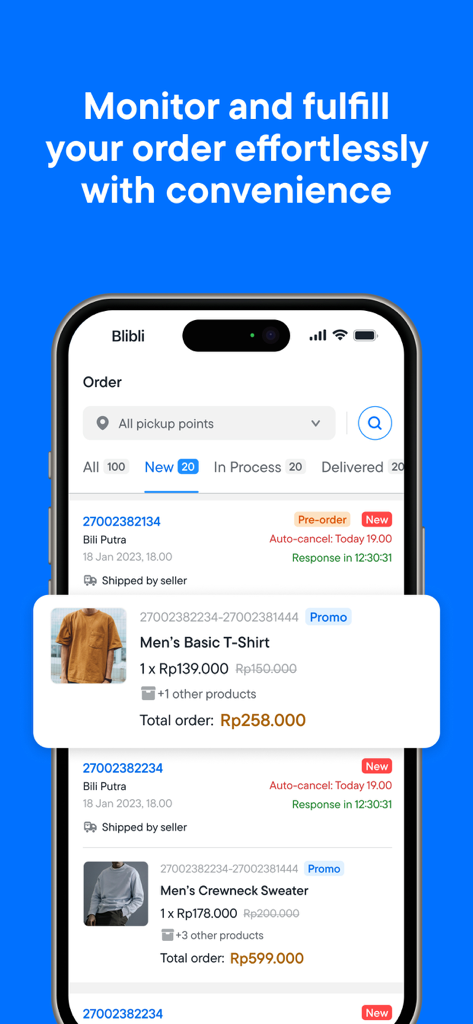
Blibli Seller Center - マーチャント向けの注文管理と注文処理状況を表示するBlibli Seller Centerアプリのインターフェース
マーチャント向けの注文管理と注文処理状況を表示するBlibli Seller Centerアプリのインターフェース

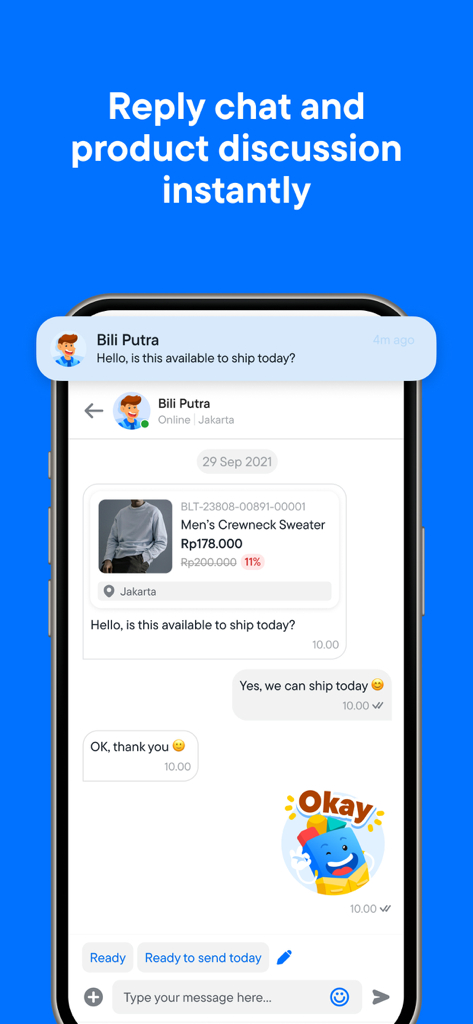
Blibli Seller Center - 商品の利用可能性に関する顧客チャットに返信するセラーを示すモバイルアプリのスクリーンショット
商品の利用可能性に関する顧客チャットに返信するセラーを示すモバイルアプリのスクリーンショット

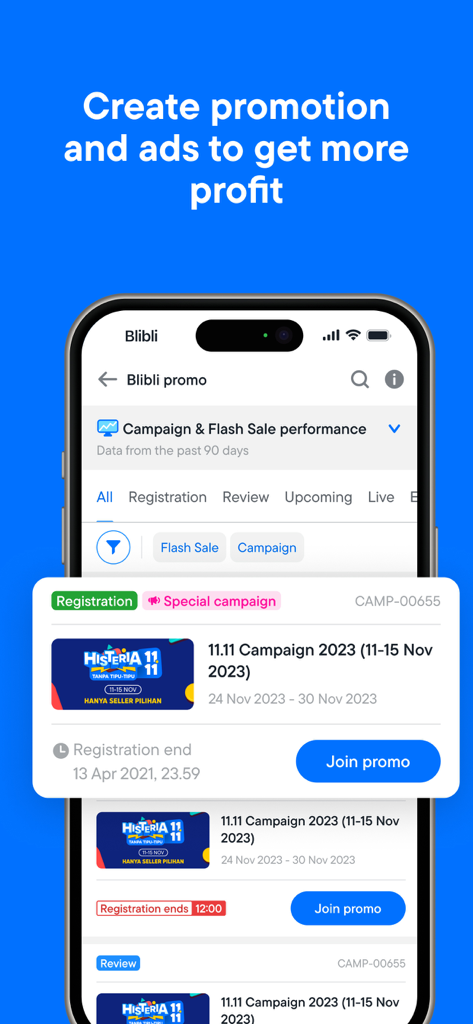
Blibli Seller Center - プロモーションキャンペーンと広告管理ツールを表示するBlibli Seller Centerアプリの画面
プロモーションキャンペーンと広告管理ツールを表示するBlibli Seller Centerアプリの画面

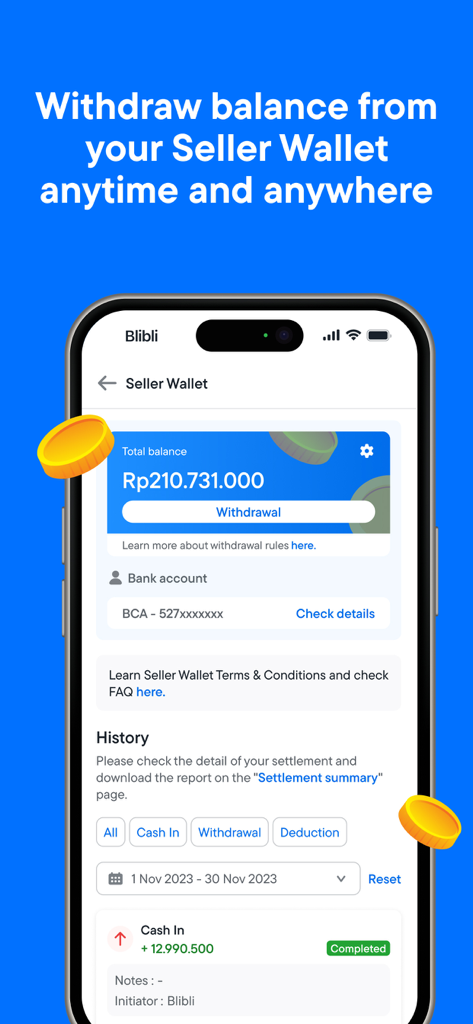
Blibli Seller Center - セラーウォレットの残高と出金セクションを表示するBlibli Seller Centerアプリのインターフェース
セラーウォレットの残高と出金セクションを表示するBlibli Seller Centerアプリのインターフェース

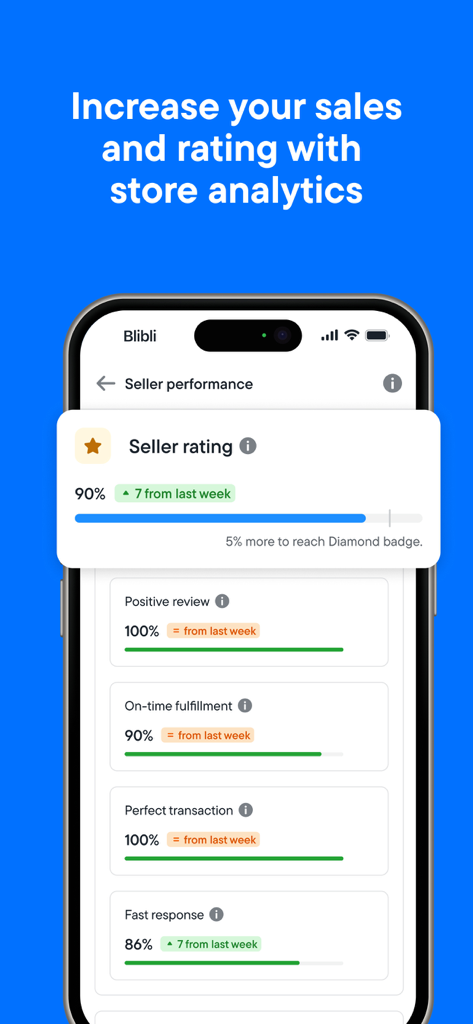
Blibli Seller Center - 評価、肯定的なレビュー、応答時間を含むセラーパフォーマンス指標を表示するモバイル画面

評価、肯定的なレビュー、応答時間を含むセラーパフォーマンス指標を表示するモバイル画面

説明

Get more with Blibli! Managing sales activities is made simpler for Blibli Seller! You can do it all anytime, anywhere straight from Blibli Seller Apps! Besides checking and responding to new orders, you can also add or edit products, see new features or other important announcement from this app. Increase sales and fulfill customer’s needs just got easier! What else can you do in this app? ● See store summary from the Dashboard Find new orders and important announcement from your Dashboard. You can also see product and sales stats and your total revenue here. ● Check new order from Orders menu Got a new order? Respond orders as soon as possible from Orders menu. Show your best service and give your customer the best shopping experience! ● Manage products from Product menu Add new product or restock product from Product menu. Simply look for product name, complete product information, and you’re ready to sell! ● Respond customer’s question from Product Discussion menu Answer product related questions from customers. The faster you respond with informative answer, the bigger your chance to convince customer on making an order! ● See important info from Notification menu Don’t miss out on the latest notification about sales, product stock, order status, customer’s questions, or other important news! ● Contact Seller Care from Seller Care menu Need help? Seller Care is here to help! You can contact Seller Care via phone, email, or live chat from the Seller Care menu Not a Blibli Seller yet? Enjoy all these benefits and join thousands other Sellers and reputable brands by signing up your store in Blibli now! So, what are the perks of being Blibli Seller? √ Trusted by leading sellers √ 100% product insurance √ Free shipping √ No deposit required √ Free promotion √ Seller Care More info, visit https://seller.blibli.com/mulai-berjualan Happy selling at Blibli!

Download

ダウンロード: App Store

このページはアプリまたはその開発者の公式ページではなく、情報提供および論評を目的として作成された独立した編集出版物です。明示的に別段の記載がない限り、アプリおよびその開発者は、MWM、Apple、Google Play、アプリのパブリッシャー、またはアプリの開発者と提携、承認、後援、認可、またはその他の公式的な関係はなく、このページのいかなる内容も、アプリがMWMのサービスを使用して開発されたことを意味するものではありません。すべての商標、ロゴ、スクリーンショット、その他のコンテンツはそれぞれの所有者の財産です。