Blood Test result management
ダウンロード: App Store

このページはアプリまたはその開発者の公式ページではなく、情報提供および論評を目的として作成された独立した編集出版物です。明示的に別段の記載がない限り、アプリおよびその開発者は、MWM、Apple、Google Play、アプリのパブリッシャー、またはアプリの開発者と提携、承認、後援、認可、またはその他の公式的な関係はなく、このページのいかなる内容も、アプリがMWMのサービスを使用して開発されたことを意味するものではありません。すべての商標、ロゴ、スクリーンショット、その他のコンテンツはそれぞれの所有者の財産です。


ロゴ: Blood Test result management
ダウンロード: App Store

Blood Test result management

断片化された検査レポートを、単一の信頼できる情報源に変換します。直感的なグラフ作成と、次回の医師の診察のためのプロフェッショナルなPDFレポートで、家族の血液検査結果を安全に追跡しましょう。

主要数値

ダウンロード

1K+

ユーザー評価

4.0/5

評価数

0

開発元

YUTAKA IZUMIYAMA

カテゴリ

Health & Fitness

対応言語

2

最新バージョン

25.12.14

サイズ

4.4 MB

リリース日

2024年6月10日
機能

健康トレンドをマスターする

断片化された患者ポータルを漁るのはやめましょう。検査結果を1つの安全なダッシュボードに統合し、長期的な健康状態の全体像を把握しましょう。

視覚的トレンド分析

静的なレポートをインタラクティブなグラフに変換します。コレステロールやグルコースなどの指標が長年にわたりどのように推移しているかを監視し、ライフスタイルの変化がもたらす真の影響を確認しましょう。

統合された家族管理

介護者にとって究極のツールです。あなた自身、高齢の親、または子供たちのために個別の健康プロファイルを作成し、すべての記録を1つのプライベートな場所に整理して保管しましょう。

以下のスクリーンショットと説明は、アプリの公式ストアリスティングから直接取得されたものであり、アプリ開発者の所有物です。

アプリストア

スクリーンショット
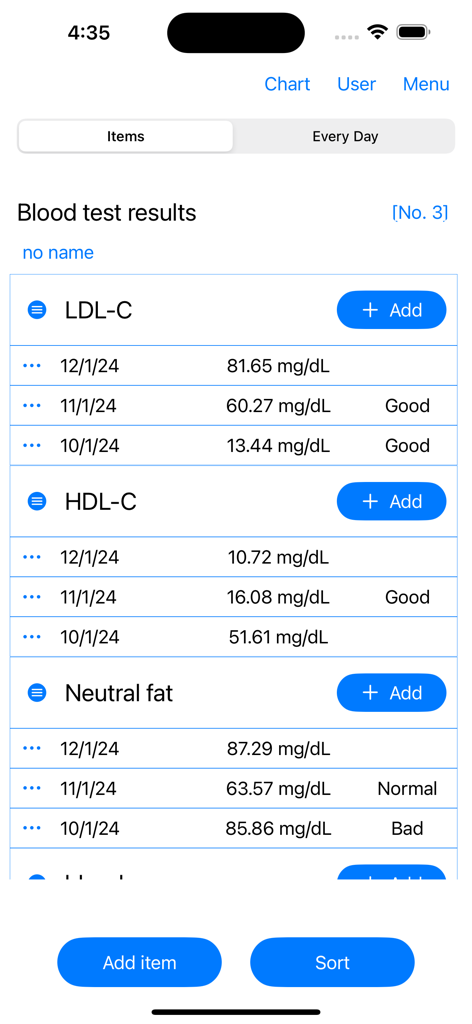
Blood Test result management - LDLおよびHDLコレステロールの血液検査結果、日付、ステータスラベルが表示されたモバイルアプリ画面。
LDLおよびHDLコレステロールの血液検査結果、日付、ステータスラベルが表示されたモバイルアプリ画面。

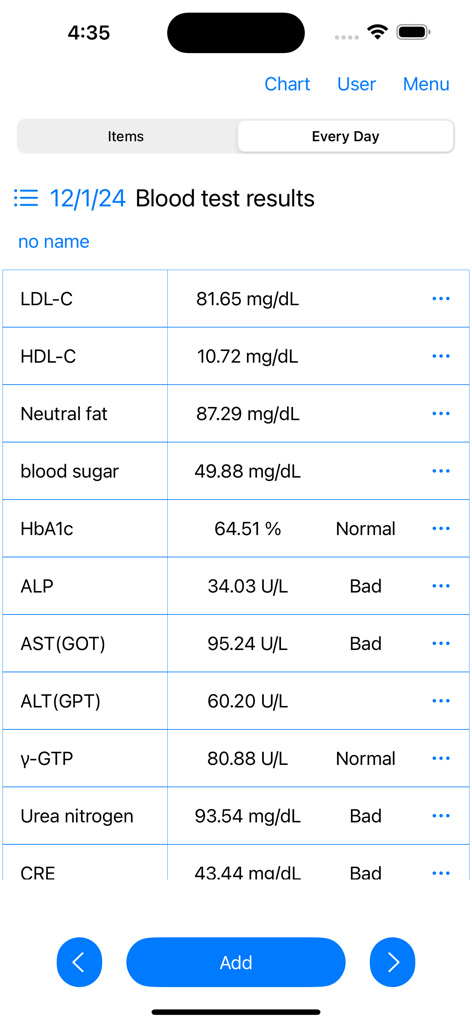
Blood Test result management - 血液検査結果と健康状態の詳細なリストが表示されたモバイルアプリケーションインターフェイス
血液検査結果と健康状態の詳細なリストが表示されたモバイルアプリケーションインターフェイス

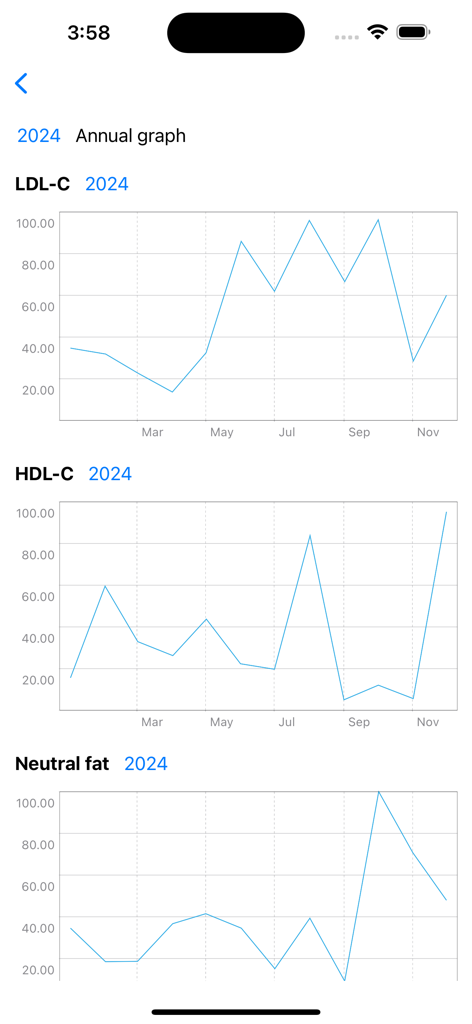
Blood Test result management - LDL-C、HDL-C、中性脂肪の結果の年間トレンド線グラフを表示するアプリのスクリーンショット。
LDL-C、HDL-C、中性脂肪の結果の年間トレンド線グラフを表示するアプリのスクリーンショット。

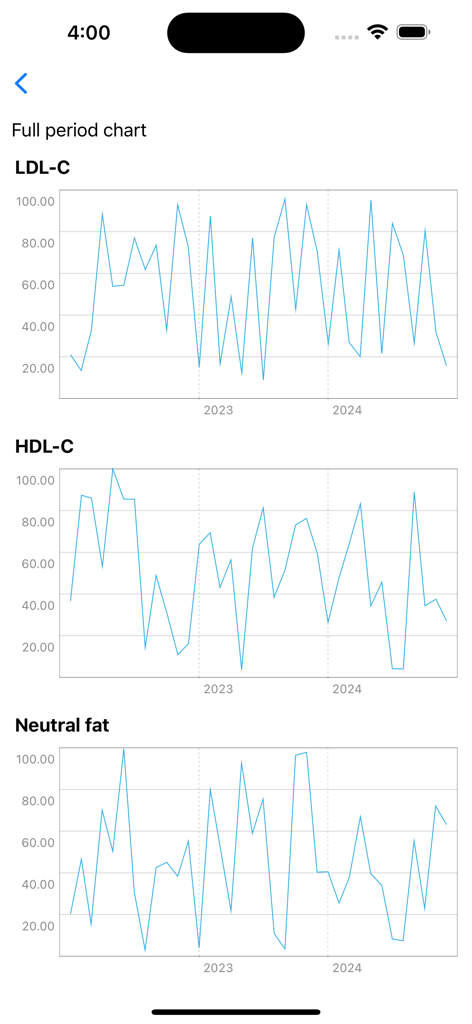
Blood Test result management - 数年間にわたるLDL-C、HDL-C、中性脂肪レベルを追跡する折れ線グラフ
数年間にわたるLDL-C、HDL-C、中性脂肪レベルを追跡する折れ線グラフ

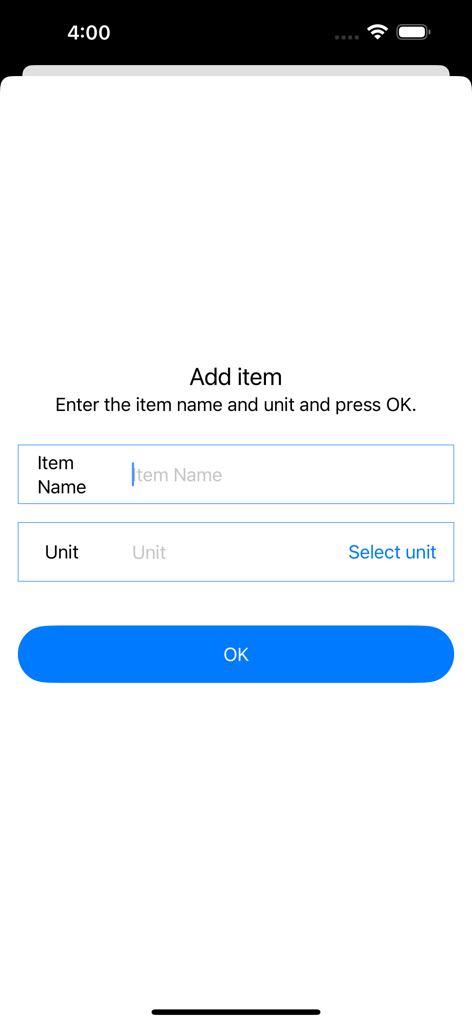
Blood Test result management - 新しい血液検査項目名と単位を追加するための手動入力画面

新しい血液検査項目名と単位を追加するための手動入力画面

説明

This is an app for recording blood test results and displaying charts. You can record blood test results by specifying the date. Record blood test results and display them in a chart. You can check the blood test results of each record on the chart. ▼Record blood test results 1. Press the Add button for the blood test result item. 2. Select the date of blood test and press next 3. Enter the blood test result value and press OK. 4. Enter the memo and press OK. ▼Blood test result chart 1. Press the chart at the top. 2. Press the full period chart/annual chart. 3. Displays a line chart of blood test results for each record. ▼Change/delete/set item name Press the item at the top. Tap the icon to the left of the item name to open the menu. The menu has the following items. ・Edit item name ・Edit units ・delete →Delete all item names and their records. ▼Add item Press Add Item on the item screen. Enter the item name and unit and press OK. ▼sort items Press Sort on the item screen. A screen with a list of items opens. To sort, press and hold the item name. ▼Delete one record 1. Press the three dots. 2. Press Delete. 3. Confirm the deletion details and press the delete button. ▼Add user Tap User at the top. If you add a name from Add User, you can record them separately. To edit, tap Edit/Delete User to open the editing screen. You can switch users by tapping the user name in user selection. ▼Create PDF file (top right menu) Create a PDF file. You can create a PDF file by specifying the year. If you want to print, please share the PDF file to an app that can print before printing. ▼Dark mode (top right menu) Select dark mode ON/OFF from the menu on the top right Press Dark Mode to switch to a screen display with a color scheme based on black. If you press Light mode, the screen will be displayed in the normal white color. ▼Delete all records (top right menu) From the menu on the top right, select Erase all data. You can delete all records. ・Model change data migration For users with the same Apple ID Because records are stored in iCloud View the same recording on a new iPhone/iPad

Download

ダウンロード: App Store

このページはアプリまたはその開発者の公式ページではなく、情報提供および論評を目的として作成された独立した編集出版物です。明示的に別段の記載がない限り、アプリおよびその開発者は、MWM、Apple、Google Play、アプリのパブリッシャー、またはアプリの開発者と提携、承認、後援、認可、またはその他の公式的な関係はなく、このページのいかなる内容も、アプリがMWMのサービスを使用して開発されたことを意味するものではありません。すべての商標、ロゴ、スクリーンショット、その他のコンテンツはそれぞれの所有者の財産です。